> ## Documentation Index
> Fetch the complete documentation index at: https://docs.digifist.com/llms.txt
> Use this file to discover all available pages before exploring further.
# Getting Started
> Go from a fresh Shopify store to a live discount campaign — install the app, pick a plan, build your first campaign, and enable the theme app embed.
Galantis Discount Flow lives inside your Shopify admin, so getting started is short: install from the Shopify App Store, select a plan, and build your first campaign in the 3-step wizard. Most merchants go from install to a published campaign in a single sitting.
There is one storefront step that's easy to miss: enabling the **Galantis Discount Flow** theme app embed. Price discounts are applied at checkout either way, but free-gift auto-add and storefront signals only work with the embed switched on.
Plan selection is part of the install flow — even the **\$0 Free plan** must be actively selected on Shopify's plan-selection page before you land on the Dashboard. Every feature is available on every plan; plans differ only by limits.
## The journey
Install Galantis Discount Flow from the Shopify App Store and approve the permissions Shopify shows. The app syncs your shop's currency, locale, and timezone automatically. See [Installation](/galantis/discount/getting-started/installation).
If you've never selected a plan, Shopify redirects you to its hosted plan-selection page. Choose **Free** (up to 3 active campaigns with monthly usage caps) or **Pro** (unlimited campaigns, unmetered usage), then land on the Dashboard.
Use the 3-step wizard: pick a template or **Start from scratch**, name the campaign and shape it in the Rule Builder, then set active dates and combinations. Finish with **Save as draft** or **Create Campaign**. See [Your first campaign](/galantis/discount/getting-started/first-campaign).
In the Shopify theme editor, switch on the **Galantis Discount Flow** app embed so free gifts are auto-added on the storefront and customers see discount signals. See [Storefront setup](/galantis/discount/getting-started/storefront-setup).
 ## The guides in this section
The install flow, what each permission is for, the plan-selection redirect, and what happens right after install.
A full walkthrough of the 3-step wizard using the Percentage Discount template, from template pick to published discount.
Enable the theme app embed and understand each embed setting — and when the embed is required versus optional.
## Where everything lives
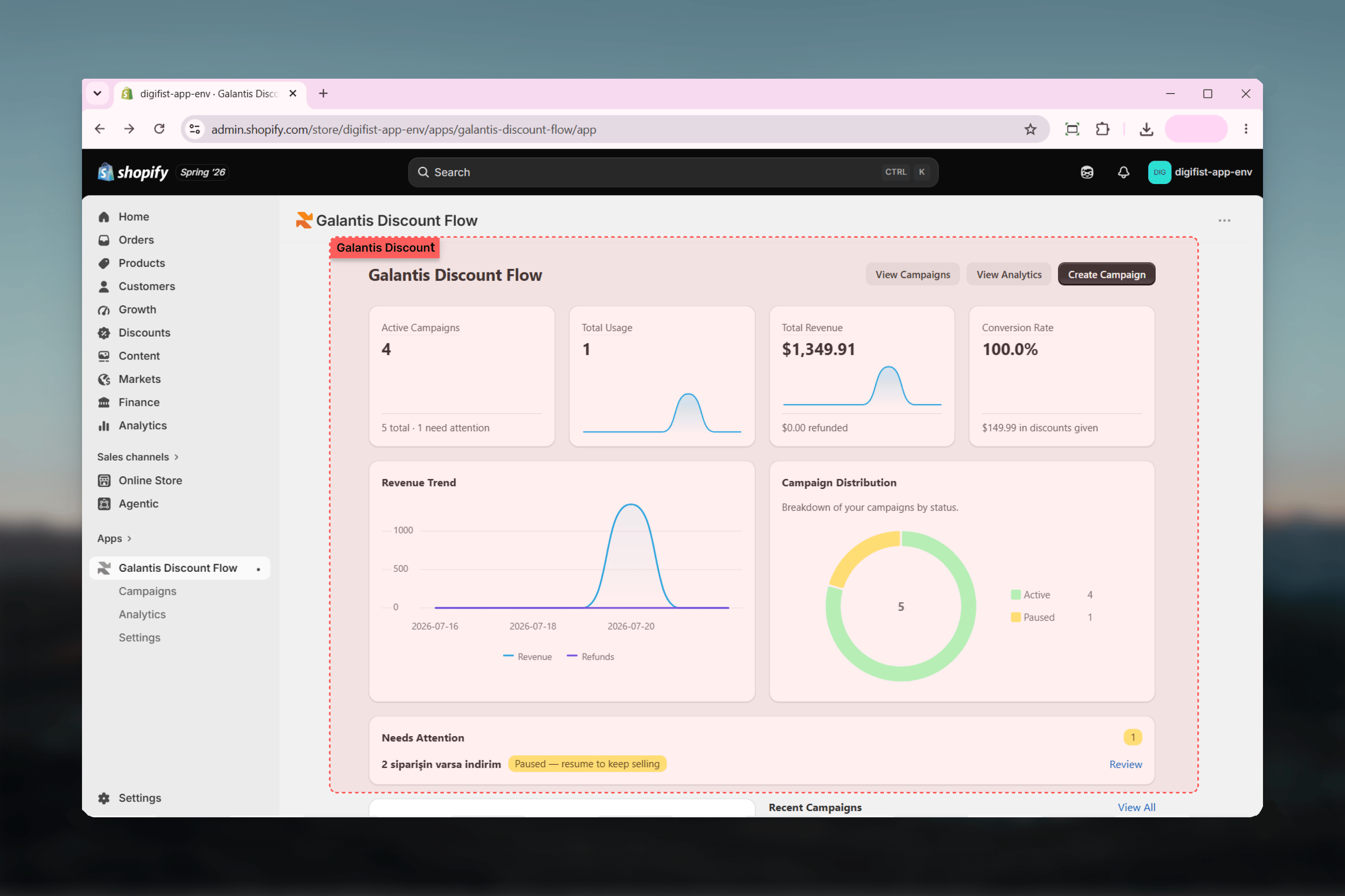
After setup, you'll work from four areas in the app's navigation:
| Area | What it's for |
| ------------- | ------------------------------------------------------------------------------------------------------- |
| **Home** | The dashboard — your starting point after install, with an overview of campaign performance. |
| **Campaigns** | Create, edit, and manage campaigns; published campaigns also appear on Shopify's native Discounts page. |
| **Analytics** | Revenue, usage, conversion rate, ROI, refund tracking, and CSV export. |
| **Settings** | Plan management (**Change plan**) and app configuration. |
## Related guides
* [Installation](/galantis/discount/getting-started/installation)
* [Your first campaign](/galantis/discount/getting-started/first-campaign)
* [Storefront setup](/galantis/discount/getting-started/storefront-setup)
* [Campaigns overview](/galantis/discount/campaigns/index)
## The guides in this section
The install flow, what each permission is for, the plan-selection redirect, and what happens right after install.
A full walkthrough of the 3-step wizard using the Percentage Discount template, from template pick to published discount.
Enable the theme app embed and understand each embed setting — and when the embed is required versus optional.
## Where everything lives
After setup, you'll work from four areas in the app's navigation:
| Area | What it's for |
| ------------- | ------------------------------------------------------------------------------------------------------- |
| **Home** | The dashboard — your starting point after install, with an overview of campaign performance. |
| **Campaigns** | Create, edit, and manage campaigns; published campaigns also appear on Shopify's native Discounts page. |
| **Analytics** | Revenue, usage, conversion rate, ROI, refund tracking, and CSV export. |
| **Settings** | Plan management (**Change plan**) and app configuration. |
## Related guides
* [Installation](/galantis/discount/getting-started/installation)
* [Your first campaign](/galantis/discount/getting-started/first-campaign)
* [Storefront setup](/galantis/discount/getting-started/storefront-setup)
* [Campaigns overview](/galantis/discount/campaigns/index)