> ## Documentation Index
> Fetch the complete documentation index at: https://docs.digifist.com/llms.txt
> Use this file to discover all available pages before exploring further.
# How discounts apply at checkout
> What happens between publishing a campaign and a customer seeing the discount — automatic vs code-based campaigns, condition evaluation, stacking rules, and Shopify integration.
Every published campaign in Galantis Discount Flow is a real Shopify discount. At checkout, the discount Function evaluates your campaign's conditions against the live cart and applies the result — so the discount a customer sees is always computed from what's actually in their cart at that moment.
## Automatic vs code-based campaigns
A campaign becomes one of two kinds of Shopify discount, depending on how the flow is built:
The default. The discount applies at checkout on its own whenever the cart meets the campaign's conditions — the customer doesn't enter anything.
Created when the flow contains a **Discount code** condition. The customer enters the code at checkout, and the campaign's remaining conditions are then evaluated as usual.
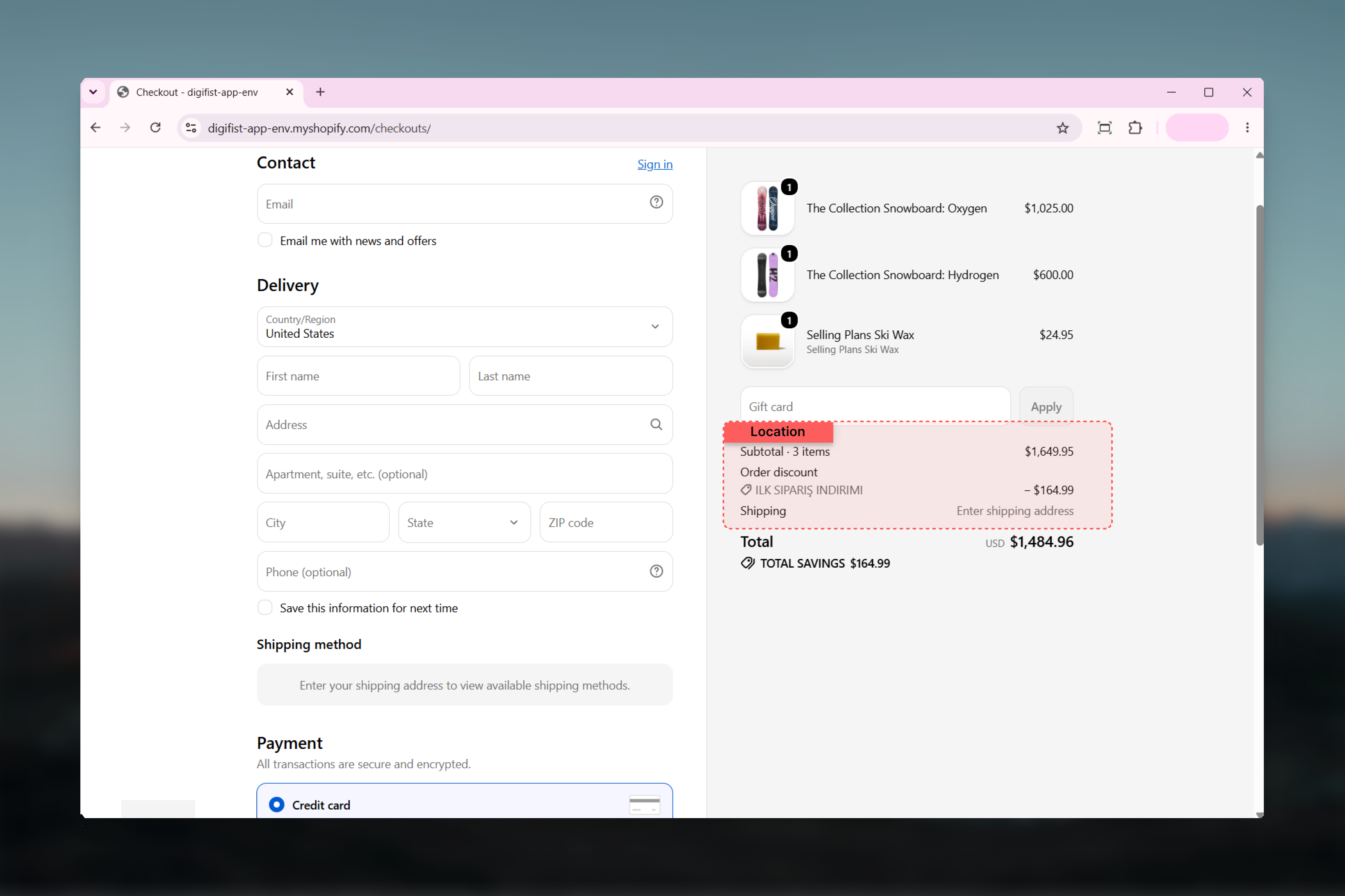
Automatic discounts are applied by Shopify **at checkout**, so it's expected that a customer doesn't see the discount in the cart drawer or cart page. It appears once they reach checkout.
## Condition evaluation at checkout
When a customer reaches checkout, the discount Function checks the campaign's conditions against the live cart — items, quantities, totals, and (where used) customer attributes. Conditions are re-evaluated as the cart changes, so a discount that applied a moment ago disappears if the cart stops qualifying.
Customer-based conditions — customer tags, segments, order count, and first order — require the customer to be **logged in** at checkout. A guest checkout can't match these conditions, so campaigns that use them won't apply for anonymous customers.
## What each discount type does at checkout
| Discount type | Behavior at checkout |
| -------------------------- | --------------------------------------------------------------------------------------------------------------------------------------------------------------------------------- |
| Order percentage / fixed | Reduces the order total by a percentage or fixed amount. |
| Product percentage / fixed | Reduces the price of matching cart lines. |
| Capped percentage | A percentage discount limited by a **Max discount amount** — the discount never exceeds the cap. |
| Free shipping | A delivery discount on shipping, optionally capped at a maximum amount. |
| BOGO (same product) | Discounts the "get" units of a product the customer is buying. The "get" units must already be in the cart — checkout cannot add items. |
| Bundle | A product discount applied when the bundle's products are in the cart together. |
| Free gift | The gift product's price is discounted at checkout. The [theme app embed](/galantis/discount/storefront/theme-embed) is what adds the gift product to the cart on the storefront. |
 ## Combination and stacking rules
Whether campaigns stack with each other and with other Shopify discounts follows each campaign's **Combinations** settings, using Shopify's standard discount classes — order, product, and shipping. A campaign only combines with discounts in the classes you've allowed.
When multiple product discounts compete on the **same cart line**, the best one for the customer wins — they don't stack on a single line.
If a discount seems to be "missing" when several campaigns are active, check the **Combinations** settings on each campaign first, then check whether a stronger product discount won on that cart line.
## Integration with Shopify's Discounts page
Published campaigns appear on Shopify's native **Discounts** page in your admin, alongside any discounts you've created directly in Shopify. Clicking a Galantis campaign there opens it in Galantis Discount Flow for editing — so your team can start from either place.
Shopify enforces a platform limit: a store can have at most **25 active automatic discounts**, across all apps and native discounts combined. Code-based campaigns don't count toward this limit. See [Troubleshooting](/galantis/discount/support/troubleshooting) if you hit it.
## Related guides
* [Theme app embed](/galantis/discount/storefront/theme-embed) — the storefront half: free gifts and notifications
* [Analytics](/galantis/discount/analytics) — how applications and conversions at checkout become your metrics
## Combination and stacking rules
Whether campaigns stack with each other and with other Shopify discounts follows each campaign's **Combinations** settings, using Shopify's standard discount classes — order, product, and shipping. A campaign only combines with discounts in the classes you've allowed.
When multiple product discounts compete on the **same cart line**, the best one for the customer wins — they don't stack on a single line.
If a discount seems to be "missing" when several campaigns are active, check the **Combinations** settings on each campaign first, then check whether a stronger product discount won on that cart line.
## Integration with Shopify's Discounts page
Published campaigns appear on Shopify's native **Discounts** page in your admin, alongside any discounts you've created directly in Shopify. Clicking a Galantis campaign there opens it in Galantis Discount Flow for editing — so your team can start from either place.
Shopify enforces a platform limit: a store can have at most **25 active automatic discounts**, across all apps and native discounts combined. Code-based campaigns don't count toward this limit. See [Troubleshooting](/galantis/discount/support/troubleshooting) if you hit it.
## Related guides
* [Theme app embed](/galantis/discount/storefront/theme-embed) — the storefront half: free gifts and notifications
* [Analytics](/galantis/discount/analytics) — how applications and conversions at checkout become your metrics