> ## Documentation Index
> Fetch the complete documentation index at: https://docs.digifist.com/llms.txt
> Use this file to discover all available pages before exploring further.
# Blogs
> Configure Everest's blog listing template, article cards, tag filters, and grid layout.
Blogs control the main article listing experience in Everest. The template is driven by the `main-blog` section, which combines a selected blog source, optional tag filters, pagination, and reusable article card blocks into one customizable listing page.
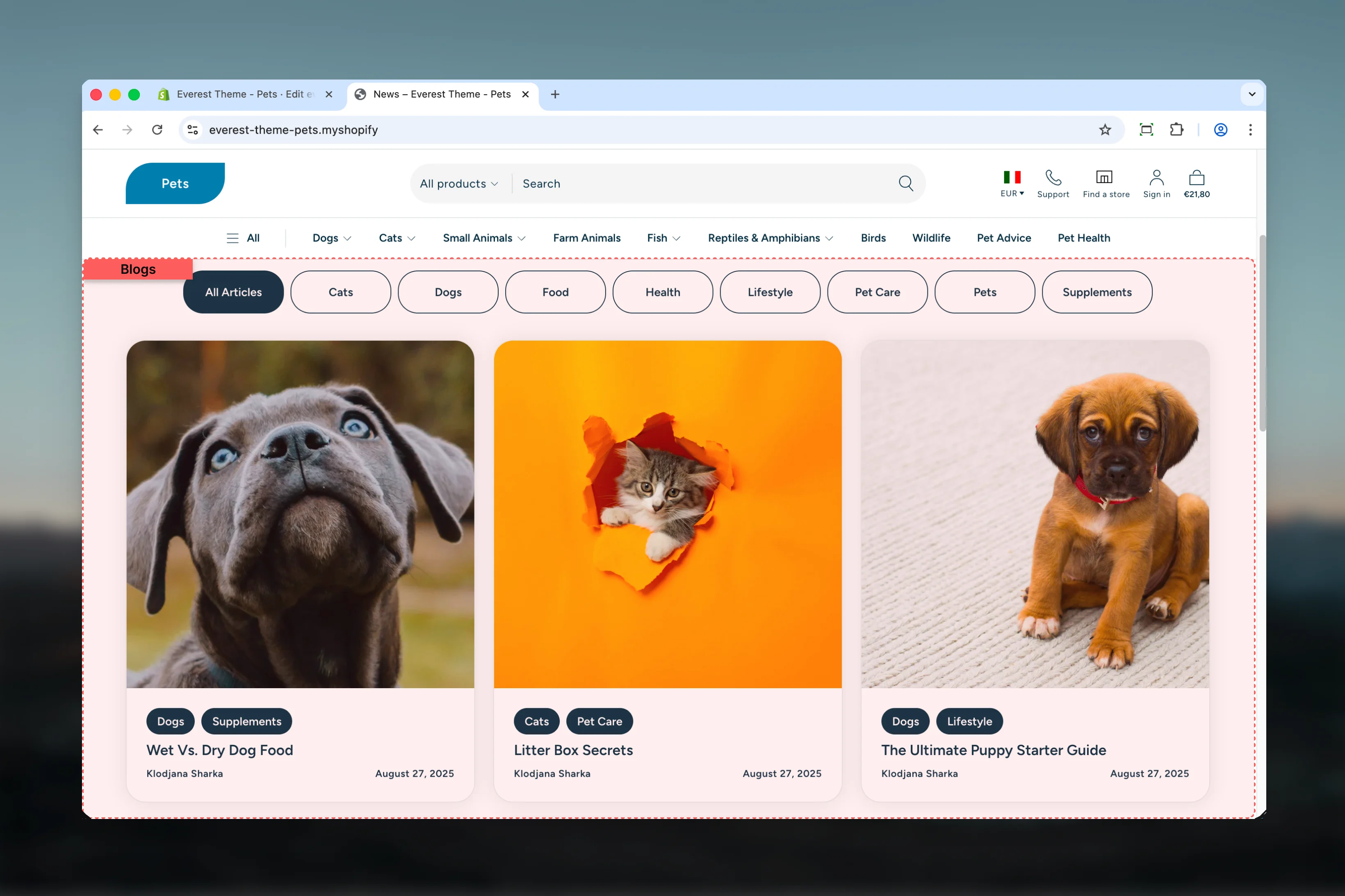 ## What this template controls
* Which Shopify blog the page displays
* Tag-based article filtering on desktop and mobile
* Articles per page and pagination behavior
* Article grid columns on desktop and mobile
* Shared width, color, spacing, and border settings
* The default Section Header and Article Card block structure used inside the template
## Template structure
This template uses the following main section and related blocks by default:
* **Blog**
* **Section Header** block
* **Article Card** block with tags, heading, and article details sub-blocks
## Getting started
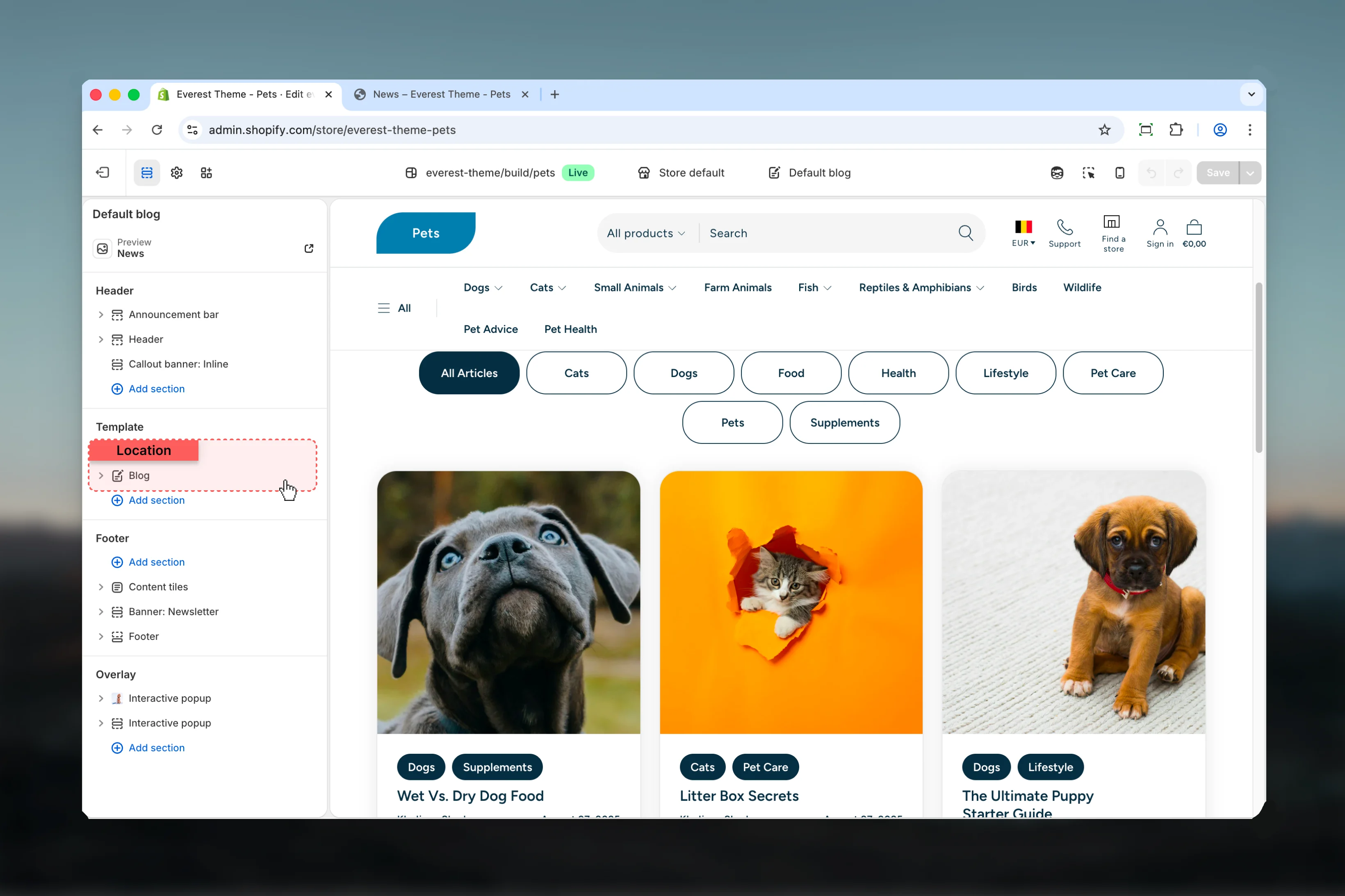
In Theme Customizer, open a blog resource or assign the blog template before editing it.
Set the correct Shopify blog first so filtering, article count, and pagination reflect the right content set.
Adjust articles per page and column count together so the listing stays readable across desktop and mobile.
If tag filters are enabled, review both the desktop button list and the mobile dropdown flow.
## What this template controls
* Which Shopify blog the page displays
* Tag-based article filtering on desktop and mobile
* Articles per page and pagination behavior
* Article grid columns on desktop and mobile
* Shared width, color, spacing, and border settings
* The default Section Header and Article Card block structure used inside the template
## Template structure
This template uses the following main section and related blocks by default:
* **Blog**
* **Section Header** block
* **Article Card** block with tags, heading, and article details sub-blocks
## Getting started
In Theme Customizer, open a blog resource or assign the blog template before editing it.
Set the correct Shopify blog first so filtering, article count, and pagination reflect the right content set.
Adjust articles per page and column count together so the listing stays readable across desktop and mobile.
If tag filters are enabled, review both the desktop button list and the mobile dropdown flow.
 ## Main settings
### Content and navigation
## Main settings
### Content and navigation
 Selects which Shopify blog this template should render.
If no blog is chosen in the section, Everest falls back to the current blog resource.
Shows article tag filters above the article grid.
Everest renders the filters as a button row on desktop and as a dropdown menu on mobile.
Controls how many articles appear before pagination.
**Default:** `12`
### Layout
Selects which Shopify blog this template should render.
If no blog is chosen in the section, Everest falls back to the current blog resource.
Shows article tag filters above the article grid.
Everest renders the filters as a button row on desktop and as a dropdown menu on mobile.
Controls how many articles appear before pagination.
**Default:** `12`
### Layout
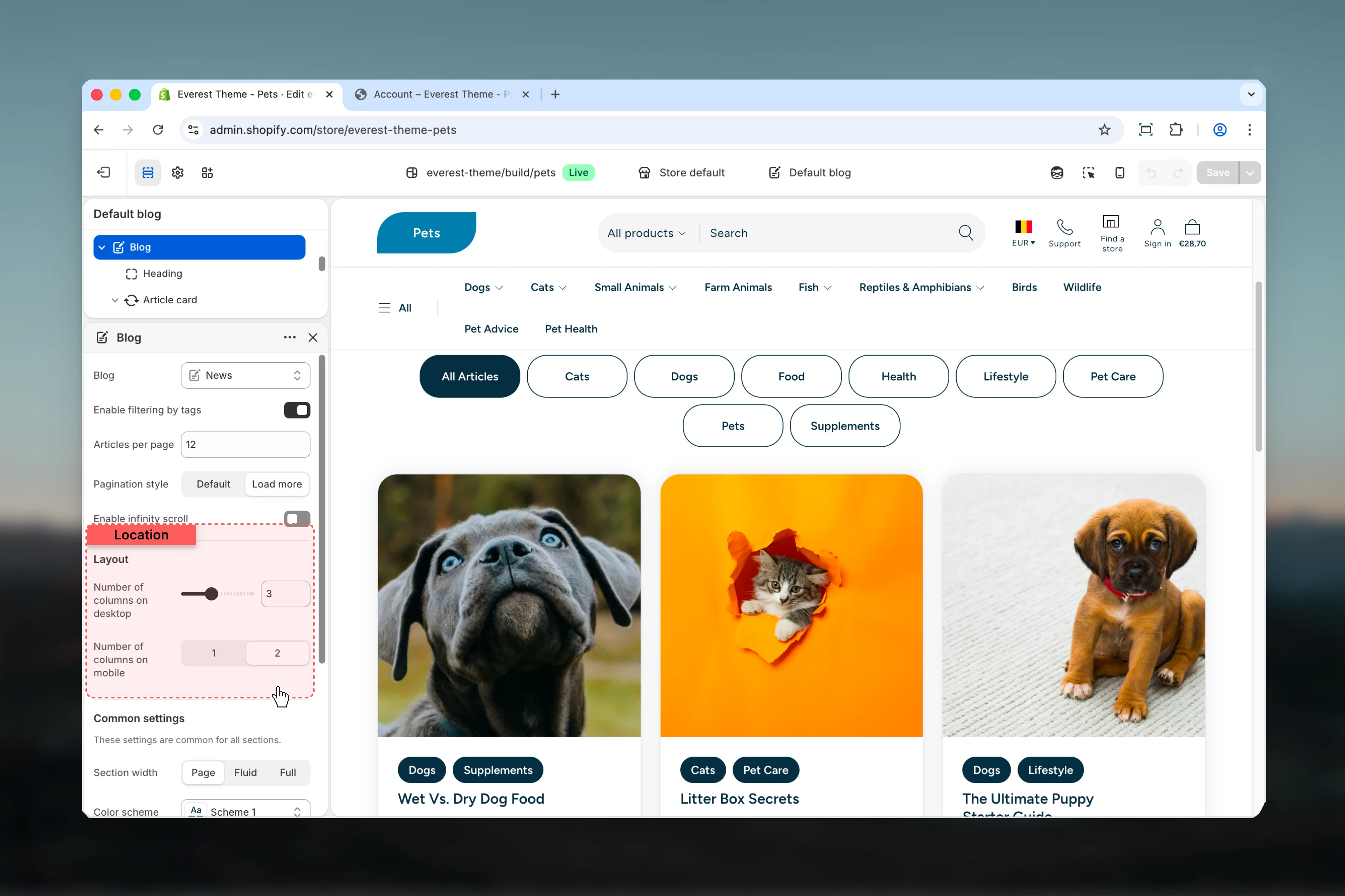 Controls the article grid density on larger screens.
**Range:** `1` to `6`\
**Default:** `3`
Controls how many article cards display per row on smaller screens.
**Available options:** `1`, `2`\
**Default:** `2`
### Common settings
Controls the article grid density on larger screens.
**Range:** `1` to `6`\
**Default:** `3`
Controls how many article cards display per row on smaller screens.
**Available options:** `1`, `2`\
**Default:** `2`
### Common settings
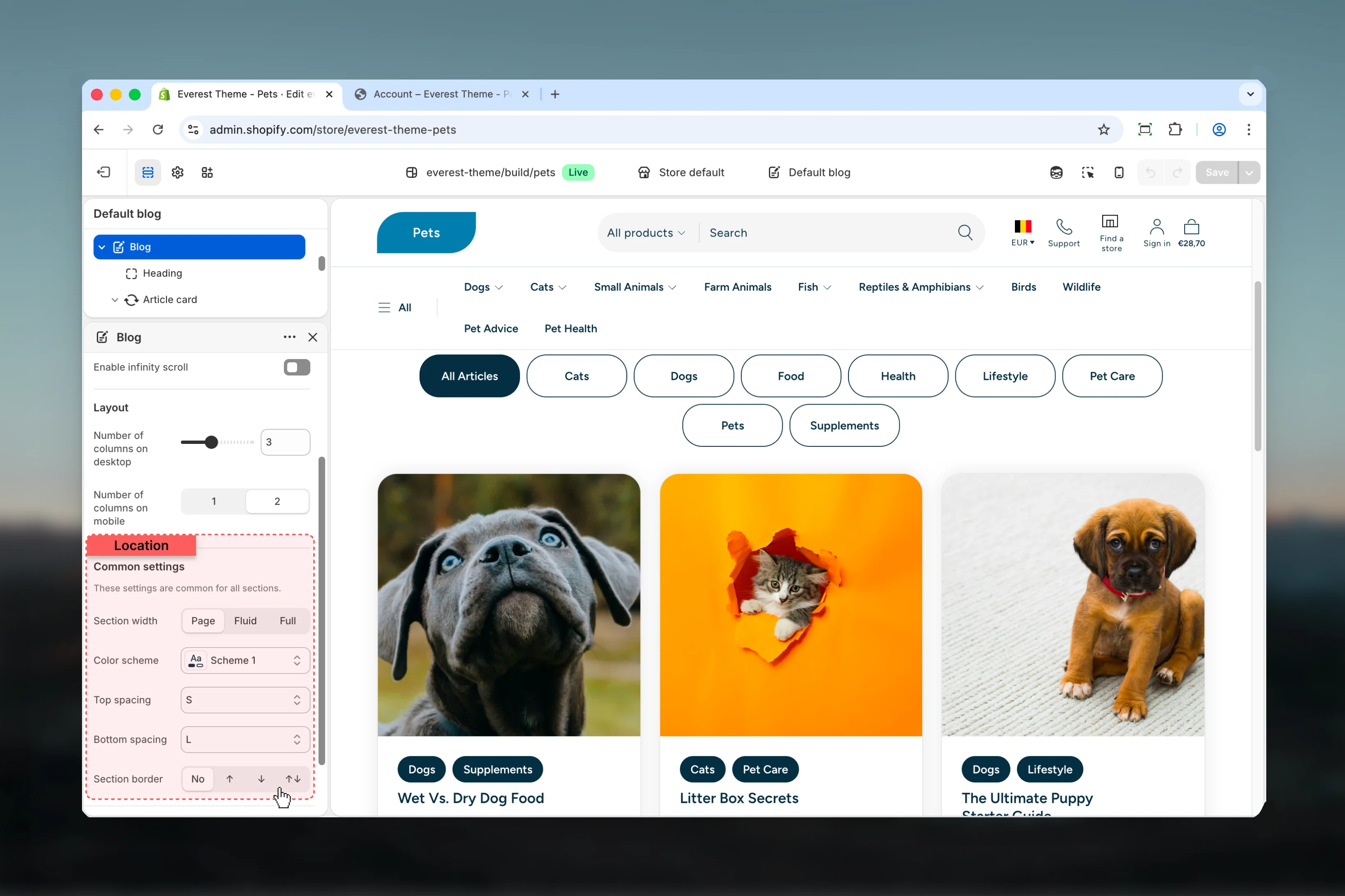 Sets the maximum layout width for the blog listing container.
**Available options:** `Page`, `Fluid`, `Full`\
**Default:** `Page`
Applies the main color treatment for the template wrapper and article listing area.
Control the vertical spacing around the blog listing section.
**Available options:** `No`, `S`, `M`, `L`, `XL`
Adds a border treatment to the blog section wrapper.
**Available options:** `None`, `Top`, `Bottom`, `Both`
## Block behavior
The default article card structure is defined inside the template JSON. Everest uses:
* **Tags** to show article tags when available
* **Heading** for the article title
* **Article Details** for author and publish date
These blocks work together inside the shared article card component, so card presentation is affected by both the template and Everest's reusable card styling.
## Best practices
* Choose article counts and column settings together so pagination feels intentional instead of crowded.
* Keep tag filtering enabled only when the selected blog has a clear tag structure.
* Review mobile filtering carefully because Everest switches from visible buttons to a dropdown pattern.
* Use consistent featured image ratios across posts so the grid looks balanced.
## Related guides
* [Blog Posts](/themes/everest/blog-posts)
* [Theme Settings: Cards](/themes/everest/theme-settings/cards)
* [Theme Settings: Typography](/themes/everest/theme-settings/typography)
Sets the maximum layout width for the blog listing container.
**Available options:** `Page`, `Fluid`, `Full`\
**Default:** `Page`
Applies the main color treatment for the template wrapper and article listing area.
Control the vertical spacing around the blog listing section.
**Available options:** `No`, `S`, `M`, `L`, `XL`
Adds a border treatment to the blog section wrapper.
**Available options:** `None`, `Top`, `Bottom`, `Both`
## Block behavior
The default article card structure is defined inside the template JSON. Everest uses:
* **Tags** to show article tags when available
* **Heading** for the article title
* **Article Details** for author and publish date
These blocks work together inside the shared article card component, so card presentation is affected by both the template and Everest's reusable card styling.
## Best practices
* Choose article counts and column settings together so pagination feels intentional instead of crowded.
* Keep tag filtering enabled only when the selected blog has a clear tag structure.
* Review mobile filtering carefully because Everest switches from visible buttons to a dropdown pattern.
* Use consistent featured image ratios across posts so the grid looks balanced.
## Related guides
* [Blog Posts](/themes/everest/blog-posts)
* [Theme Settings: Cards](/themes/everest/theme-settings/cards)
* [Theme Settings: Typography](/themes/everest/theme-settings/typography)