> ## Documentation Index
> Fetch the complete documentation index at: https://docs.digifist.com/llms.txt
> Use this file to discover all available pages before exploring further.
# FAQ
> Configure Everest's FAQ page template and the accordion-based answer groups used on it.
The FAQ template controls the main structure used for this page type in Everest. It combines template-specific sections with reusable content blocks, which means most storefront behavior can be adjusted in the Theme Customizer without editing theme code.
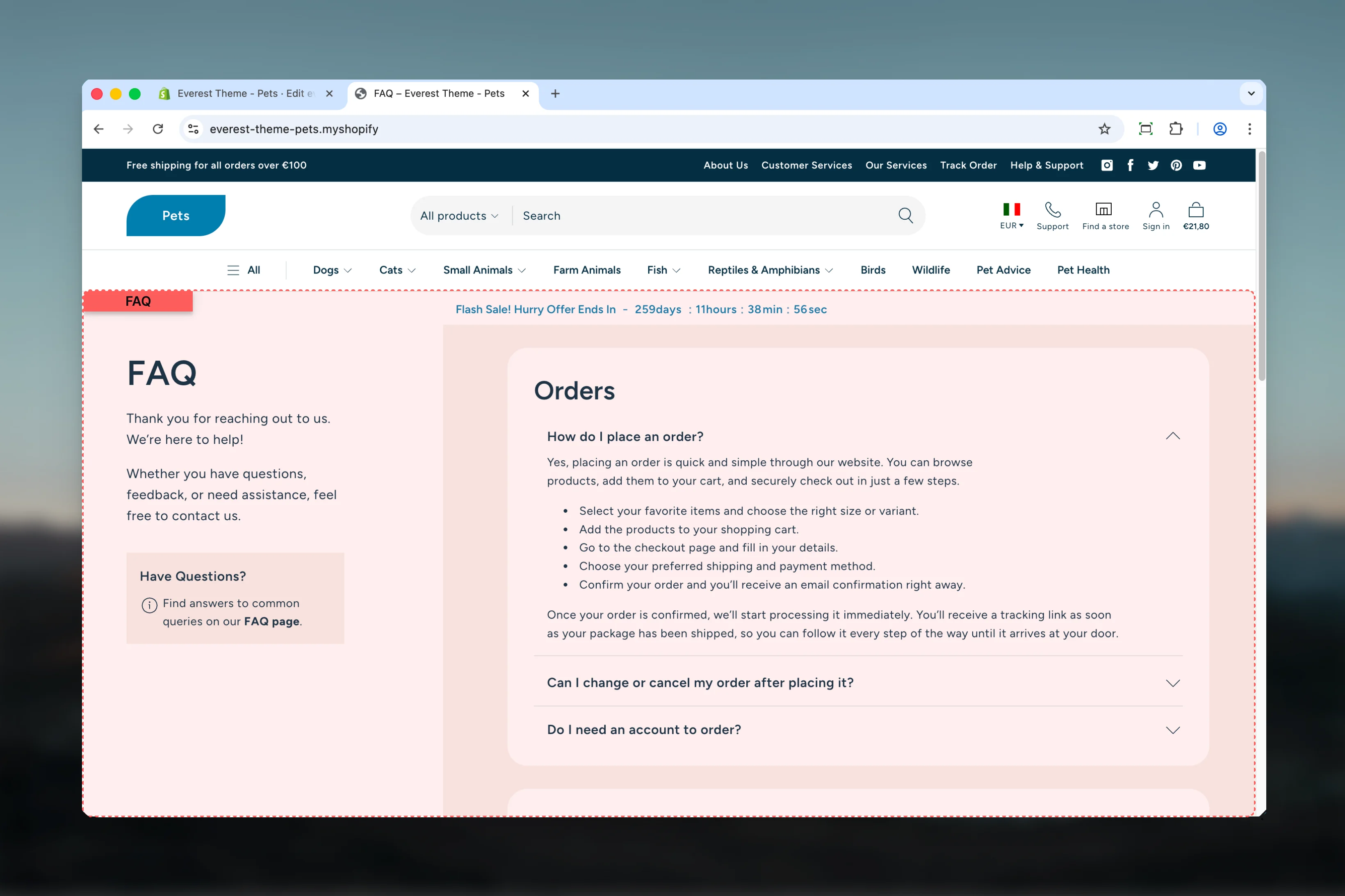 ## What this template controls
* The template section order and the supporting sections included by default
## Template structure
This template uses the following main sections or related theme building blocks by default:
* **Page**
* **Accordions**
* **Rich Text**
## Getting started
Open the relevant page type or assign the template to a resource before customizing it.
Start with the primary content section so layout, filtering, gallery, or page-level behavior is defined before refining supporting content.
Review any banners, content sections, or utility sections included in the template so the full page works together as a set.
## What this template controls
* The template section order and the supporting sections included by default
## Template structure
This template uses the following main sections or related theme building blocks by default:
* **Page**
* **Accordions**
* **Rich Text**
## Getting started
Open the relevant page type or assign the template to a resource before customizing it.
Start with the primary content section so layout, filtering, gallery, or page-level behavior is defined before refining supporting content.
Review any banners, content sections, or utility sections included in the template so the full page works together as a set.
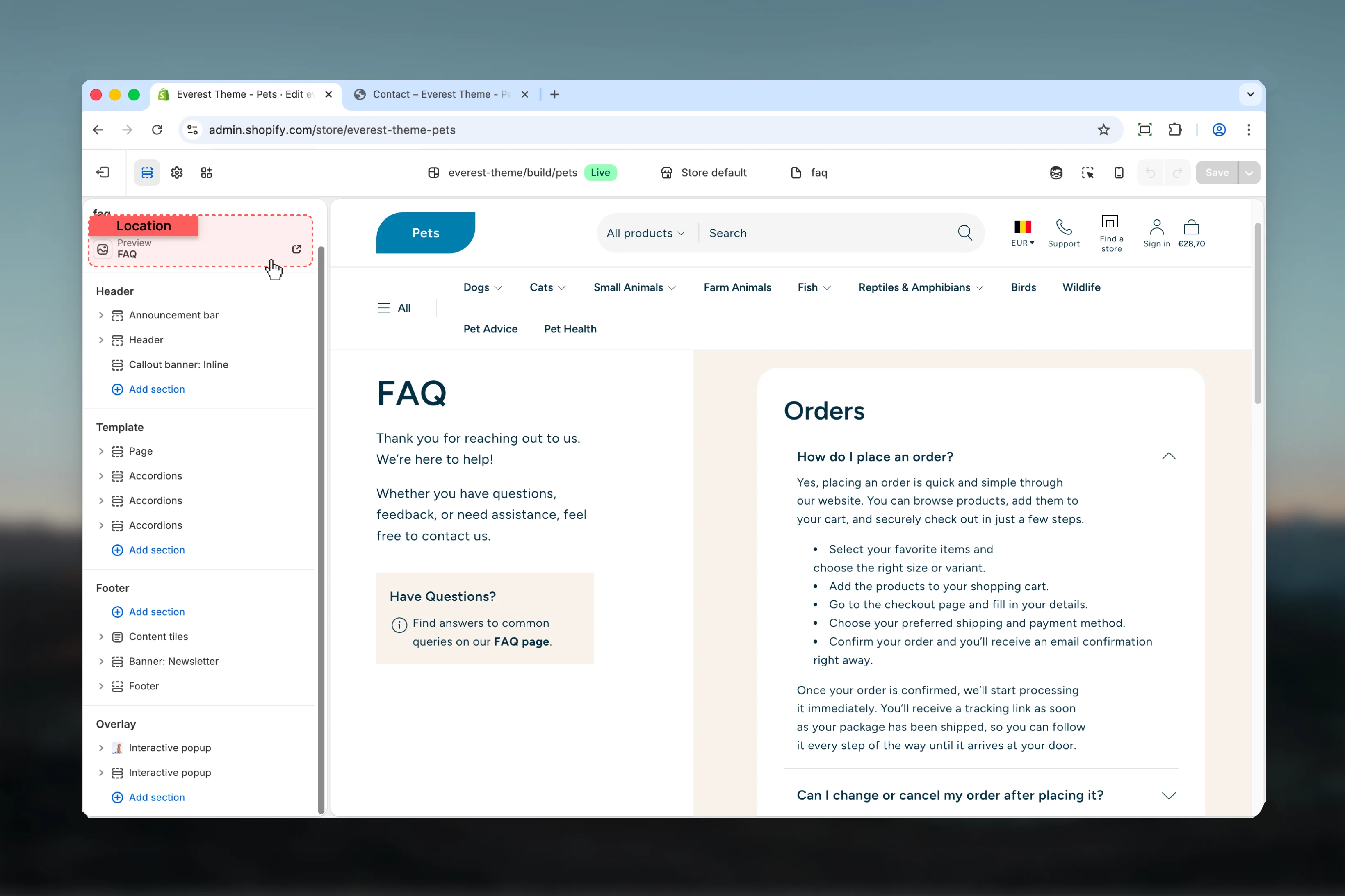 ## Supporting sections
This template relies on reusable sections working together rather than on a single main schema. Review the linked section guides below when you want to fine-tune each part in more depth.
## Best practices
* Test this template with real content volume so headings, cards, and filters behave as expected.
* Review supporting sections together because template defaults often work as a coordinated set.
## Related guides
* [Everest Theme Overview](/themes/everest/index)
* [Accordions](/themes/everest/sections/accordions)
## Supporting sections
This template relies on reusable sections working together rather than on a single main schema. Review the linked section guides below when you want to fine-tune each part in more depth.
## Best practices
* Test this template with real content volume so headings, cards, and filters behave as expected.
* Review supporting sections together because template defaults often work as a coordinated set.
## Related guides
* [Everest Theme Overview](/themes/everest/index)
* [Accordions](/themes/everest/sections/accordions)