> ## Documentation Index
> Fetch the complete documentation index at: https://docs.digifist.com/llms.txt
> Use this file to discover all available pages before exploring further.
# Cart Drawer
> Understand how Everest's cart drawer helper works and which sections or theme settings influence it.
The cart drawer is rendered through a shared snippet rather than a section schema, so its behavior is primarily driven by global cart settings and cart state.
It handles empty-cart messaging, item list rendering, subtotal areas, optional recommendations, and checkout actions in an overlay-style drawer.
Because there is no regular section schema here, most customization comes from theme settings, cart content, and the supporting cart snippet structure.
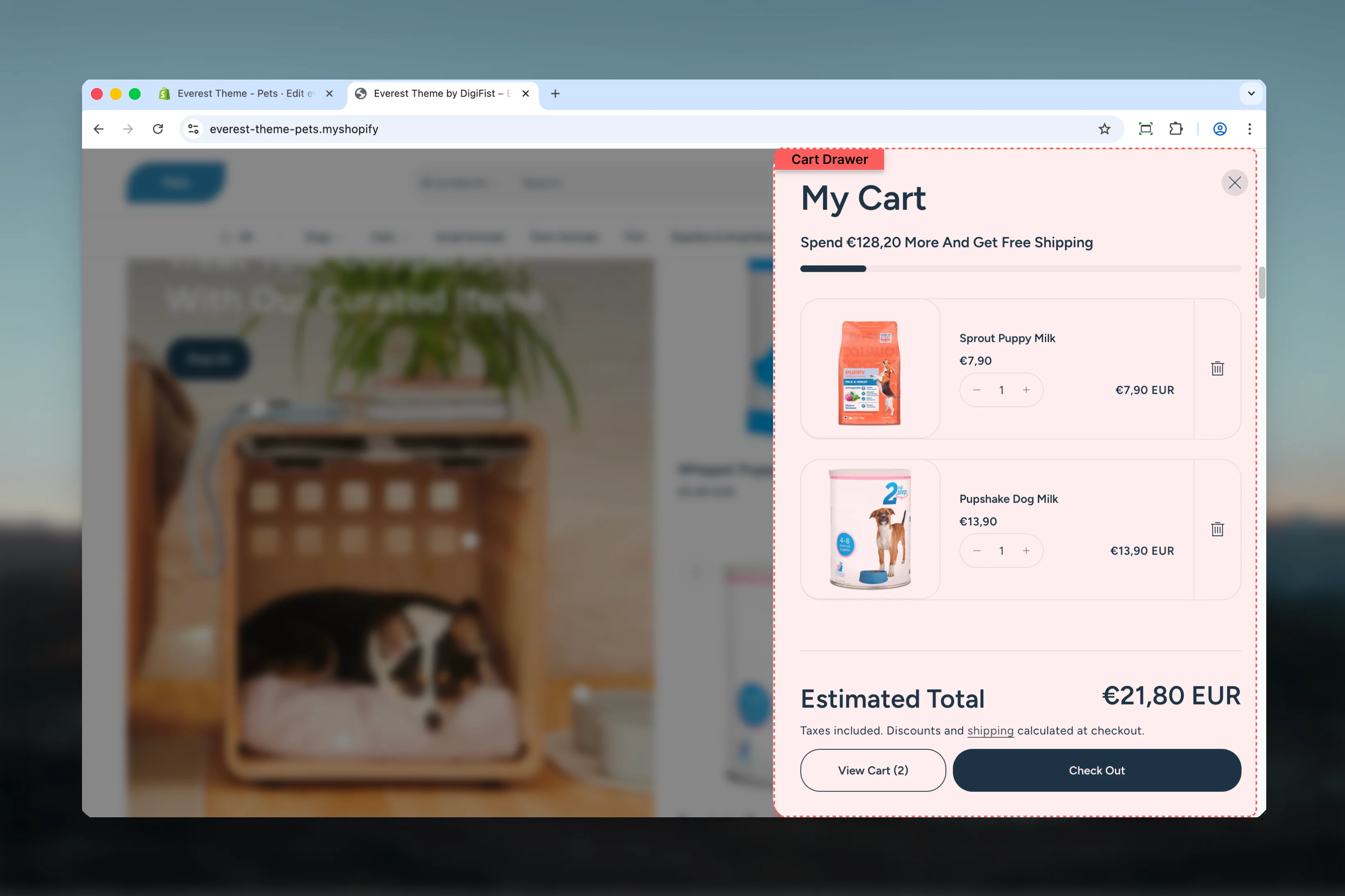 ## What this feature controls
* Drawer-based cart interactions and checkout flow
* Line item display, empty-state behavior, and subtotal area
* Optional cart recommendations and supporting cart content
## How it is configured
Start in the Theme Customizer or the related theme settings category that controls this feature.
Review the product, header, cart, or search area that surfaces this helper so you can understand where the storefront output comes from.
Because these helpers react to live cart, product, or search data, verify the result with realistic content before publishing.
## What this feature controls
* Drawer-based cart interactions and checkout flow
* Line item display, empty-state behavior, and subtotal area
* Optional cart recommendations and supporting cart content
## How it is configured
Start in the Theme Customizer or the related theme settings category that controls this feature.
Review the product, header, cart, or search area that surfaces this helper so you can understand where the storefront output comes from.
Because these helpers react to live cart, product, or search data, verify the result with realistic content before publishing.
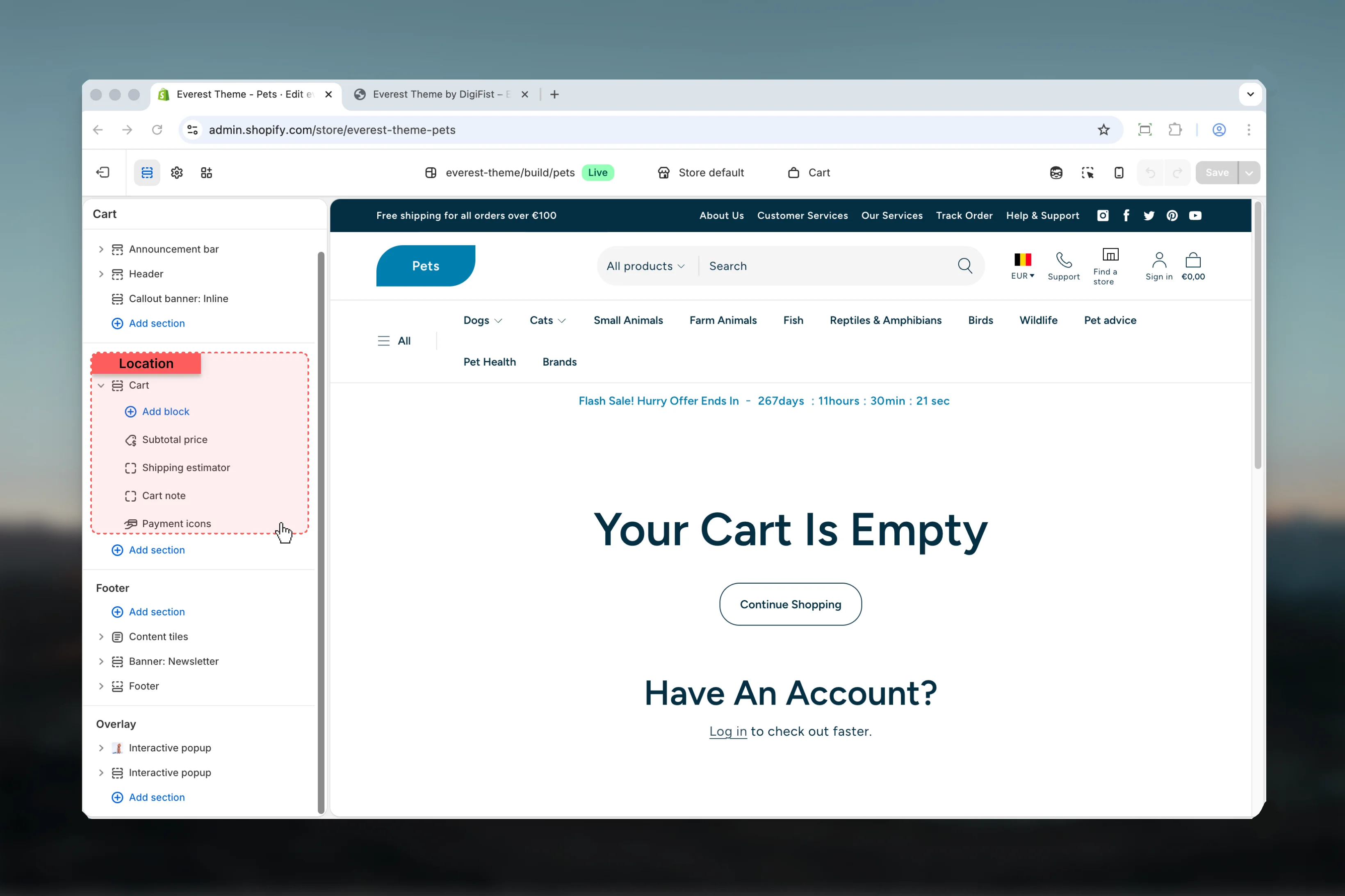 ## Key implementation notes
The cart drawer is rendered through a shared snippet, so there is no regular section settings panel for it.
Cart settings, line items, upsell logic, and customer cart state all influence the final drawer experience.
Test the empty state, a cart with multiple items, and the checkout action area before publishing changes that affect the drawer.
## Best practices
* Start with the structural settings first, then refine decorative styling after the layout feels settled.
* Preview the section with realistic content length to catch spacing and wrapping issues early.
## Related guides
* [Everest Theme Overview](/themes/everest/index)
* [Everest Header](/themes/everest/header/header)
* [Cart Settings](/themes/everest/theme-settings/cart)
## Key implementation notes
The cart drawer is rendered through a shared snippet, so there is no regular section settings panel for it.
Cart settings, line items, upsell logic, and customer cart state all influence the final drawer experience.
Test the empty state, a cart with multiple items, and the checkout action area before publishing changes that affect the drawer.
## Best practices
* Start with the structural settings first, then refine decorative styling after the layout feels settled.
* Preview the section with realistic content length to catch spacing and wrapping issues early.
## Related guides
* [Everest Theme Overview](/themes/everest/index)
* [Everest Header](/themes/everest/header/header)
* [Cart Settings](/themes/everest/theme-settings/cart)