> ## Documentation Index
> Fetch the complete documentation index at: https://docs.digifist.com/llms.txt
> Use this file to discover all available pages before exploring further.
# Brand
> Configure Everest's global brand settings and the shared behavior they control across the store.
The Brand settings control shared theme behavior across Everest. Because these values affect multiple sections and templates at once, they are best used to set global design direction and core storefront behavior before adjusting individual sections.
 ## What these settings control
* Headings, text content, and on-page messaging
* Layout structure, width, alignment, and spacing
* Color schemes, contrast, and shared visual styling
## How to access
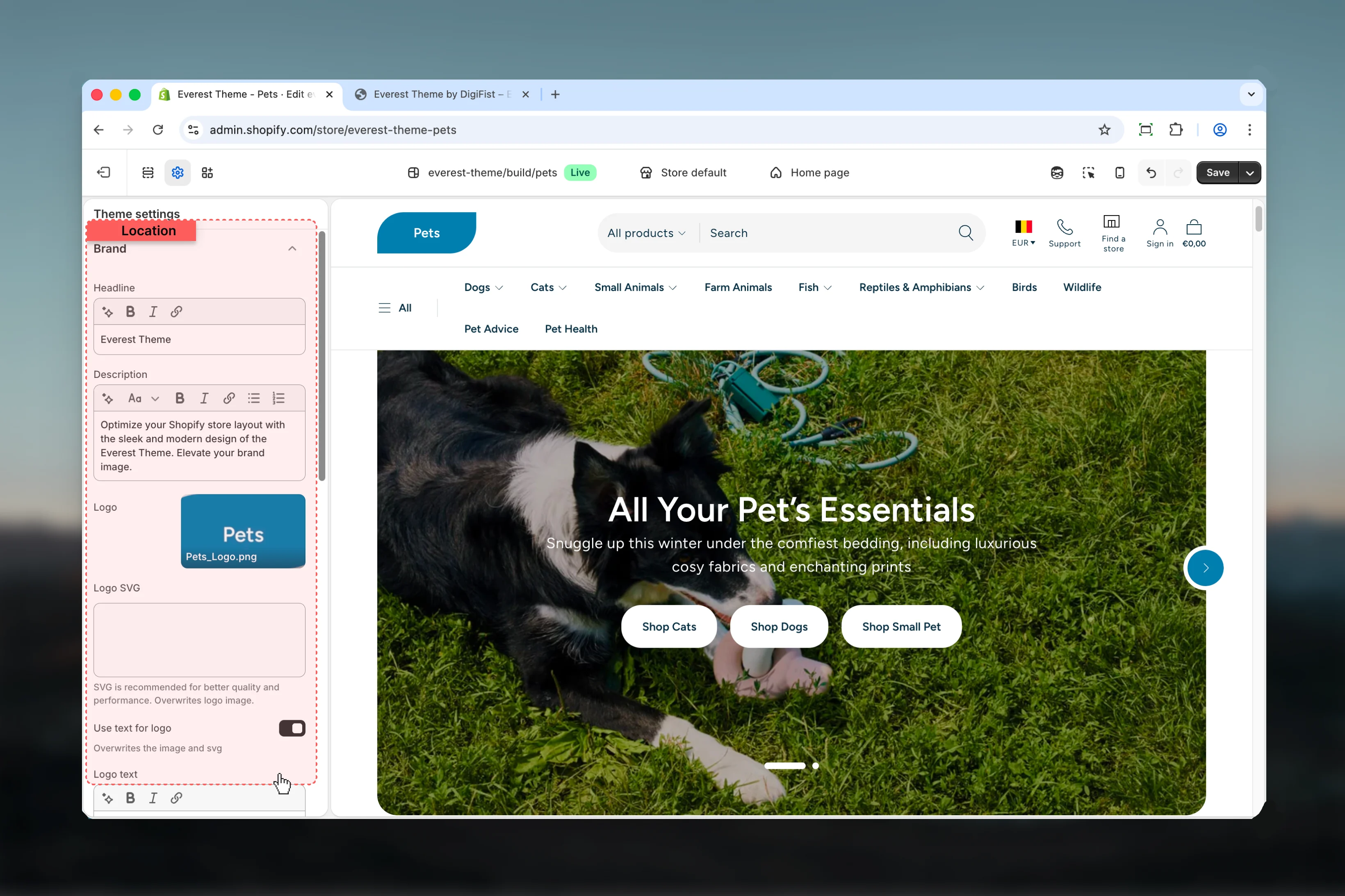
In Shopify admin, go to **Online Store** -> **Themes** -> **Customize**.
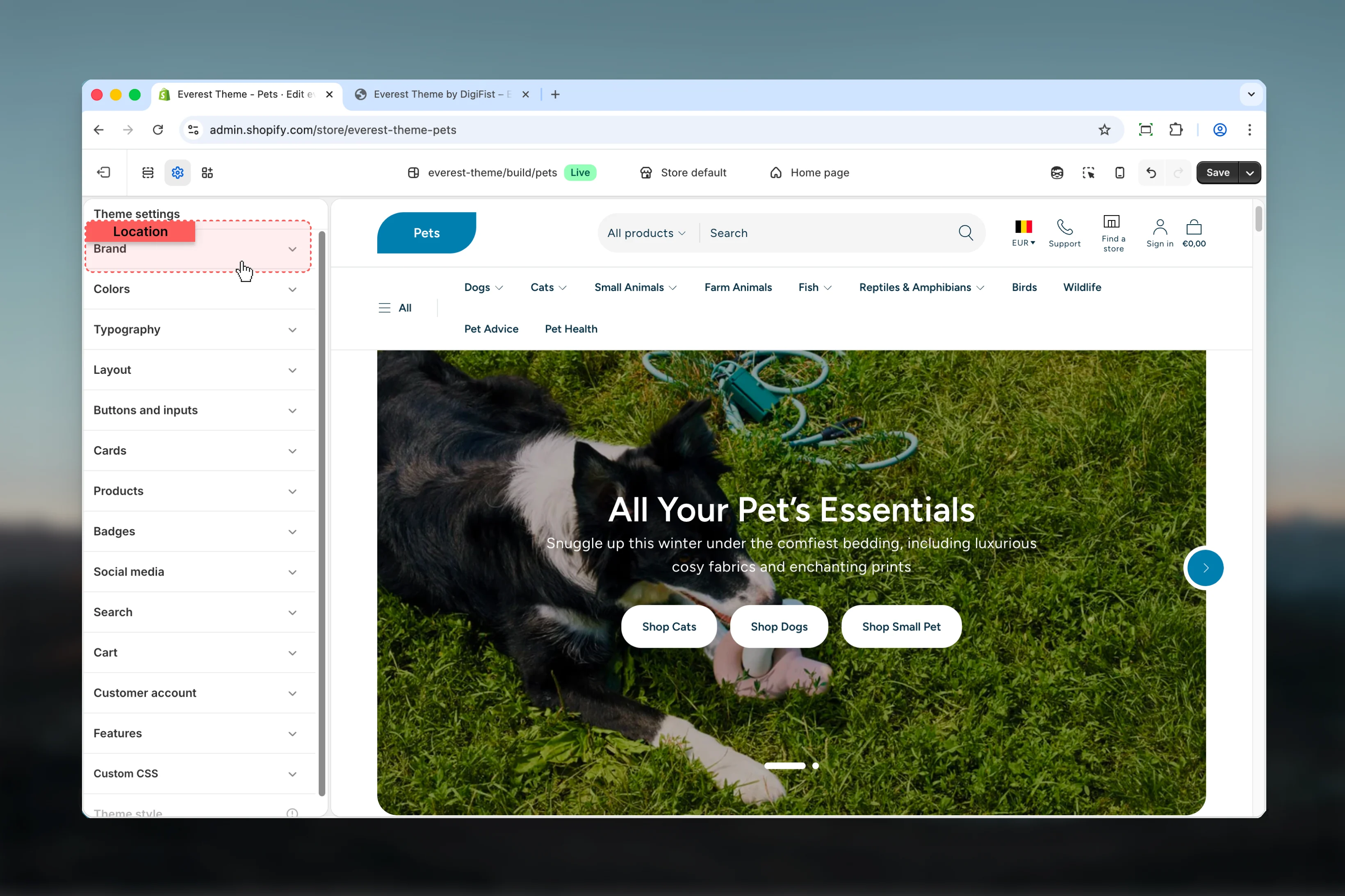
Select **Theme settings** in the customizer sidebar.
Open **Brand** to review and update the shared settings in this category.
## What these settings control
* Headings, text content, and on-page messaging
* Layout structure, width, alignment, and spacing
* Color schemes, contrast, and shared visual styling
## How to access
In Shopify admin, go to **Online Store** -> **Themes** -> **Customize**.
Select **Theme settings** in the customizer sidebar.
Open **Brand** to review and update the shared settings in this category.
 ## Settings
### Settings
## Settings
### Settings
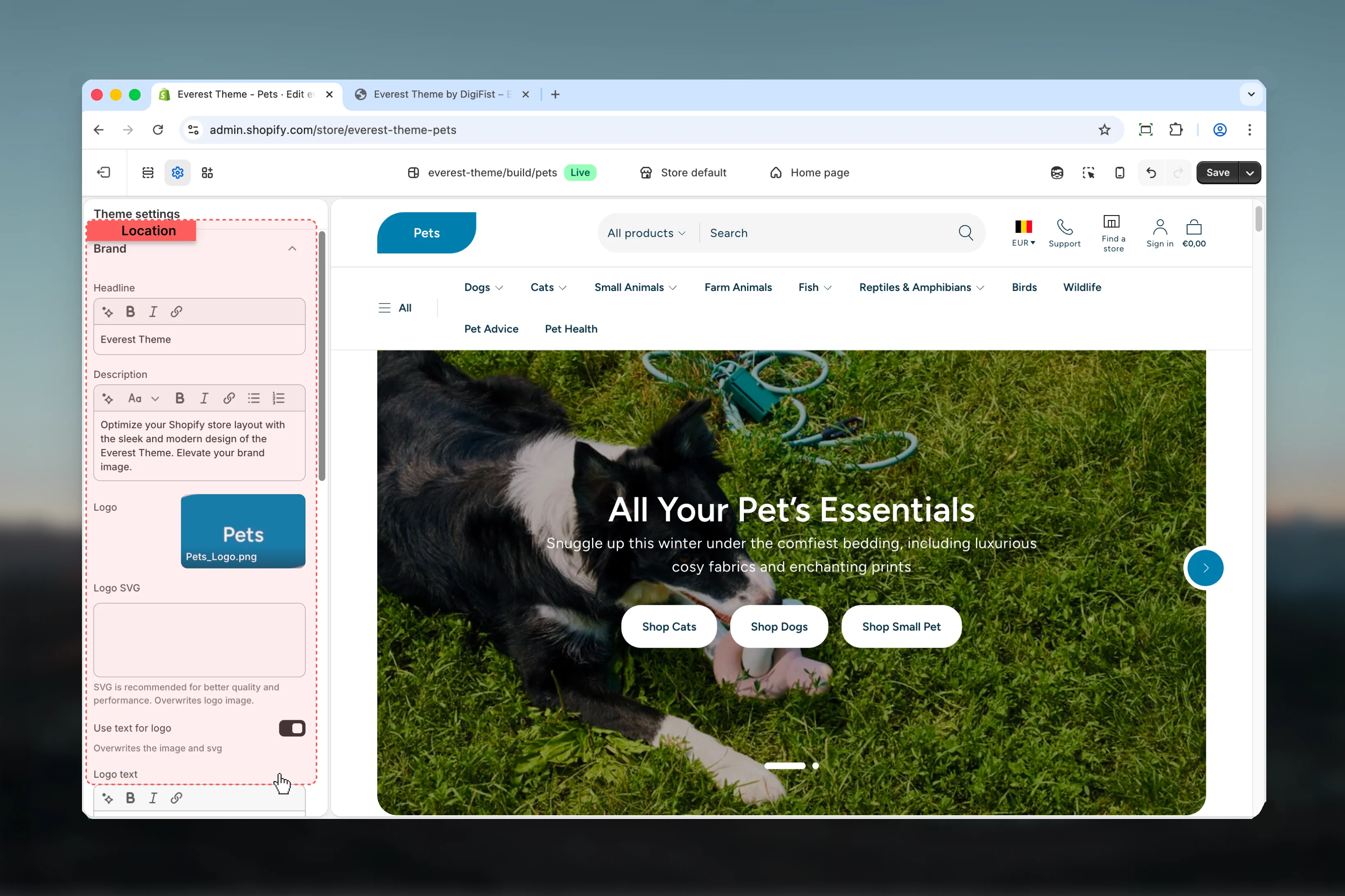 Enter the content used for **headline**.
Enter the content used for **description**.
Upload or choose an image for **logo**.
Paste custom HTML or SVG code for **logo svg**.
SVG is recommended for better quality and performance. Overwrites logo image.
Enable or disable **Use text for logo**.
**Default:** `enabled`
Overwrites the image and svg
Enter the content used for **logo text**.
**Default:** `Everest`
This setting only appears when its related parent option is enabled.
Select the color scheme used for **logo color scheme**.
Use this to keep contrast and branding consistent with the rest of the store.
**Default:** `scheme-3`
This setting only appears when its related parent option is enabled.
Adjust **Logo width** with a slider-based control.
It has the strongest effect on layout balance and visual hierarchy.
**Range:** `50` to `300` **Default:** `100px`
This setting only appears when its related parent option is enabled.
Adjust **Logo width in footer** with a slider-based control.
It has the strongest effect on layout balance and visual hierarchy.
**Range:** `50` to `550` **Default:** `100px`
This setting only appears when its related parent option is enabled.
Upload or choose an image for **favicon image**.
Review the result on both desktop and mobile when media changes are involved.
Will be scaled down to 32 x 32px
## Best practices
* Check contrast after changing color schemes so text and controls remain easy to read.
* Adjust layout changes alongside neighboring sections so page rhythm stays consistent.
* Change one global setting area at a time and preview multiple templates before publishing.
* Remember that theme settings affect many sections at once, so small adjustments can have wide impact.
## Related guides
* [Everest Theme Overview](/themes/everest/index)
* [Everest Header](/themes/everest/header/header)
Enter the content used for **headline**.
Enter the content used for **description**.
Upload or choose an image for **logo**.
Paste custom HTML or SVG code for **logo svg**.
SVG is recommended for better quality and performance. Overwrites logo image.
Enable or disable **Use text for logo**.
**Default:** `enabled`
Overwrites the image and svg
Enter the content used for **logo text**.
**Default:** `Everest`
This setting only appears when its related parent option is enabled.
Select the color scheme used for **logo color scheme**.
Use this to keep contrast and branding consistent with the rest of the store.
**Default:** `scheme-3`
This setting only appears when its related parent option is enabled.
Adjust **Logo width** with a slider-based control.
It has the strongest effect on layout balance and visual hierarchy.
**Range:** `50` to `300` **Default:** `100px`
This setting only appears when its related parent option is enabled.
Adjust **Logo width in footer** with a slider-based control.
It has the strongest effect on layout balance and visual hierarchy.
**Range:** `50` to `550` **Default:** `100px`
This setting only appears when its related parent option is enabled.
Upload or choose an image for **favicon image**.
Review the result on both desktop and mobile when media changes are involved.
Will be scaled down to 32 x 32px
## Best practices
* Check contrast after changing color schemes so text and controls remain easy to read.
* Adjust layout changes alongside neighboring sections so page rhythm stays consistent.
* Change one global setting area at a time and preview multiple templates before publishing.
* Remember that theme settings affect many sections at once, so small adjustments can have wide impact.
## Related guides
* [Everest Theme Overview](/themes/everest/index)
* [Everest Header](/themes/everest/header/header)