> ## Documentation Index
> Fetch the complete documentation index at: https://docs.digifist.com/llms.txt
> Use this file to discover all available pages before exploring further.
# Features
> Configure Everest's global features settings and the shared behavior they control across the store.
The Features settings control shared theme behavior across Everest. Because these values affect multiple sections and templates at once, they are best used to set global design direction and core storefront behavior before adjusting individual sections.
 ## What these settings control
* Images, videos, and other media presentation options
## How to access
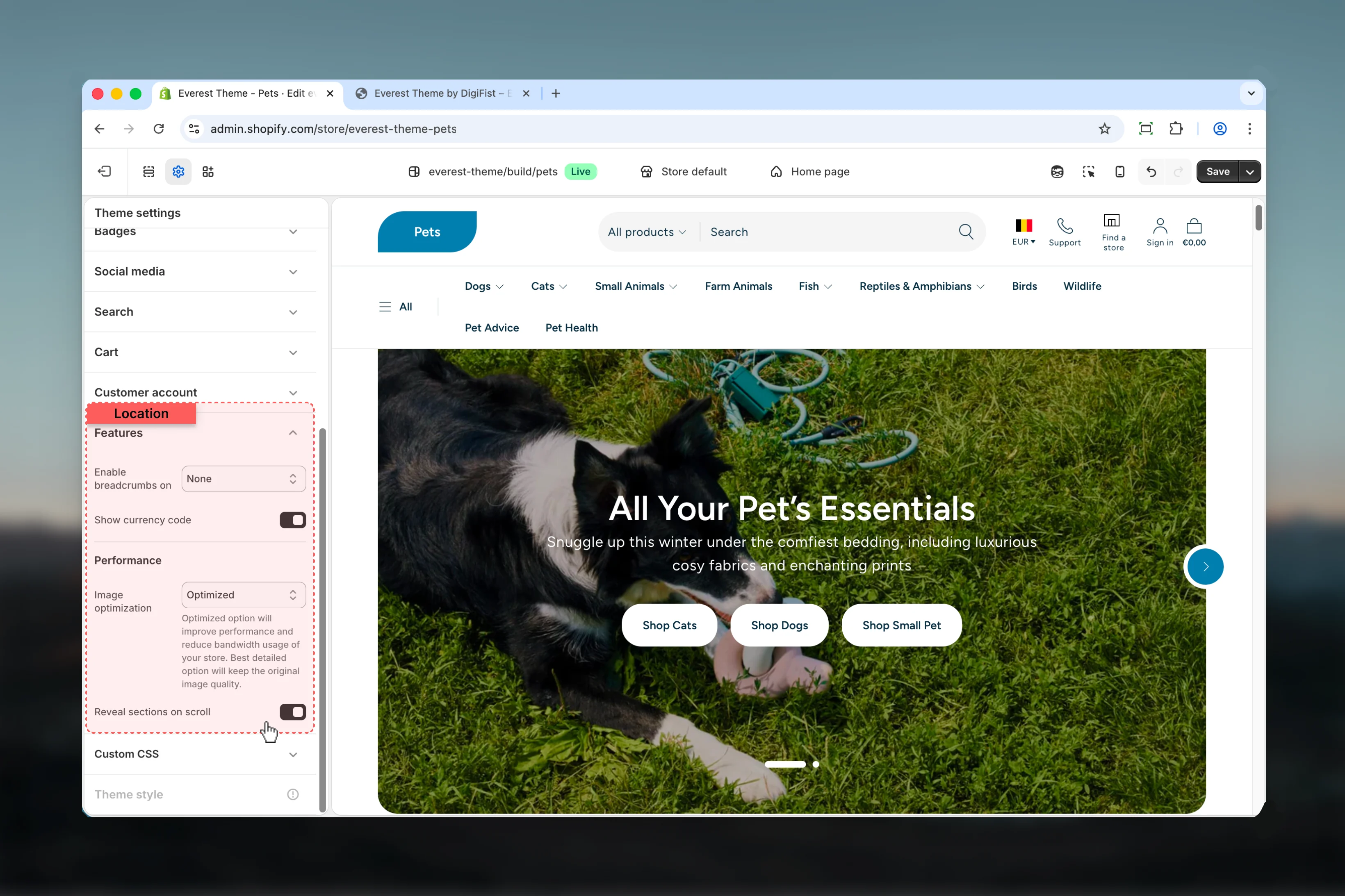
In Shopify admin, go to **Online Store** -> **Themes** -> **Customize**.
Select **Theme settings** in the customizer sidebar.
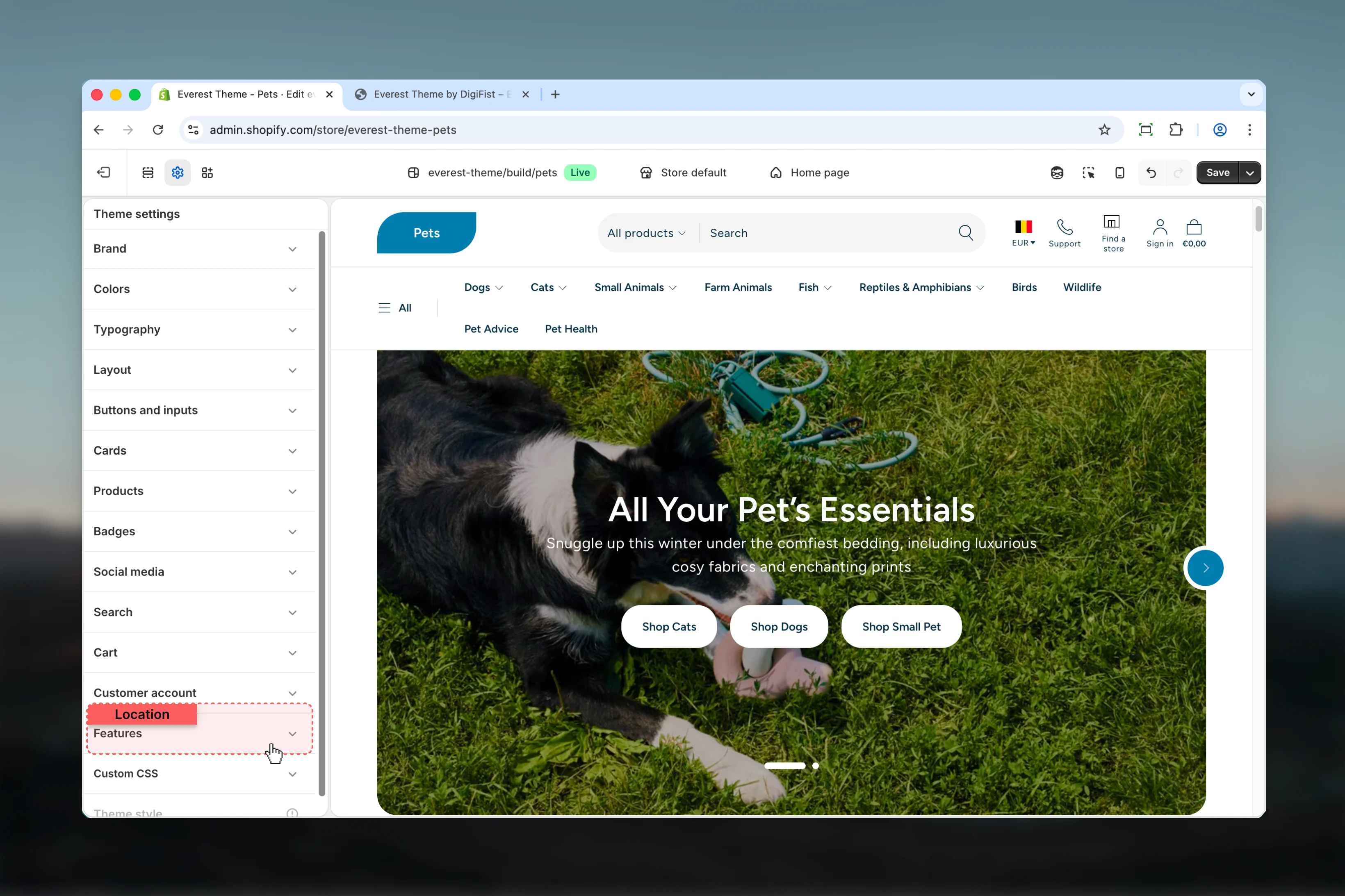
Open **Features** to review and update the shared settings in this category.
## What these settings control
* Images, videos, and other media presentation options
## How to access
In Shopify admin, go to **Online Store** -> **Themes** -> **Customize**.
Select **Theme settings** in the customizer sidebar.
Open **Features** to review and update the shared settings in this category.
 ## Settings
### Settings
## Settings
### Settings
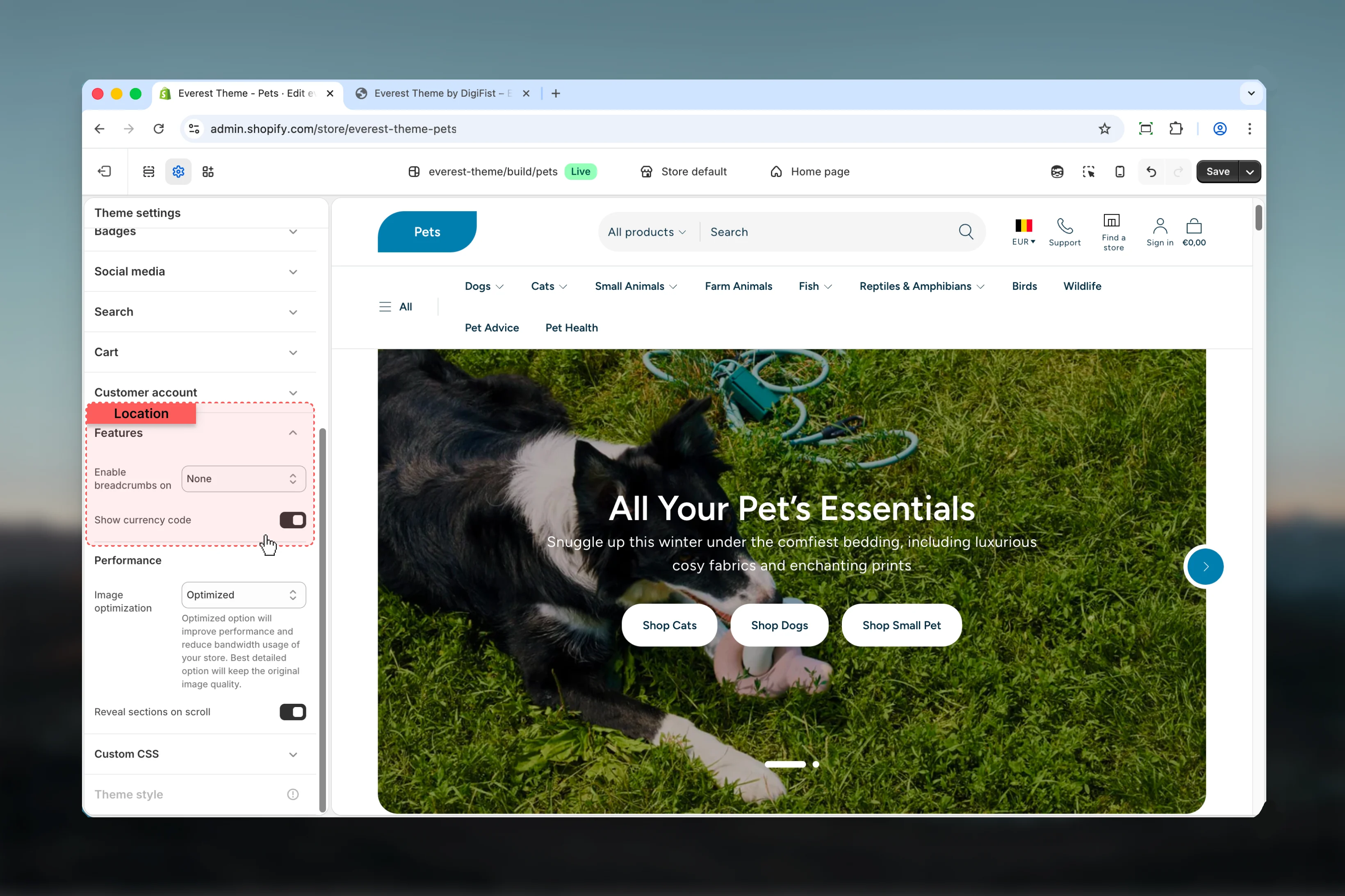 Choose how **Enable breadcrumbs on** behaves in the section.
**Available options:** None, Products, Pages, All.
**Default:** `all`
Enable or disable **Show currency code**.
**Default:** `enabled`
### Performance
Choose how **Enable breadcrumbs on** behaves in the section.
**Available options:** None, Products, Pages, All.
**Default:** `all`
Enable or disable **Show currency code**.
**Default:** `enabled`
### Performance
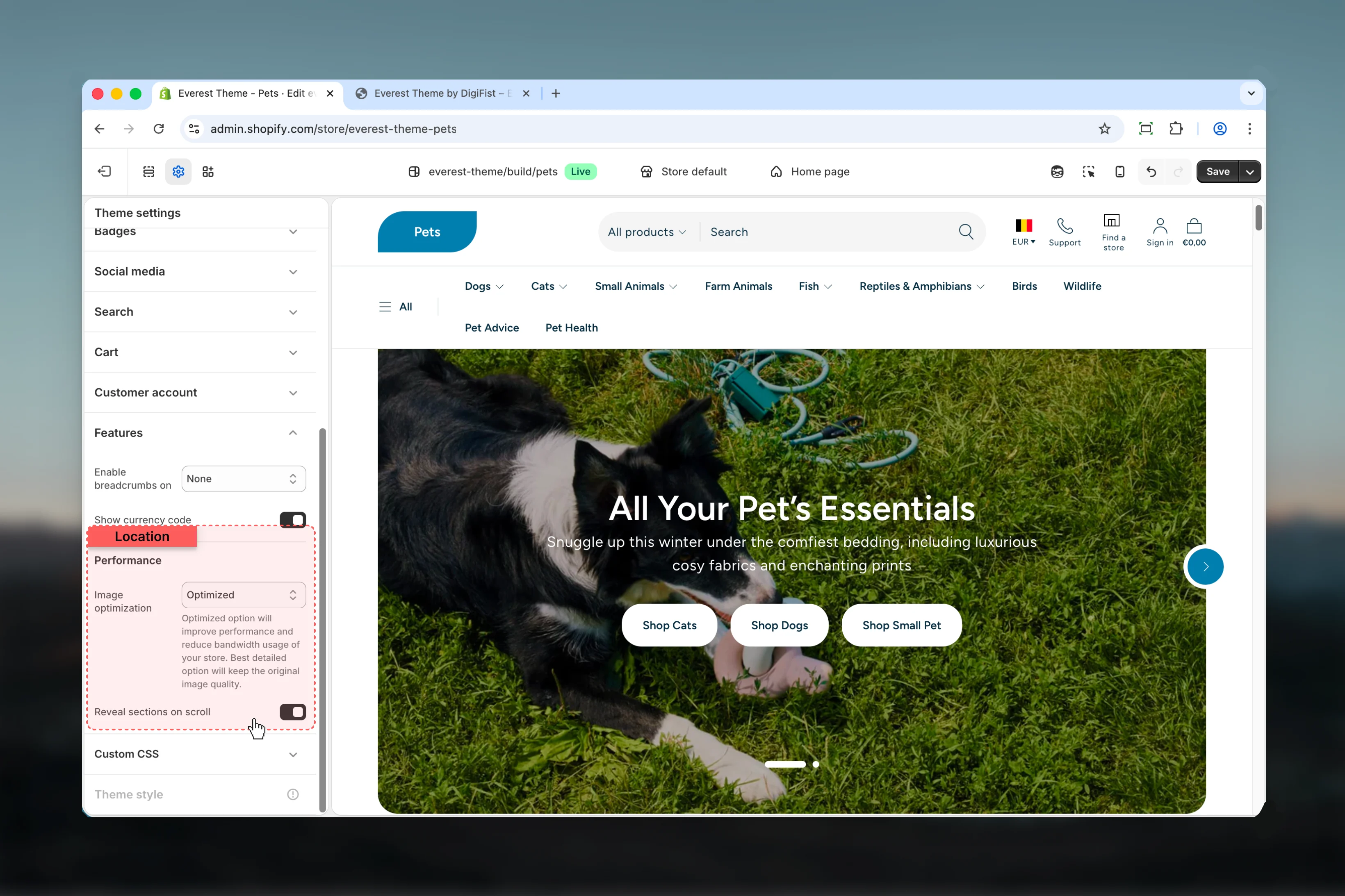 Choose how **Image optimization** behaves in the section.
Review the result on both desktop and mobile when media changes are involved.
**Available options:** Best detailed, Optimized.
**Default:** `true`
Optimized option will improve performance and reduce bandwidth usage of your store. Best detailed option will keep the original image quality.
Enable or disable **Reveal sections on scroll**.
**Default:** `enabled`
## Best practices
* Review media-heavy layouts on both desktop and mobile before publishing.
* Change one global setting area at a time and preview multiple templates before publishing.
* Remember that theme settings affect many sections at once, so small adjustments can have wide impact.
## Related guides
* [Everest Theme Overview](/themes/everest/index)
Choose how **Image optimization** behaves in the section.
Review the result on both desktop and mobile when media changes are involved.
**Available options:** Best detailed, Optimized.
**Default:** `true`
Optimized option will improve performance and reduce bandwidth usage of your store. Best detailed option will keep the original image quality.
Enable or disable **Reveal sections on scroll**.
**Default:** `enabled`
## Best practices
* Review media-heavy layouts on both desktop and mobile before publishing.
* Change one global setting area at a time and preview multiple templates before publishing.
* Remember that theme settings affect many sections at once, so small adjustments can have wide impact.
## Related guides
* [Everest Theme Overview](/themes/everest/index)