> ## Documentation Index
> Fetch the complete documentation index at: https://docs.digifist.com/llms.txt
> Use this file to discover all available pages before exploring further.
# 404 Error Page
> Customizable 404 error page to help visitors navigate when they reach non-existent pages.
The 404 Error Page template displays when visitors reach a non-existent page, helping them navigate back to your store content.
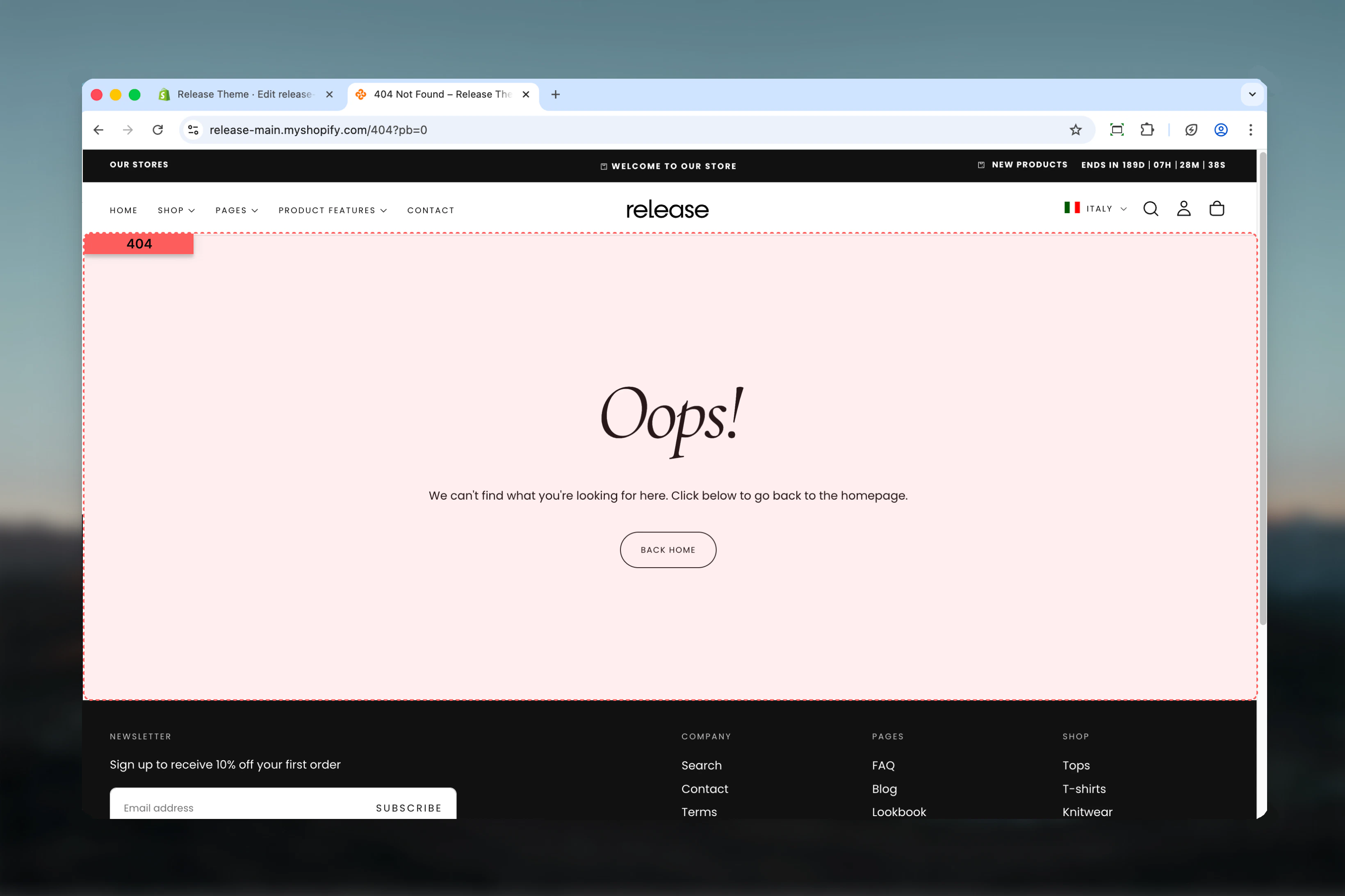 ## What this section controls
* Error page messaging
* Call-to-action button
* Page layout and styling
* Navigation recovery
## Section settings
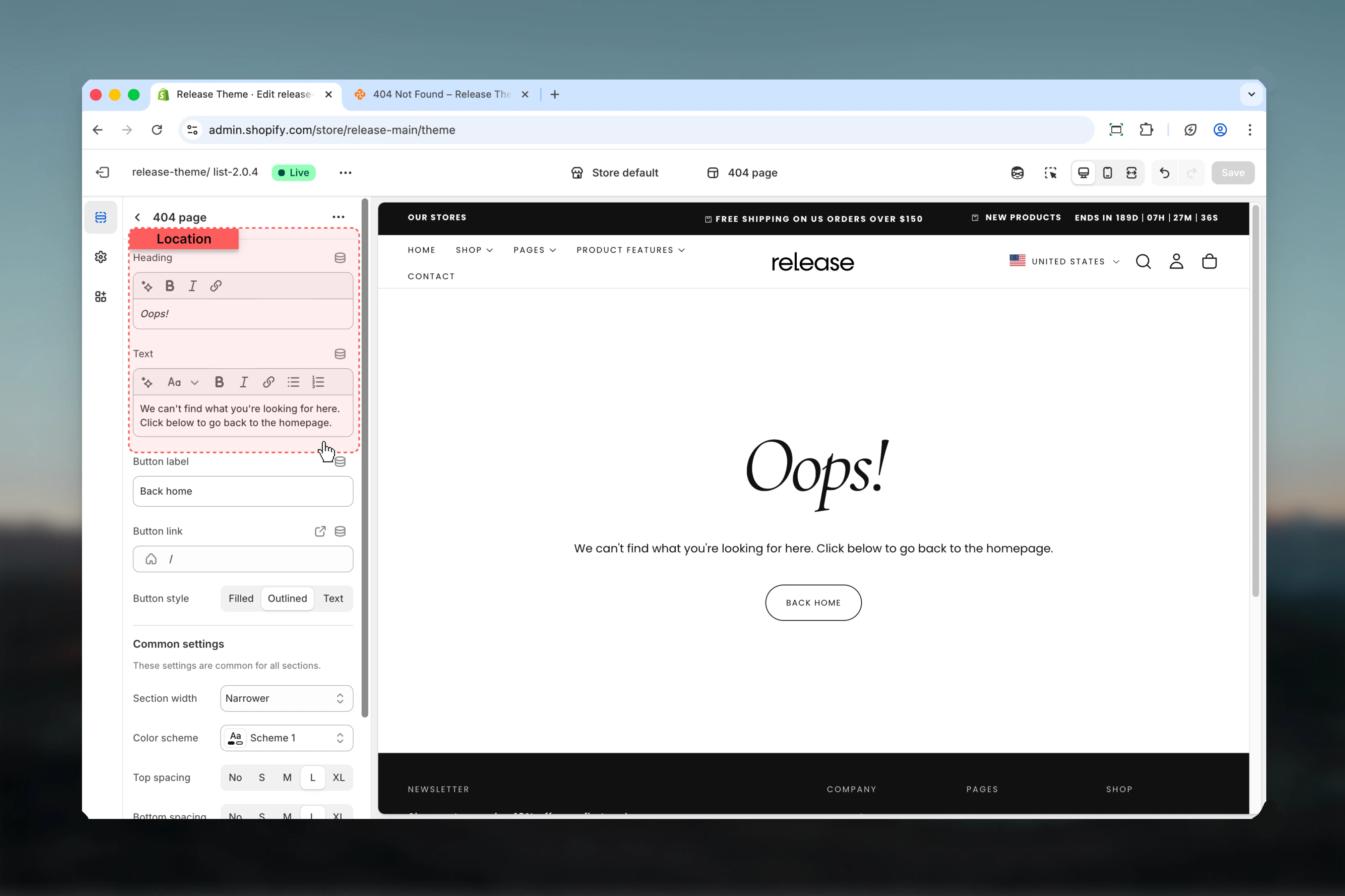
### Heading
Main error page heading.
* **Default:** "404 - Page not found"
### Text
Error message and explanation.
* **Default:** "Sorry, the page you are looking for does not exist."
* Supports rich text formatting
Keep messaging friendly and helpful rather than technical or frustrating.
## What this section controls
* Error page messaging
* Call-to-action button
* Page layout and styling
* Navigation recovery
## Section settings
### Heading
Main error page heading.
* **Default:** "404 - Page not found"
### Text
Error message and explanation.
* **Default:** "Sorry, the page you are looking for does not exist."
* Supports rich text formatting
Keep messaging friendly and helpful rather than technical or frustrating.
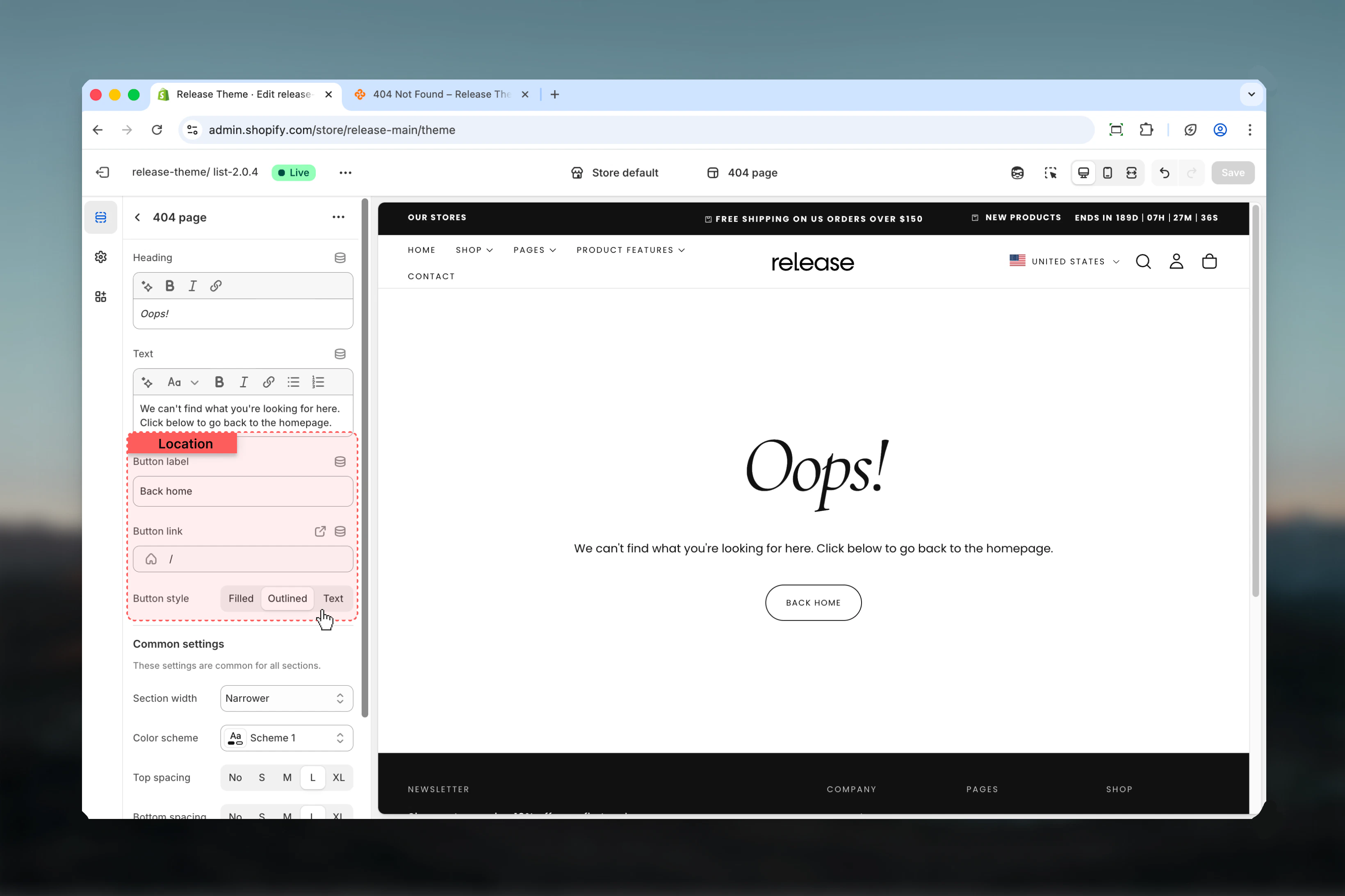
 ### Button label
Text for the call-to-action button.
* **Default:** "Continue shopping"
### Button link
Destination URL for the button.
* **Default:** `/collections/all`
* Commonly used: homepage, best sellers, new arrivals
### Button style
Visual appearance of the button.
**Available options:**
* **Filled** - Solid background
* **Outlined** - Border with transparent fill
* **Text** - Text-only link style
**Default:** Filled
Link to your most popular collection or homepage to maximize recovery.
### Button label
Text for the call-to-action button.
* **Default:** "Continue shopping"
### Button link
Destination URL for the button.
* **Default:** `/collections/all`
* Commonly used: homepage, best sellers, new arrivals
### Button style
Visual appearance of the button.
**Available options:**
* **Filled** - Solid background
* **Outlined** - Border with transparent fill
* **Text** - Text-only link style
**Default:** Filled
Link to your most popular collection or homepage to maximize recovery.
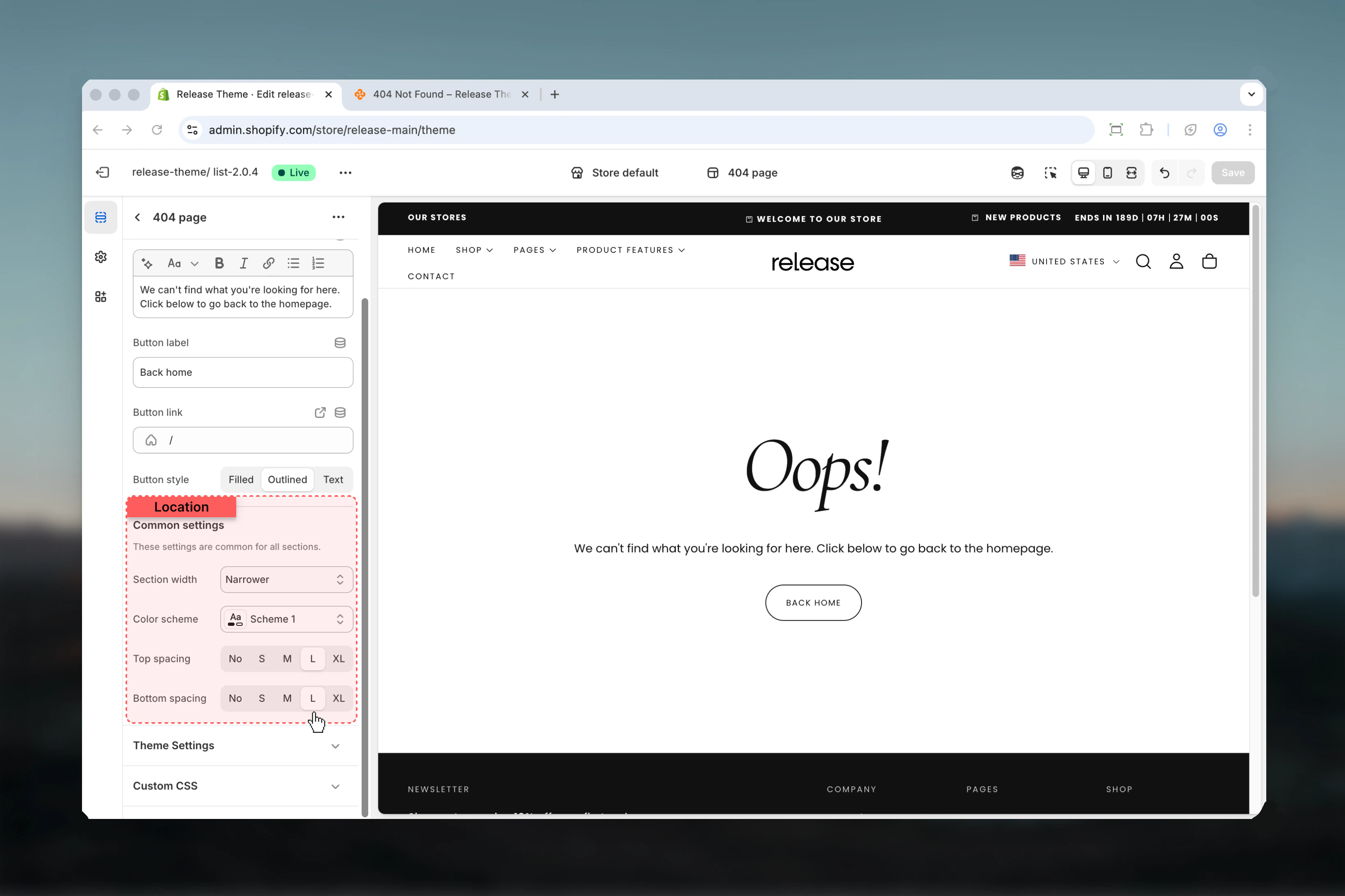
 ### Section width
**Available options:**
* **max-w-page** - Standard container
* **max-w-narrower** - Narrow focused layout
* **max-w-fluid** - Wider container
**Default:** max-w-narrower
### Color scheme
Select color scheme for the error page.
* **Default:** scheme-1
### Spacing top & bottom
**Options:** No (0), S (1), M (2), L (4), XL (6)
* **Default:** M (2)
### Section width
**Available options:**
* **max-w-page** - Standard container
* **max-w-narrower** - Narrow focused layout
* **max-w-fluid** - Wider container
**Default:** max-w-narrower
### Color scheme
Select color scheme for the error page.
* **Default:** scheme-1
### Spacing top & bottom
**Options:** No (0), S (1), M (2), L (4), XL (6)
* **Default:** M (2)
 ## Best practices
* **Friendly tone:** Use approachable, helpful language
* **Clear navigation:** Link to homepage or popular collections
* **Narrow width:** Use max-w-narrower for focused reading
* **Search option:** Consider adding search functionality
* **Popular links:** Add links to key sections (shop, about, contact)
* **Brand personality:** Maintain brand voice even in error messages
* **Mobile friendly:** Test readability on mobile devices
## Common use cases
* **Broken links** - Old URLs from marketing campaigns
* **Deleted products** - Product pages removed from store
* **Mistyped URLs** - Customer typos in address bar
* **External links** - Outdated links from blogs or social media
* **SEO recovery** - Redirect broken links found by search engines
* **Migration errors** - Issues after platform migration
## Related guides
Configure password-protected pages
Help customers find products
## Best practices
* **Friendly tone:** Use approachable, helpful language
* **Clear navigation:** Link to homepage or popular collections
* **Narrow width:** Use max-w-narrower for focused reading
* **Search option:** Consider adding search functionality
* **Popular links:** Add links to key sections (shop, about, contact)
* **Brand personality:** Maintain brand voice even in error messages
* **Mobile friendly:** Test readability on mobile devices
## Common use cases
* **Broken links** - Old URLs from marketing campaigns
* **Deleted products** - Product pages removed from store
* **Mistyped URLs** - Customer typos in address bar
* **External links** - Outdated links from blogs or social media
* **SEO recovery** - Redirect broken links found by search engines
* **Migration errors** - Issues after platform migration
## Related guides
Configure password-protected pages
Help customers find products