> ## Documentation Index
> Fetch the complete documentation index at: https://docs.digifist.com/llms.txt
> Use this file to discover all available pages before exploring further.
# Apps
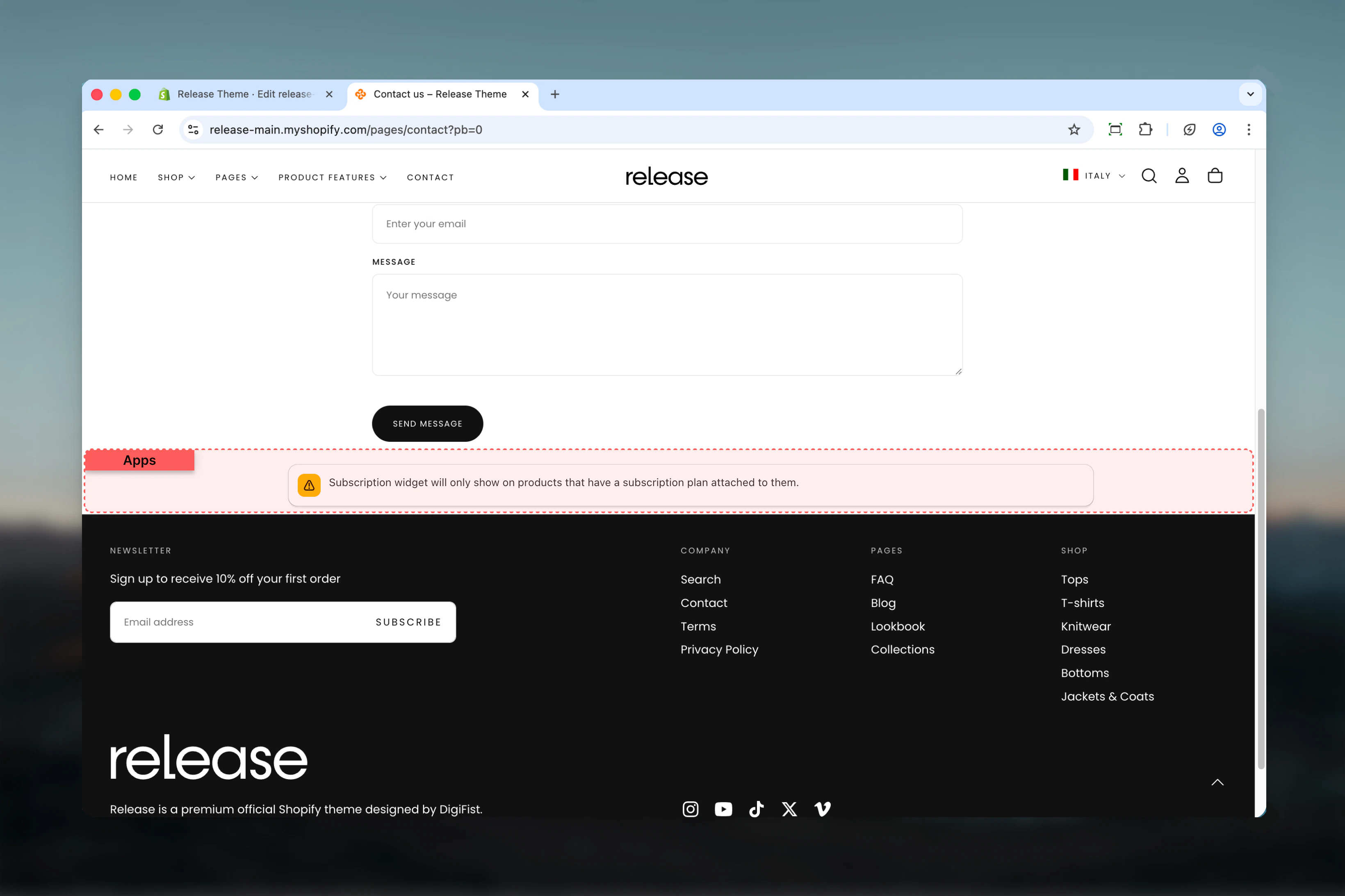
> Container section for third-party Shopify app blocks and embeds.
The Apps section provides a flexible container for embedding third-party Shopify app content with customizable layout and spacing options.
 ## What this section controls
* Third-party app block container
* Layout style (normal or boxed)
* Inner spacing and padding
* Section width and color scheme
## Section settings
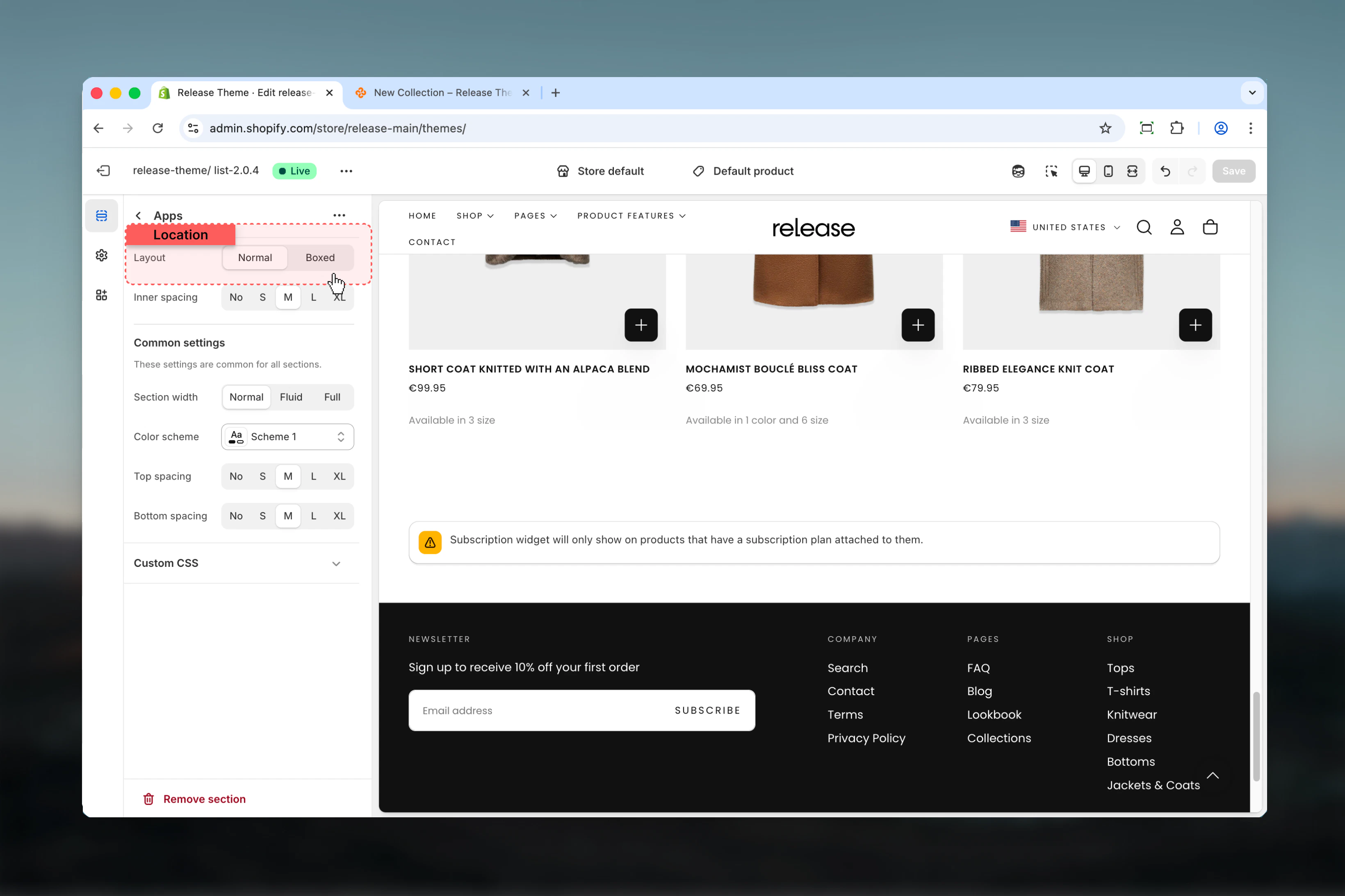
### Section layout
Choose how the app content is displayed.
**Available options:**
* **Normal** - Full-width layout without container
* **Boxed** - Contained layout with borders
**Default:** Normal
Use normal layout for full-width apps like product reviews. Use boxed for compact widgets like trust badges.
## What this section controls
* Third-party app block container
* Layout style (normal or boxed)
* Inner spacing and padding
* Section width and color scheme
## Section settings
### Section layout
Choose how the app content is displayed.
**Available options:**
* **Normal** - Full-width layout without container
* **Boxed** - Contained layout with borders
**Default:** Normal
Use normal layout for full-width apps like product reviews. Use boxed for compact widgets like trust badges.
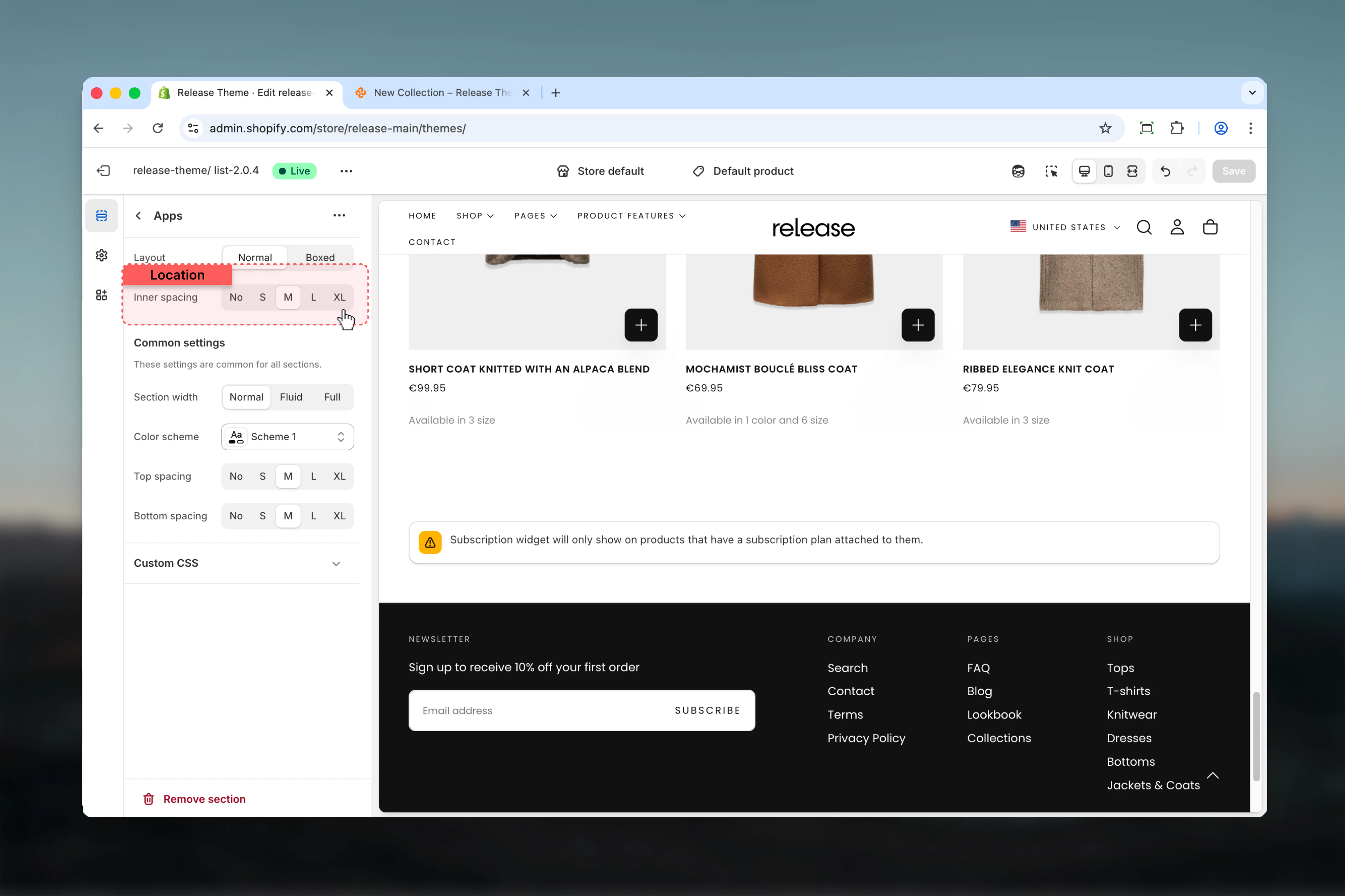
 ### Inner spacing
Control padding inside the app container.
**Available options:**
* None (0) - No internal padding
* Additional spacing values available
Adjust inner spacing based on the app's design to ensure proper visual balance.
### Inner spacing
Control padding inside the app container.
**Available options:**
* None (0) - No internal padding
* Additional spacing values available
Adjust inner spacing based on the app's design to ensure proper visual balance.
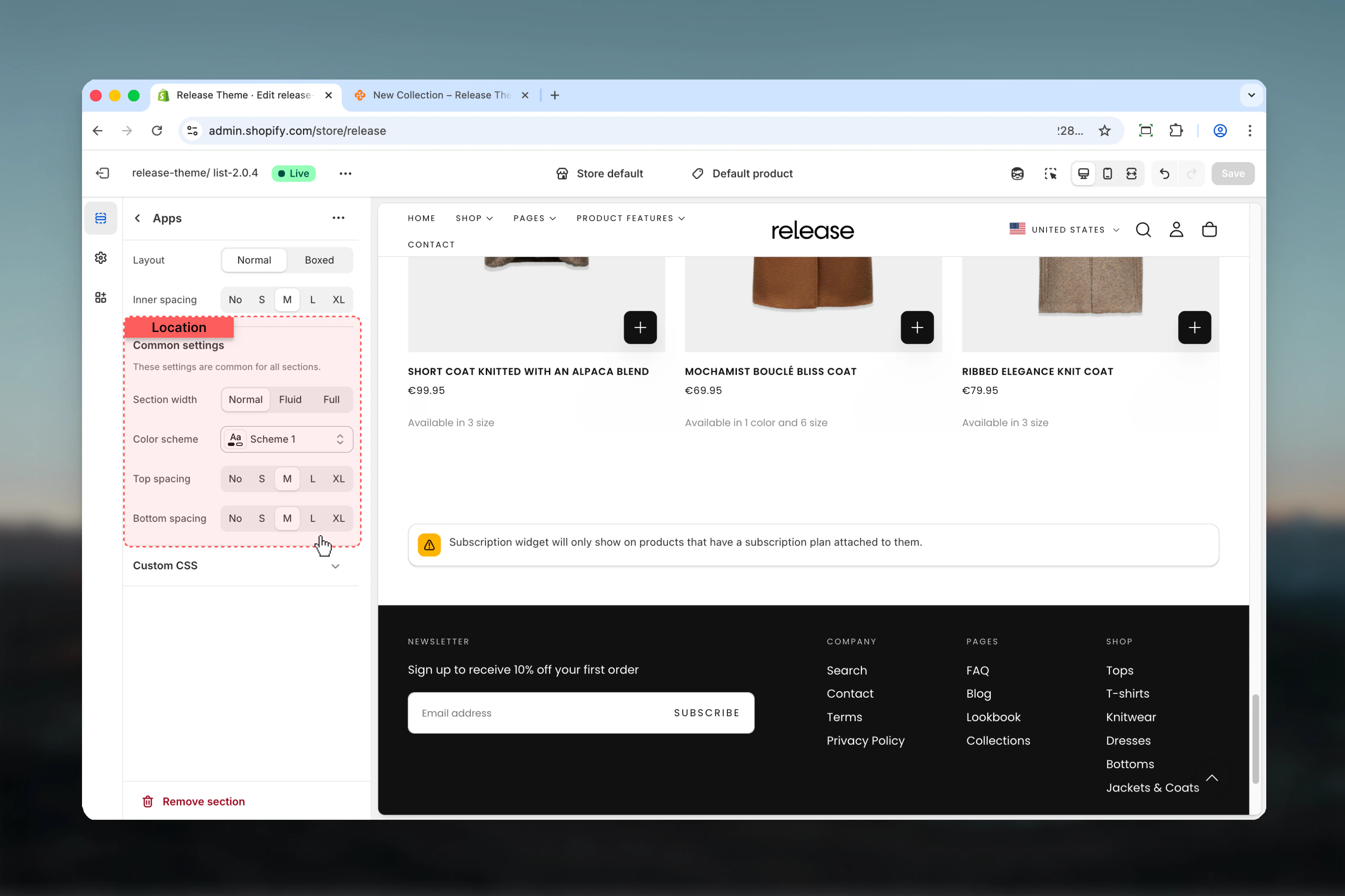
 Standard section settings apply:
* Section width
* Color scheme
* Spacing top
* Spacing bottom
Standard section settings apply:
* Section width
* Color scheme
* Spacing top
* Spacing bottom
 ## Best practices
* **Normal layout:** Use for full-width app content (reviews, testimonials)
* **Boxed layout:** Use for compact widgets (badges, counters)
* **Inner spacing:** Match app's internal spacing to avoid double padding
* **Width:** Consider app requirements - some apps need full width
* **Testing:** Preview with actual app content to ensure proper display
* **Mobile:** Test app responsiveness on mobile devices
## Common use cases
* **Product reviews** - Judge.me, Yotpo, Loox (normal layout, full width)
* **Trust badges** - McAfee, Norton security badges (boxed, centered)
* **Live chat** - Tidio, Gorgias chat widgets (normal, bottom placement)
* **Social proof** - FOMO notifications, recent sales popups
* **Email capture** - Klaviyo, Mailchimp forms (boxed or normal)
* **Size guides** - Kiwi Sizing, fit finder apps
* **Wishlists** - Wishlist King, Swym (normal layout)
## Related guides
Add custom code and snippets
## Best practices
* **Normal layout:** Use for full-width app content (reviews, testimonials)
* **Boxed layout:** Use for compact widgets (badges, counters)
* **Inner spacing:** Match app's internal spacing to avoid double padding
* **Width:** Consider app requirements - some apps need full width
* **Testing:** Preview with actual app content to ensure proper display
* **Mobile:** Test app responsiveness on mobile devices
## Common use cases
* **Product reviews** - Judge.me, Yotpo, Loox (normal layout, full width)
* **Trust badges** - McAfee, Norton security badges (boxed, centered)
* **Live chat** - Tidio, Gorgias chat widgets (normal, bottom placement)
* **Social proof** - FOMO notifications, recent sales popups
* **Email capture** - Klaviyo, Mailchimp forms (boxed or normal)
* **Size guides** - Kiwi Sizing, fit finder apps
* **Wishlists** - Wishlist King, Swym (normal layout)
## Related guides
Add custom code and snippets