> ## Documentation Index
> Fetch the complete documentation index at: https://docs.digifist.com/llms.txt
> Use this file to discover all available pages before exploring further.
# Blog Articles
> Showcase selected blog posts or articles with multiple layouts and flexible metadata options.
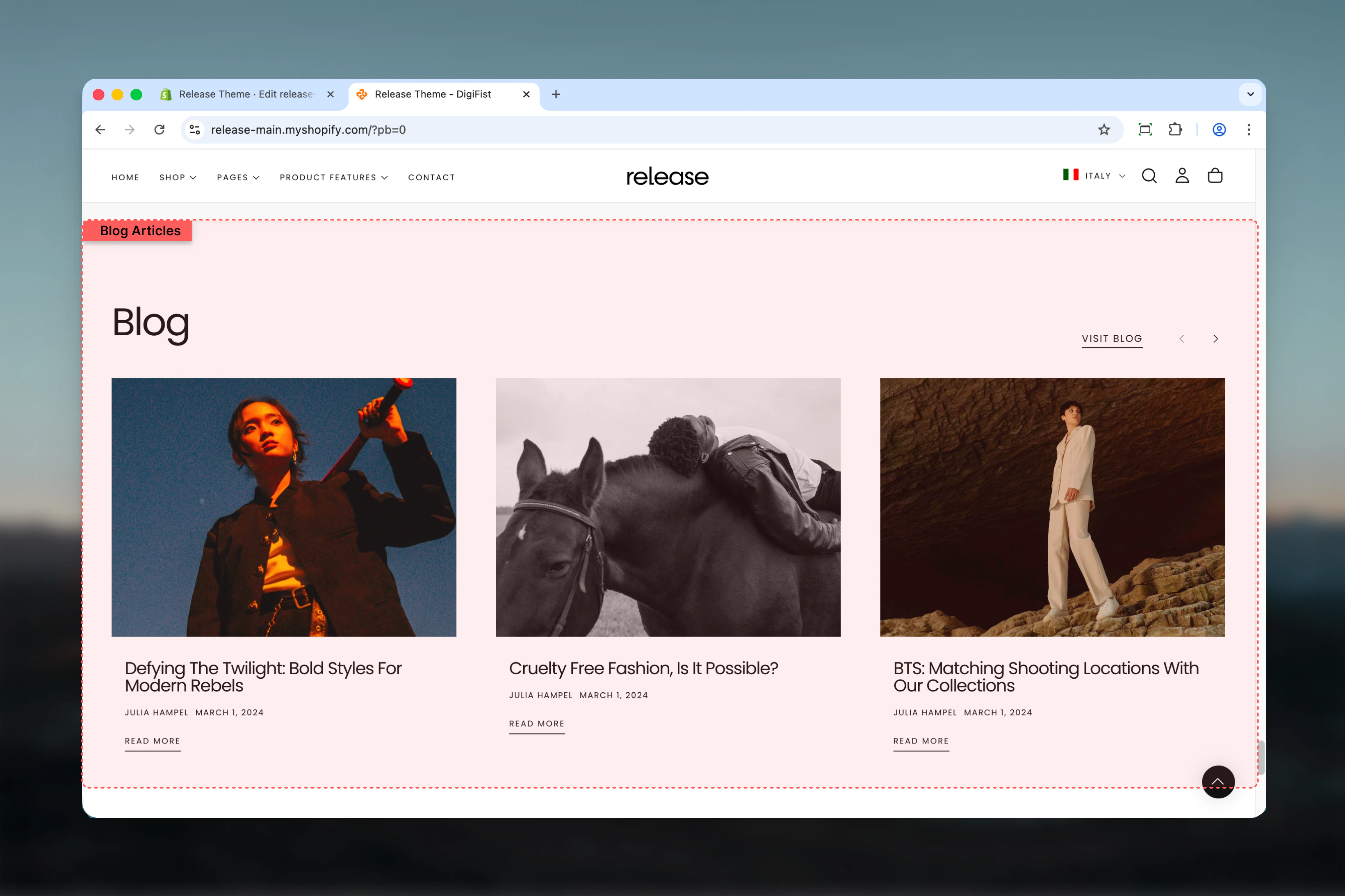
The Blog Articles section showcases selected blog posts or articles from a Shopify blog. It supports multiple layouts, flexible card settings, and optional metadata such as author, date, and excerpts.
Blog articles help drive content engagement by featuring editorial content, company updates, or educational resources directly within your storefront pages.
 ## What this section controls
This section controls blog article displays with the following capabilities:
* Automatic or manual article selection from Shopify blogs
* Multiple layout options for article cards
* Customizable metadata display (author, date, excerpt)
* Flexible card aspect ratios and spacing
* Section-level "View all" button
* Desktop and mobile responsive design
## How the Blog Articles section works
The Blog Articles section uses a blog-based content system:
* Displays articles from a selected Shopify blog
* Supports automatic or manual article selection
* Articles are shown as cards with optional metadata
* Layout and spacing can be customized
* Fully responsive across desktop and mobile
## Getting started
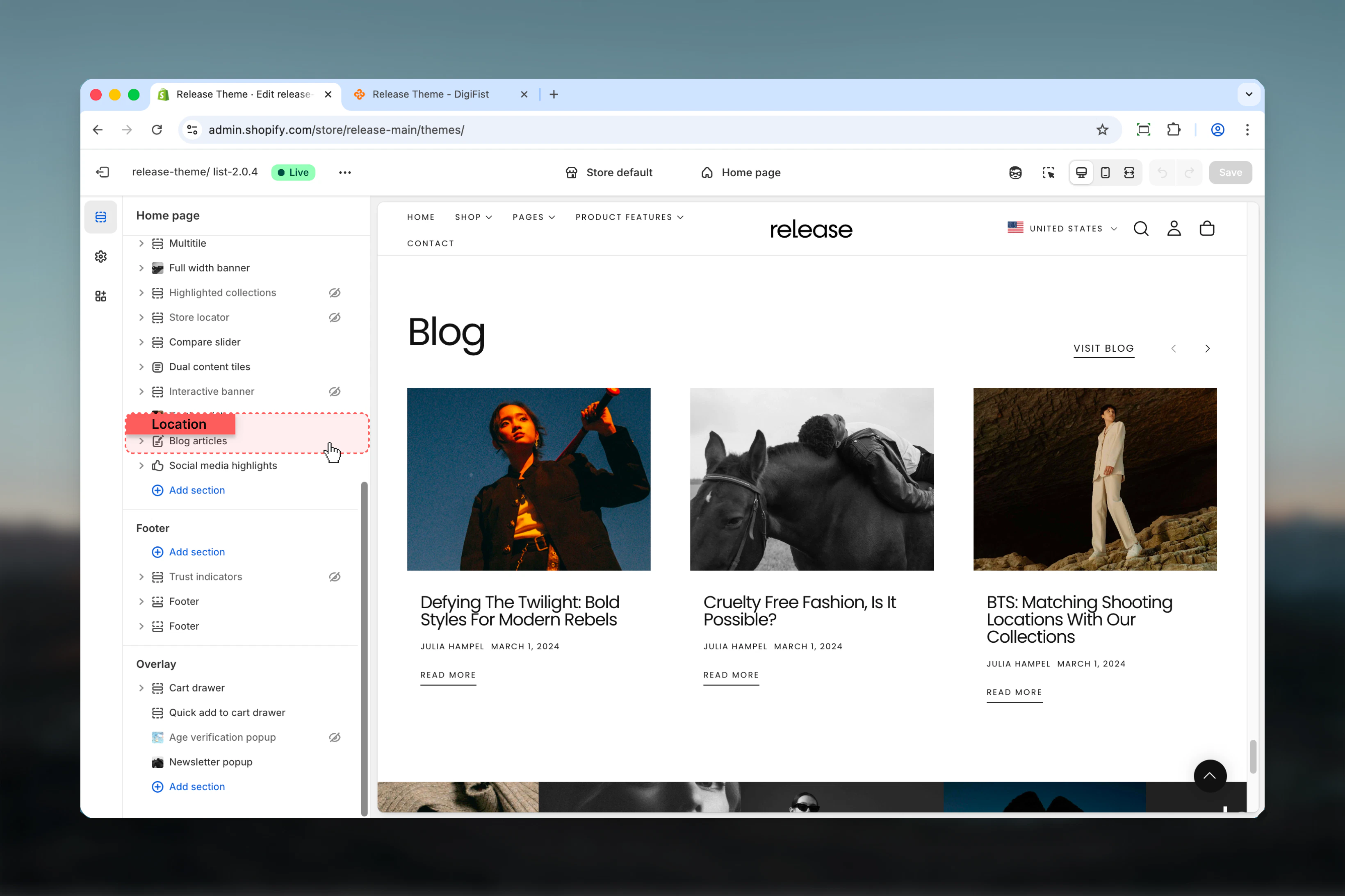
From Shopify admin, access the Theme Customizer.
Add the Blog Articles section to your page or template.
Choose which Shopify blog to pull articles from.
Adjust layout, metadata visibility, and card settings.
## What this section controls
This section controls blog article displays with the following capabilities:
* Automatic or manual article selection from Shopify blogs
* Multiple layout options for article cards
* Customizable metadata display (author, date, excerpt)
* Flexible card aspect ratios and spacing
* Section-level "View all" button
* Desktop and mobile responsive design
## How the Blog Articles section works
The Blog Articles section uses a blog-based content system:
* Displays articles from a selected Shopify blog
* Supports automatic or manual article selection
* Articles are shown as cards with optional metadata
* Layout and spacing can be customized
* Fully responsive across desktop and mobile
## Getting started
From Shopify admin, access the Theme Customizer.
Add the Blog Articles section to your page or template.
Choose which Shopify blog to pull articles from.
Adjust layout, metadata visibility, and card settings.
 ## Section settings
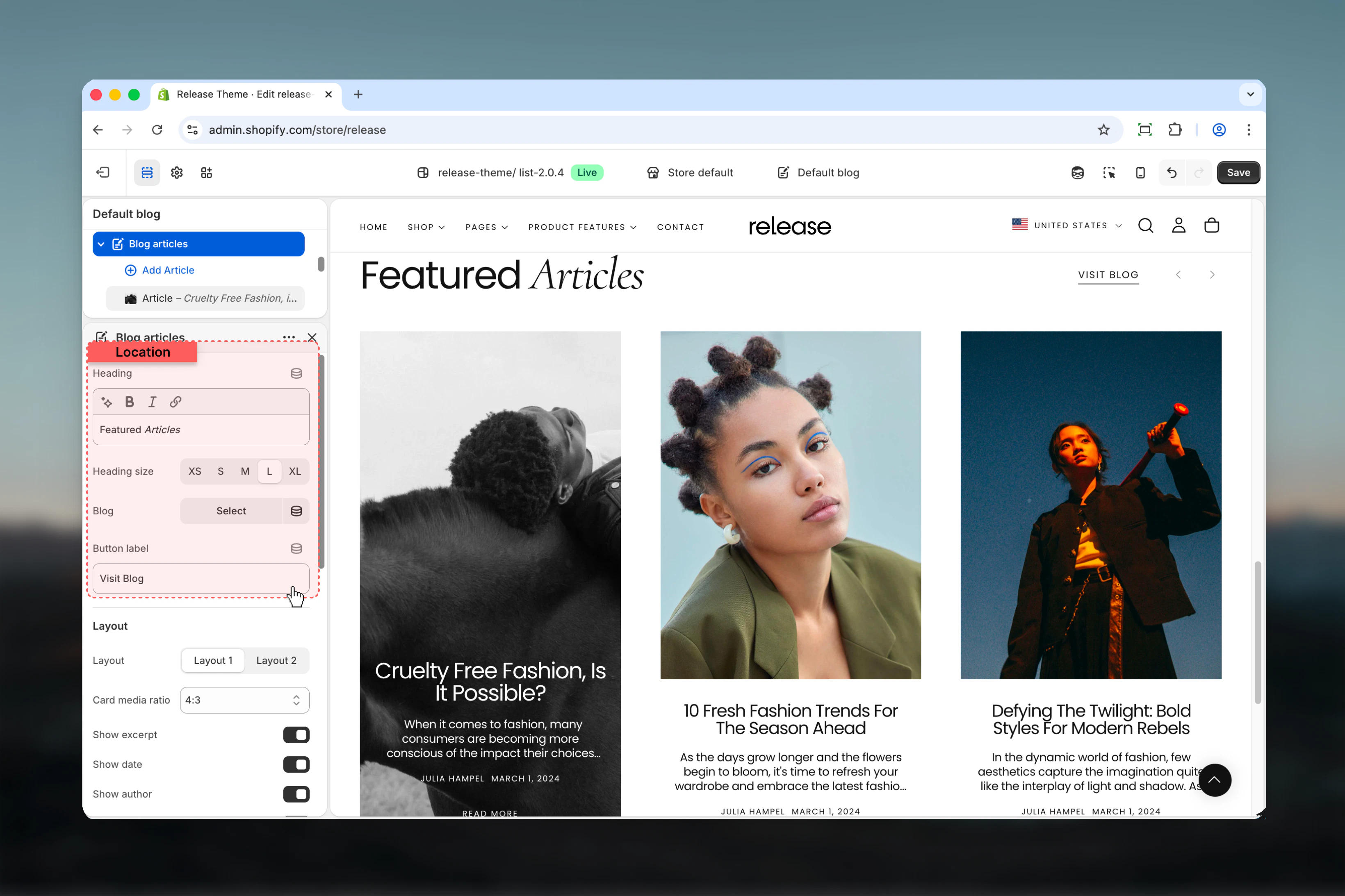
Section settings control the overall structure, content source, and visual layout.
### Heading
Main title of the section.
* Rich text supported (bold, italic, underline, links)
### Heading size
Controls the size of the heading.
**Available options:** S, M, L, XL
### Blog
Selects which Shopify blog the articles are pulled from.
* Shopify blog selector
If manual article blocks are added, they will override the automatic blog selection order.
### Button label
Text displayed for the section-level action button (for example, "View all articles").
* Text input
* Leave empty to hide the button
## Section settings
Section settings control the overall structure, content source, and visual layout.
### Heading
Main title of the section.
* Rich text supported (bold, italic, underline, links)
### Heading size
Controls the size of the heading.
**Available options:** S, M, L, XL
### Blog
Selects which Shopify blog the articles are pulled from.
* Shopify blog selector
If manual article blocks are added, they will override the automatic blog selection order.
### Button label
Text displayed for the section-level action button (for example, "View all articles").
* Text input
* Leave empty to hide the button
 ### Layout
Defines the overall card layout style.
**Available options:** Layout 1, Layout 2
### Layout
Defines the overall card layout style.
**Available options:** Layout 1, Layout 2
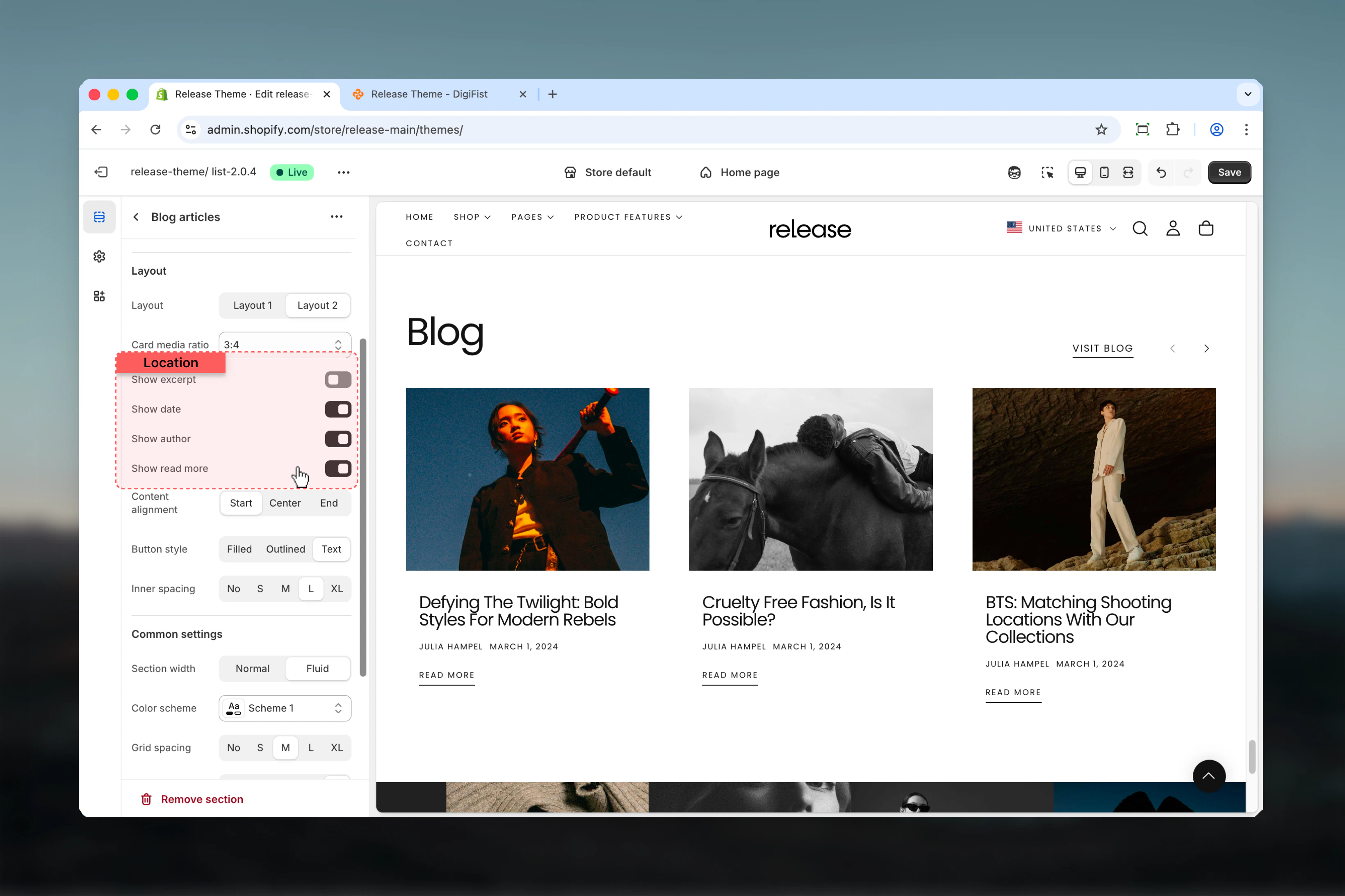
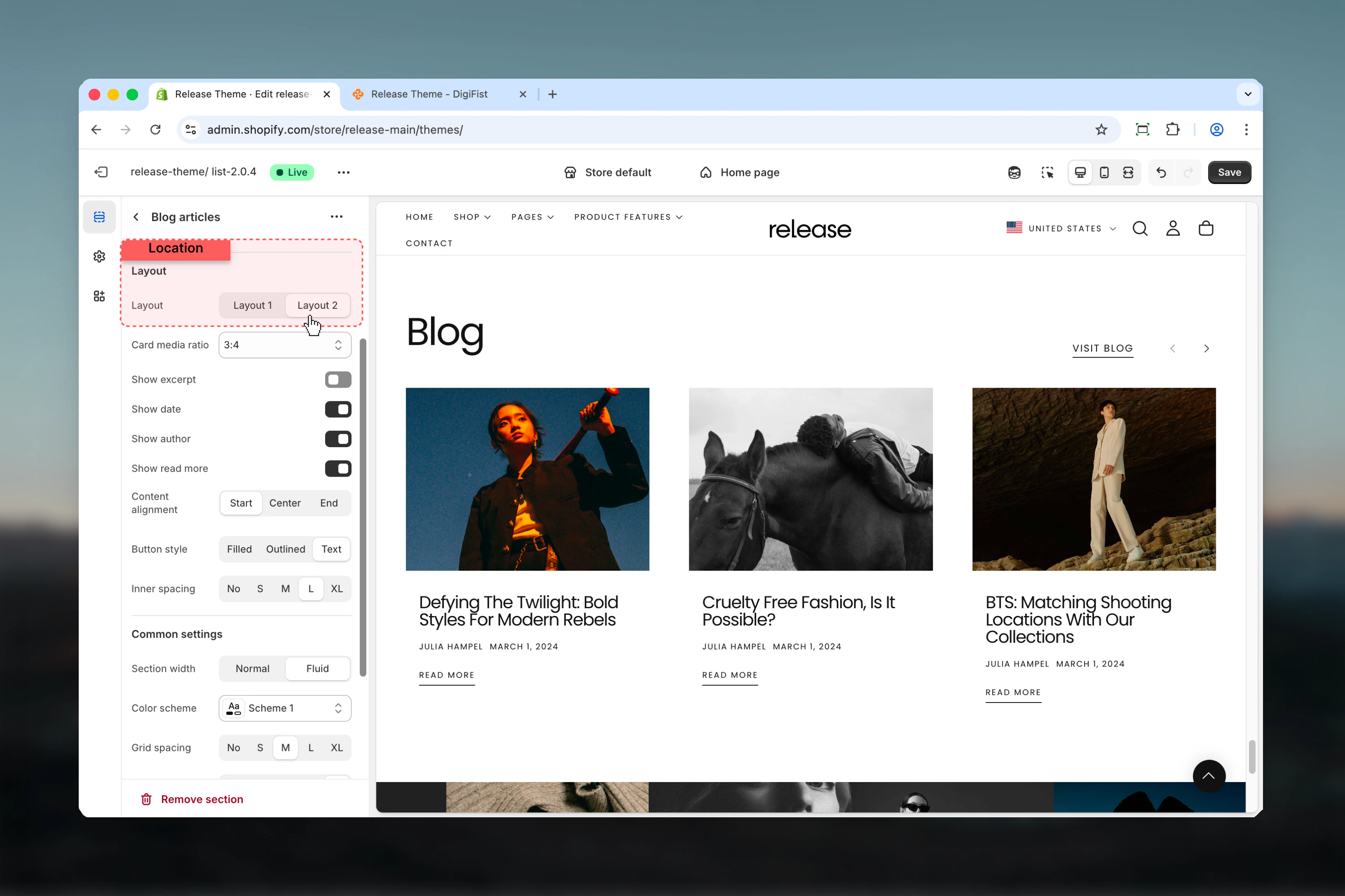 ### Card media ratio
Controls the aspect ratio of article images.
**Available options:** 1:1, 2:3, 3:2, 3:4, 4:3
### Show excerpt
Toggles the article excerpt visibility.
**Options:** True / False
### Show date
Toggles the article publish date visibility.
**Options:** True / False
### Show author
Toggles the article author visibility.
**Options:** True / False
### Show read more
Toggles the "Read more" link on article cards.
**Options:** True / False
### Card media ratio
Controls the aspect ratio of article images.
**Available options:** 1:1, 2:3, 3:2, 3:4, 4:3
### Show excerpt
Toggles the article excerpt visibility.
**Options:** True / False
### Show date
Toggles the article publish date visibility.
**Options:** True / False
### Show author
Toggles the article author visibility.
**Options:** True / False
### Show read more
Toggles the "Read more" link on article cards.
**Options:** True / False
 ### Content alignment
Controls horizontal alignment of text content inside article cards.
**Available options:** Start, Center, End
### Button style
Defines the visual style of buttons within the section.
**Available options:** Filled, Outlined, Text
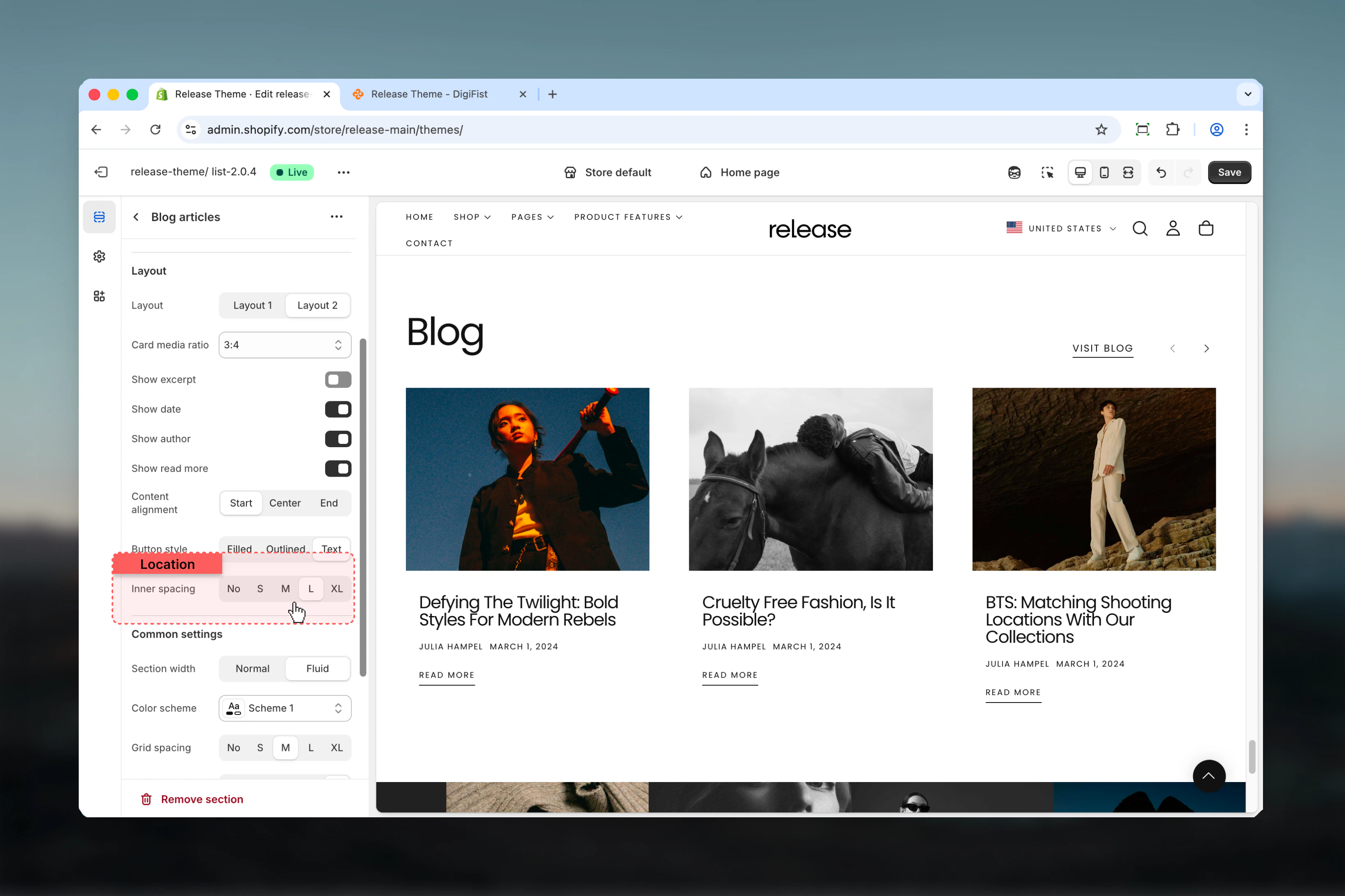
### Inner spacing
Controls spacing inside each article card.
**Available options:** No, S, M, L, XL
### Content alignment
Controls horizontal alignment of text content inside article cards.
**Available options:** Start, Center, End
### Button style
Defines the visual style of buttons within the section.
**Available options:** Filled, Outlined, Text
### Inner spacing
Controls spacing inside each article card.
**Available options:** No, S, M, L, XL
 ## Block settings
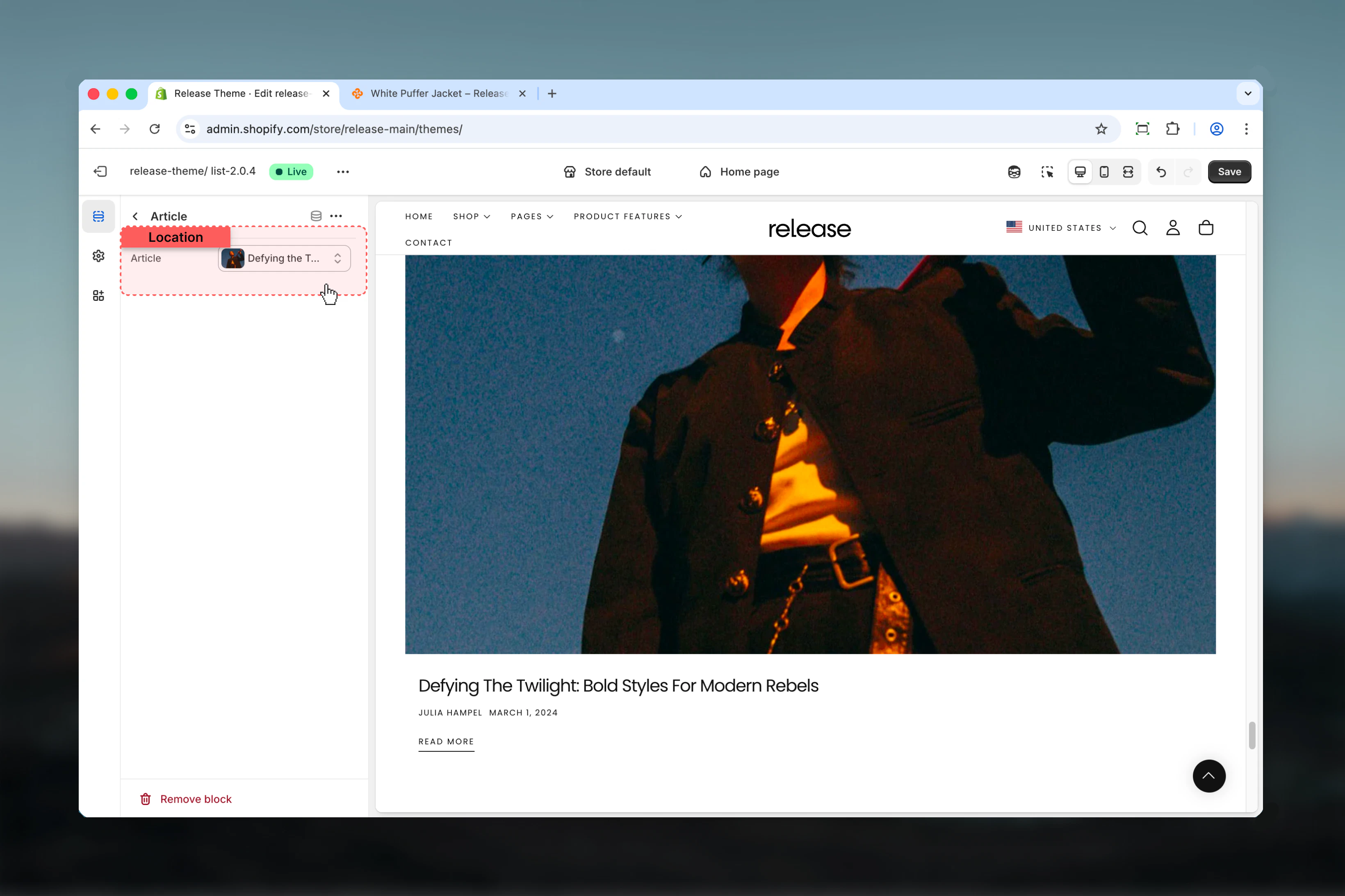
Block settings allow manual article selection. Article blocks override automatic blog ordering.
### Article
Selects a specific Shopify article to display.
* Shopify article selector
* Overrides automatic blog ordering
## Block settings
Block settings allow manual article selection. Article blocks override automatic blog ordering.
### Article
Selects a specific Shopify article to display.
* Shopify article selector
* Overrides automatic blog ordering
 ## Best practices
* Use manual article blocks to highlight key content or featured posts
* Keep excerpts enabled for editorial or storytelling layouts to provide context
* Hide author or date for more minimal designs focused on visual impact
* Ensure consistent image aspect ratios across articles for visual harmony
* Limit visible metadata to improve readability and reduce visual clutter
* Use "View all" button to drive traffic to your main blog page
* Test different layouts to see which works best for your content style
* Consider card spacing based on the amount of metadata shown
* Update featured articles regularly to keep content fresh
## Common use cases
* **Blog previews on homepage** - Showcase latest articles to drive content discovery
* **Editorial storytelling sections** - Highlight long-form content and brand narratives
* **Content marketing highlights** - Feature educational or promotional articles
* **Brand updates or announcements** - Share company news and product launches
* **SEO-focused article promotion** - Drive traffic to high-value blog content
## Related guides
Learn about common settings shared across sections
## Best practices
* Use manual article blocks to highlight key content or featured posts
* Keep excerpts enabled for editorial or storytelling layouts to provide context
* Hide author or date for more minimal designs focused on visual impact
* Ensure consistent image aspect ratios across articles for visual harmony
* Limit visible metadata to improve readability and reduce visual clutter
* Use "View all" button to drive traffic to your main blog page
* Test different layouts to see which works best for your content style
* Consider card spacing based on the amount of metadata shown
* Update featured articles regularly to keep content fresh
## Common use cases
* **Blog previews on homepage** - Showcase latest articles to drive content discovery
* **Editorial storytelling sections** - Highlight long-form content and brand narratives
* **Content marketing highlights** - Feature educational or promotional articles
* **Brand updates or announcements** - Share company news and product launches
* **SEO-focused article promotion** - Drive traffic to high-value blog content
## Related guides
Learn about common settings shared across sections