> ## Documentation Index
> Fetch the complete documentation index at: https://docs.digifist.com/llms.txt
> Use this file to discover all available pages before exploring further.
# Cart Drawer
> Configure the slide-out cart drawer that displays cart contents when customers add products.
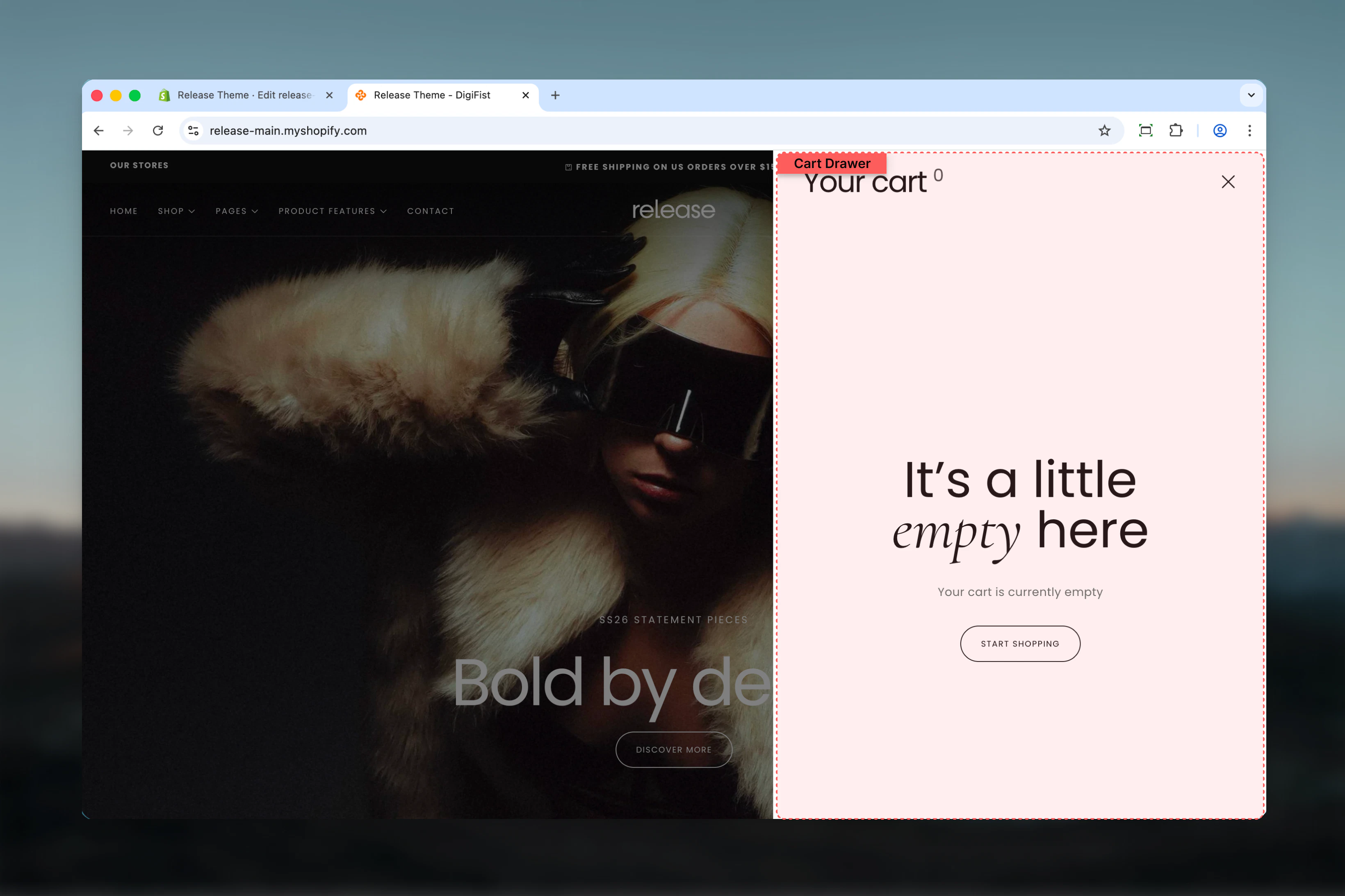
The Cart Drawer section controls the slide-out drawer that appears when customers add items to their cart or click the cart icon. It provides a quick view of cart contents without leaving the current page.
 ## What this section controls
* Product card display in cart drawer
* Product image aspect ratios
* Empty cart messaging and CTA
* Information bar blocks for promotional messages
* Cart totals and checkout button
## Section settings
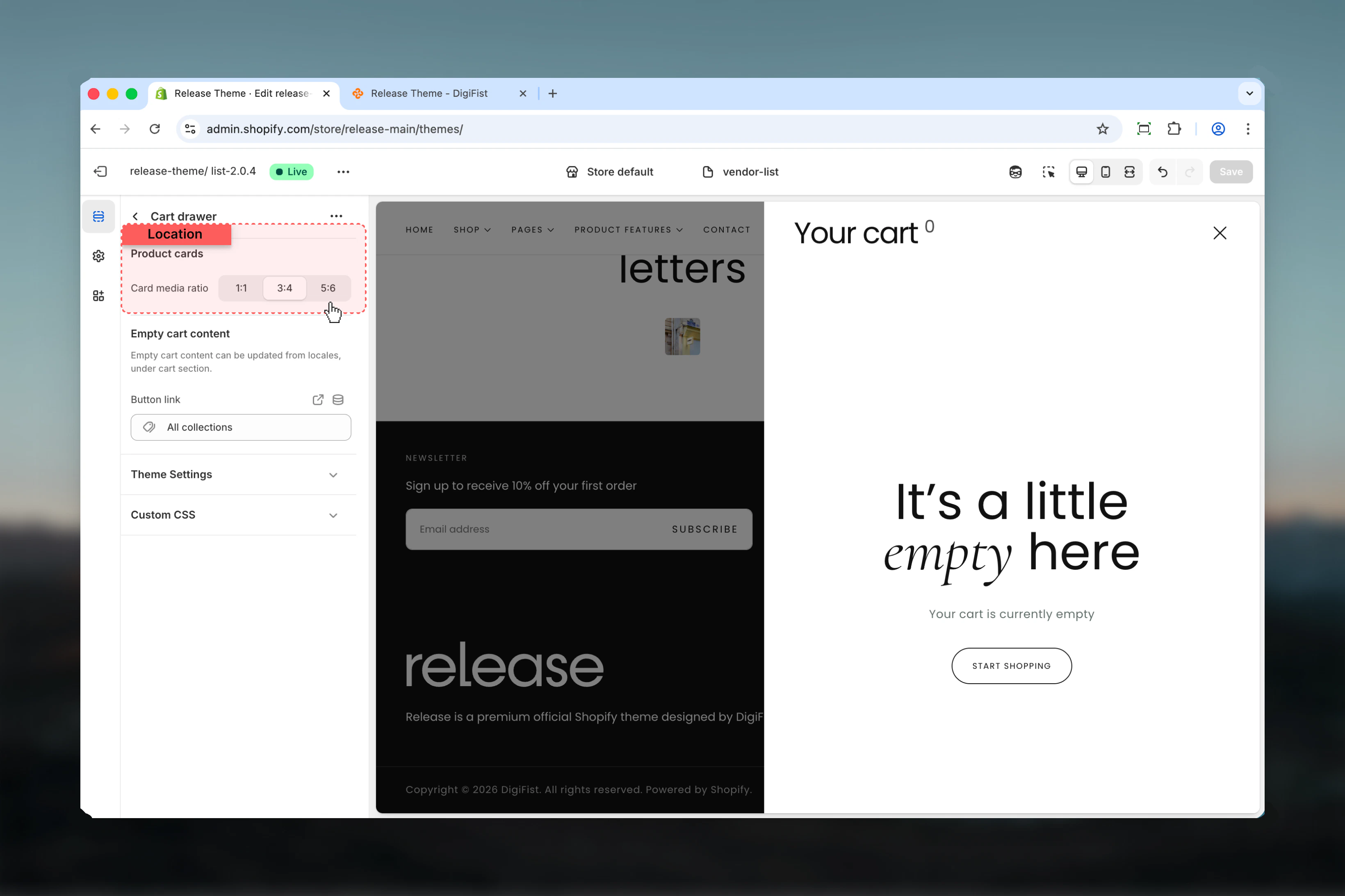
### Card media aspect ratio
Controls the aspect ratio of product images displayed in the cart drawer.
**Available options:**
* **1:1** - Square images
* **3:4** - Portrait format
* **5:6** - Tall portrait
**Default:** 3:4
Portrait aspect ratios (3:4) work best for apparel and accessories, while square (1:1) suits lifestyle products.
## What this section controls
* Product card display in cart drawer
* Product image aspect ratios
* Empty cart messaging and CTA
* Information bar blocks for promotional messages
* Cart totals and checkout button
## Section settings
### Card media aspect ratio
Controls the aspect ratio of product images displayed in the cart drawer.
**Available options:**
* **1:1** - Square images
* **3:4** - Portrait format
* **5:6** - Tall portrait
**Default:** 3:4
Portrait aspect ratios (3:4) work best for apparel and accessories, while square (1:1) suits lifestyle products.
 ### Button URL
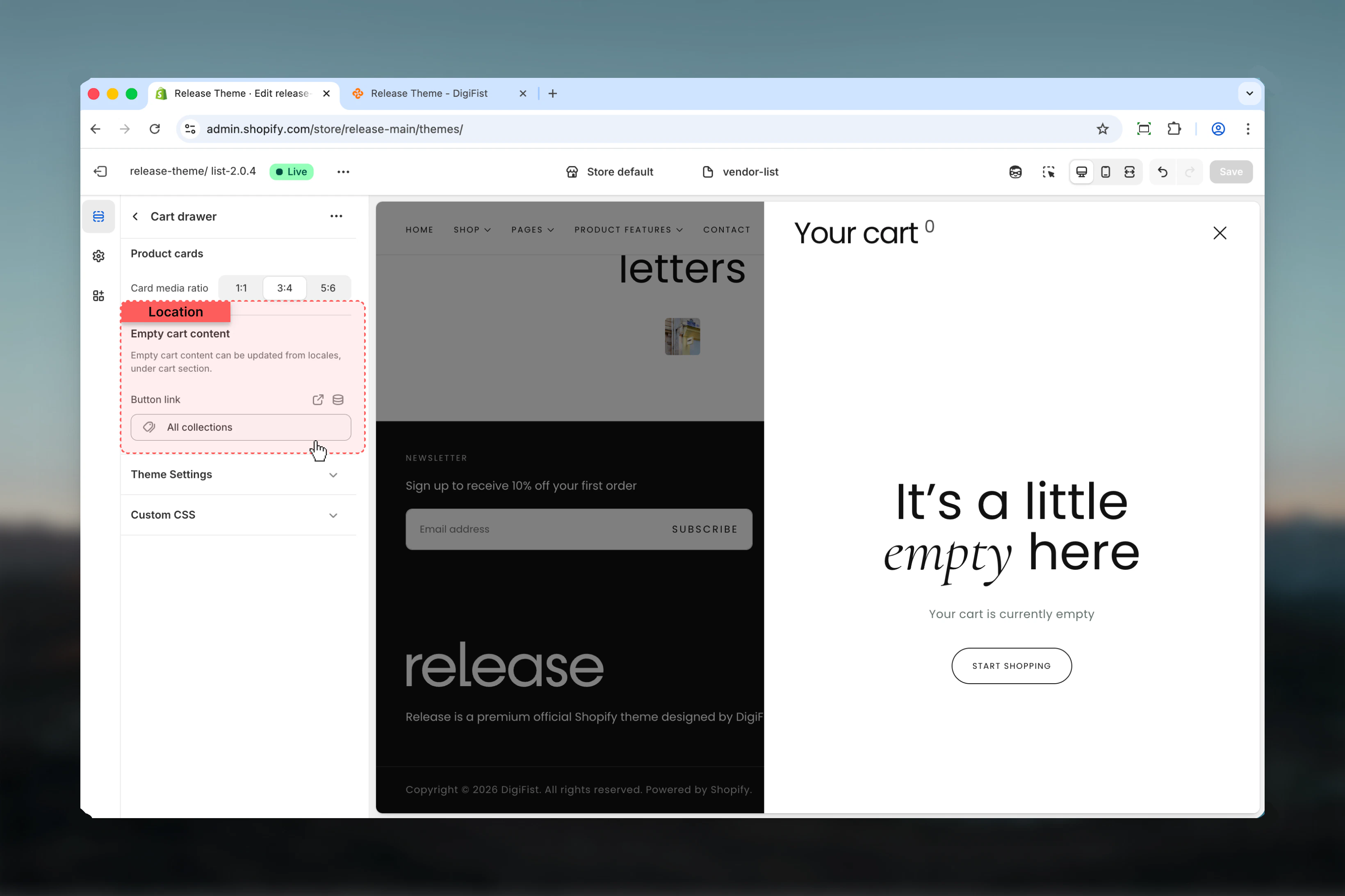
Destination link for the "Continue Shopping" button displayed when cart is empty.
* **Default:** `/collections`
Empty cart title and description text can be customized in theme locales under the cart section.
### Button URL
Destination link for the "Continue Shopping" button displayed when cart is empty.
* **Default:** `/collections`
Empty cart title and description text can be customized in theme locales under the cart section.
 ## Block settings
### Information Bar
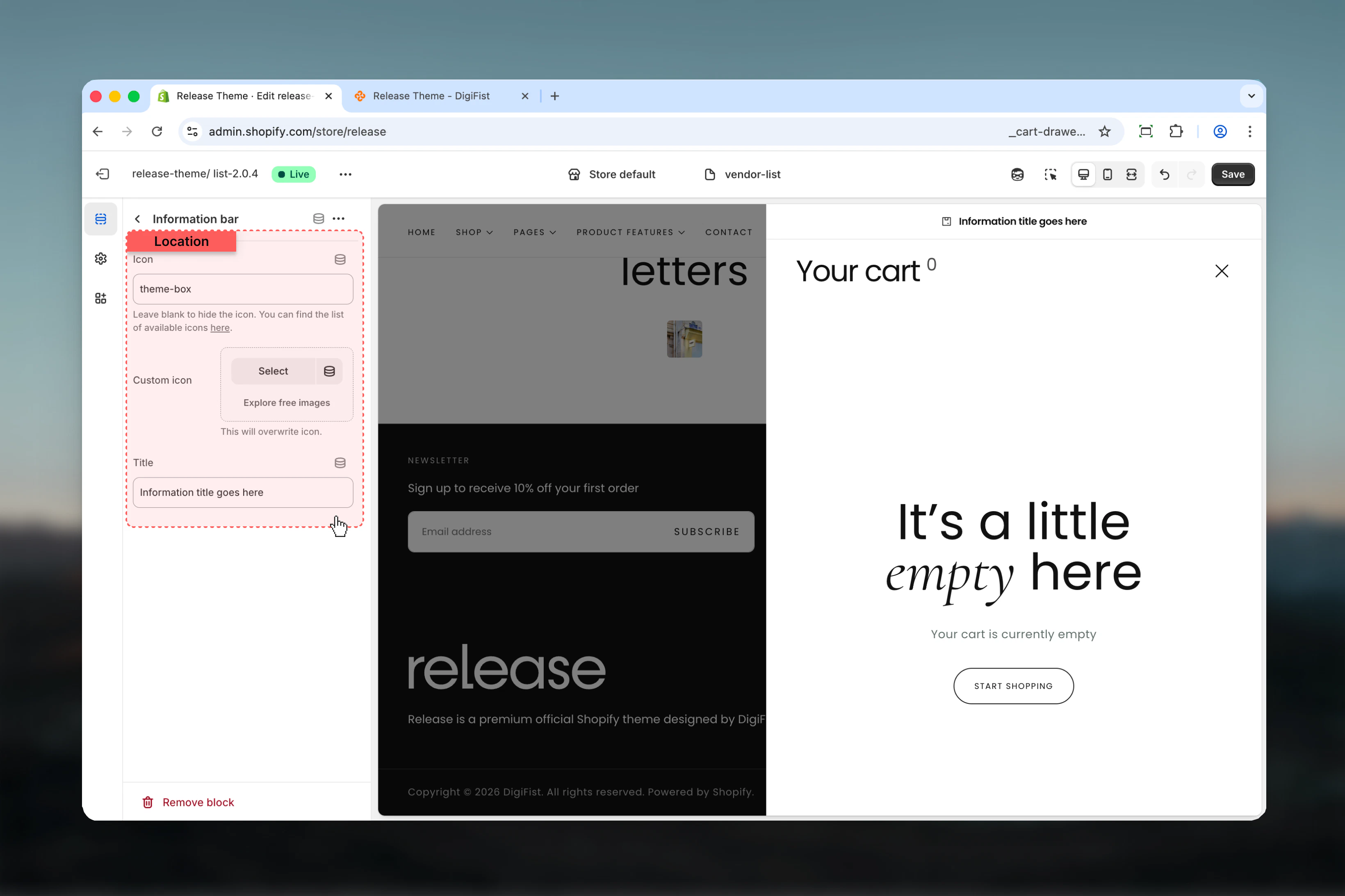
Add promotional messages or important information displayed within the cart drawer.
**Icon** - Icon name from theme icon library
* **Default:** "theme-box"
**Custom icon** - Upload a custom icon image
* Overrides the icon setting when provided
**Title** - Information message text
* **Default:** "Information title goes here"
Use information bars to display free shipping thresholds, delivery timeframes, or return policy highlights.
## Block settings
### Information Bar
Add promotional messages or important information displayed within the cart drawer.
**Icon** - Icon name from theme icon library
* **Default:** "theme-box"
**Custom icon** - Upload a custom icon image
* Overrides the icon setting when provided
**Title** - Information message text
* **Default:** "Information title goes here"
Use information bars to display free shipping thresholds, delivery timeframes, or return policy highlights.
 ## Best practices
* Use 3:4 aspect ratio for apparel stores to show product details clearly
* Add information bars for free shipping thresholds to encourage larger orders
* Keep information bar messages concise - under 50 characters for mobile readability
* Set button URL to your primary collection or homepage for empty carts
* Test drawer functionality on mobile devices for smooth user experience
* Limit information bars to 2-3 items to avoid clutter
* Use icons that match your messaging (e.g., truck icon for shipping)
## Common use cases
* **Free shipping threshold** - "Spend \$25 more for free shipping!"
* **Delivery information** - "Orders ship within 24 hours"
* **Return policy** - "Free returns within 30 days"
* **Secure checkout** - "Secure SSL encrypted checkout"
* **Limited stock** - "Low stock items in your cart"
* **Discounts** - "Add \$50 more to unlock 10% off"
## Related guides
Configure cart behavior and features
Customize the full cart page
Learn about the full cart page
## Best practices
* Use 3:4 aspect ratio for apparel stores to show product details clearly
* Add information bars for free shipping thresholds to encourage larger orders
* Keep information bar messages concise - under 50 characters for mobile readability
* Set button URL to your primary collection or homepage for empty carts
* Test drawer functionality on mobile devices for smooth user experience
* Limit information bars to 2-3 items to avoid clutter
* Use icons that match your messaging (e.g., truck icon for shipping)
## Common use cases
* **Free shipping threshold** - "Spend \$25 more for free shipping!"
* **Delivery information** - "Orders ship within 24 hours"
* **Return policy** - "Free returns within 30 days"
* **Secure checkout** - "Secure SSL encrypted checkout"
* **Limited stock** - "Low stock items in your cart"
* **Discounts** - "Add \$50 more to unlock 10% off"
## Related guides
Configure cart behavior and features
Customize the full cart page
Learn about the full cart page