> ## Documentation Index
> Fetch the complete documentation index at: https://docs.digifist.com/llms.txt
> Use this file to discover all available pages before exploring further.
# Gift Card
> Customize the appearance of digital gift card pages with logo and branding options.
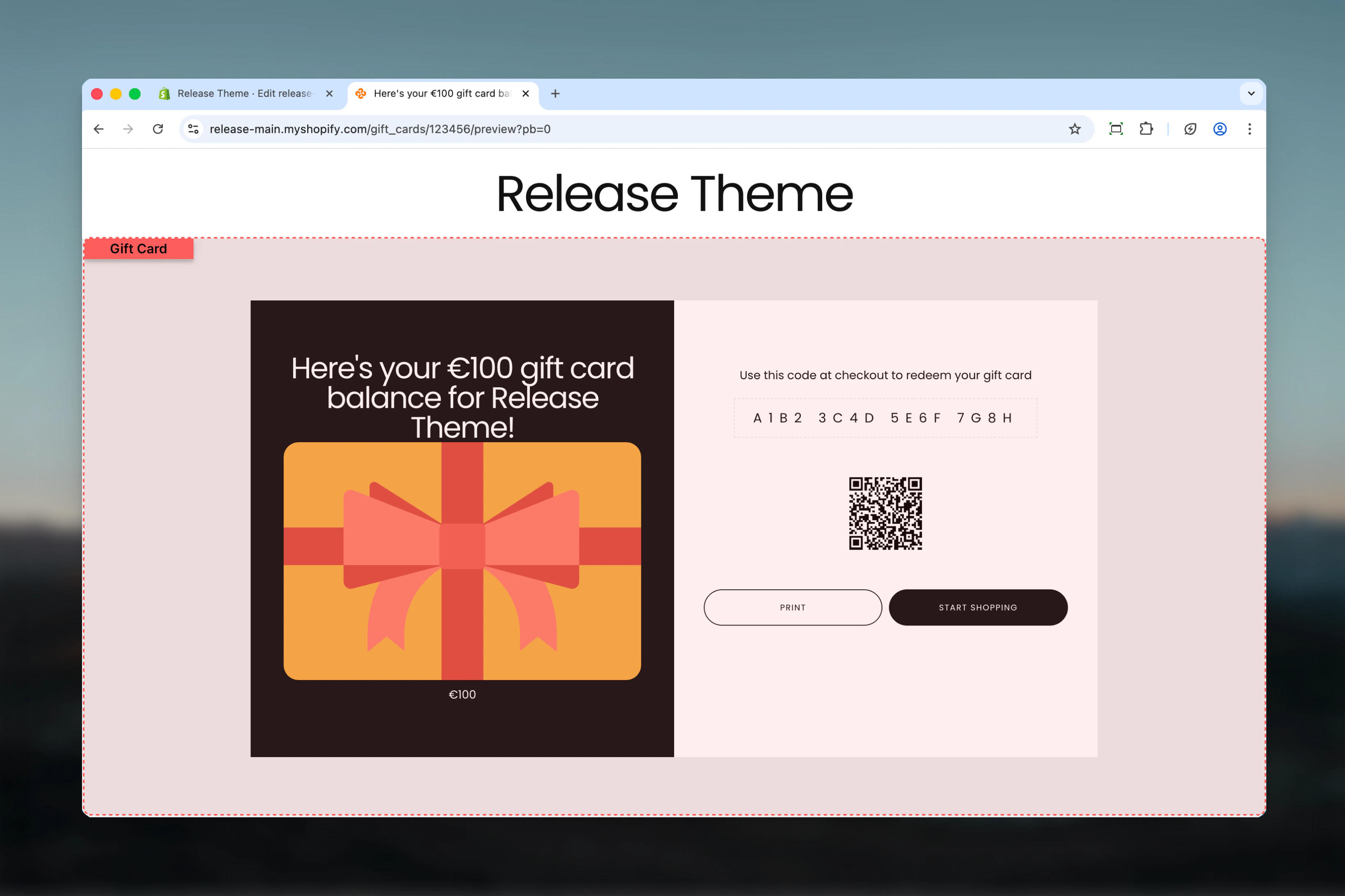
The Gift Card template displays the gift card redemption page with customizable branding elements. Customers use this page to view and redeem digital gift cards.
 ## What this section controls
* Gift card page branding
* Logo images (main and card overlay)
* Color scheme for gift card visual
* Gift card display styling
## Section settings
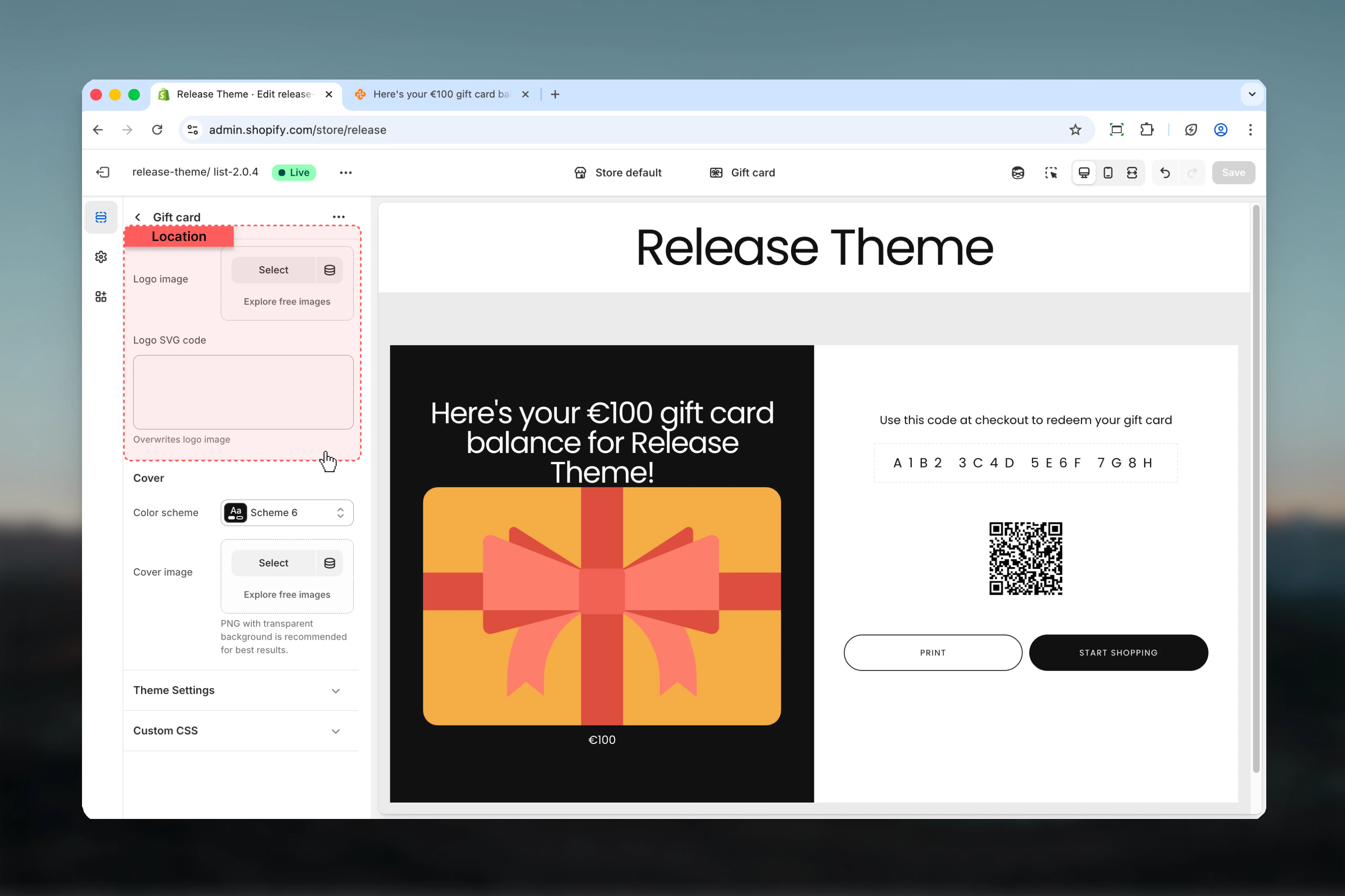
### Logo image
Upload your brand logo to display on the gift card page.
* Supports PNG, JPG formats
* Recommended: High resolution for retina displays
### Logo SVG code
Alternative to logo image using scalable vector graphics.
* Paste SVG code directly
* Benefits: Crisp at any size, smaller file size
* Use when you need perfect logo clarity
Use SVG code for logos with text or intricate details that need to stay sharp at all sizes.
## What this section controls
* Gift card page branding
* Logo images (main and card overlay)
* Color scheme for gift card visual
* Gift card display styling
## Section settings
### Logo image
Upload your brand logo to display on the gift card page.
* Supports PNG, JPG formats
* Recommended: High resolution for retina displays
### Logo SVG code
Alternative to logo image using scalable vector graphics.
* Paste SVG code directly
* Benefits: Crisp at any size, smaller file size
* Use when you need perfect logo clarity
Use SVG code for logos with text or intricate details that need to stay sharp at all sizes.
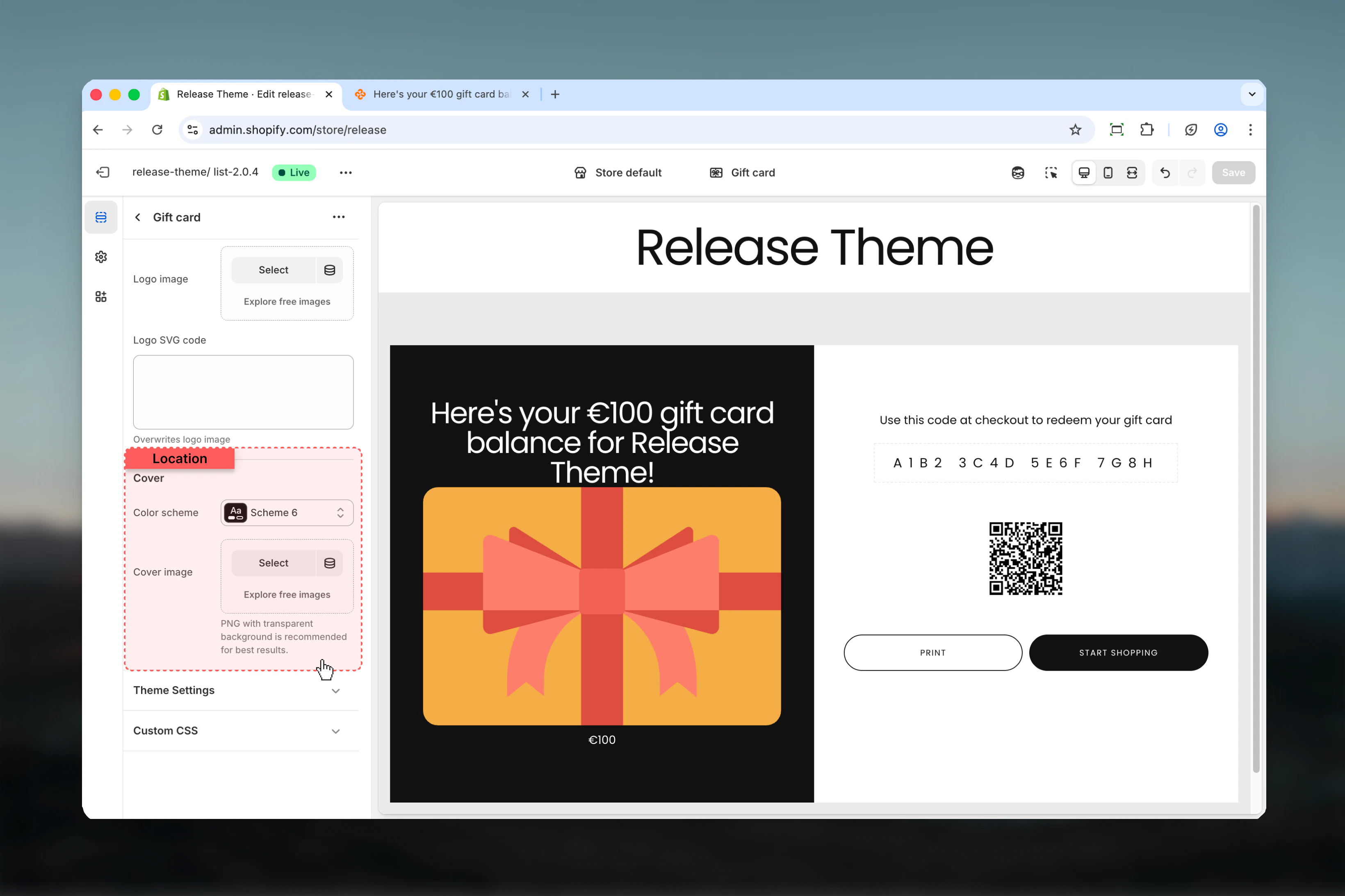
 ### Color scheme for cover
Select the color scheme applied to the gift card visual.
* **Default:** scheme-6
* Affects the gift card background and cover design
### Logo card image
Logo displayed directly on the gift card visual itself.
* Separate from main page logo
* Appears overlaid on gift card design
* Should be optimized for smaller display
Logo card image appears on the gift card graphic, while logo image appears on the page itself.
### Color scheme for cover
Select the color scheme applied to the gift card visual.
* **Default:** scheme-6
* Affects the gift card background and cover design
### Logo card image
Logo displayed directly on the gift card visual itself.
* Separate from main page logo
* Appears overlaid on gift card design
* Should be optimized for smaller display
Logo card image appears on the gift card graphic, while logo image appears on the page itself.
 ## Best practices
* **Logo format:** Use PNG with transparency for logo\_image, SVG for perfect clarity
* **Logo sizing:** Keep logo\_image dimensions reasonable (max 400px wide)
* **Card logo:** logo\_card\_image should be square or horizontal, optimized for overlay
* **Color scheme:** Choose scheme that complements brand colors and stands out
* **Brand consistency:** Ensure gift card design matches overall brand aesthetic
* **Mobile testing:** Preview gift card page on mobile devices for logo sizing
* **File optimization:** Compress images to ensure fast page load
* **Seasonal updates:** Update logo\_card\_image for holidays or special occasions
## Common use cases
* **Standard branding** - Upload logo\_image (PNG), use brand color scheme
* **Premium look** - SVG logo for crisp display, dark luxury color scheme
* **Seasonal cards** - Change logo\_card\_image for Christmas, Valentine's, etc.
* **Minimal design** - No logo images, focus on color scheme and typography
* **Corporate gifts** - Professional logo placement with neutral scheme-6 or custom
* **Special editions** - Custom logo\_card\_image for limited edition gift cards
## Related guides
Configure gift card product pages
Create custom color schemes
## Best practices
* **Logo format:** Use PNG with transparency for logo\_image, SVG for perfect clarity
* **Logo sizing:** Keep logo\_image dimensions reasonable (max 400px wide)
* **Card logo:** logo\_card\_image should be square or horizontal, optimized for overlay
* **Color scheme:** Choose scheme that complements brand colors and stands out
* **Brand consistency:** Ensure gift card design matches overall brand aesthetic
* **Mobile testing:** Preview gift card page on mobile devices for logo sizing
* **File optimization:** Compress images to ensure fast page load
* **Seasonal updates:** Update logo\_card\_image for holidays or special occasions
## Common use cases
* **Standard branding** - Upload logo\_image (PNG), use brand color scheme
* **Premium look** - SVG logo for crisp display, dark luxury color scheme
* **Seasonal cards** - Change logo\_card\_image for Christmas, Valentine's, etc.
* **Minimal design** - No logo images, focus on color scheme and typography
* **Corporate gifts** - Professional logo placement with neutral scheme-6 or custom
* **Special editions** - Custom logo\_card\_image for limited edition gift cards
## Related guides
Configure gift card product pages
Create custom color schemes