> ## Documentation Index
> Fetch the complete documentation index at: https://docs.digifist.com/llms.txt
> Use this file to discover all available pages before exploring further.
# Search Banner
> Banner section displayed at the top of search results pages.
The Search Banner template provides a visual header for the search results page, displaying the search query and providing context for the results below.
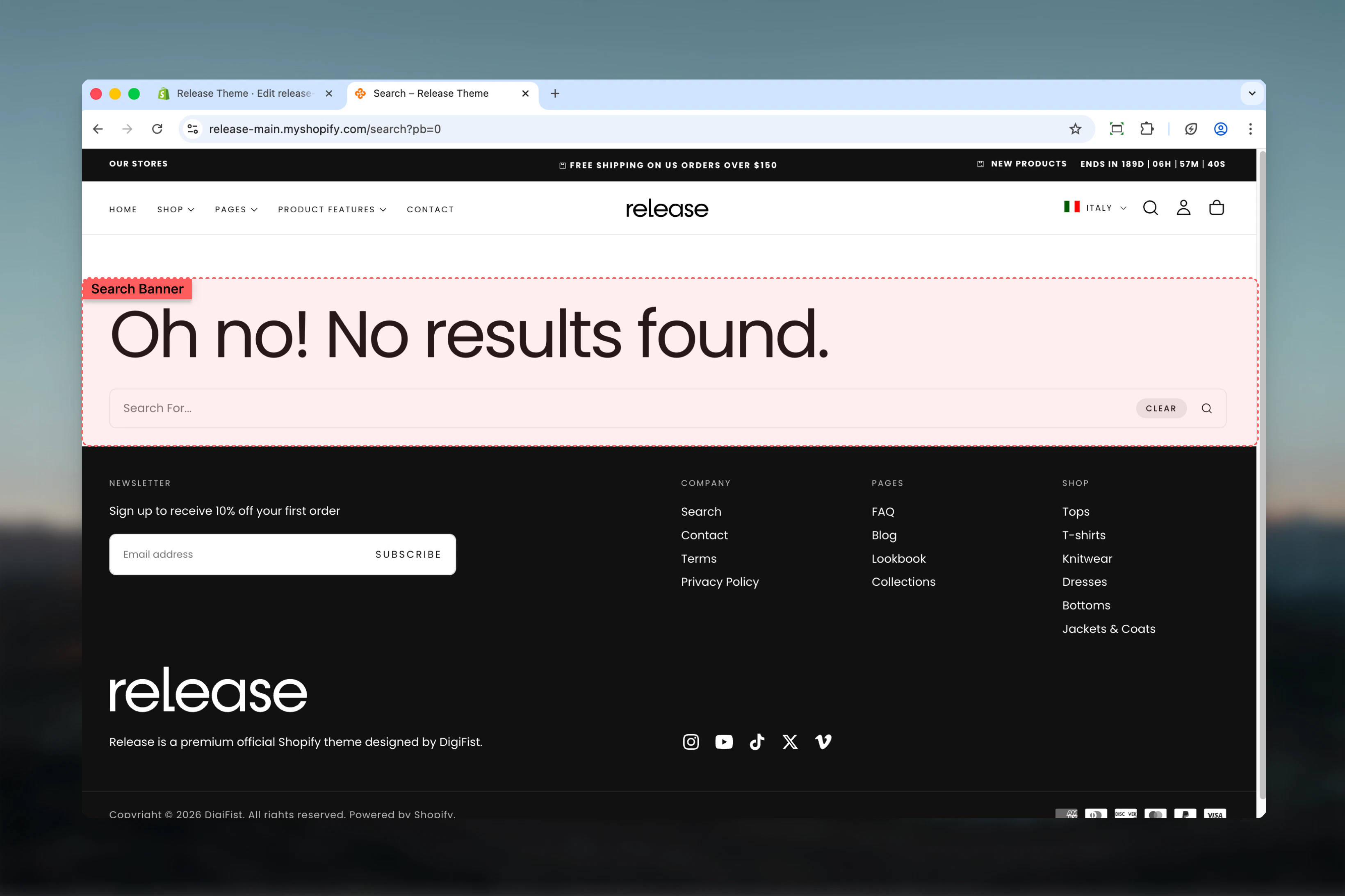 ## What this section controls
* Search page header area
* Search query display
* Banner layout and spacing
* Visual separation from results
## Section settings
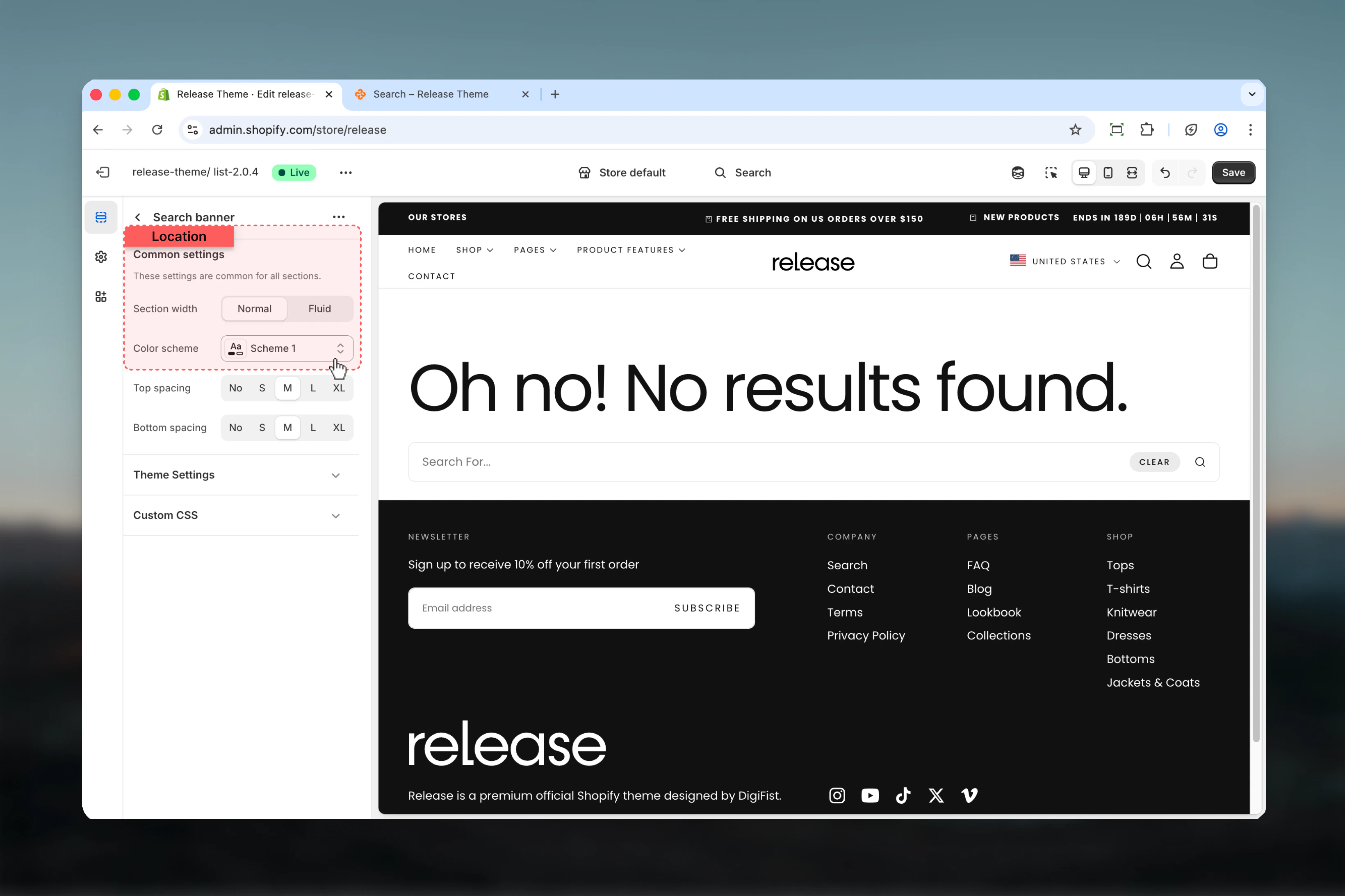
### Section width
Maximum width of the search banner.
**Available options:**
* **max-w-page** - Standard container
* **max-w-fluid** - Wider container
**Default:** max-w-page
Match the section width with your main-search section for visual consistency.
### Color scheme
Select the color scheme for the banner.
* **Default:** scheme-1
## What this section controls
* Search page header area
* Search query display
* Banner layout and spacing
* Visual separation from results
## Section settings
### Section width
Maximum width of the search banner.
**Available options:**
* **max-w-page** - Standard container
* **max-w-fluid** - Wider container
**Default:** max-w-page
Match the section width with your main-search section for visual consistency.
### Color scheme
Select the color scheme for the banner.
* **Default:** scheme-1
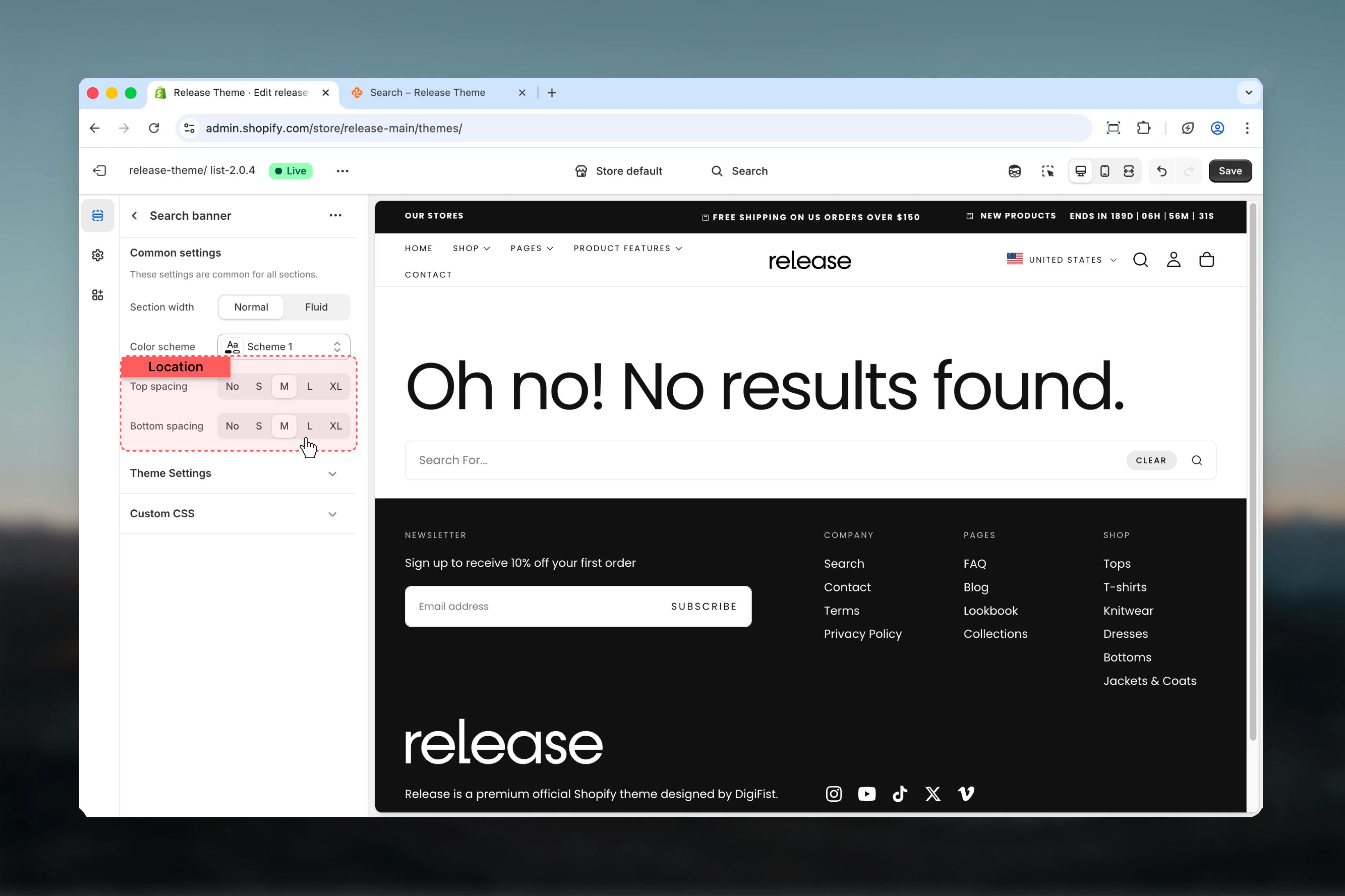
 ### Spacing top
Padding above the search banner.
**Available options:**
* **No** (0), **S** (1), **M** (2), **L** (4), **XL** (6)
**Default:** M (2)
### Spacing bottom
Padding below the search banner.
**Available options:**
* **No** (0), **S** (1), **M** (2), **L** (4), **XL** (6)
**Default:** M (2)
Reduce spacing to S (1) or No (0) for a more compact search page with results-first focus.
### Spacing top
Padding above the search banner.
**Available options:**
* **No** (0), **S** (1), **M** (2), **L** (4), **XL** (6)
**Default:** M (2)
### Spacing bottom
Padding below the search banner.
**Available options:**
* **No** (0), **S** (1), **M** (2), **L** (4), **XL** (6)
**Default:** M (2)
Reduce spacing to S (1) or No (0) for a more compact search page with results-first focus.
 ## Best practices
* **Width:** Use max-w-page to match search results section
* **Spacing:** Keep minimal (S or M) to not push results down the page
* **Color scheme:** Match with main search section for cohesive design
* **Mobile:** Banner automatically optimizes for mobile screens
* **Content:** Banner typically shows "Search results for: \[query]"
* **Visibility:** Consider reducing spacing for results-focused experience
## Common use cases
* **Standard search header** - Display search query with M spacing
* **Minimal approach** - Reduce spacing to S or 0 for results-first layout
* **Promotional banner** - Use to feature sales or new arrivals above results
* **Help text** - Show search tips or popular search suggestions
* **Results context** - Display number of results and filter count
* **Compact mobile** - Reduce bottom spacing on mobile for more visible results
## Related guides
Configure the main search results section
Set up predictive search dropdown
## Best practices
* **Width:** Use max-w-page to match search results section
* **Spacing:** Keep minimal (S or M) to not push results down the page
* **Color scheme:** Match with main search section for cohesive design
* **Mobile:** Banner automatically optimizes for mobile screens
* **Content:** Banner typically shows "Search results for: \[query]"
* **Visibility:** Consider reducing spacing for results-focused experience
## Common use cases
* **Standard search header** - Display search query with M spacing
* **Minimal approach** - Reduce spacing to S or 0 for results-first layout
* **Promotional banner** - Use to feature sales or new arrivals above results
* **Help text** - Show search tips or popular search suggestions
* **Results context** - Display number of results and filter count
* **Compact mobile** - Reduce bottom spacing on mobile for more visible results
## Related guides
Configure the main search results section
Set up predictive search dropdown