> ## Documentation Index
> Fetch the complete documentation index at: https://docs.digifist.com/llms.txt
> Use this file to discover all available pages before exploring further.
# Recommended Products
> Display Shopify's AI-powered product recommendations to encourage cross-selling and upselling.
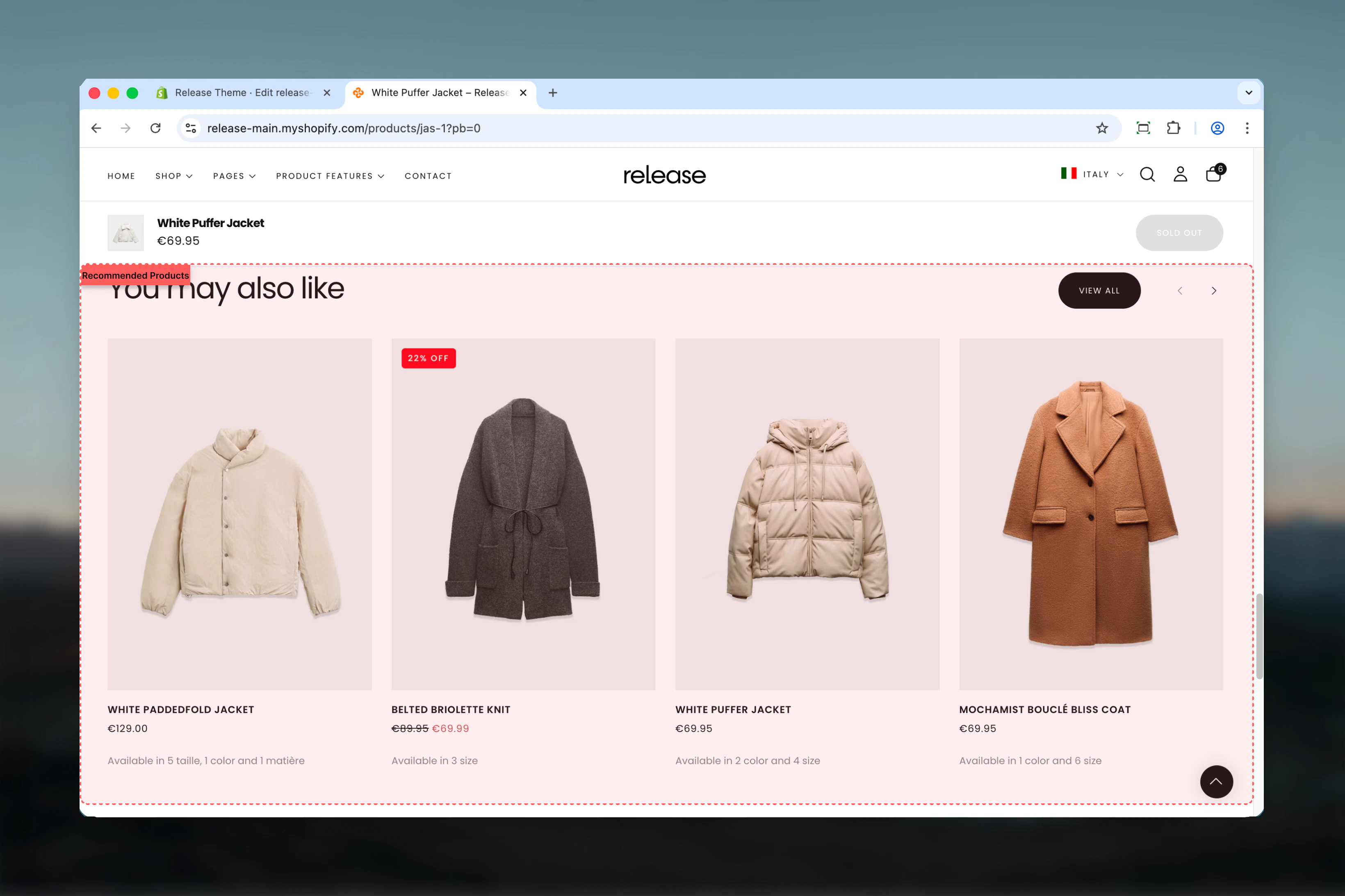
The Recommended Products section displays Shopify's AI-powered product recommendations based on the current product or cart contents. It shows personalized product suggestions to encourage cross-selling and upselling.
Shopify's recommendation engine analyzes purchase patterns, product relationships, and customer behavior to suggest the most relevant products, helping increase average order value and improve shopping experience.
 ## What this section controls
This section controls product recommendation displays with the following capabilities:
* Shopify AI-powered product recommendations
* Up to 12 recommended products
* Carousel-style display with navigation
* Tab-style filtering options
* Stock status visibility control
* Optional section-level button
## How the Recommended Products section works
The Recommended Products section uses Shopify's recommendation engine:
* Automatically displays related products based on current product or cart
* Supports up to 12 recommended products
* Carousel-style display with optional navigation
* Tab-style navigation for product filtering
* Configurable product visibility settings
## Getting started
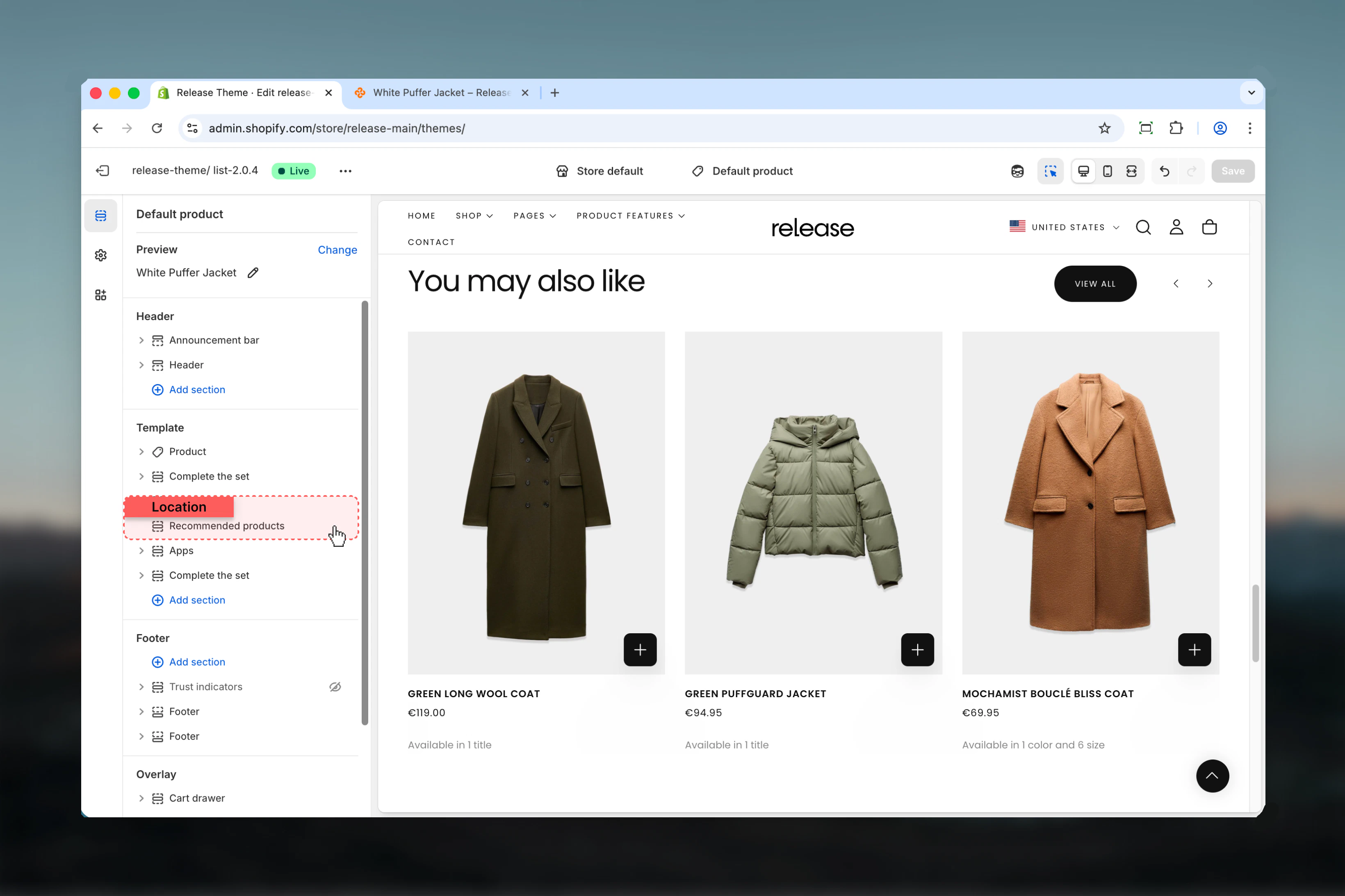
From Shopify admin, access the Theme Customizer.
Add the section to a product page template or cart page.
Set maximum products, autoplay interval, and layout preferences.
Preview on live products to verify recommendation quality.
## What this section controls
This section controls product recommendation displays with the following capabilities:
* Shopify AI-powered product recommendations
* Up to 12 recommended products
* Carousel-style display with navigation
* Tab-style filtering options
* Stock status visibility control
* Optional section-level button
## How the Recommended Products section works
The Recommended Products section uses Shopify's recommendation engine:
* Automatically displays related products based on current product or cart
* Supports up to 12 recommended products
* Carousel-style display with optional navigation
* Tab-style navigation for product filtering
* Configurable product visibility settings
## Getting started
From Shopify admin, access the Theme Customizer.
Add the section to a product page template or cart page.
Set maximum products, autoplay interval, and layout preferences.
Preview on live products to verify recommendation quality.
 ## Section settings
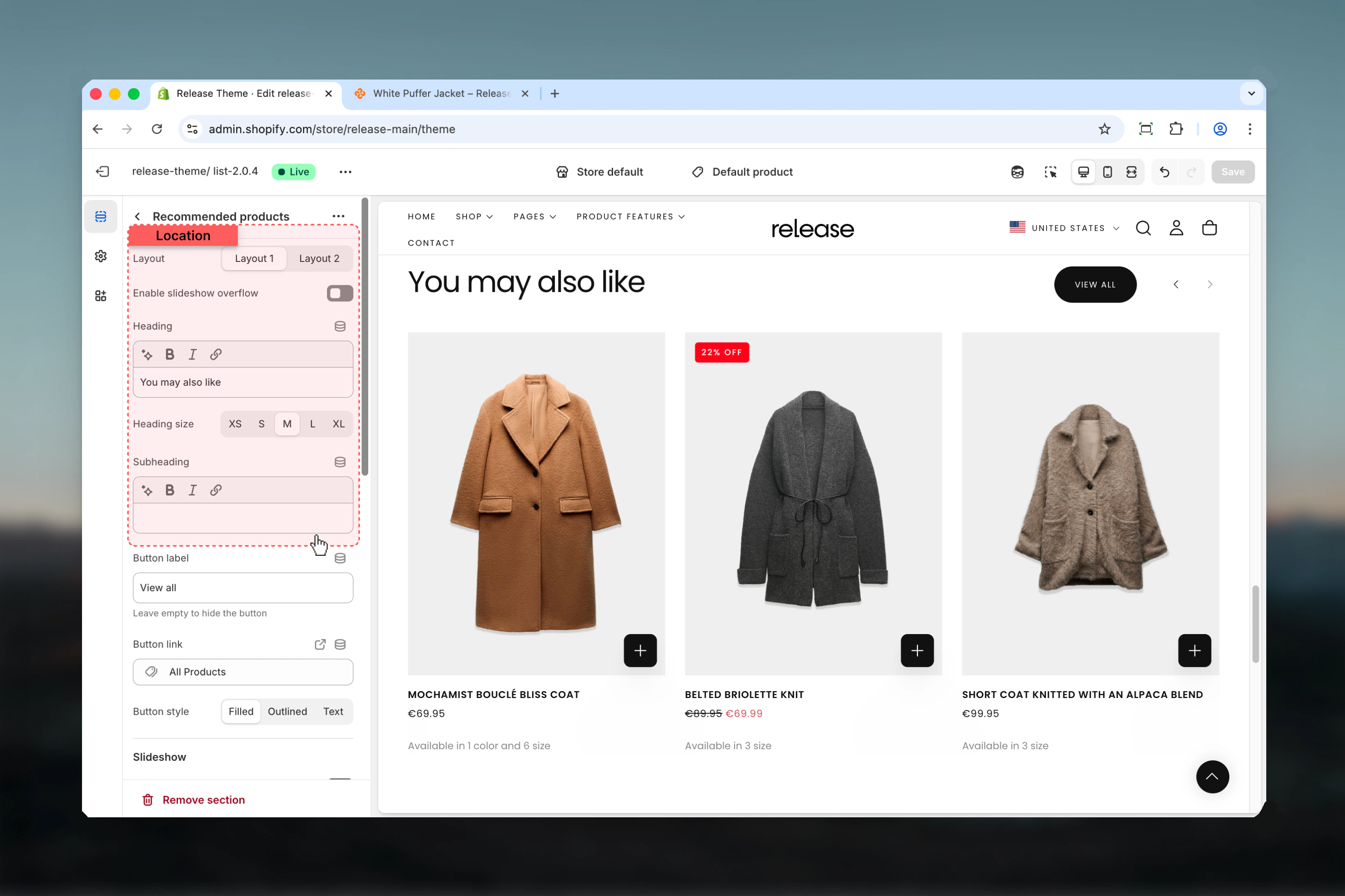
Section settings control styling, slideshow behavior, and product display options.
### Layout
Controls the visual style of the section.
**Available options:**
* **Layout 1:** Standard layout
* **Layout 2:** Alternative layout
**Default:** Layout 1
### Enable slideshow overflow
Allows slideshow to overflow section boundaries.
**Options:** True / False
**Default:** False
### Section heading
Main title text for the section.
* Inline rich text supported (bold, italic, links)
* **Default:** "You may also like"
### Heading size
Controls the size of section heading.
**Available options:** XS, S, M, L, XL
**Default:** L
### Subheading
Optional descriptive text above the heading.
* Inline rich text supported
## Section settings
Section settings control styling, slideshow behavior, and product display options.
### Layout
Controls the visual style of the section.
**Available options:**
* **Layout 1:** Standard layout
* **Layout 2:** Alternative layout
**Default:** Layout 1
### Enable slideshow overflow
Allows slideshow to overflow section boundaries.
**Options:** True / False
**Default:** False
### Section heading
Main title text for the section.
* Inline rich text supported (bold, italic, links)
* **Default:** "You may also like"
### Heading size
Controls the size of section heading.
**Available options:** XS, S, M, L, XL
**Default:** L
### Subheading
Optional descriptive text above the heading.
* Inline rich text supported
 ### Button label
Text for optional section-level button.
* Leave empty to hide
* **Default:** "View all"
### Button link
Destination URL for section button.
* Shopify URL selector
### Button style
Visual style for section button.
**Available options:**
* **Filled:** Solid background
* **Outlined:** Border only
* **Text:** Text only
**Default:** Filled
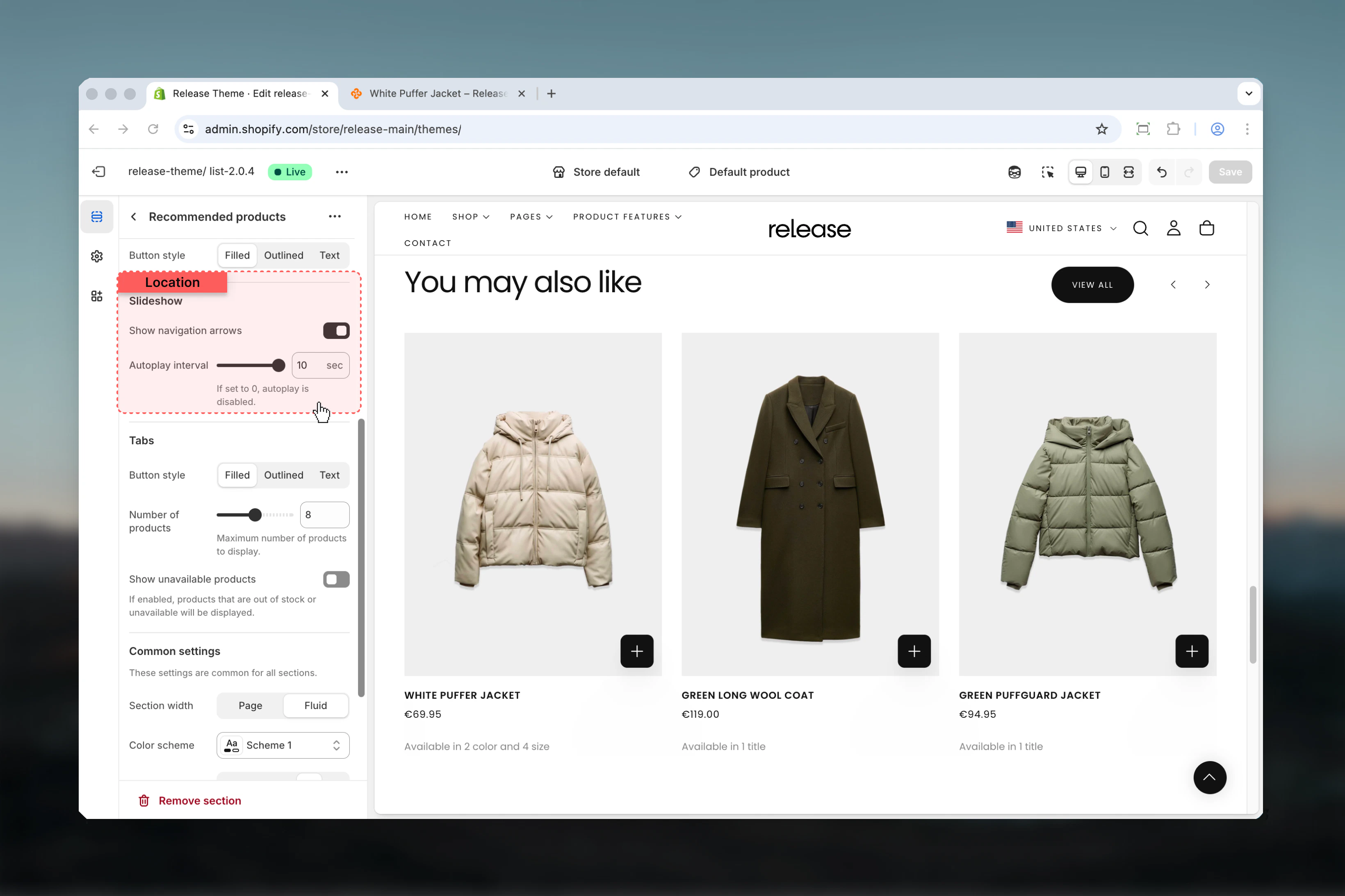
### Show navigation arrows
Displays previous/next navigation arrows.
**Options:** True / False
**Default:** True
### Slideshow autoplay interval
Controls automatic slide advancement.
**Range:** 0 – 10 seconds
* Set to `0` to disable autoplay
* Default: 3 seconds
### Button label
Text for optional section-level button.
* Leave empty to hide
* **Default:** "View all"
### Button link
Destination URL for section button.
* Shopify URL selector
### Button style
Visual style for section button.
**Available options:**
* **Filled:** Solid background
* **Outlined:** Border only
* **Text:** Text only
**Default:** Filled
### Show navigation arrows
Displays previous/next navigation arrows.
**Options:** True / False
**Default:** True
### Slideshow autoplay interval
Controls automatic slide advancement.
**Range:** 0 – 10 seconds
* Set to `0` to disable autoplay
* Default: 3 seconds
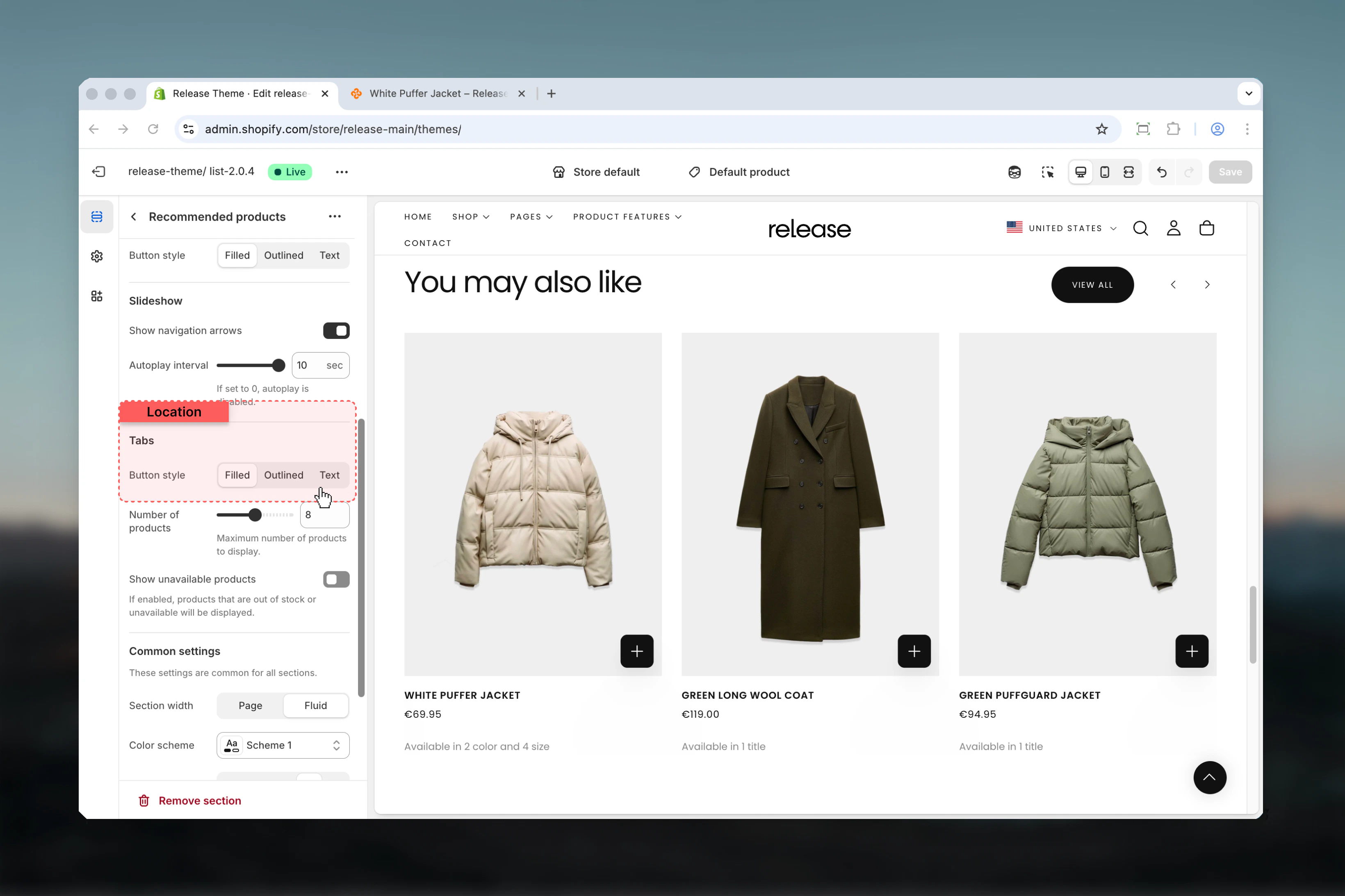
 ### Tabs button style
Visual style for tab navigation buttons.
**Available options:**
* **Filled:** Solid background
* **Outlined:** Border only
* **Text:** Text only
**Default:** Filled
### Tabs button style
Visual style for tab navigation buttons.
**Available options:**
* **Filled:** Solid background
* **Outlined:** Border only
* **Text:** Text only
**Default:** Filled
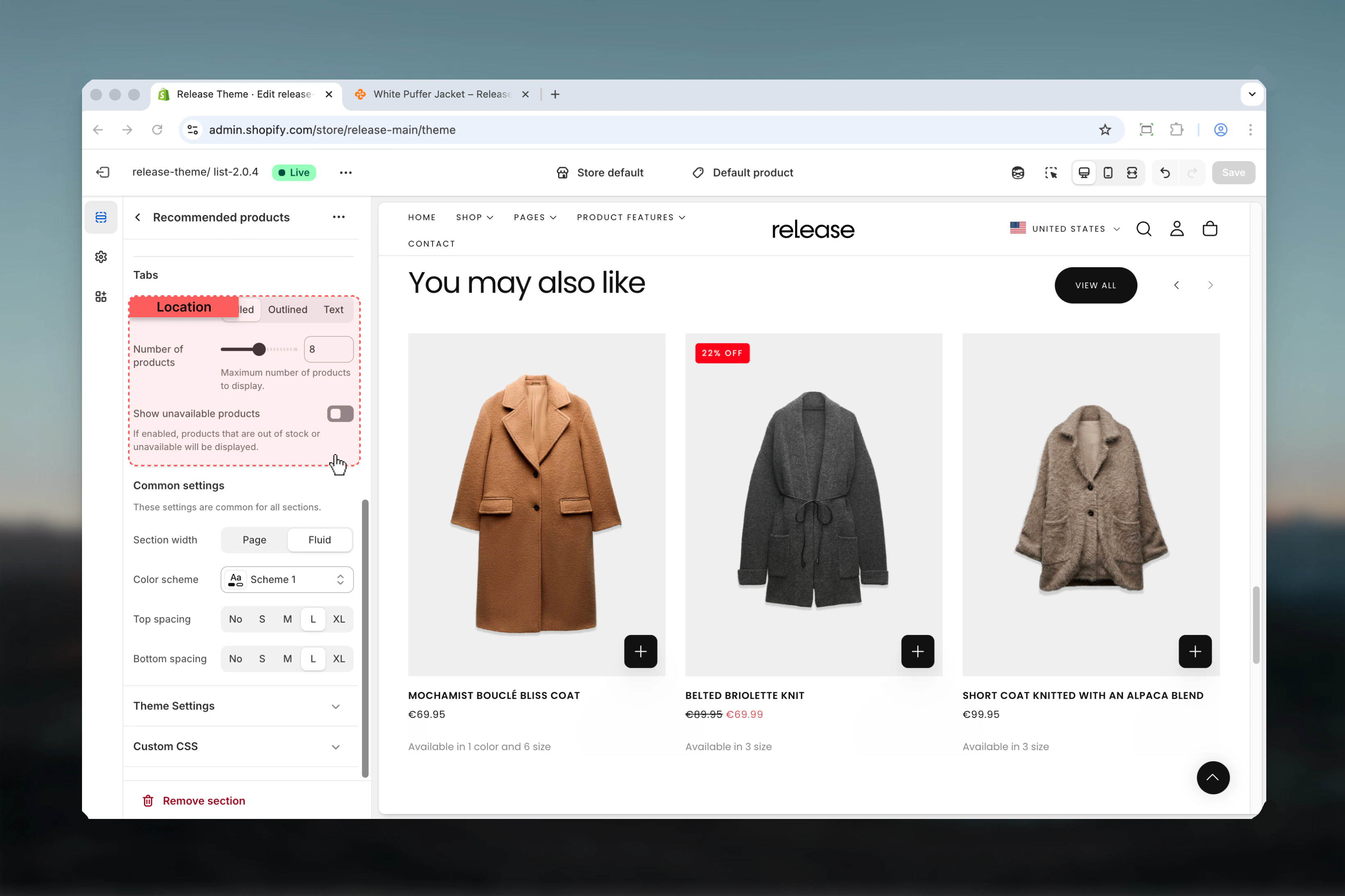
 ### Max products
Maximum number of recommended products to display.
**Range:** 4 – 12 products
**Default:** 8
Shopify's recommendation engine may return fewer products than the maximum.
### Show unavailable products
Display products that are out of stock.
**Options:** True / False
**Default:** False
Enable to show all recommendations regardless of stock status.
### Max products
Maximum number of recommended products to display.
**Range:** 4 – 12 products
**Default:** 8
Shopify's recommendation engine may return fewer products than the maximum.
### Show unavailable products
Display products that are out of stock.
**Options:** True / False
**Default:** False
Enable to show all recommendations regardless of stock status.
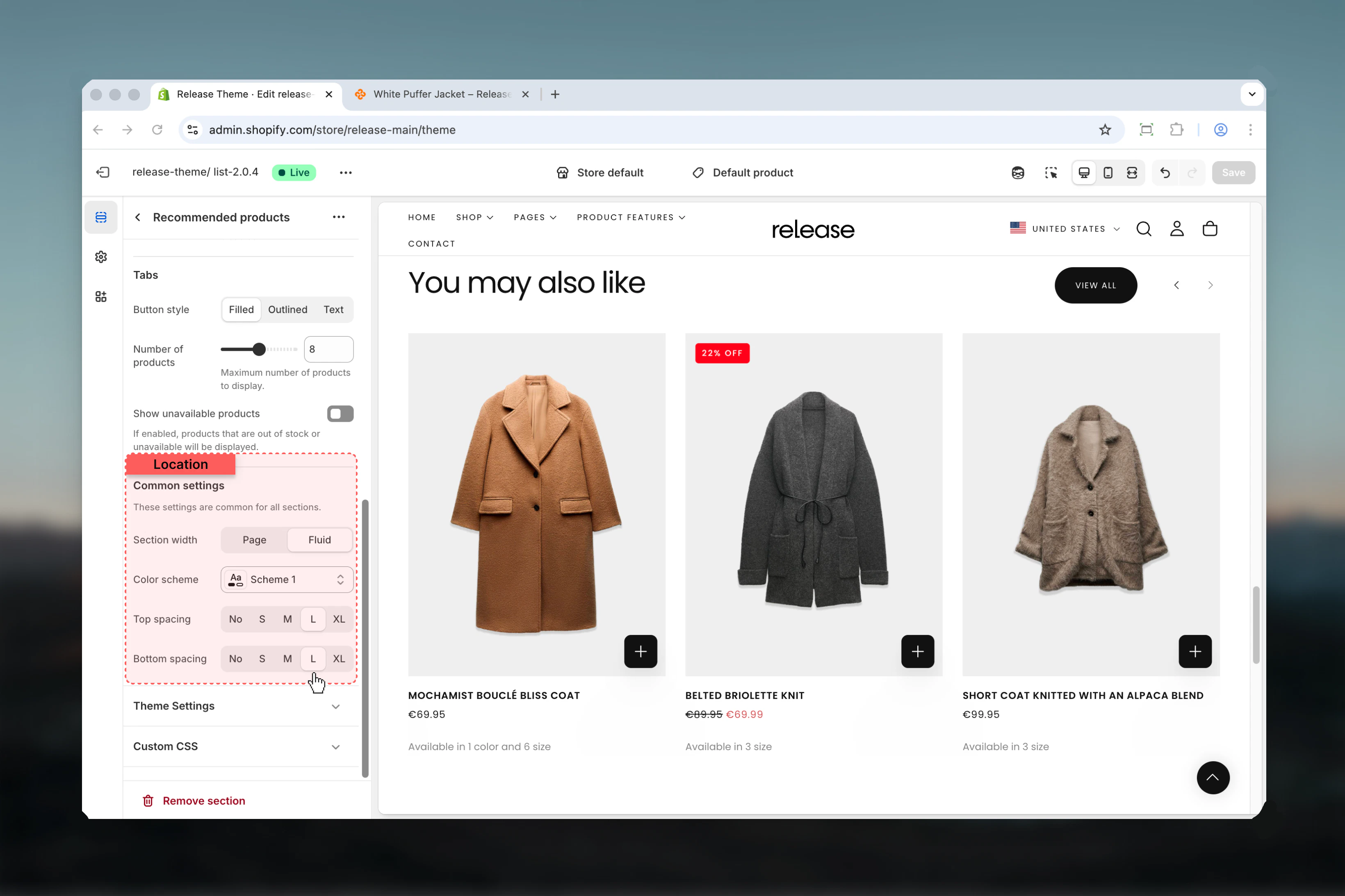
 ### Section width
Controls the maximum width of the section.
**Available options:**
* **Page:** Standard page width
* **Fluid:** Wider than page width
**Default:** Page
### Color scheme
Controls background and text colors for the section container.
* Shopify color scheme selector
* **Default:** Scheme 1
### Spacing top
Controls spacing above the section.
**Available options:** None, S, M, L, XL
**Default:** M
### Spacing bottom
Controls spacing below the section.
**Available options:** None, S, M, L, XL
**Default:** M
### Section width
Controls the maximum width of the section.
**Available options:**
* **Page:** Standard page width
* **Fluid:** Wider than page width
**Default:** Page
### Color scheme
Controls background and text colors for the section container.
* Shopify color scheme selector
* **Default:** Scheme 1
### Spacing top
Controls spacing above the section.
**Available options:** None, S, M, L, XL
**Default:** M
### Spacing bottom
Controls spacing below the section.
**Available options:** None, S, M, L, XL
**Default:** M
 ## Best practices
* Place on product pages to encourage cross-selling and complementary purchases
* Use on cart page to suggest additional items before checkout
* Keep heading descriptive and action-oriented ("Complete the look", "You may also like", "Customers also bought")
* Set max products to 6-8 for optimal browsing without overwhelming customers
* Test recommendation quality - Shopify's AI improves with more order data and time
* Hide unavailable products unless showing full catalog diversity is important
* Use autoplay sparingly - consider disabling for better user control and accessibility
* Ensure sufficient historical order data for effective recommendations (at least 50-100 orders)
* Monitor recommendation performance through analytics and adjust max products accordingly
* Consider using custom collection sections if AI recommendations don't align with your merchandising strategy
## Common use cases
* **Product page upselling** - Show related or complementary products to increase average order value
* **Cart page cross-selling** - Suggest additional items before checkout to maximize basket size
* **Post-purchase recommendations** - Display related products on thank you or account pages
* **Bundle suggestions** - Encourage customers to complete product sets or collections
* **Alternative products** - Show similar products when current item is out of stock
* **Personalized shopping** - Leverage Shopify's AI to provide tailored product suggestions
## Related guides
Learn about common settings shared across sections
## Best practices
* Place on product pages to encourage cross-selling and complementary purchases
* Use on cart page to suggest additional items before checkout
* Keep heading descriptive and action-oriented ("Complete the look", "You may also like", "Customers also bought")
* Set max products to 6-8 for optimal browsing without overwhelming customers
* Test recommendation quality - Shopify's AI improves with more order data and time
* Hide unavailable products unless showing full catalog diversity is important
* Use autoplay sparingly - consider disabling for better user control and accessibility
* Ensure sufficient historical order data for effective recommendations (at least 50-100 orders)
* Monitor recommendation performance through analytics and adjust max products accordingly
* Consider using custom collection sections if AI recommendations don't align with your merchandising strategy
## Common use cases
* **Product page upselling** - Show related or complementary products to increase average order value
* **Cart page cross-selling** - Suggest additional items before checkout to maximize basket size
* **Post-purchase recommendations** - Display related products on thank you or account pages
* **Bundle suggestions** - Encourage customers to complete product sets or collections
* **Alternative products** - Show similar products when current item is out of stock
* **Personalized shopping** - Leverage Shopify's AI to provide tailored product suggestions
## Related guides
Learn about common settings shared across sections