> ## Documentation Index
> Fetch the complete documentation index at: https://docs.digifist.com/llms.txt
> Use this file to discover all available pages before exploring further.
# Rich Text (SEO Content)
> Display rich text content with customizable heading and formatting for SEO-optimized descriptions.
The Rich Text section (also known as SEO Content) displays formatted text content with an optional heading. It's ideal for adding detailed descriptions, brand stories, or SEO-optimized content to any page.
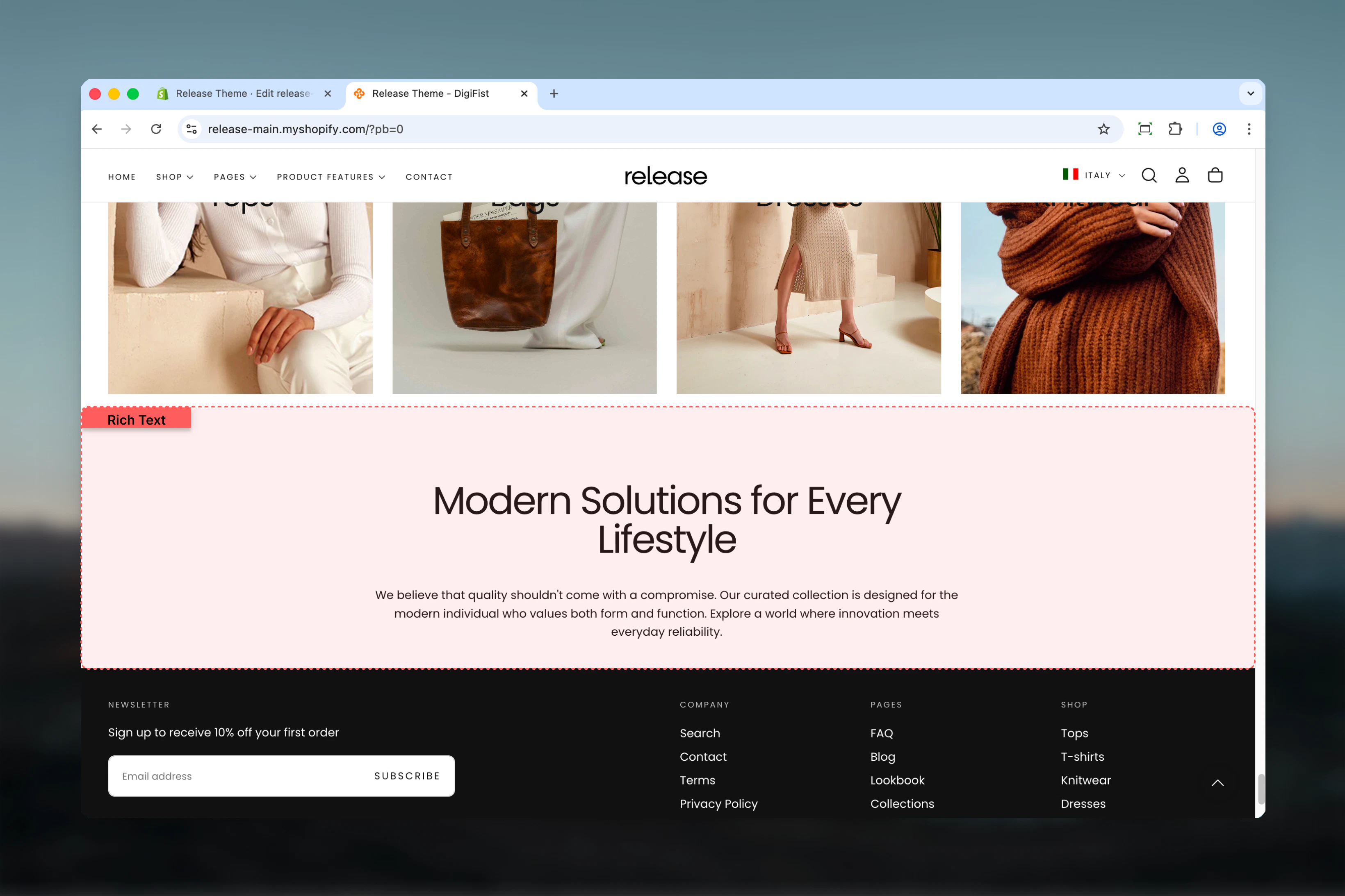 ## What this section controls
* Optional heading with size control
* Rich text editor with full formatting
* Content alignment options
* Normal or boxed layout styles
* Inner padding control
* Section width and color schemes
## Getting started
From Shopify admin, access the Theme Customizer.
Add the section to your desired page or template.
Set heading and enter your rich text content.
Choose layout, alignment, and spacing options.
## Section settings
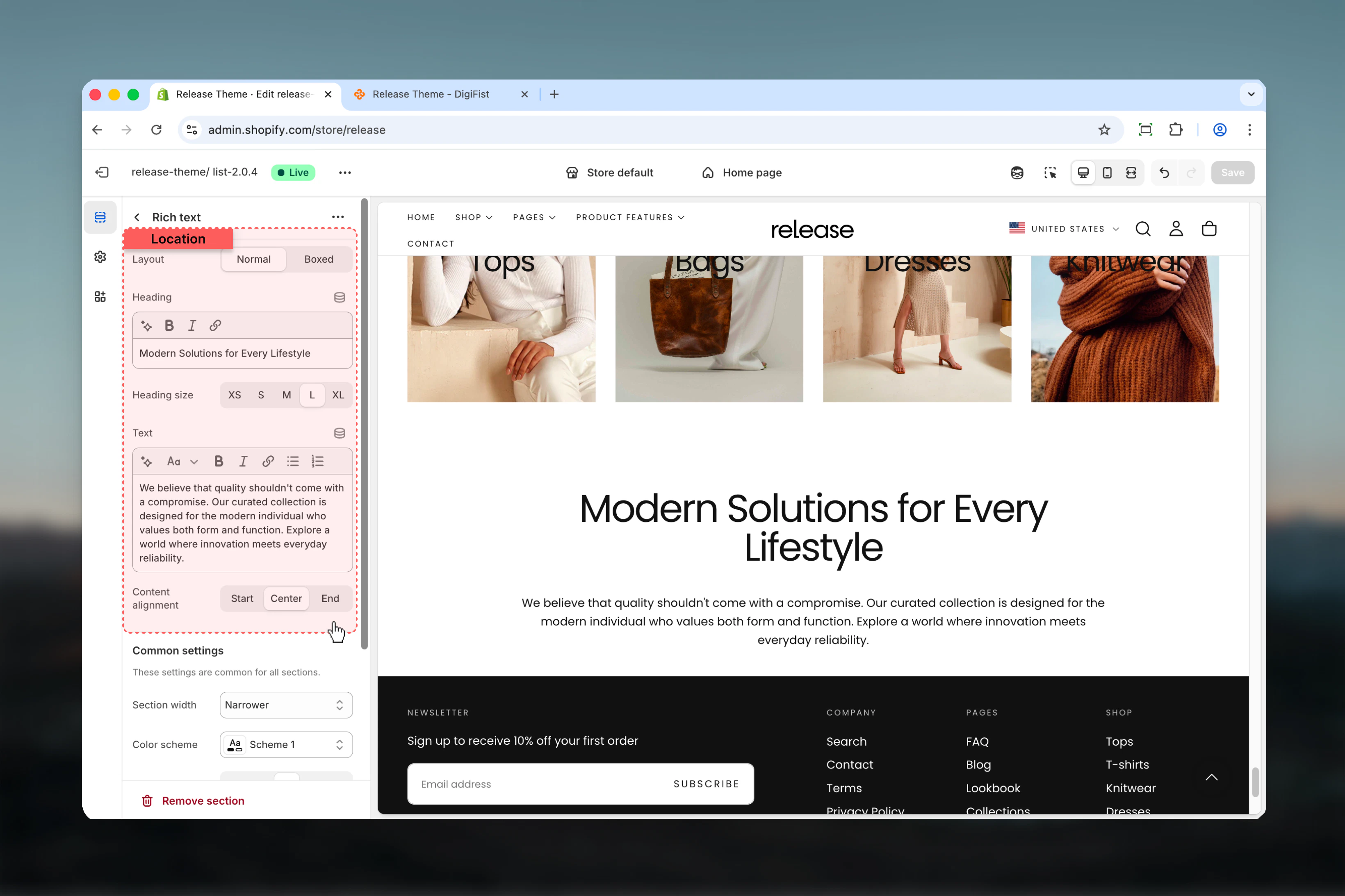
### Section layout
Controls the visual style of the section.
**Available options:**
* **Normal:** Standard layout
* **Boxed:** Content within a bordered box
**Default:** Normal
### Heading
Optional heading above text content.
* Inline rich text supported
* **Default:** "Heading for rich text section"
### Heading size
Controls the size of heading.
**Available options:** XS, S, M, L, XL
**Default:** L
### Text
Main rich text content.
* Full rich text editor
* Supports paragraphs, lists, links, formatting
* **Default:** "Enter your long text content here..."
### Content alignment
Controls text alignment.
**Available options:** Start, Center, End
**Default:** Center
## What this section controls
* Optional heading with size control
* Rich text editor with full formatting
* Content alignment options
* Normal or boxed layout styles
* Inner padding control
* Section width and color schemes
## Getting started
From Shopify admin, access the Theme Customizer.
Add the section to your desired page or template.
Set heading and enter your rich text content.
Choose layout, alignment, and spacing options.
## Section settings
### Section layout
Controls the visual style of the section.
**Available options:**
* **Normal:** Standard layout
* **Boxed:** Content within a bordered box
**Default:** Normal
### Heading
Optional heading above text content.
* Inline rich text supported
* **Default:** "Heading for rich text section"
### Heading size
Controls the size of heading.
**Available options:** XS, S, M, L, XL
**Default:** L
### Text
Main rich text content.
* Full rich text editor
* Supports paragraphs, lists, links, formatting
* **Default:** "Enter your long text content here..."
### Content alignment
Controls text alignment.
**Available options:** Start, Center, End
**Default:** Center
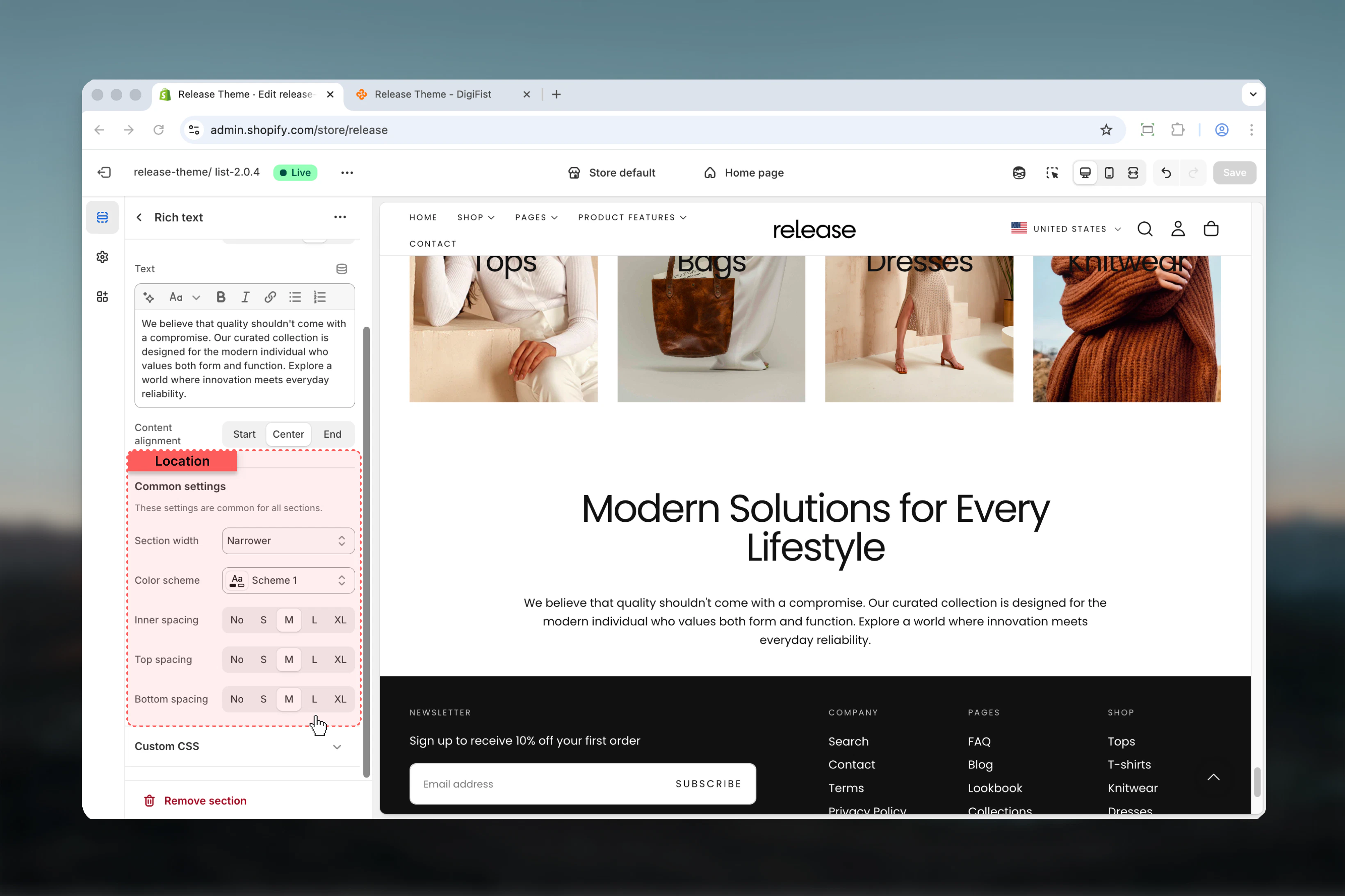
 ### Section width
Maximum width of content.
**Available options:** Page, Narrower, Fluid
**Default:** Narrower
### Color scheme
Background and text colors.
* Shopify color scheme selector
* **Default:** Scheme 1
### Spacing inner
Padding inside the section (for boxed layout).
**Available options:** None, S, M, L, XL
**Default:** M
### Spacing top
Space above section.
**Available options:** None, S, M, L, XL
**Default:** M
### Spacing bottom
Space below section.
**Available options:** None, S, M, L, XL
**Default:** M
### Section width
Maximum width of content.
**Available options:** Page, Narrower, Fluid
**Default:** Narrower
### Color scheme
Background and text colors.
* Shopify color scheme selector
* **Default:** Scheme 1
### Spacing inner
Padding inside the section (for boxed layout).
**Available options:** None, S, M, L, XL
**Default:** M
### Spacing top
Space above section.
**Available options:** None, S, M, L, XL
**Default:** M
### Spacing bottom
Space below section.
**Available options:** None, S, M, L, XL
**Default:** M
 ## Best practices
* Use "Narrower" width for optimal readability of long text
* Center alignment works well for short, impactful content
* Start (left) alignment is better for lengthy descriptions
* Boxed layout adds visual emphasis to important content
* Include relevant keywords naturally for SEO benefits
* Break up long text with paragraphs and formatting
* Use headings to structure content hierarchically
* Keep inner spacing at M or L for boxed layouts
## Common use cases
* **Product descriptions** - Detailed product information below the fold
* **Brand story** - About us content on homepage or about page
* **SEO content** - Keyword-rich descriptions for collections or products
* **Shipping information** - Detailed shipping and returns policies
* **Care instructions** - Product care and maintenance guidelines
* **Size guides** - Detailed sizing information
* **FAQ content** - Formatted Q\&A sections
## Related guides
Learn about common settings shared across sections
## Best practices
* Use "Narrower" width for optimal readability of long text
* Center alignment works well for short, impactful content
* Start (left) alignment is better for lengthy descriptions
* Boxed layout adds visual emphasis to important content
* Include relevant keywords naturally for SEO benefits
* Break up long text with paragraphs and formatting
* Use headings to structure content hierarchically
* Keep inner spacing at M or L for boxed layouts
## Common use cases
* **Product descriptions** - Detailed product information below the fold
* **Brand story** - About us content on homepage or about page
* **SEO content** - Keyword-rich descriptions for collections or products
* **Shipping information** - Detailed shipping and returns policies
* **Care instructions** - Product care and maintenance guidelines
* **Size guides** - Detailed sizing information
* **FAQ content** - Formatted Q\&A sections
## Related guides
Learn about common settings shared across sections