

Introduction
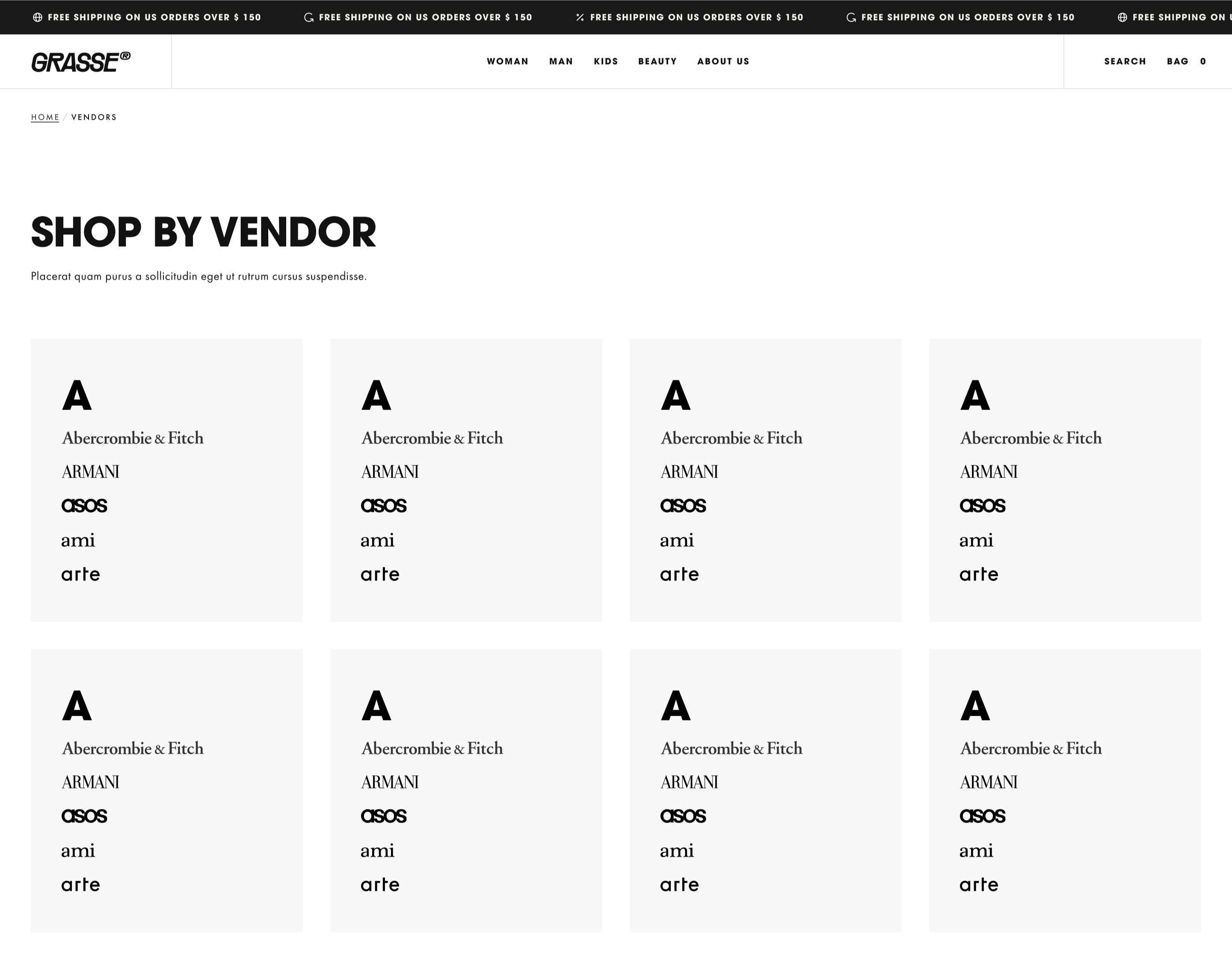
The vendors page displays a list of brands or manufacturers featured in your store. You can customize how vendor cards look and how visitors navigate through the list.PATH: Online Store > Themes > Customize > Template Selector > Pages > Vendor list
Key Settings
| Setting | Description |
|---|---|
| Show vendor logo | Displays the vendor’s logo when available. |
| Show navigation | Enables alphabetical navigation for browsing vendors. |
| Metaobject for vendor list | Select the metaobject that contains your vendor entries. |
| Logo height | Controls the displayed height of vendor logos. |
| Color scheme for cards | Sets the color scheme used for vendor cards. |
Setup vendors metaobject
1
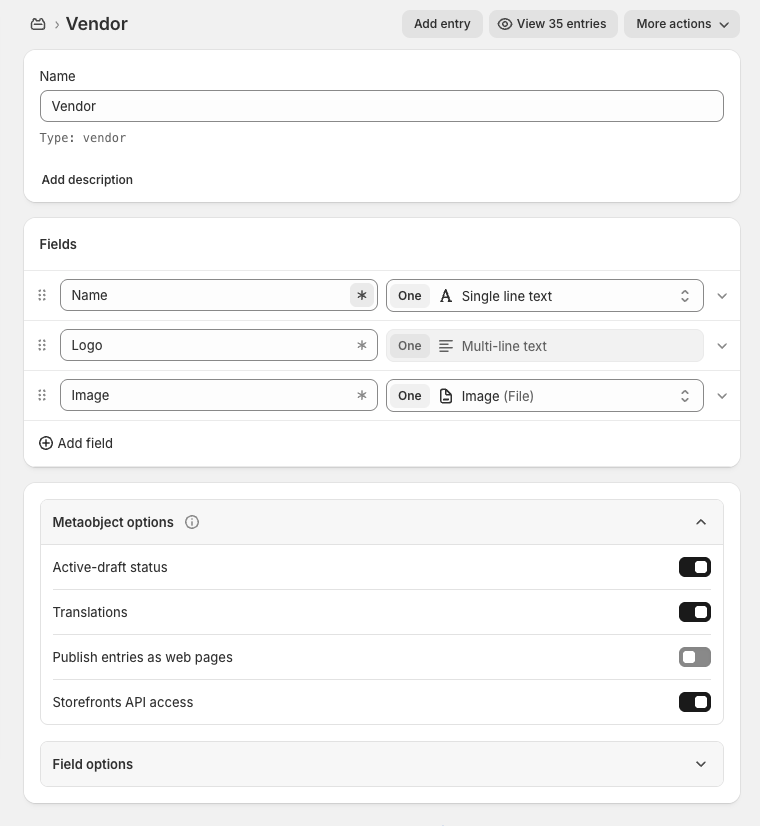
Create vendor metaobject definition
You need to create a metaobject definition for vendors.
Field keys (handles) must be exactly:
If the handles differ, the theme will not be able to read the vendor data.
- In the Shopify admin, go to Content → Metaobjects → Add definition.
- Create a Vendor metaobject definition:
- Name: Vendor
- Handle: vendor
- Add following fields to the definition:
Field Name Type Name One : Single line text Logo One : Multi-line text Image One : Image (File) - Save the definition.
Field keys (handles) must be exactly:
name, logo, image.If the handles differ, the theme will not be able to read the vendor data.
2
Link the created metaobject in section settings
Finally, you need to link the created metaobject in the section settings.
- In the Vendor List section, enter the created Vendor metaobject definition.
- Save your changes.