

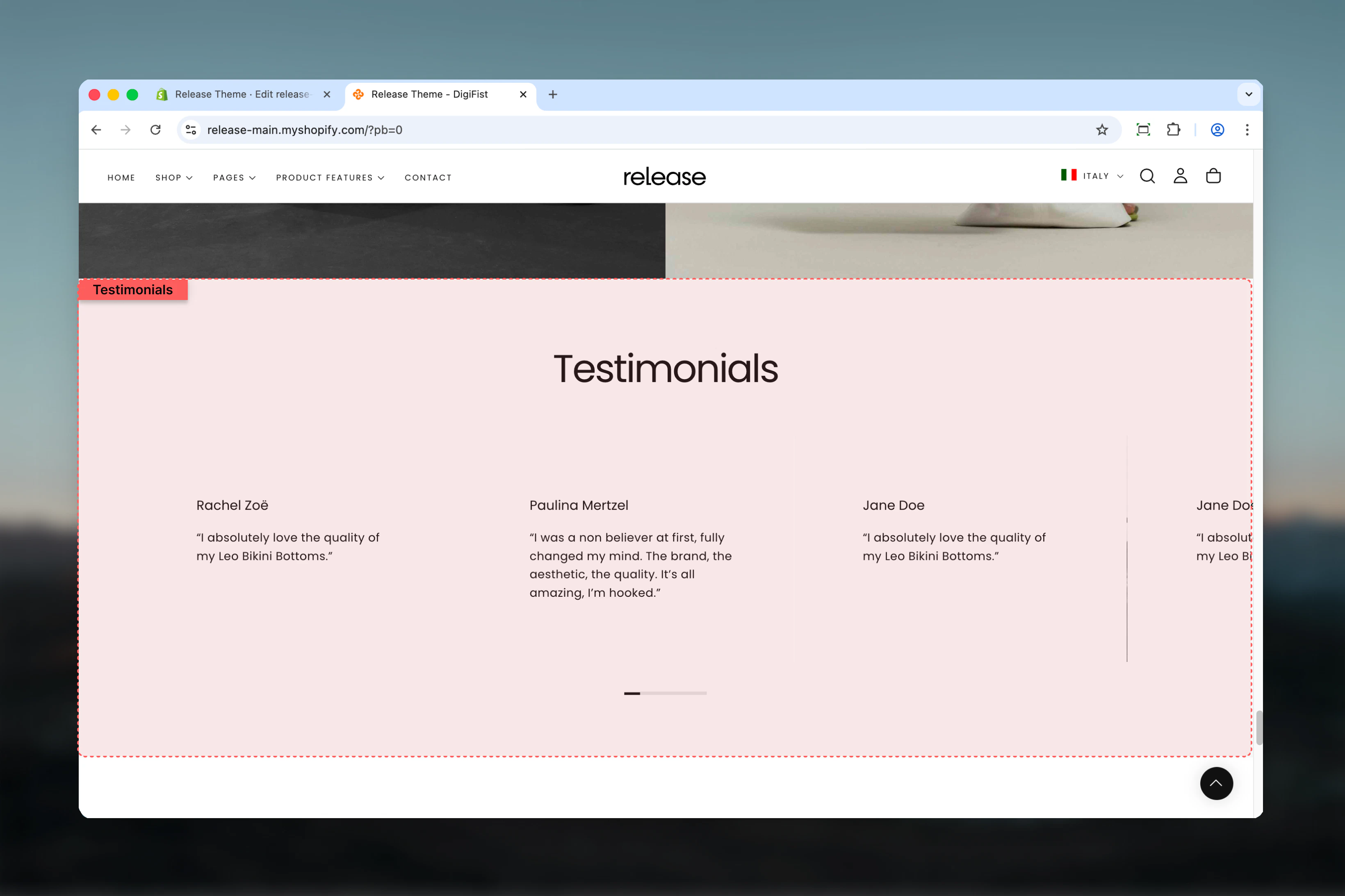
What this section controls
This section controls testimonial displays with the following capabilities:- Multiple testimonial slides with customer feedback
- Star or circle rating styles
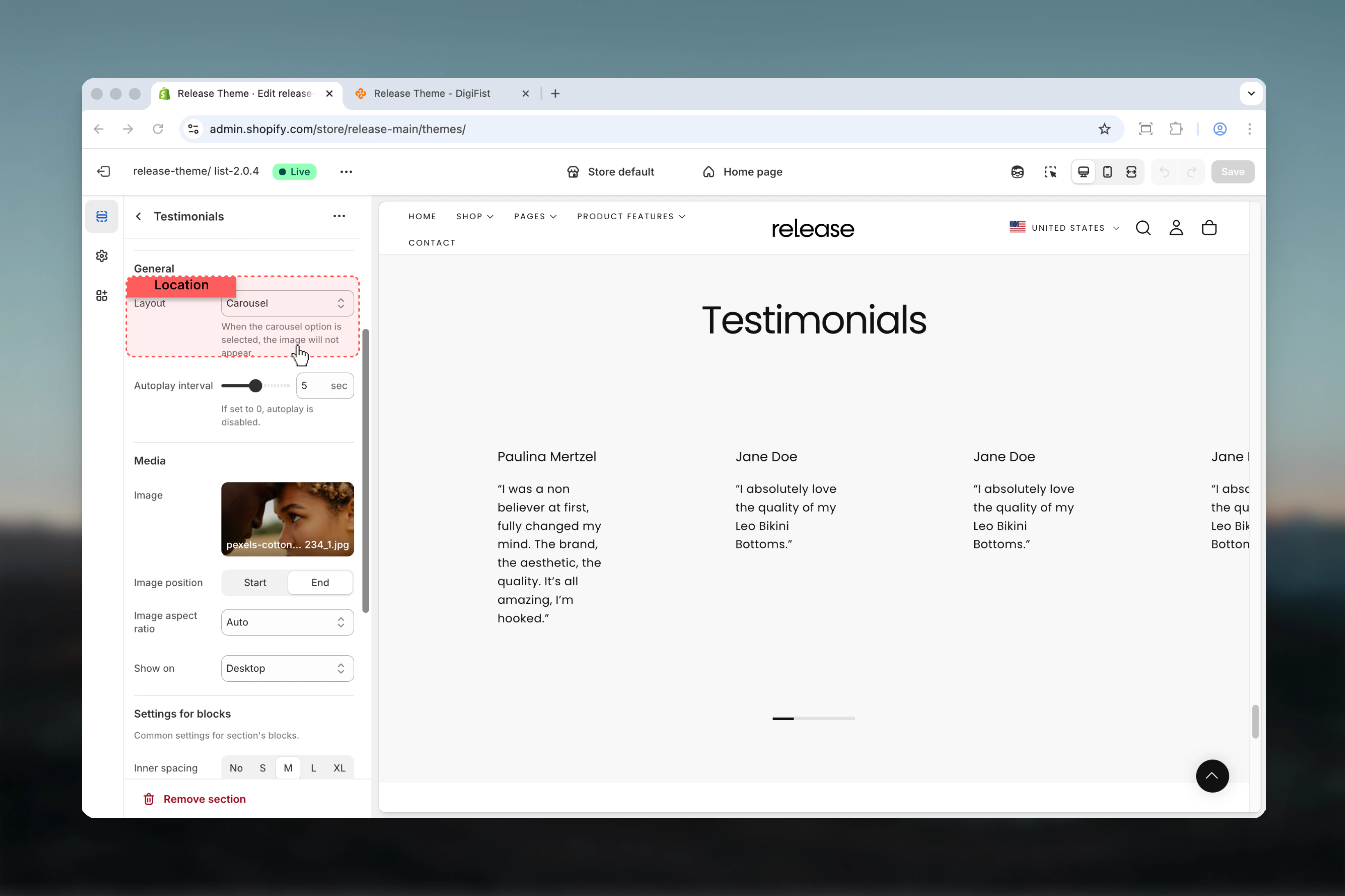
- Single, multi-slide, or carousel layout options
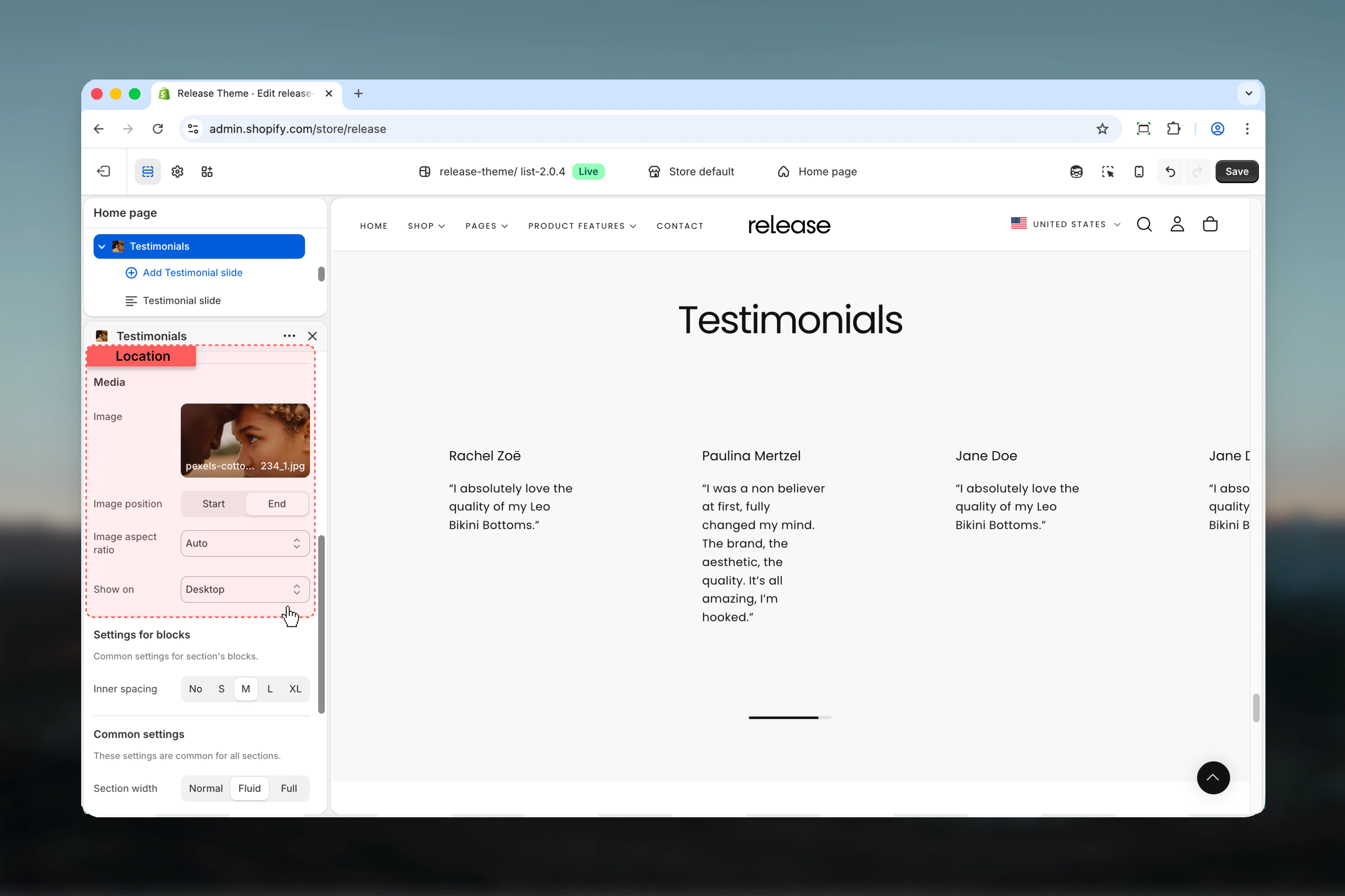
- Optional image display with flexible positioning
- Device-specific visibility controls
- Autoplay functionality for dynamic presentations
How the Testimonials section works
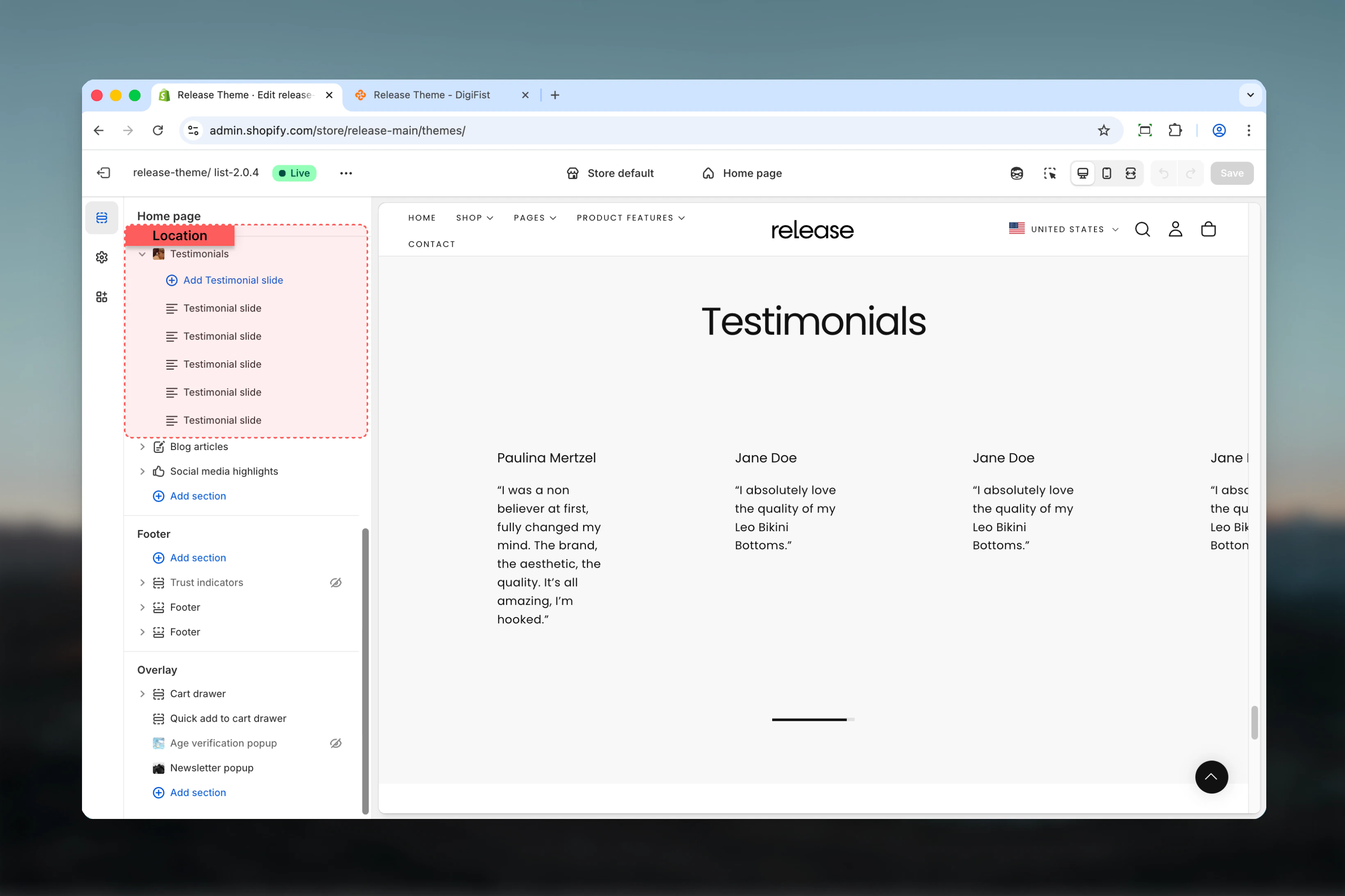
The Testimonials section uses a block-based system:- Displays customer testimonials as slides
- Supports star or circle rating styles
- Allows single, multi, or carousel layouts
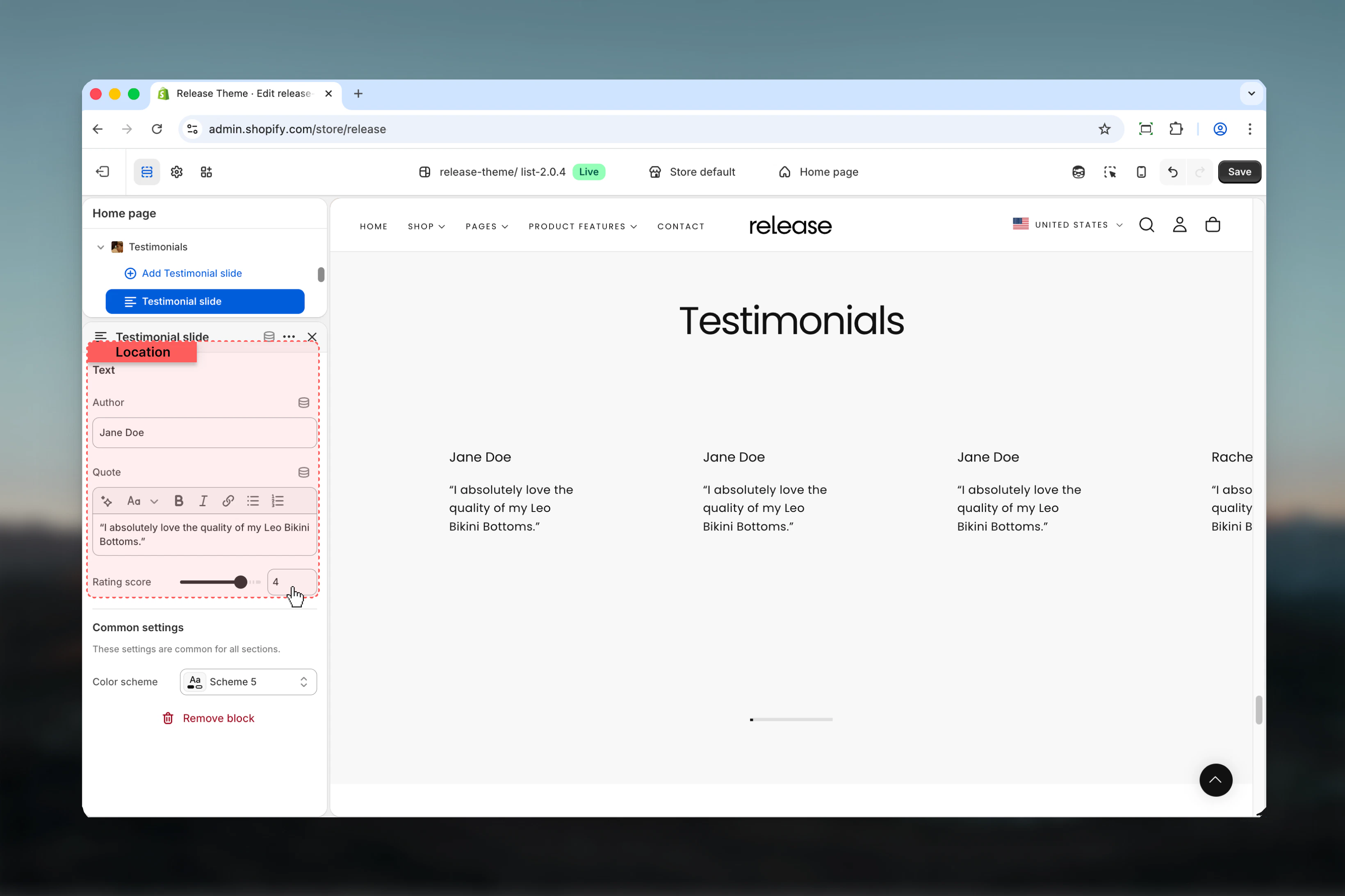
- Each testimonial is added as a separate block
- Fully responsive with device-specific visibility controls
Getting started
1
Open Theme Customizer
From Shopify admin, access the Theme Customizer.
2
Add Testimonials section
Add the Testimonials section to your page or template.
3
Add testimonial slides
Click Add Testimonial slide to add customer reviews.
4
Configure settings
Adjust layout, rating style, and autoplay settings.
Section settings
Section settings control the overall appearance, layout, and behavior of the testimonials.- Content
- General settings
- Media settings
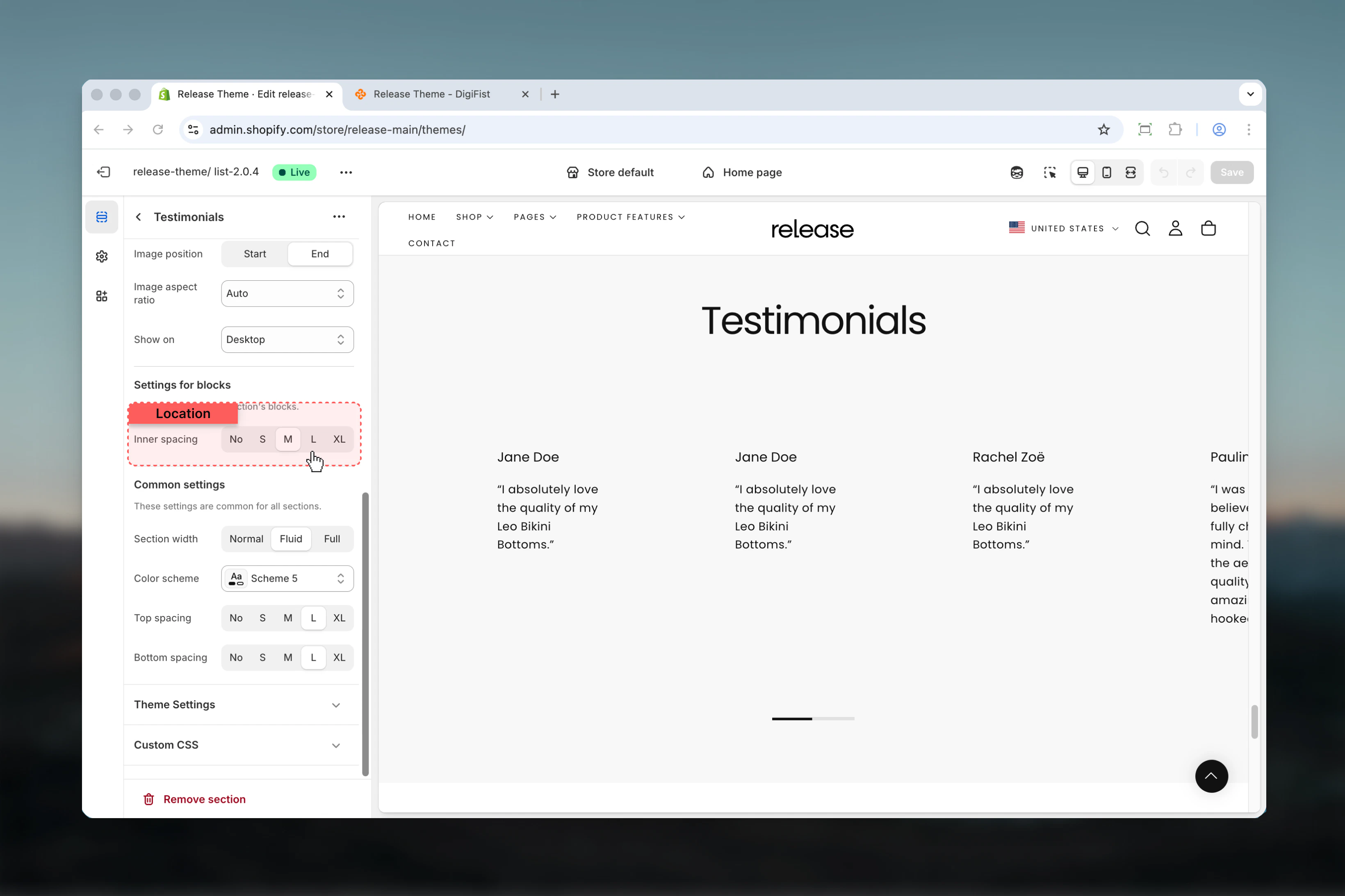
- Block settings (global)
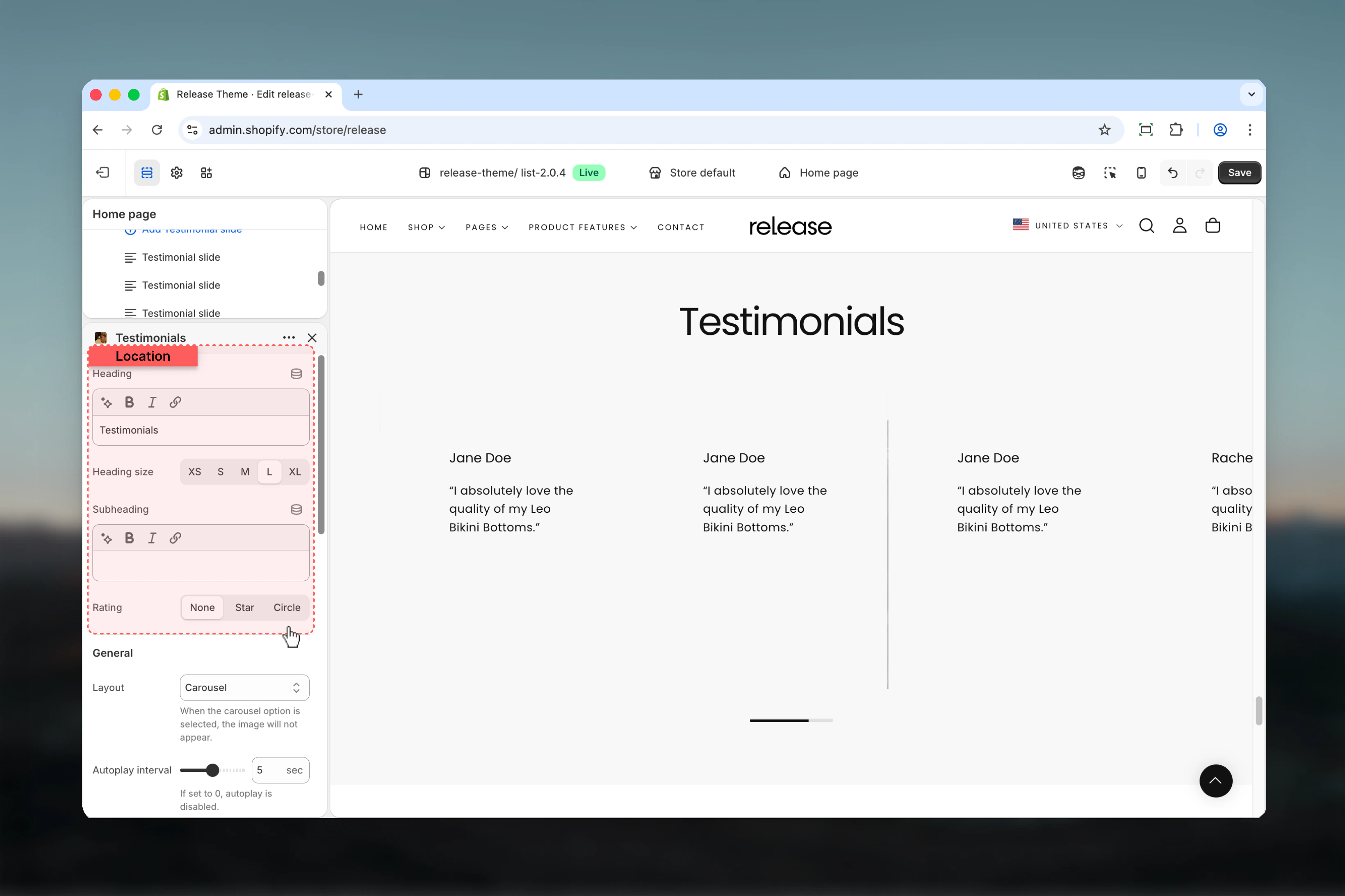
Heading
Main title of the testimonials section.- Rich text supported (bold, italic, underline, links)
Heading size
Controls the size of the heading.Available options: S, M, L, XLSubheading
Optional subtitle displayed below the heading.- Rich text supported (bold, italic, underline, links)
Rating style
Controls how ratings are visually represented.Available options:- None: No rating indicator is shown
- Star: Displays star-based ratings
- Circle: Displays circular rating indicators
Block settings
Block settings control individual testimonial slides. Each block represents a single testimonial.- Testimonial content
Best practices
- Keep testimonials concise and authentic - aim for 2-3 sentences maximum
- Use consistent rating values for clarity and credibility
- Avoid carousel layout if images are important for visual storytelling
- Use autoplay sparingly (3-5 seconds minimum) for readability
- Ensure author names are real or brand-consistent to maintain trust
- Include a mix of specific product benefits and emotional responses
- Use high-quality images that complement but don’t distract from testimonial text
- Test on mobile devices to ensure text remains readable
- Consider using 3-5 testimonials to provide sufficient social proof without overwhelming
Common use cases
- Customer reviews - Display product or service feedback with ratings
- Brand testimonials - Showcase client success stories and experiences
- Influencer quotes - Feature endorsements from industry experts or personalities
- Social proof sections - Build trust with authentic customer voices
- Post-purchase feedback highlights - Share positive experiences to encourage conversions
Related guides
Common Settings
Learn about common settings shared across sections