

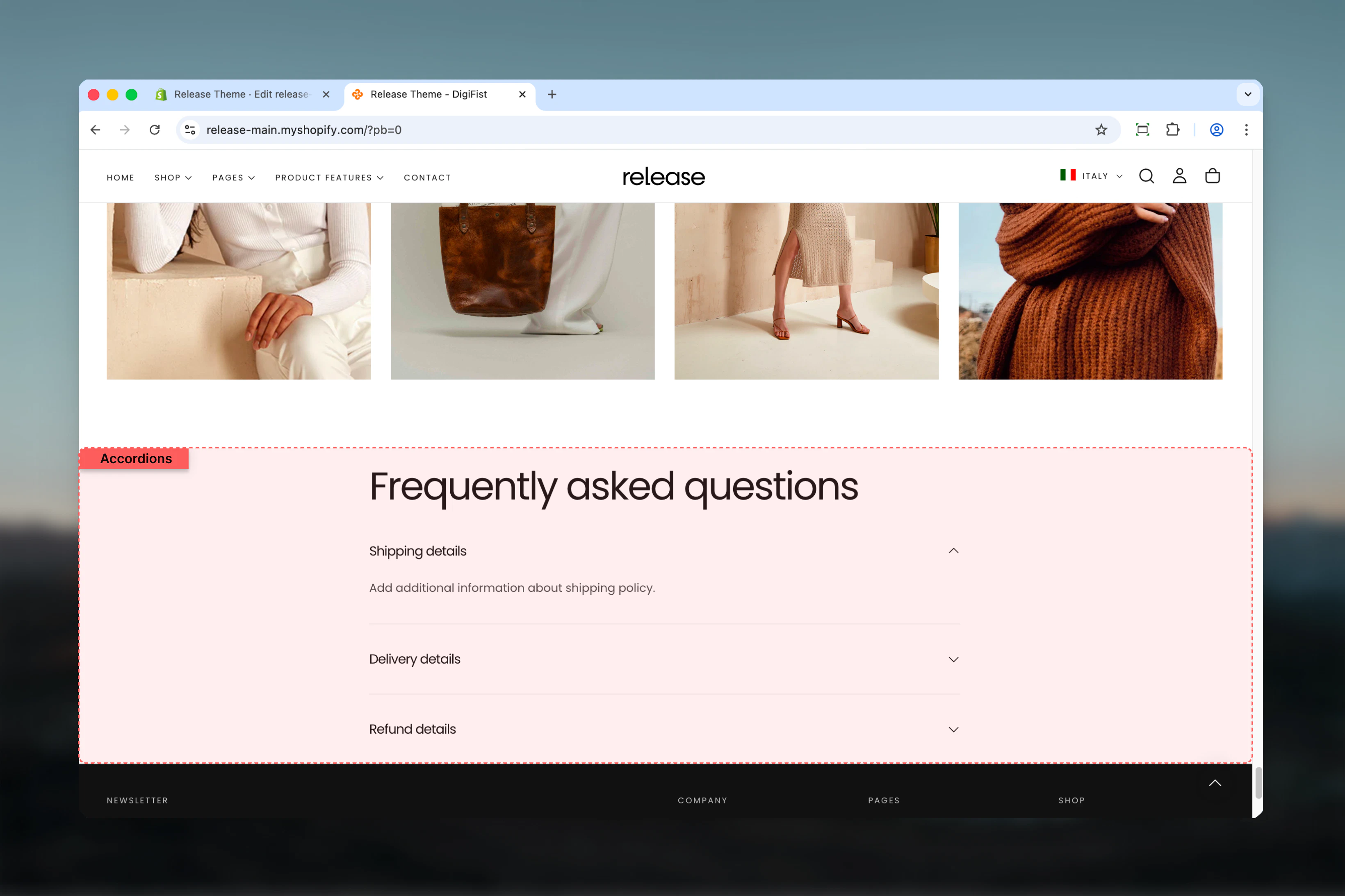
What this section controls
This section manages:- Expandable accordion topics - Create collapsible Q&A items
- Default expanded state - Control which topics show on page load
- Rich text content - Format answers with bold, italic, links
- Dynamic page content - Connect accordion bodies to Shopify pages
- Multiple accordion groups - Organize FAQs into logical categories
- Progressive disclosure - Reduce visual clutter with collapsible content
- Section layout - Adjust heading size, color scheme, and spacing
Getting started
1
Open Theme Customizer
From Shopify admin, access the Theme Customizer
2
Navigate to FAQ page
In the left sidebar, click Pages > FAQ
3
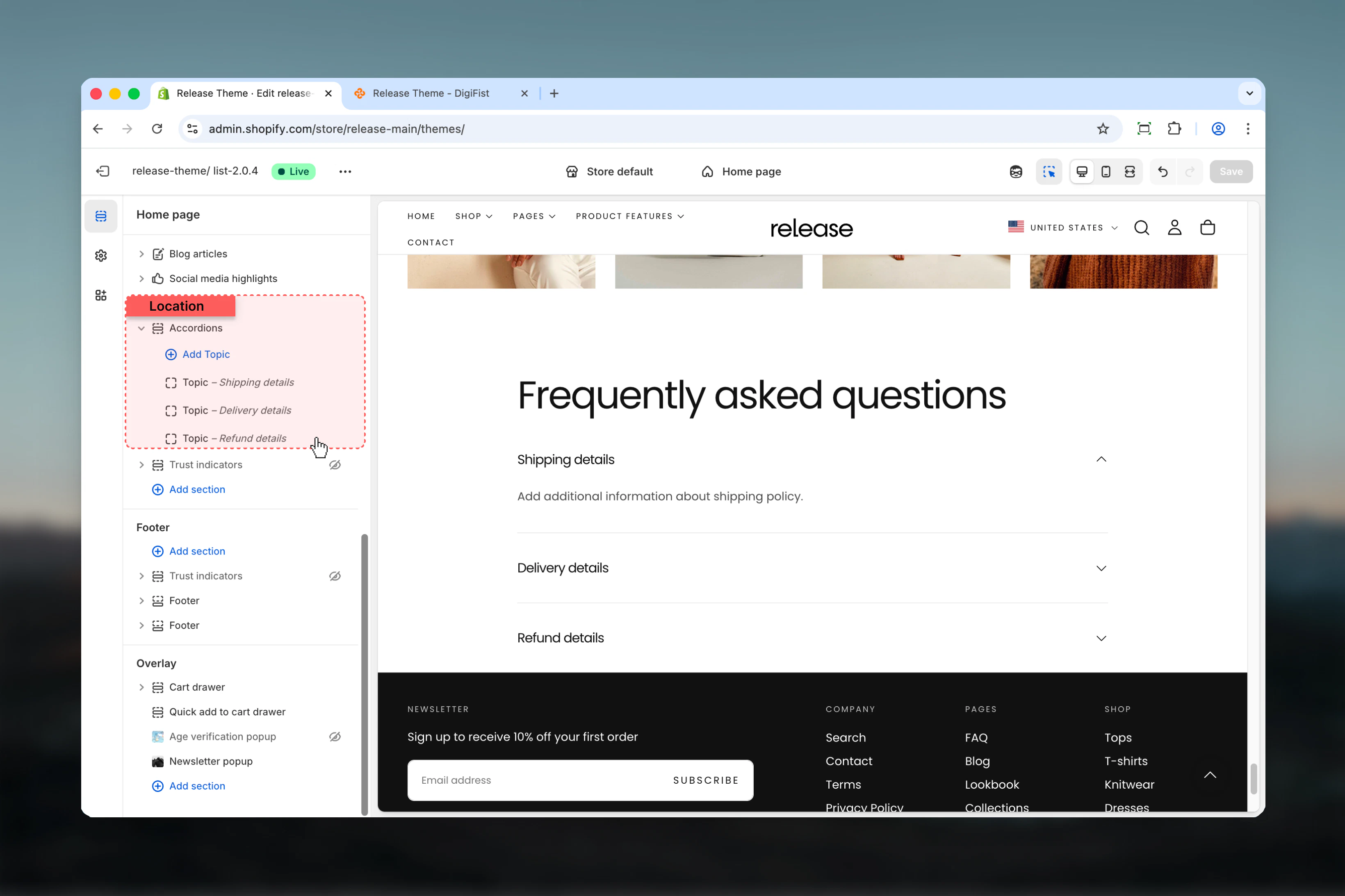
Add Accordions section
Click Add section > Accordions to create an accordion group
4
Configure section heading
Set the main heading for this FAQ group (e.g., “Shipping Questions”, “Returns & Exchanges”)
5
Add topics
Click Add block > Topic to create individual Q&A accordion items
6
Configure topics
Add question as heading, answer as text content, and set default expand state
7
Add more sections (optional)
Create multiple Accordions sections to organize FAQs by category
Section Settings
Accordions Section
Section settings control the main heading and appearance of each accordion group on the FAQ page.- Heading
- Layout
Configure the main heading for this FAQ category group.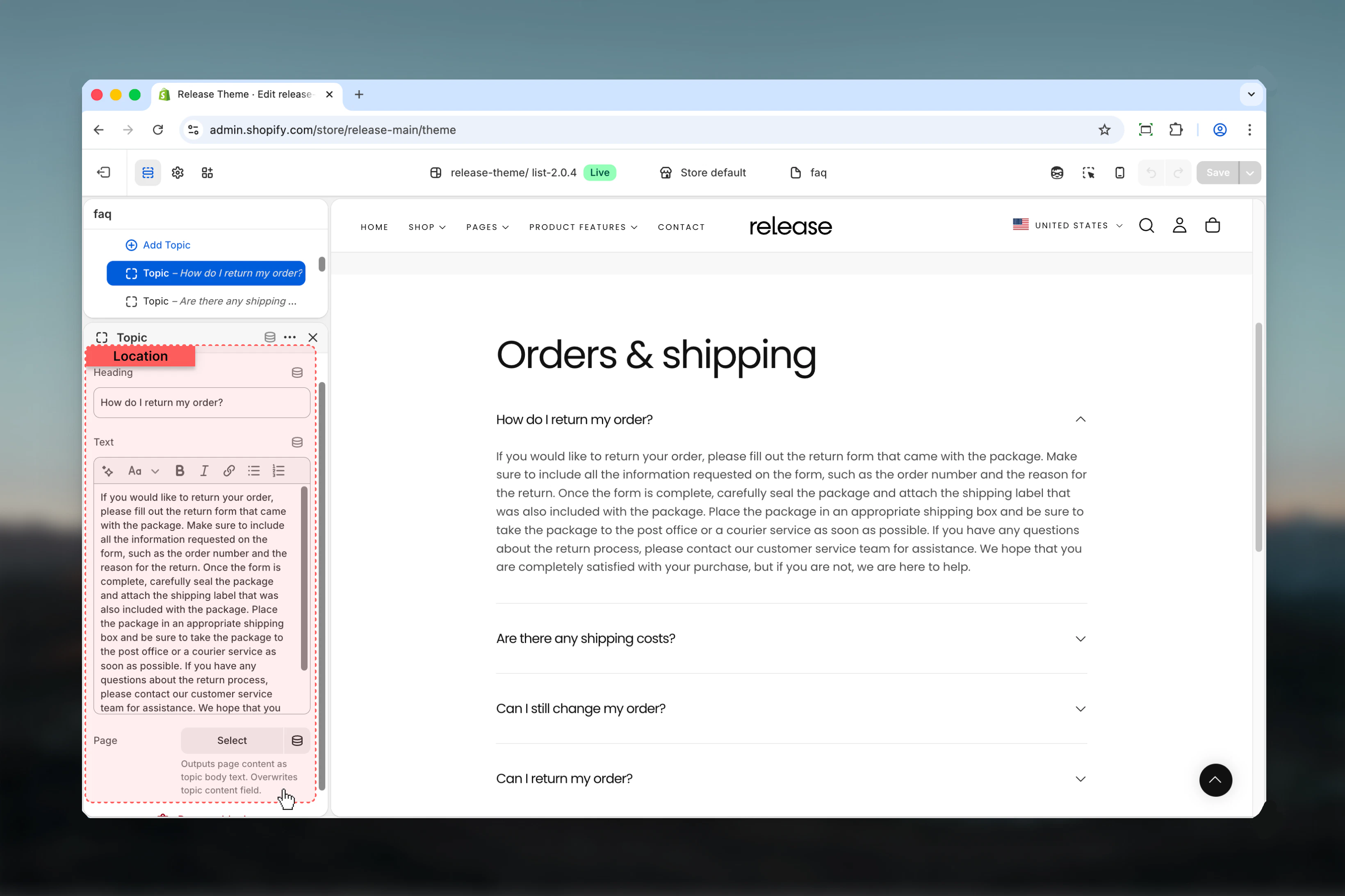
Heading
Heading
Type: Rich text field
Default: EmptyMain title displayed above the accordion list. Use this to categorize groups of related questions.Examples:
Default: EmptyMain title displayed above the accordion list. Use this to categorize groups of related questions.Examples:
- “Shipping & Delivery”
- “Returns & Exchanges”
- “Product Information”
- “Account & Orders”
- Bold, Italic, Underline
- Links to other pages
Heading size
Heading size
Type: Dropdown
Options: XS, S, M, L, XL
Default: MControls the size of the section heading.
Options: XS, S, M, L, XL
Default: MControls the size of the section heading.
- XS - Extra small, subtle category labels
- S - Small, secondary categories
- M - Medium, standard category headings
- L - Large, primary section headings
- XL - Extra large, prominent main headings
Block Settings
Topic Block
Topic blocks control individual accordion items. Each block represents a single FAQ question and answer.- Content
- Display
Configure the question and answer content for each accordion item.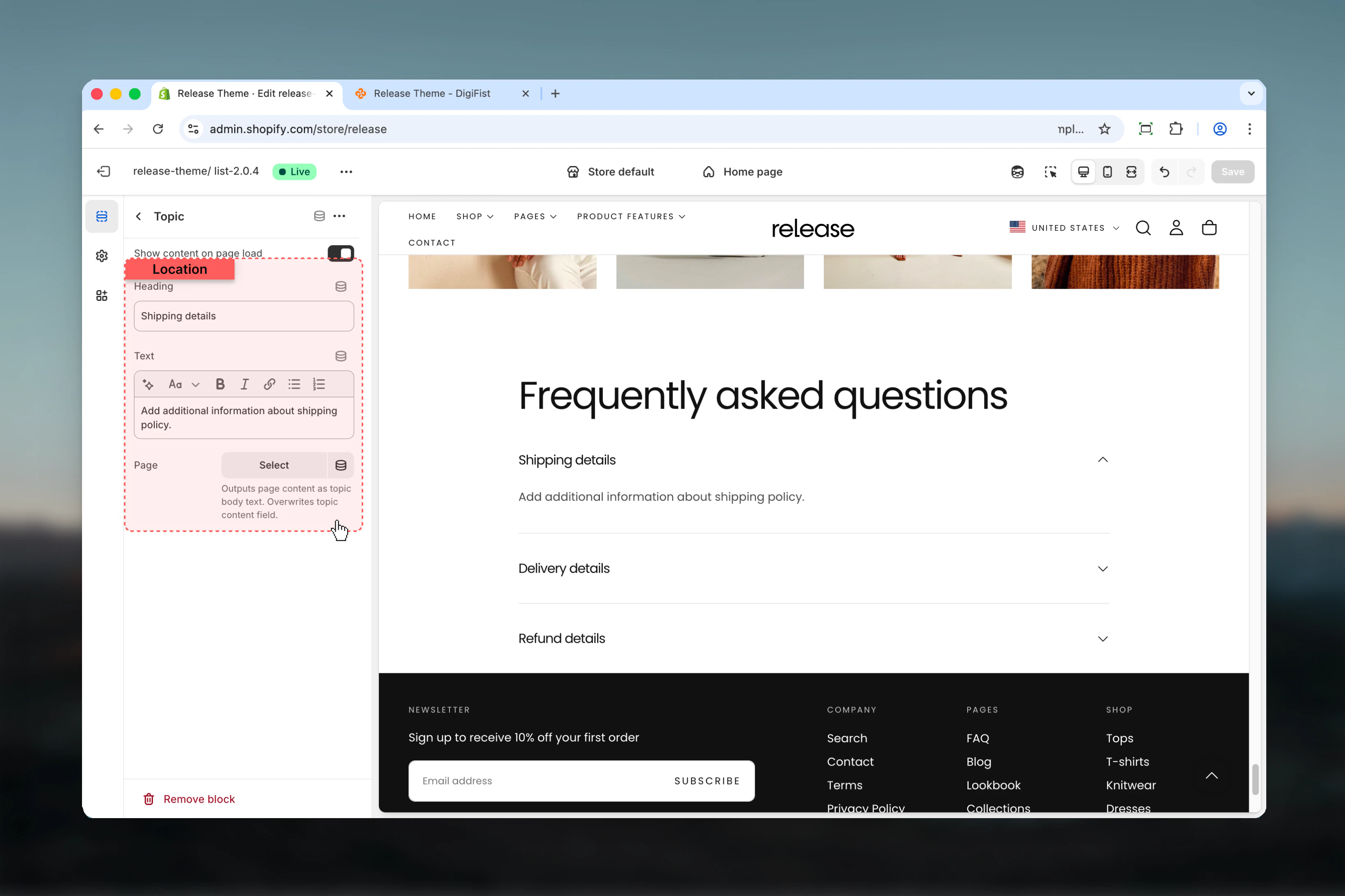
Heading
Heading
Type: Text field
Required: YesTitle of the accordion topic - your FAQ question.Examples:
Required: YesTitle of the accordion topic - your FAQ question.Examples:
- “What are your shipping times?”
- “How do I return an item?”
- “Do you ship internationally?”
- “What payment methods do you accept?”
Text
Text
Type: Rich text field
Default: EmptyMain answer content displayed when the topic is expanded.Rich text formatting supported:
Default: EmptyMain answer content displayed when the topic is expanded.Rich text formatting supported:
- Paragraphs and line breaks
- Bold, Italic text
- Bulleted and numbered lists
- Links to other pages or external resources
If a Page is selected, this Text field will be overridden by the page content.
Page
Page
Type: Shopify page picker
Optional: YesOutputs the content of a selected Shopify page as the accordion body. Use this for lengthy or frequently updated answers.
Optional: YesOutputs the content of a selected Shopify page as the accordion body. Use this for lengthy or frequently updated answers.
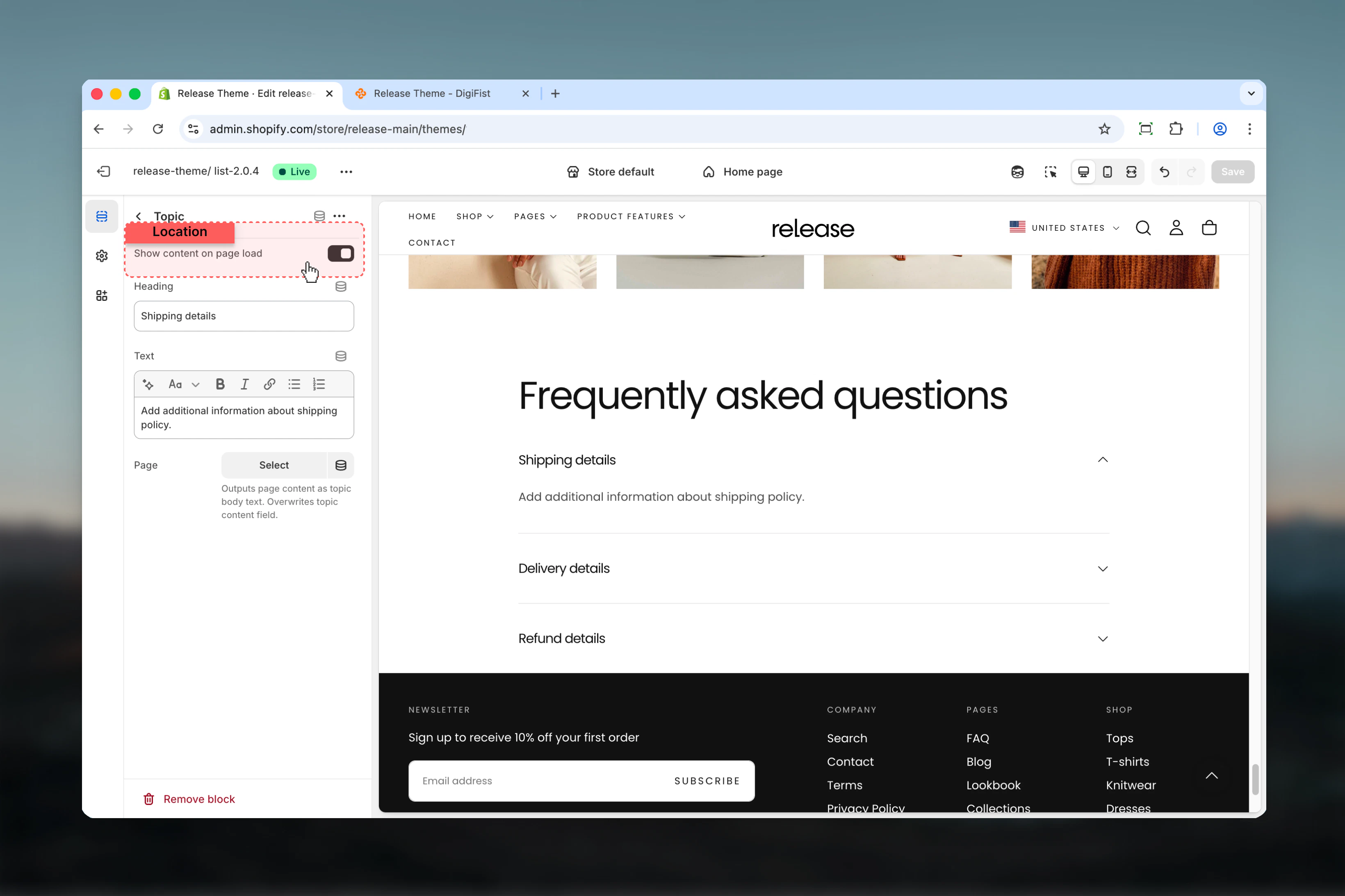
How the FAQ page works
The FAQ page uses a block-based accordion system:- Multiple Accordions sections - Add multiple sections to organize FAQs by category
- Independent topics - Each Q&A can be expanded/collapsed independently
- Progressive disclosure - Customers reveal only information they need
- Default states - Control which questions show answers on page load
- Rich or dynamic content - Use inline rich text or connect to Shopify pages
- Clean organization - Reduces visual clutter on pages with many questions
The FAQ page template itself has no page-level settings. All content and customization is managed through Accordions sections added to the page.
Common use cases
- General FAQs
- Product FAQs
- Policy FAQs
- Support center
- Size guides
- Shipping FAQs
Comprehensive FAQ page covering all store policies.Structure:
- Accordions Section 1: “Shipping & Delivery” (5-7 questions)
- Accordions Section 2: “Returns & Exchanges” (4-6 questions)
- Accordions Section 3: “Orders & Payments” (5-8 questions)
- Accordions Section 4: “Product Information” (3-5 questions)
- First topic in each section: Show on load (enabled)
- Others: Collapsed by default
- Section width: max-w-page
- Heading size: L for category headings
Best practices
Concise headings
Keep headings concise and descriptive (5-8 words maximum) for quick scanning. Use customer language, not internal jargon.
Default state strategy
Avoid opening too many topics by default to maintain clean initial page state. 1-2 expanded per section maximum.
Page content for long answers
Use Page content for long or frequently updated information to simplify management. Ideal for policies that need legal review.
Logical grouping
Group related topics together logically for better user experience. Use multiple Accordions sections for different categories.
FAQ placement
Ideal for FAQs, size guides, and policy sections where users seek specific information without overwhelming them.
Mobile testing
Test accordion interactions on mobile to ensure smooth expand/collapse. Accordions are particularly valuable on mobile for saving screen space.
First topic expanded
Consider using first topic as expanded by default to demonstrate functionality and provide immediate value.
Priority ordering
Order topics by importance or frequency of access. Most common questions should appear first in each category.
Consistent formatting
Use consistent formatting within accordion content for professional appearance. Maintain same tone, structure, and style.
Answer brevity
Keep answers concise (2-4 sentences) and use bullet points for steps or multiple points. Link to detailed pages if needed.
Related guides
Contact Page
Create contact forms for questions not covered in FAQs
Page Settings
Create custom pages to link from FAQ answers