

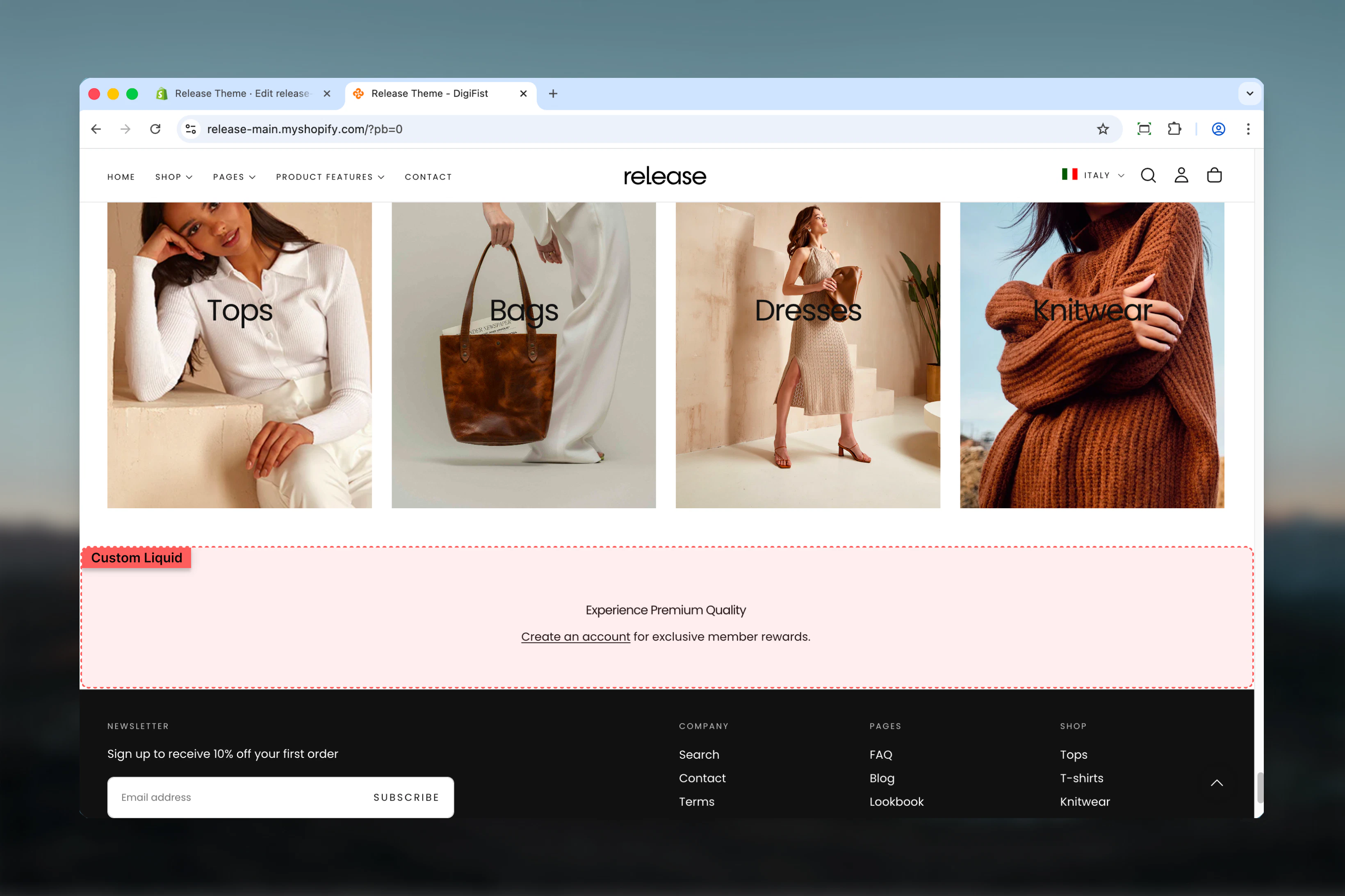
What this section controls
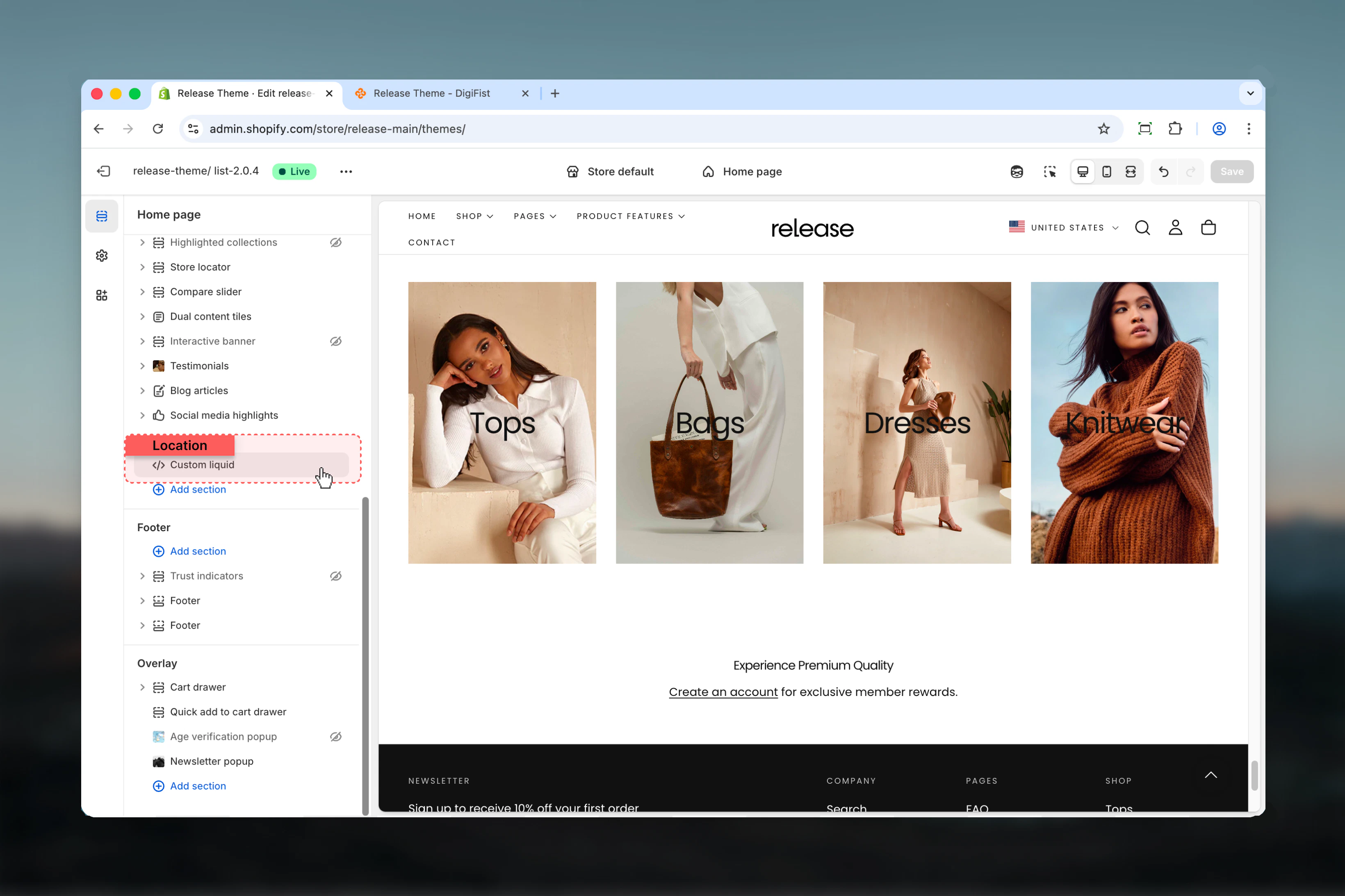
- Custom Liquid code editor
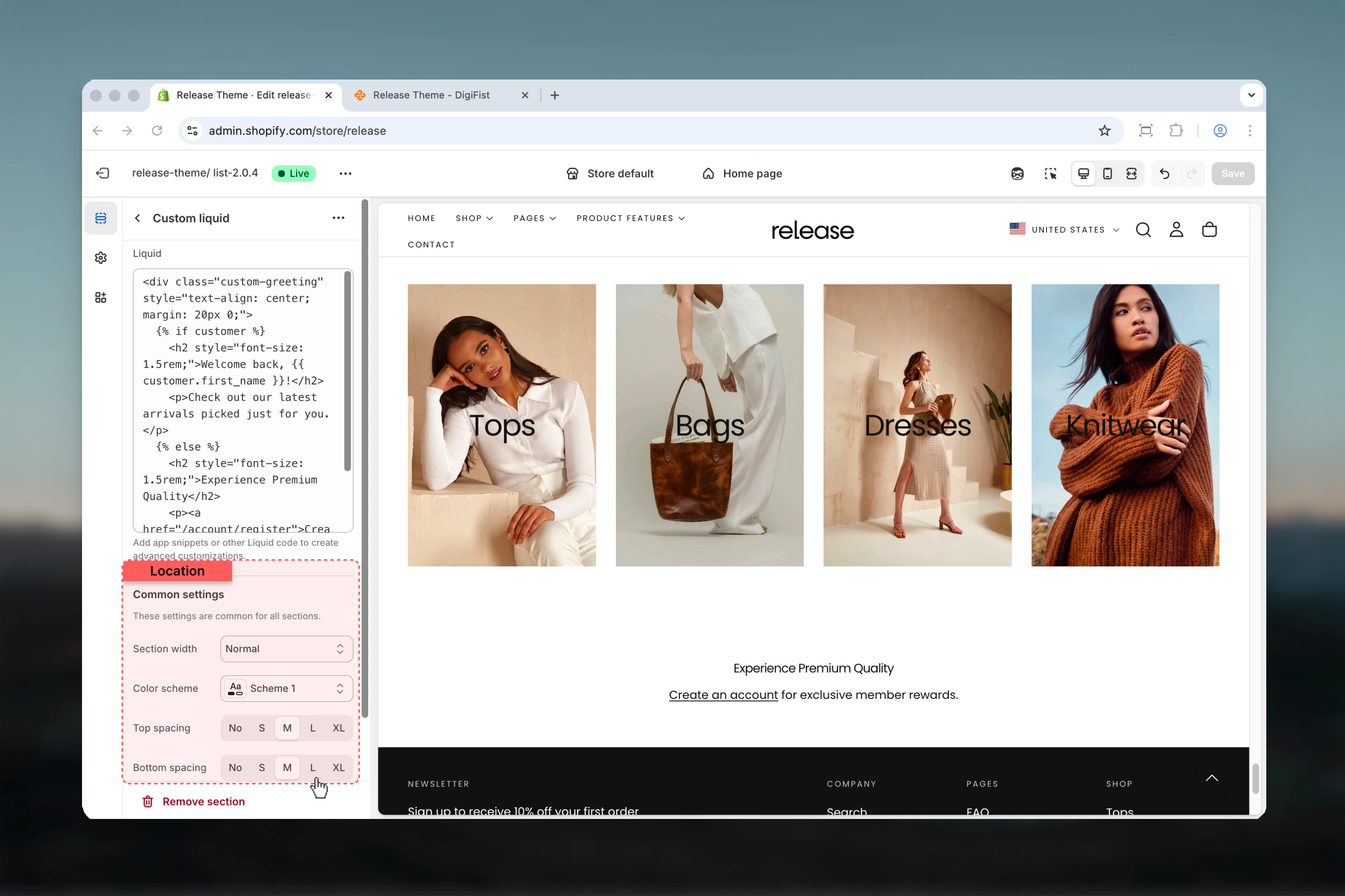
- Section width and container options
- Color scheme selection
- Vertical spacing control
- Direct HTML/Liquid output
Getting started
1
Open Theme Customizer
From Shopify admin, access the Theme Customizer.
2
Add Custom Liquid section
Add the section where you need custom code.
3
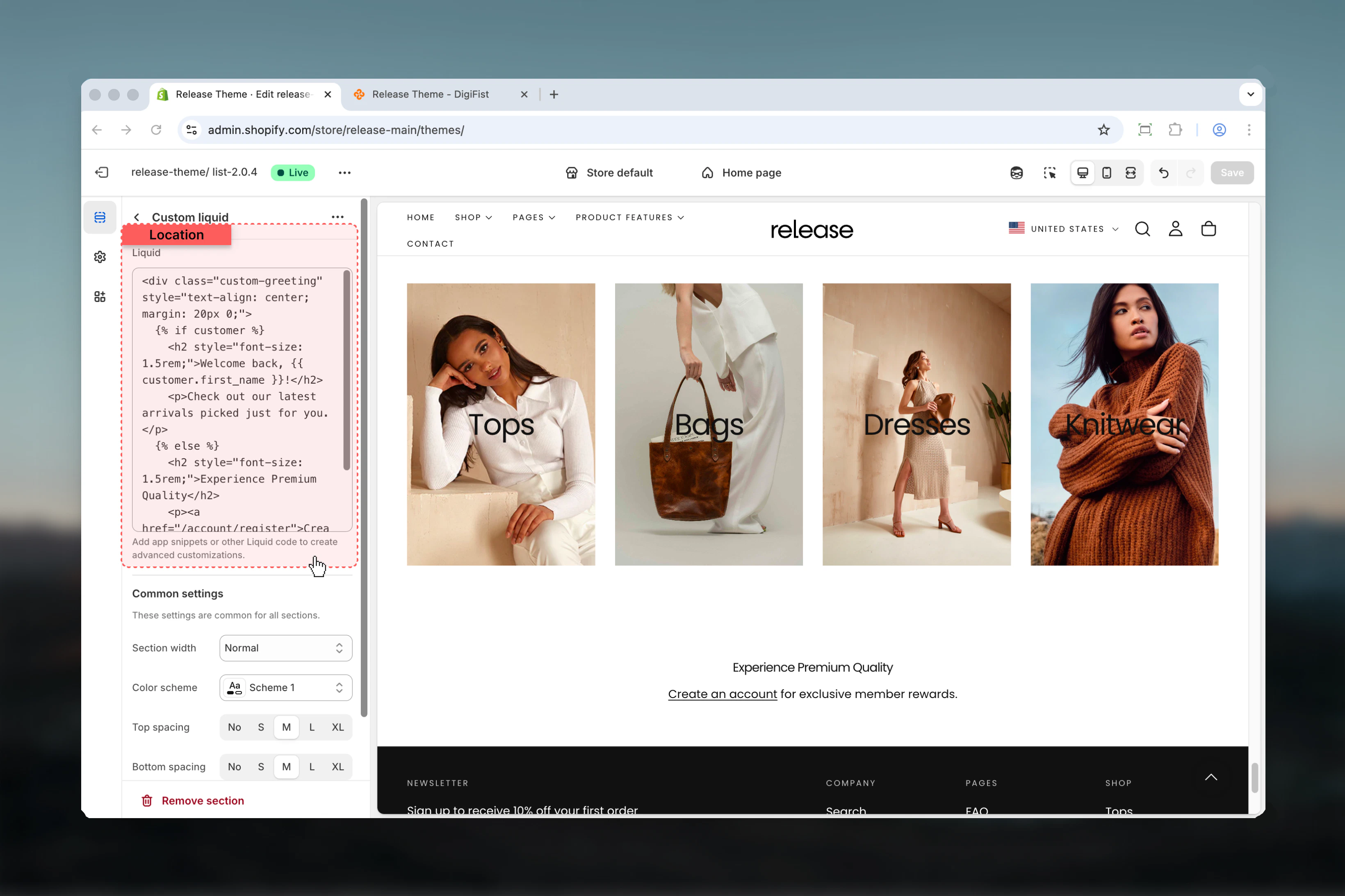
Write Liquid code
Enter your custom Liquid, HTML, or app snippet code.
4
Configure container
Set section width, color scheme, and spacing.
Section settings
- Code
- Settings
Liquid
Custom Liquid code editor.- Full Liquid syntax support
- HTML allowed
- App snippet integration
Add app snippets or other Liquid code to create advanced customizations.
Best practices
- Always test custom Liquid code in a duplicate theme before applying to live store
- Use proper Liquid syntax and validate code before publishing
- Comment your code for future reference and maintainability
- Keep code organized and indented for readability
- Test on multiple devices and browsers after adding custom code
- Use section width “Full” when creating full-width custom layouts
- Avoid complex logic that could slow down page load times
- Follow Shopify’s Liquid best practices and coding standards
- Use app snippets from trusted Shopify apps only
- Document what custom code does for future maintenance
Common use cases
- App integrations - Add third-party app widgets and functionality
- Custom HTML widgets - Insert custom HTML elements not available in theme
- Advanced product displays - Create custom product layouts with Liquid
- Custom forms - Build specialized contact or registration forms
- External embeds - Integrate external services and tools
- Custom data display - Show metafields or custom product data
- Analytics tracking - Add custom tracking scripts (use responsibly)
- A/B testing - Implement custom A/B testing code
Liquid resources
Shopify Liquid Reference
Official Liquid documentation
Theme Development
Shopify theme development docs
Related guides
Common Settings
Learn about common settings shared across sections