

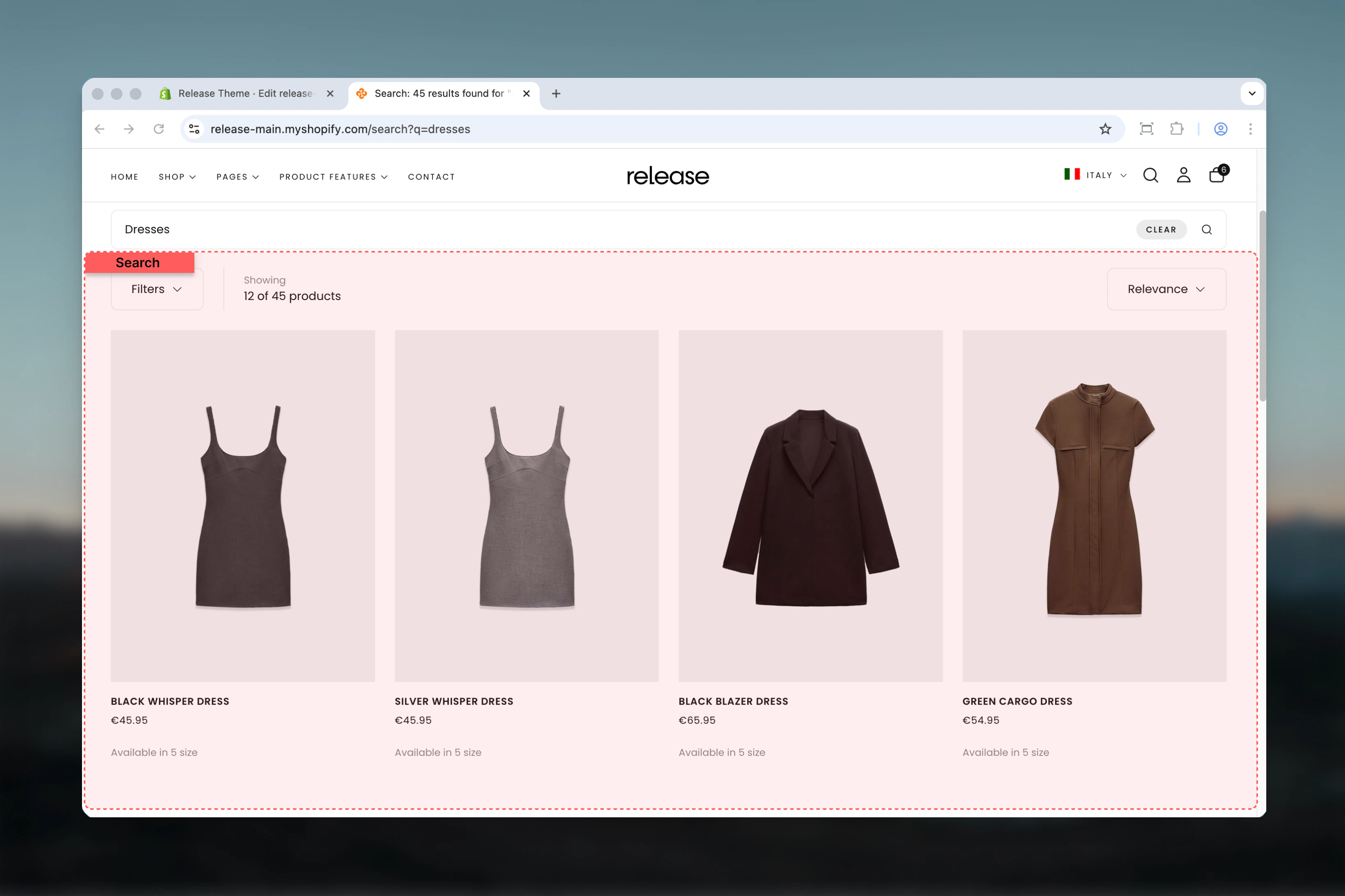
What this section controls
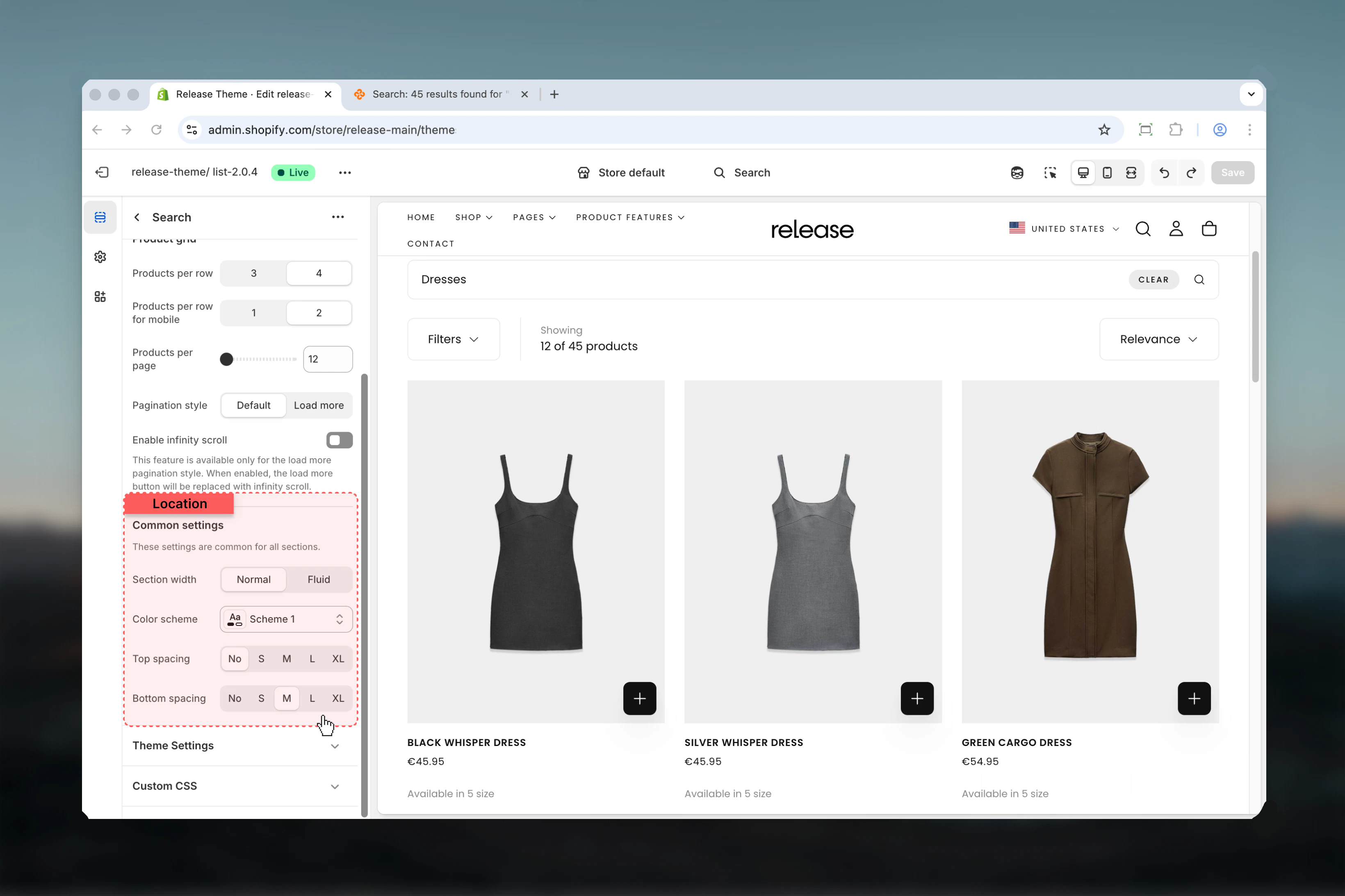
This section manages:- Search results product grid - Display search results in an organized grid layout
- Filtering system - Control filter display (drawer only for search pages)
- Sorting dropdown - Enable sorting options for search results
- Results count - Display number of matching search results
- Pagination - Control pagination style, load more button, and infinity scroll
- Section layout - Adjust section width, color scheme, and spacing
Getting started
1
Open Theme Customizer
From Shopify admin, access the Theme Customizer
2
Navigate to Search
In the left sidebar, find the Search section
3
Configure utilities bar
Enable sorting, product count, and filter settings in the Utilities Bar tab
4
Customize product grid
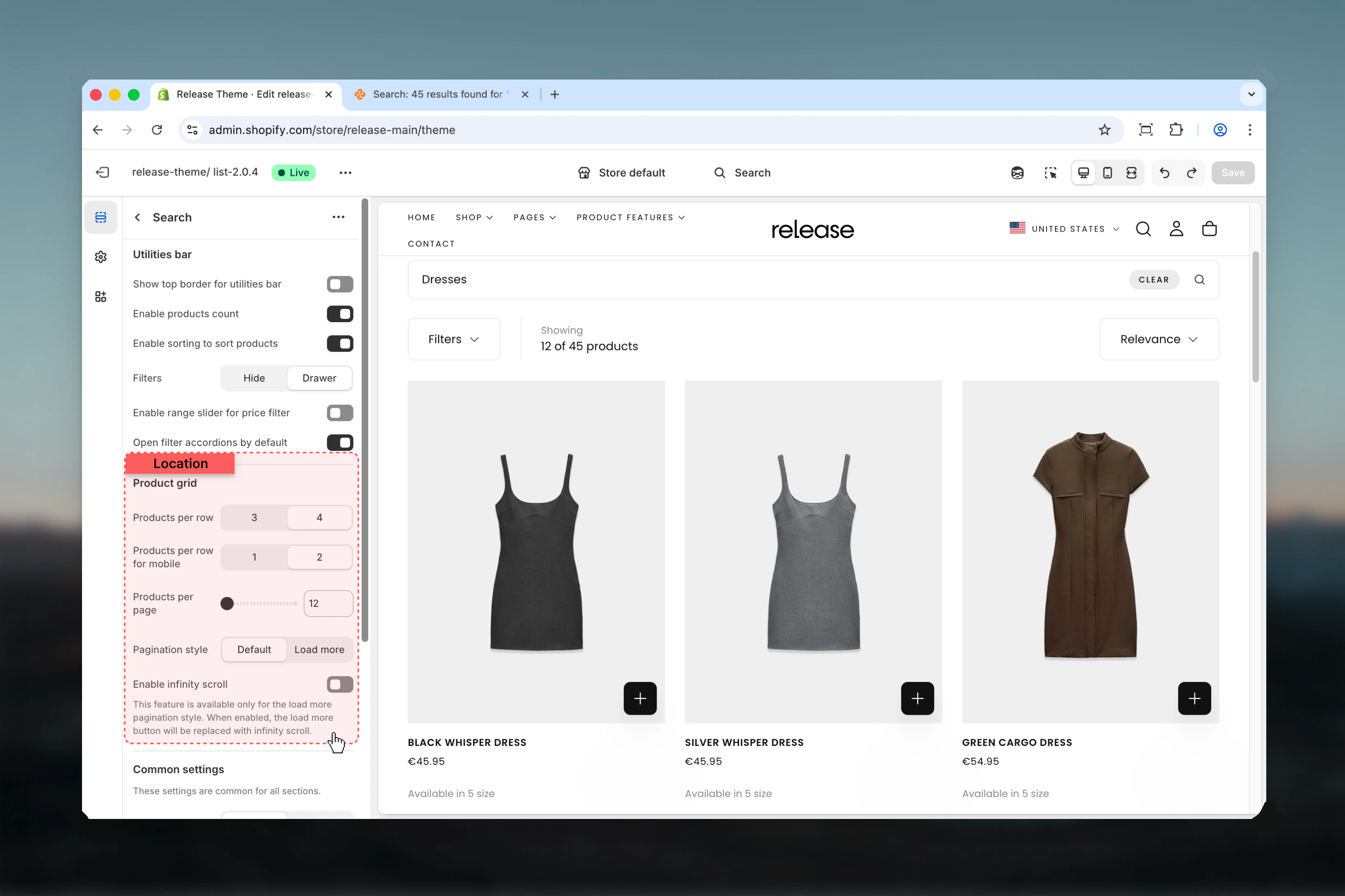
Set products per row (3 or 4 columns) and pagination style in the Product Grid tab
5
Adjust layout
Set section width, color scheme, and spacing in the Layout tab
Section Settings
- Utilities Bar
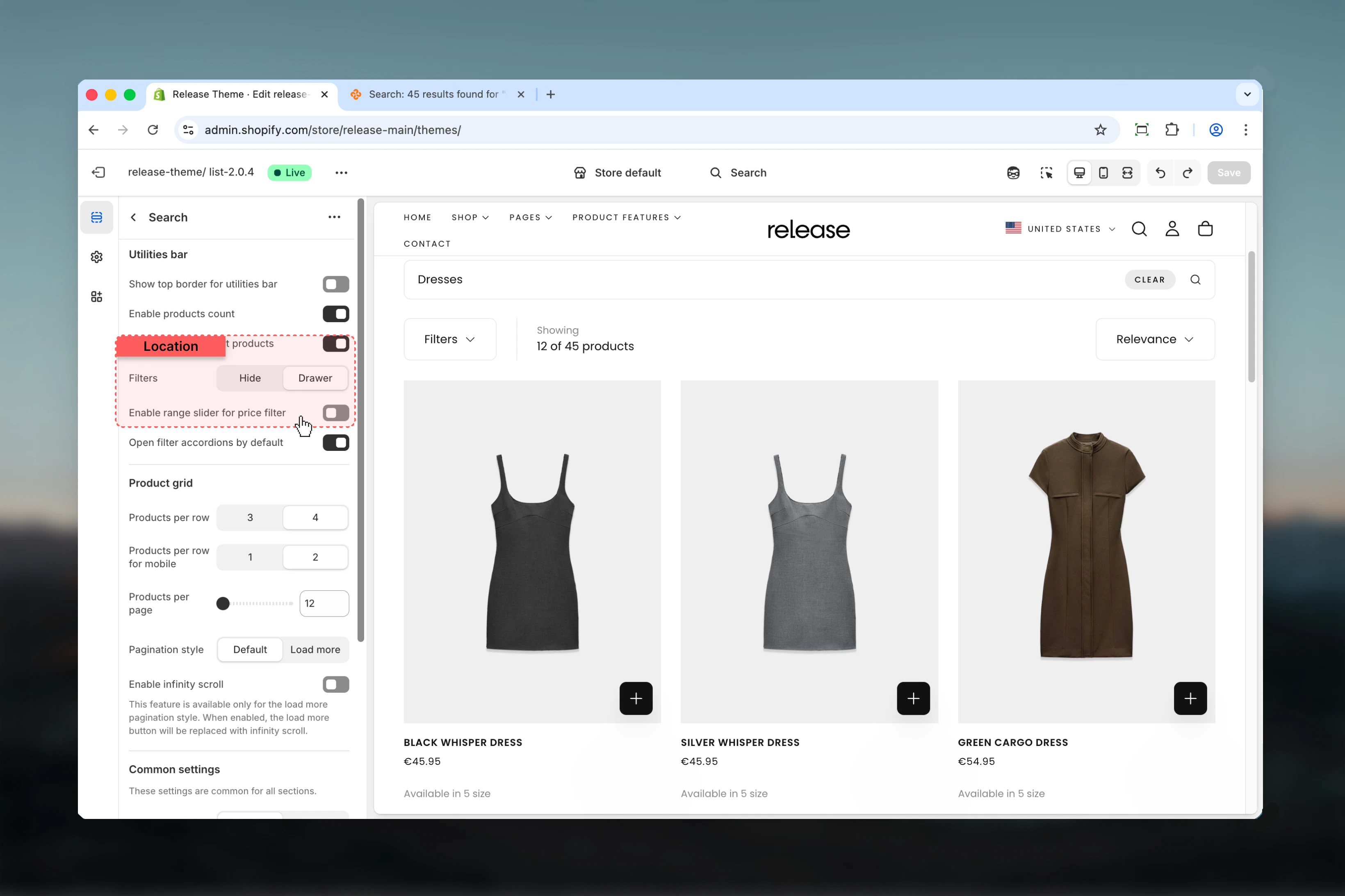
- Filters
- Product Grid
- Layout
Controls how filtering and sorting tools appear on the search results page.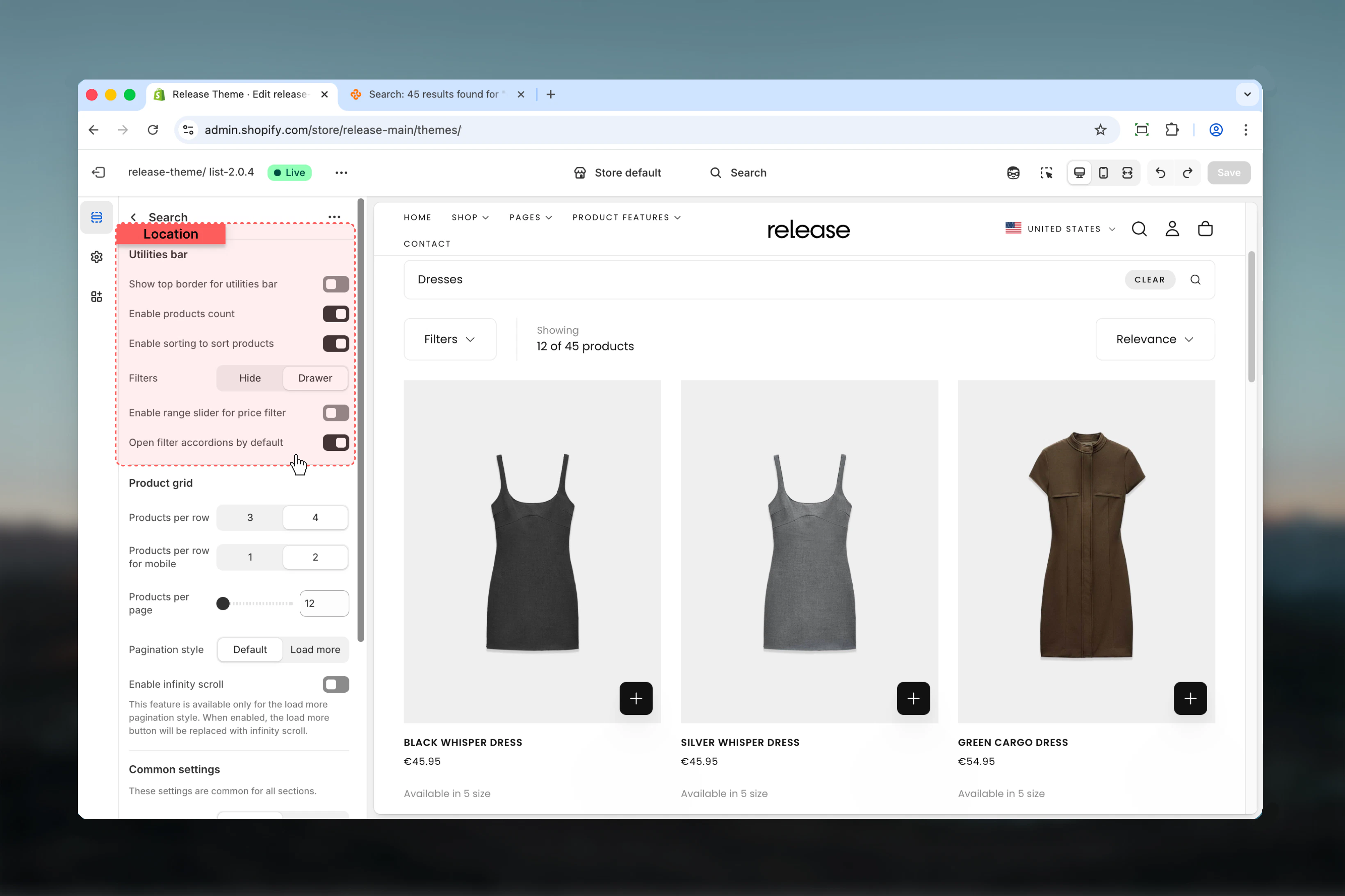
Show top border for utilities bar
Show top border for utilities bar
Type: Toggle
Default: DisabledAdds a decorative border above the search utilities bar to visually separate it from content above.
Default: DisabledAdds a decorative border above the search utilities bar to visually separate it from content above.
This border uses the theme’s border color from your color scheme settings.
Enable products count
Enable products count
Type: Toggle
Default: EnabledDisplays the number of search results found (e.g., “12 results found”).
Default: EnabledDisplays the number of search results found (e.g., “12 results found”).
Enable sorting
Enable sorting
Type: Toggle
Default: EnabledShows sorting dropdown for search results, allowing customers to sort by:
Default: EnabledShows sorting dropdown for search results, allowing customers to sort by:
- Relevance (default)
- Best selling
- Alphabetically (A-Z)
- Alphabetically (Z-A)
- Price (low to high)
- Price (high to low)
- Date (old to new)
- Date (new to old)
Open filter accordions by default
Open filter accordions by default
Type: Toggle
Default: EnabledAutomatically expands all filter accordions in the drawer when customers open filters, making all filter options immediately visible.
Default: EnabledAutomatically expands all filter accordions in the drawer when customers open filters, making all filter options immediately visible.
This setting only affects the drawer view. Collapsed accordions require additional clicks to see filter options.
Common use cases
- Basic search
- Large catalogs
- Mobile-optimized
- Minimal search
- Advanced search
Standard search configuration for most stores.Configuration:
- Enable sorting and product count
- Drawer filters
- 4-column desktop grid
- 2-column mobile grid
- Page numbers pagination
Best practices
Results count visibility
Always enable product count to show search effectiveness and help customers understand result quality. This is especially important for search pages where query quality varies.
Sorting enablement
Enable sorting to help users find relevant products quickly based on their preferences. Search results benefit from multiple sort options beyond just relevance.
Grid layout optimization
Use 4 products per row for optimal search result viewing on desktop. This provides the best balance between product detail and results density.
Filter placement
Drawer filters provide cleaner search experience than sidebar without overwhelming the page. Search pages work best with focused, uncluttered layouts.
Mobile optimization
Use 2 columns on mobile for better product visibility and comparison. Single column creates too much scrolling for search results.
Pagination strategy
Use infinity scroll or load more for large result sets to improve browsing. This keeps customers engaged with search results without interruption.
Price filtering
Enable range slider for catalogs with wide price ranges for better filtering precision. This is especially useful for broad search queries.
Spacing minimization
Keep top spacing minimal (0 or S) to prioritize results and reduce scrolling before customers see search results. Time-to-results is critical for search pages.
Related guides
Search Banner
Configure the search page banner section above search results
Collection Pages
Similar filtering and layout options for collection pages