

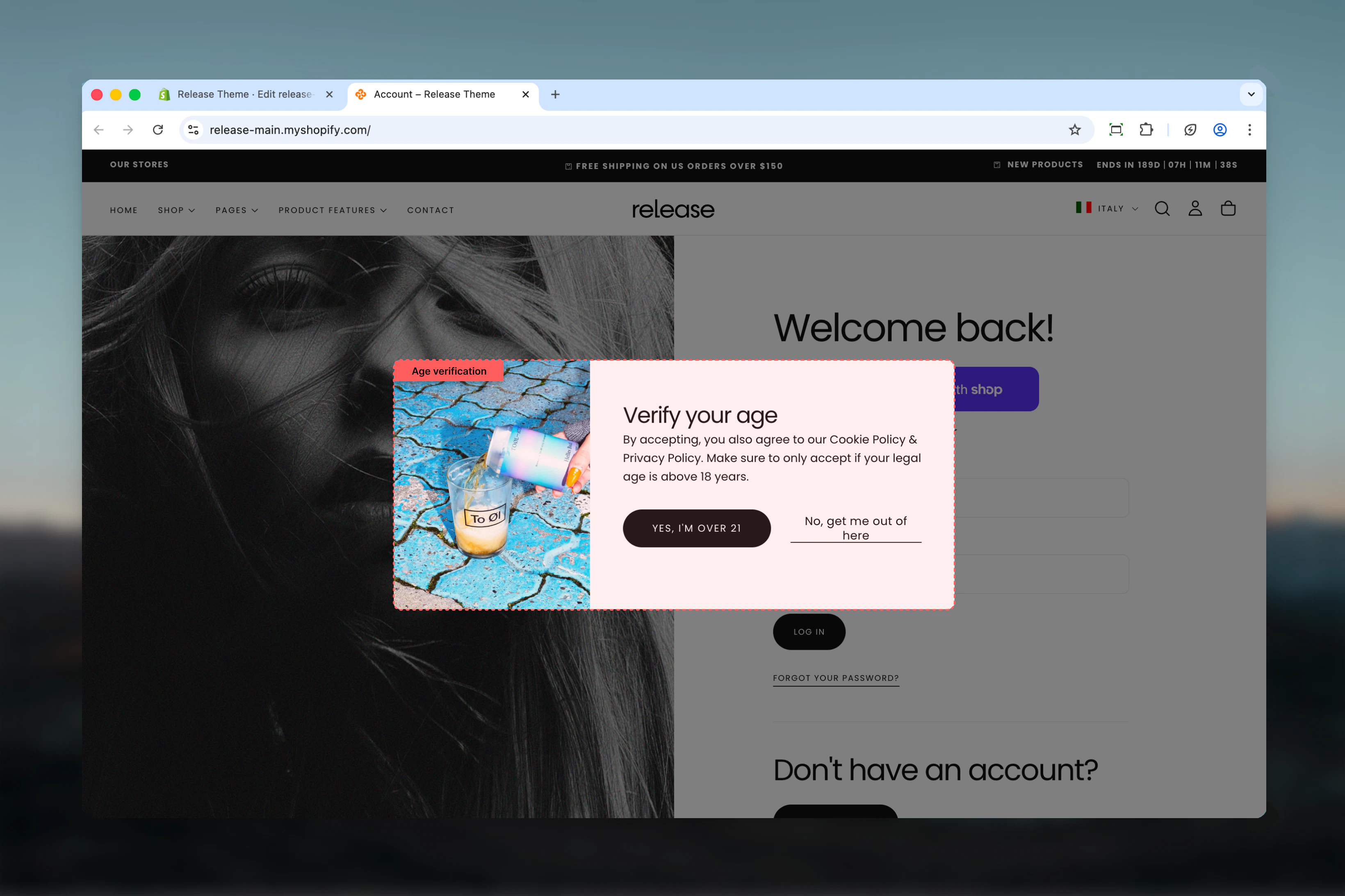
What this section controls
- Age verification modal overlay
- Confirm and decline buttons
- Background image and backdrop effects
- Verification messaging
Section settings
- Content
- Display
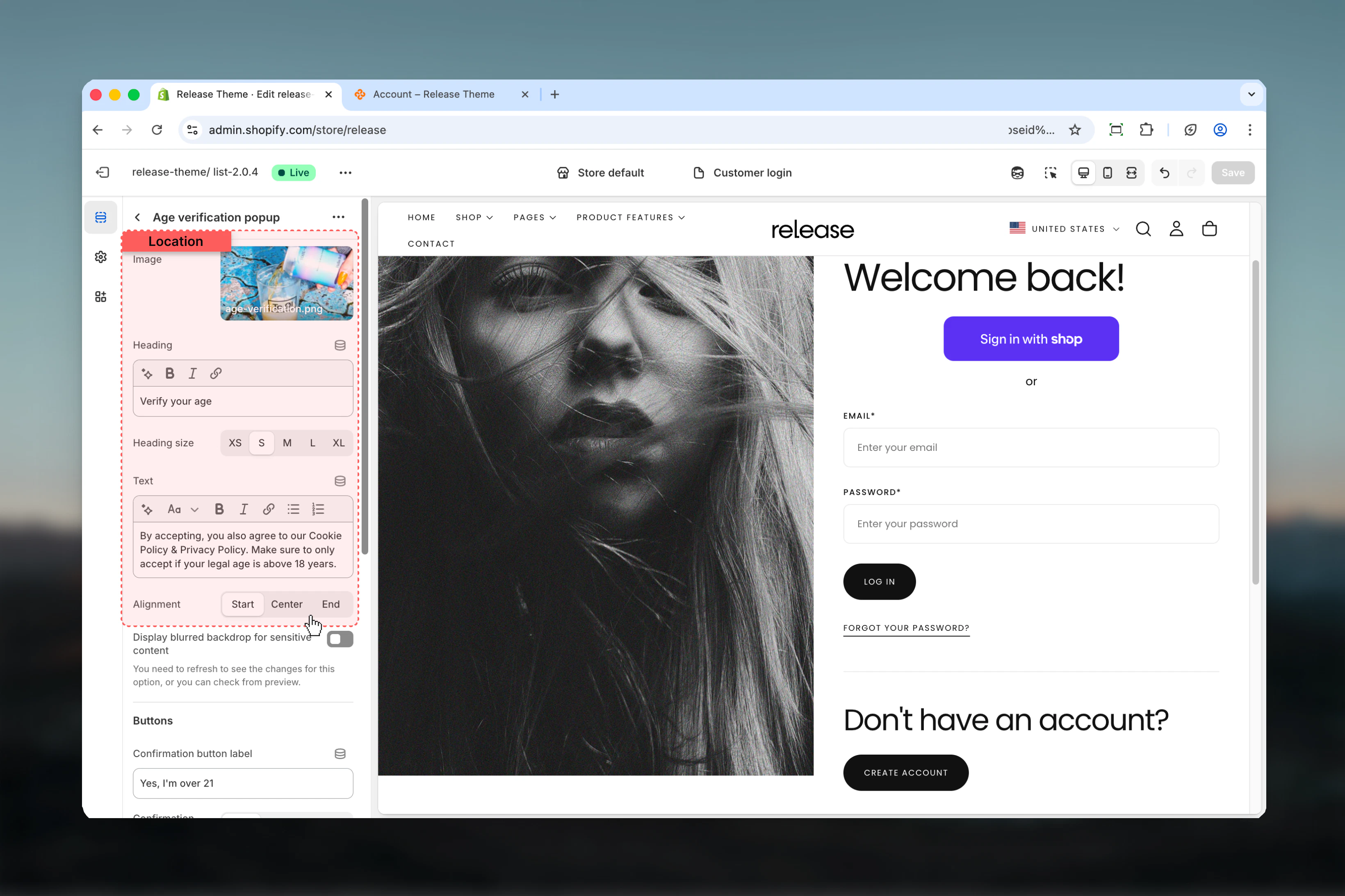
Image
Background image displayed in the popup.Heading
Main heading text for the verification prompt.- Default: “Verify your age”
Heading size
Options: XS (h6), S (h5), M (h4), L (h3), XL (h2)- Default: S (h5)
Text
Description text explaining age requirements.- Default: “You must be 18 years of age or older to enter this site. Please verify your age.”
Content alignment
Options: Start, Center, End- Default: Center
Best practices
- Clear messaging: Keep text concise - state age requirement clearly
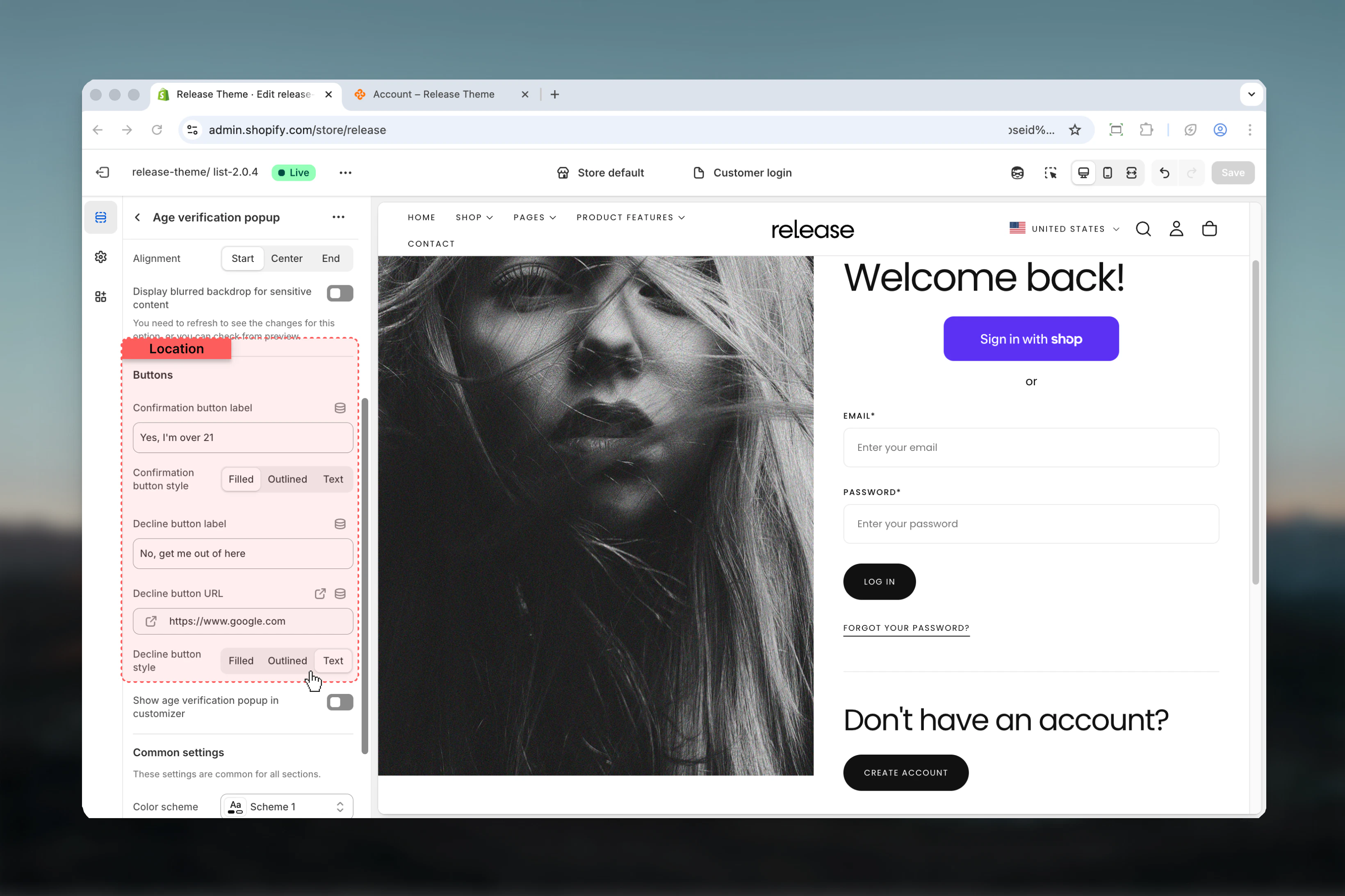
- Button contrast: Use filled button for confirm, text/outlined for decline
- Backdrop blur: Enable for better focus on verification prompt
- Decline link: Link to appropriate external page or homepage
- Legal compliance: Ensure age requirements match your jurisdiction
- Mobile friendly: Test popup display and buttons on mobile devices
- Session storage: Popup uses session storage - users verify once per session
Common use cases
- Alcohol stores - Verify 21+ (US) or 18+ (other regions) age requirements
- Tobacco/Vaping - Age gate for tobacco product sales
- CBD products - Age verification for regulated cannabisproducts
- Adult content - 18+ verification for mature content
- Gaming/Gambling - Age verification for betting or gambling sites
Related guides
Password Page
Configure password-protected store pages