

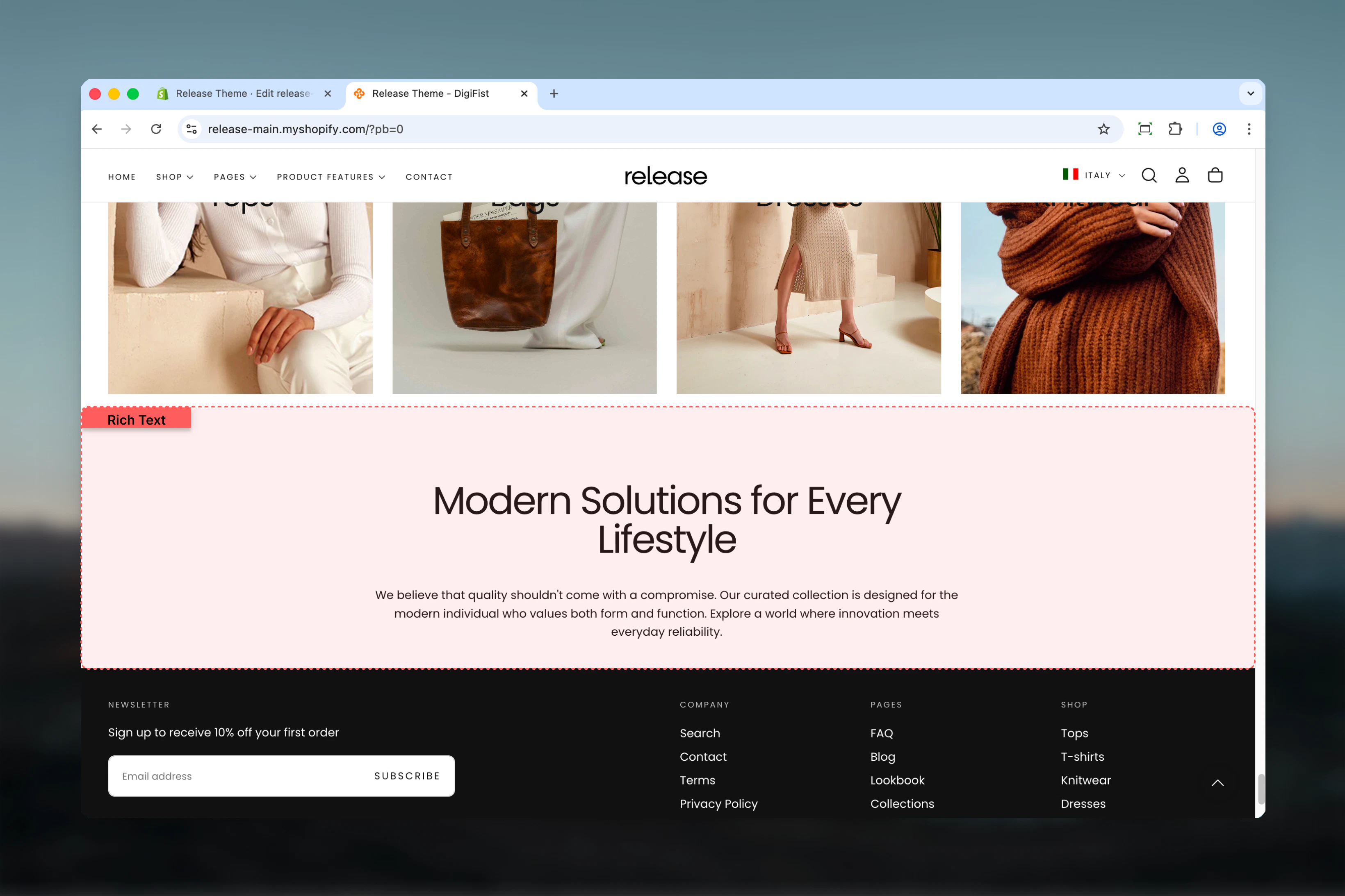
What this section controls
- Optional heading with size control
- Rich text editor with full formatting
- Content alignment options
- Normal or boxed layout styles
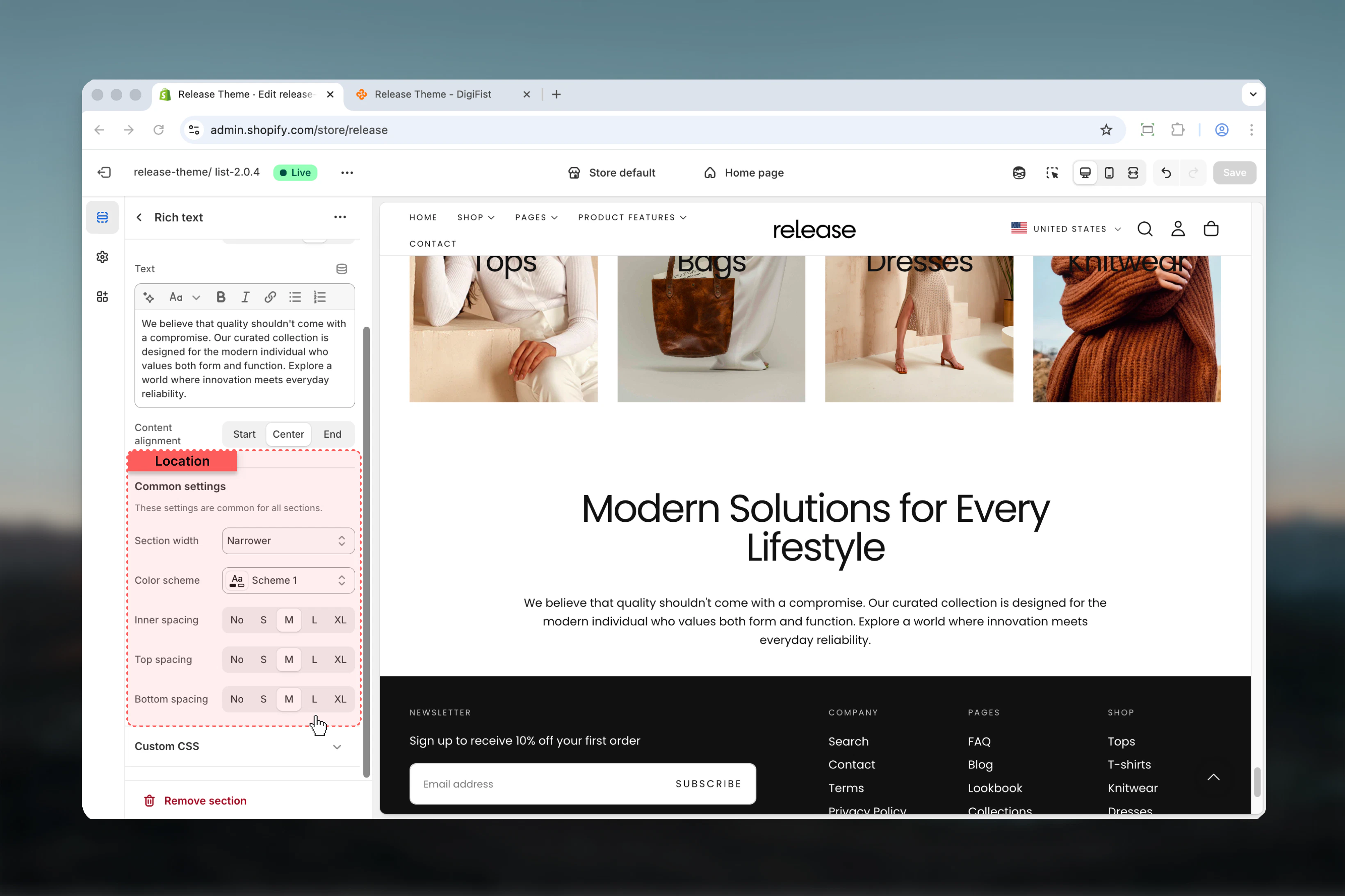
- Inner padding control
- Section width and color schemes
Getting started
1
Open Theme Customizer
From Shopify admin, access the Theme Customizer.
2
Add Rich Text section
Add the section to your desired page or template.
3
Add content
Set heading and enter your rich text content.
4
Configure styling
Choose layout, alignment, and spacing options.
Section settings
- Content
- Settings
Section layout
Controls the visual style of the section.Available options:- Normal: Standard layout
- Boxed: Content within a bordered box
Heading
Optional heading above text content.- Inline rich text supported
- Default: “Heading for rich text section”
Heading size
Controls the size of heading.Available options: XS, S, M, L, XLDefault: LText
Main rich text content.- Full rich text editor
- Supports paragraphs, lists, links, formatting
- Default: “Enter your long text content here…”
Content alignment
Controls text alignment.Available options: Start, Center, EndDefault: Center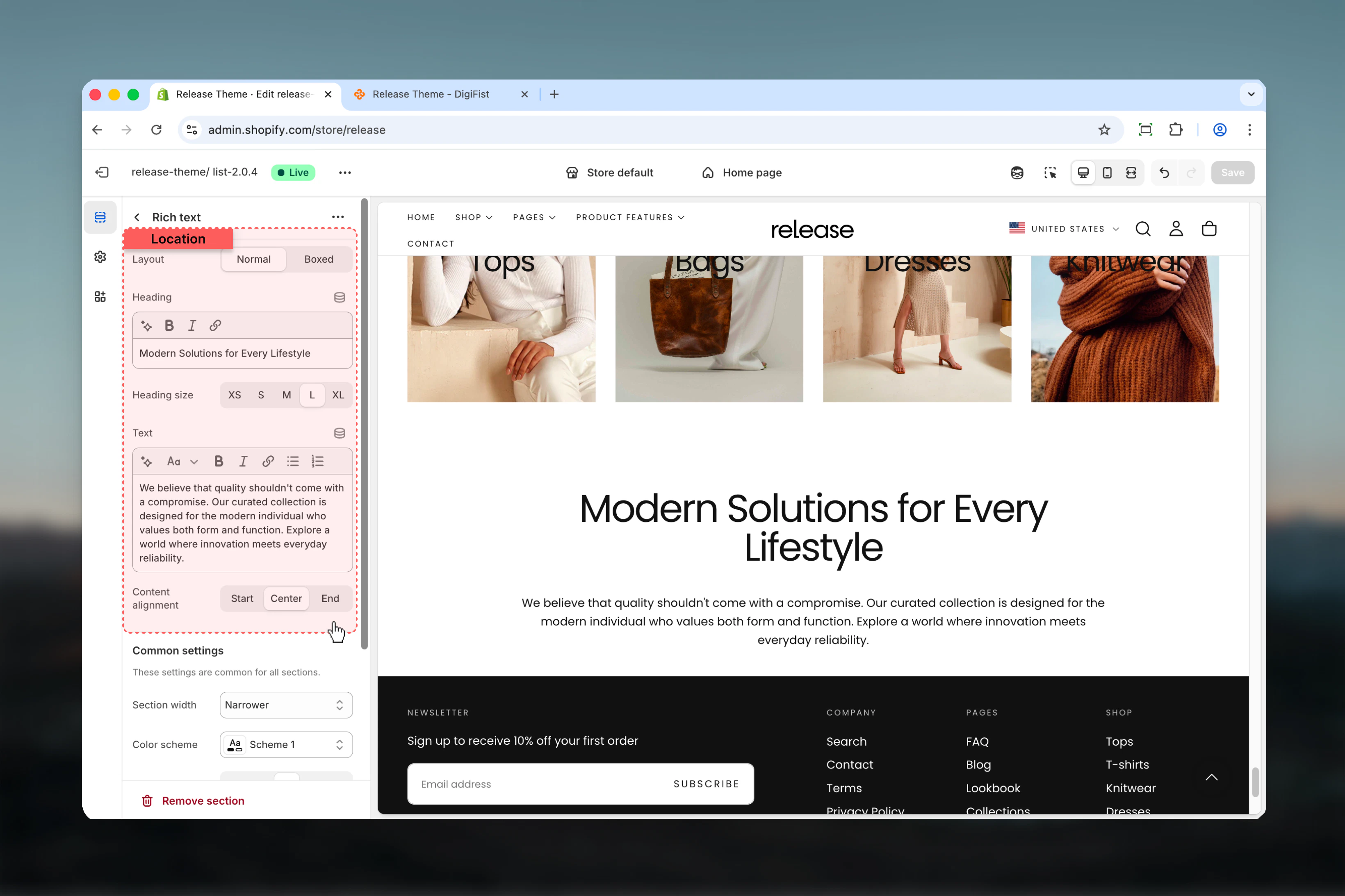
Best practices
- Use “Narrower” width for optimal readability of long text
- Center alignment works well for short, impactful content
- Start (left) alignment is better for lengthy descriptions
- Boxed layout adds visual emphasis to important content
- Include relevant keywords naturally for SEO benefits
- Break up long text with paragraphs and formatting
- Use headings to structure content hierarchically
- Keep inner spacing at M or L for boxed layouts
Common use cases
- Product descriptions - Detailed product information below the fold
- Brand story - About us content on homepage or about page
- SEO content - Keyword-rich descriptions for collections or products
- Shipping information - Detailed shipping and returns policies
- Care instructions - Product care and maintenance guidelines
- Size guides - Detailed sizing information
- FAQ content - Formatted Q&A sections
Related guides
Common Settings
Learn about common settings shared across sections