

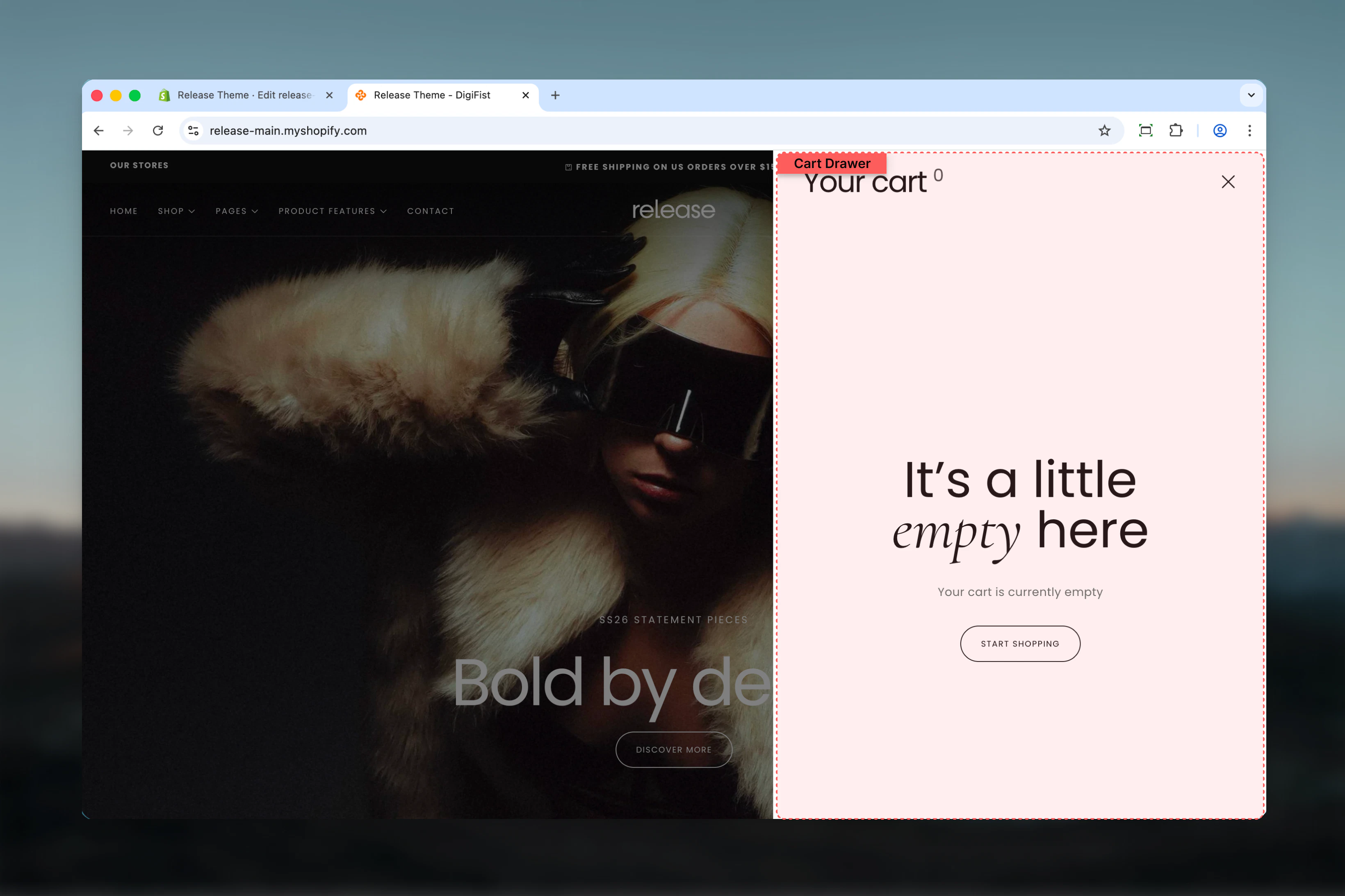
What this section controls
- Product card display in cart drawer
- Product image aspect ratios
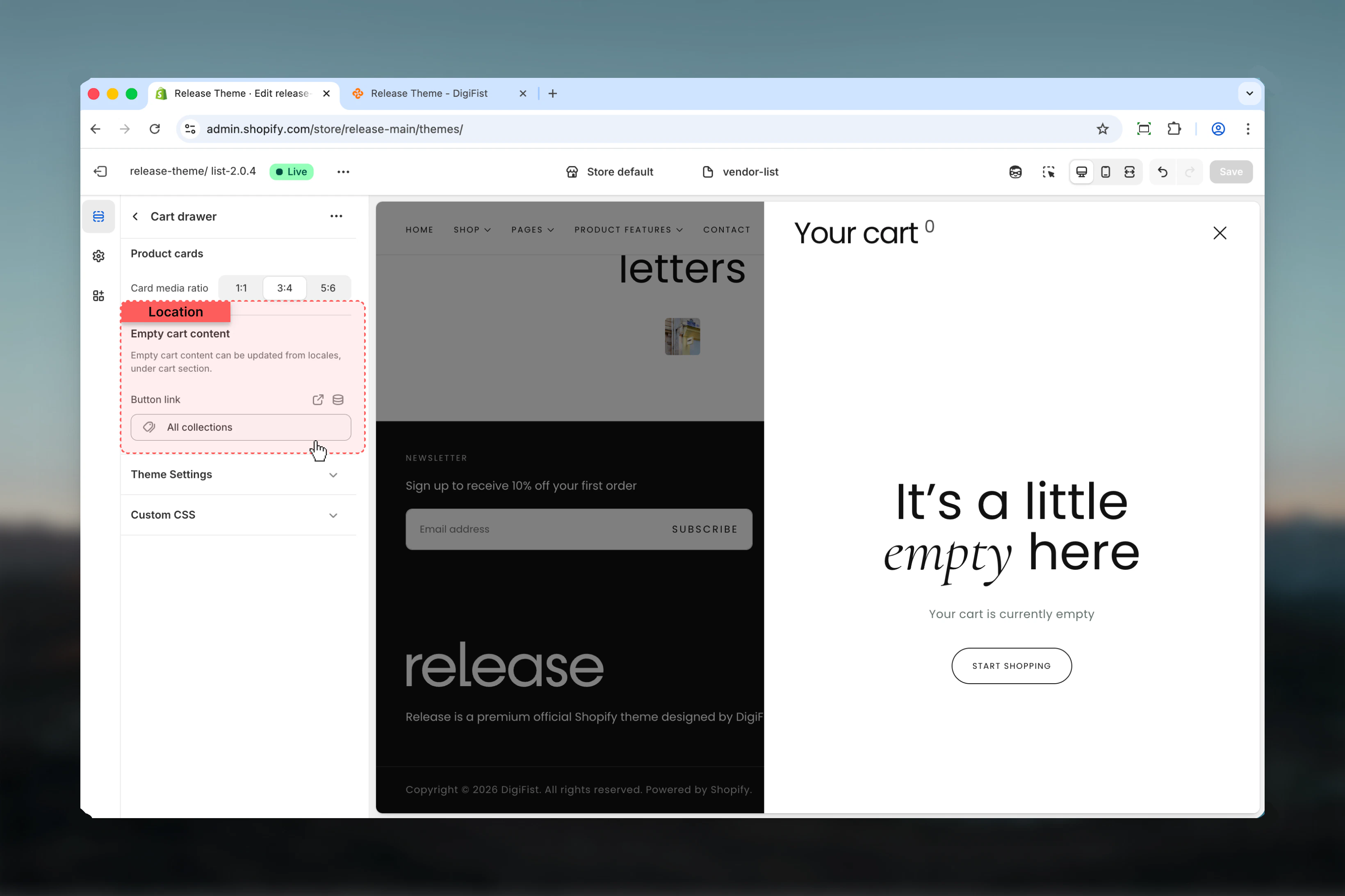
- Empty cart messaging and CTA
- Information bar blocks for promotional messages
- Cart totals and checkout button
Section settings
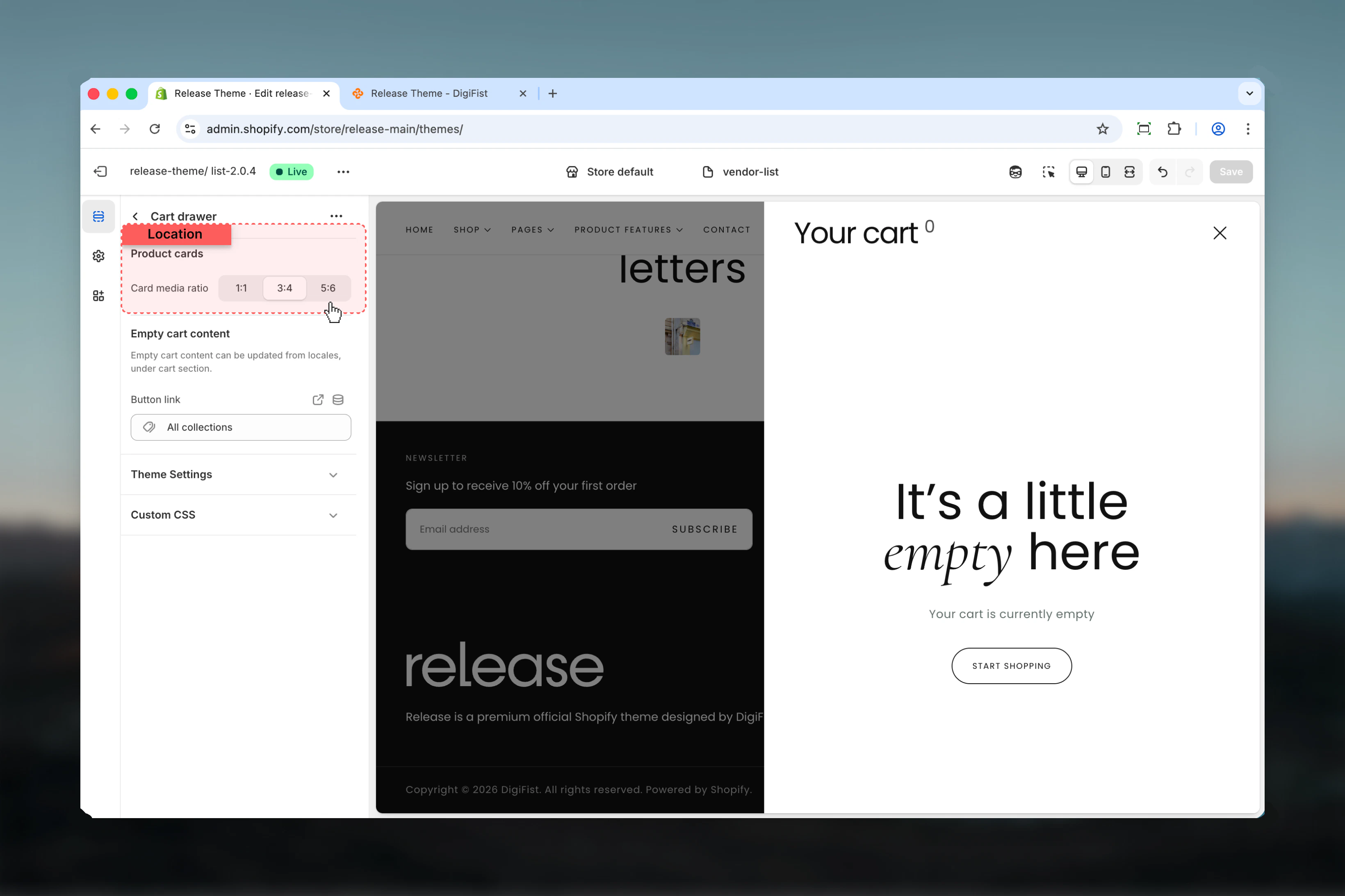
- Product Cards
- Empty Cart
Card media aspect ratio
Controls the aspect ratio of product images displayed in the cart drawer.Available options:- 1:1 - Square images
- 3:4 - Portrait format
- 5:6 - Tall portrait
Block settings
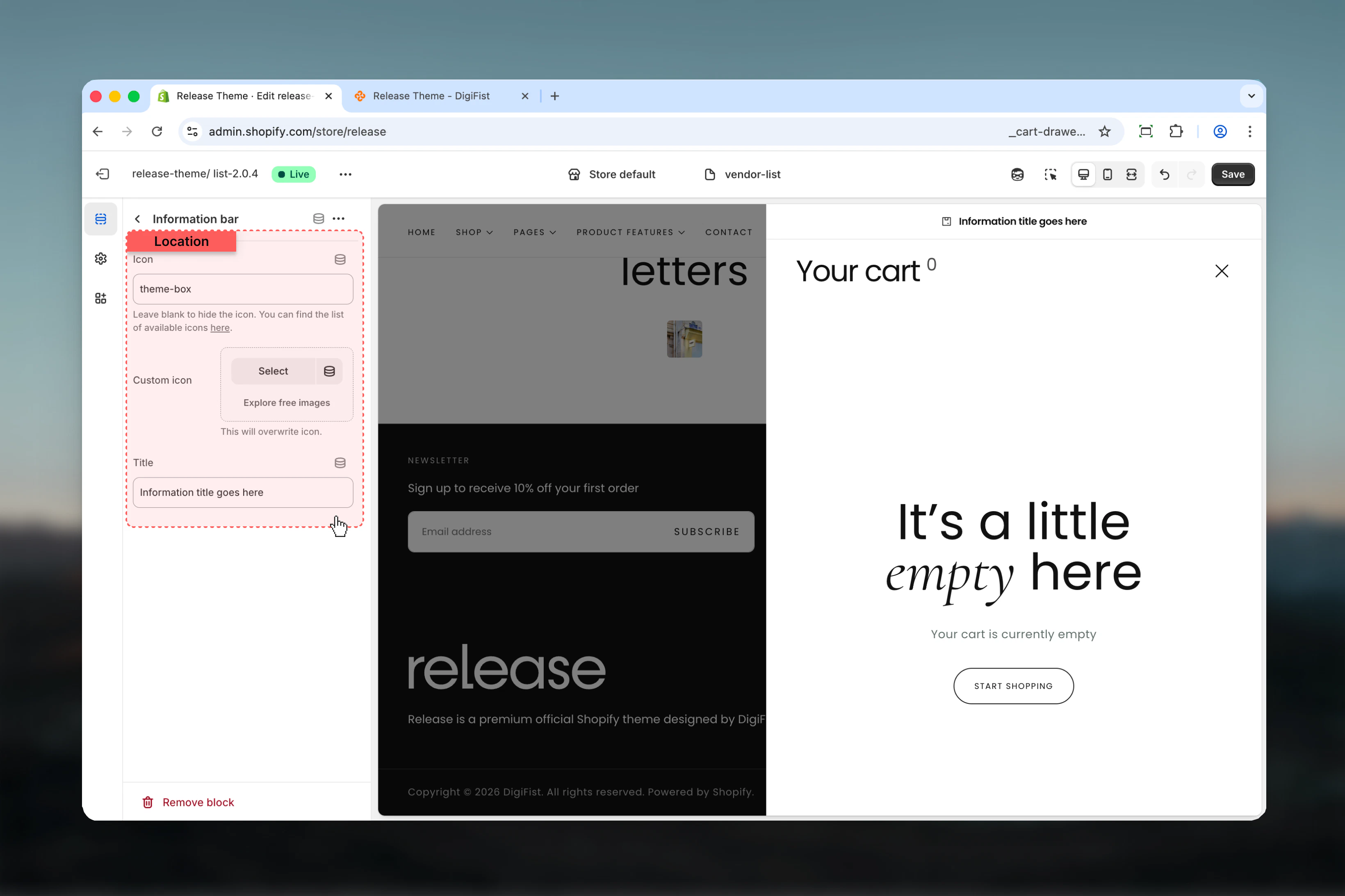
Information Bar
Add promotional messages or important information displayed within the cart drawer. Icon - Icon name from theme icon library- Default: “theme-box”
- Overrides the icon setting when provided
- Default: “Information title goes here”
Best practices
- Use 3:4 aspect ratio for apparel stores to show product details clearly
- Add information bars for free shipping thresholds to encourage larger orders
- Keep information bar messages concise - under 50 characters for mobile readability
- Set button URL to your primary collection or homepage for empty carts
- Test drawer functionality on mobile devices for smooth user experience
- Limit information bars to 2-3 items to avoid clutter
- Use icons that match your messaging (e.g., truck icon for shipping)
Common use cases
- Free shipping threshold - “Spend $25 more for free shipping!”
- Delivery information - “Orders ship within 24 hours”
- Return policy - “Free returns within 30 days”
- Secure checkout - “Secure SSL encrypted checkout”
- Limited stock - “Low stock items in your cart”
- Discounts - “Add $50 more to unlock 10% off”
Related guides
Cart Settings
Configure cart behavior and features
Cart Page
Customize the full cart page
Cart Page
Learn about the full cart page