

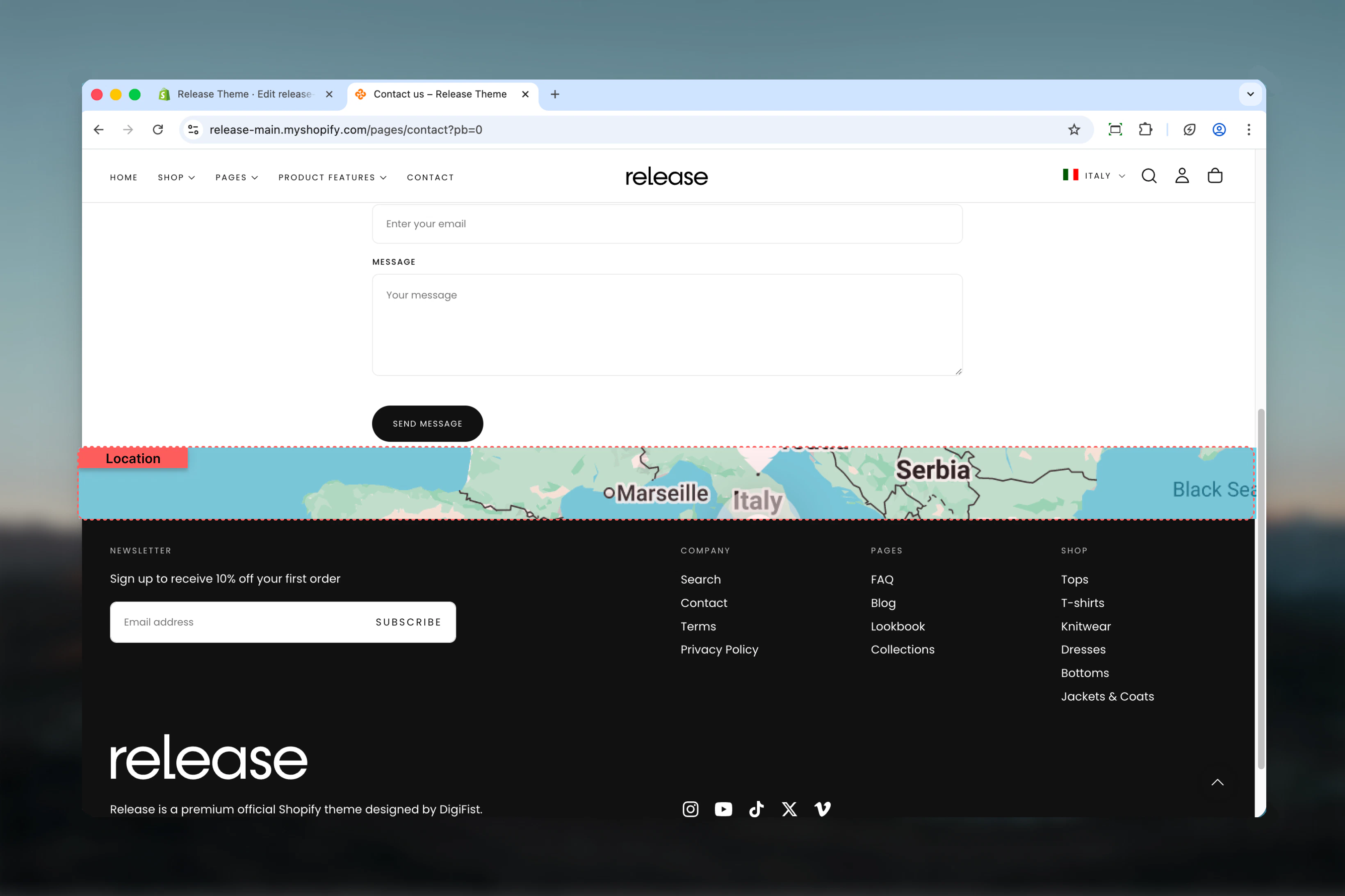
What this section controls
This section controls map displays with the following capabilities:- Google Maps Embed API integration
- Shop address default or custom address input
- Zoom level control (0-21)
- Responsive iframe embed
- Multiple section width options
- Border radius customization
How the Map section works
The Map section displays an embedded Google Map:- Requires a Google Maps API key to function
- Uses shop address by default or accepts custom address
- Configurable zoom level (0-21)
- Responsive iframe embed with border radius
- Full width or contained layout options
Getting started
1
Set up Google Maps API key
Create a Google Maps API key in Google Cloud Console. Learn how
2
Open Theme Customizer
From Shopify admin, access the Theme Customizer.
3
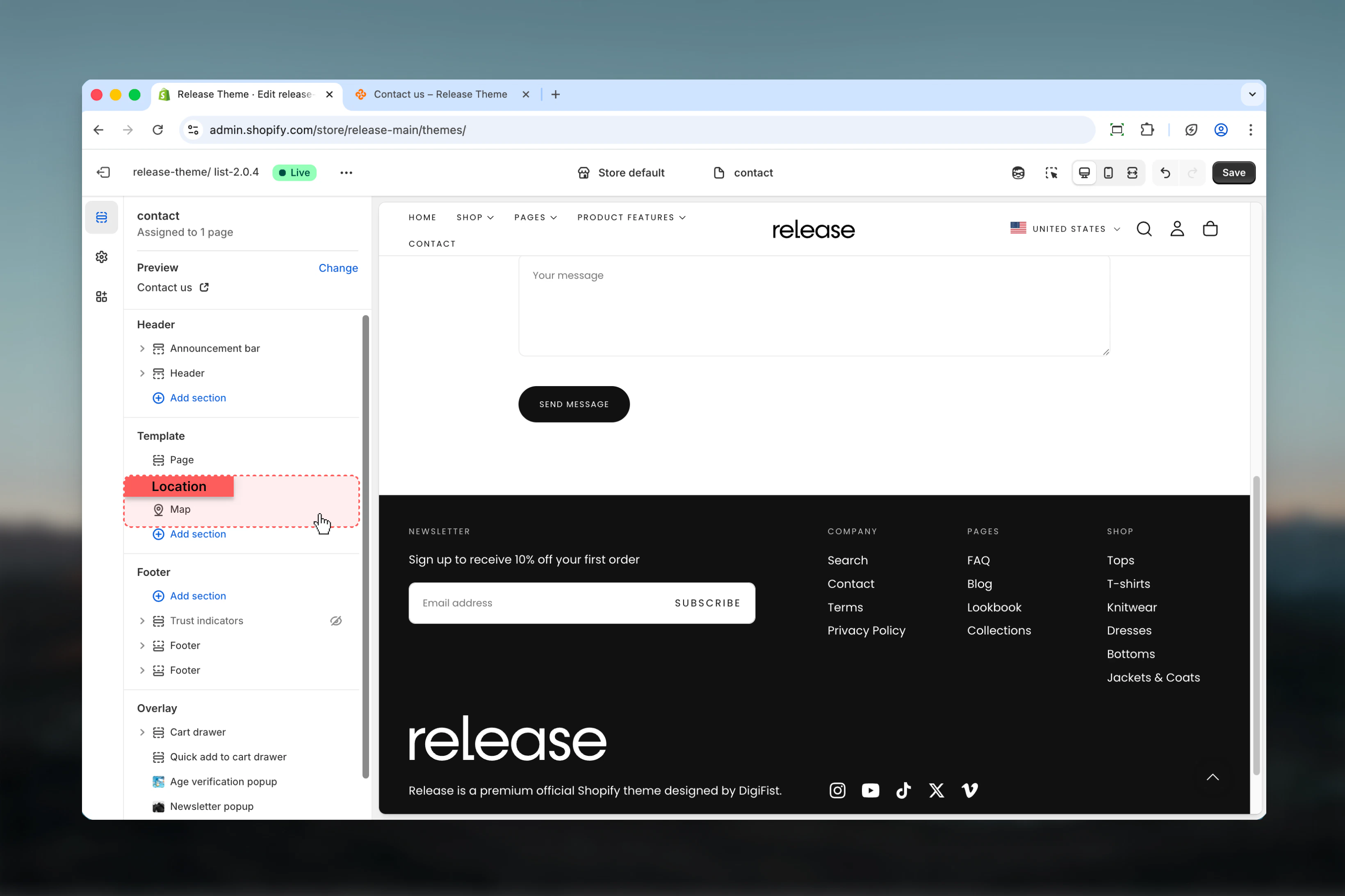
Add Map section
Add the Map section to your page or template.
4
Configure settings
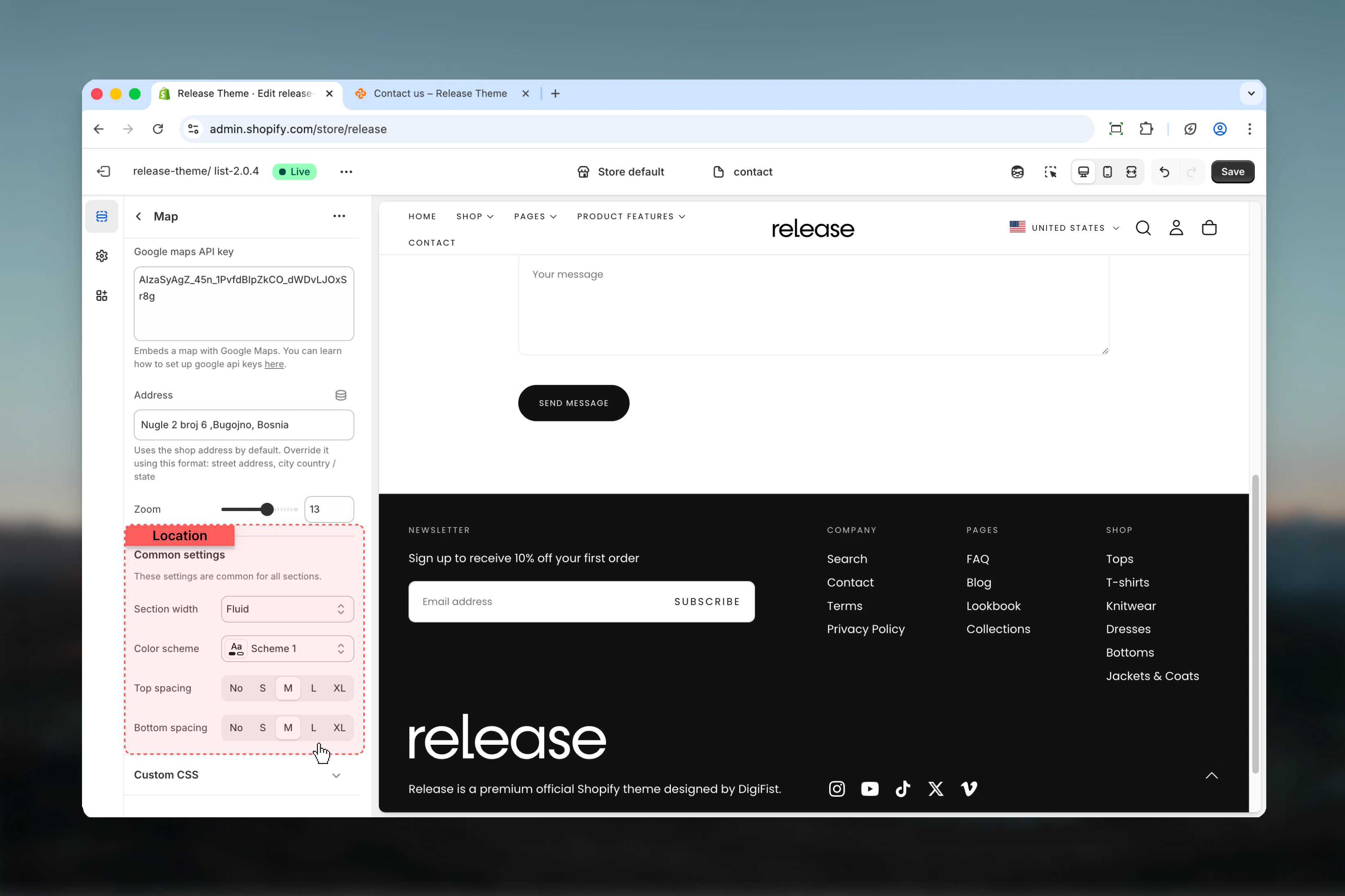
Enter your API key, set address (optional), and adjust zoom level.
Section settings
Section settings control map configuration and display options.- Map configuration
- Settings
API key
Google Maps API key for embedding maps.Type: Text area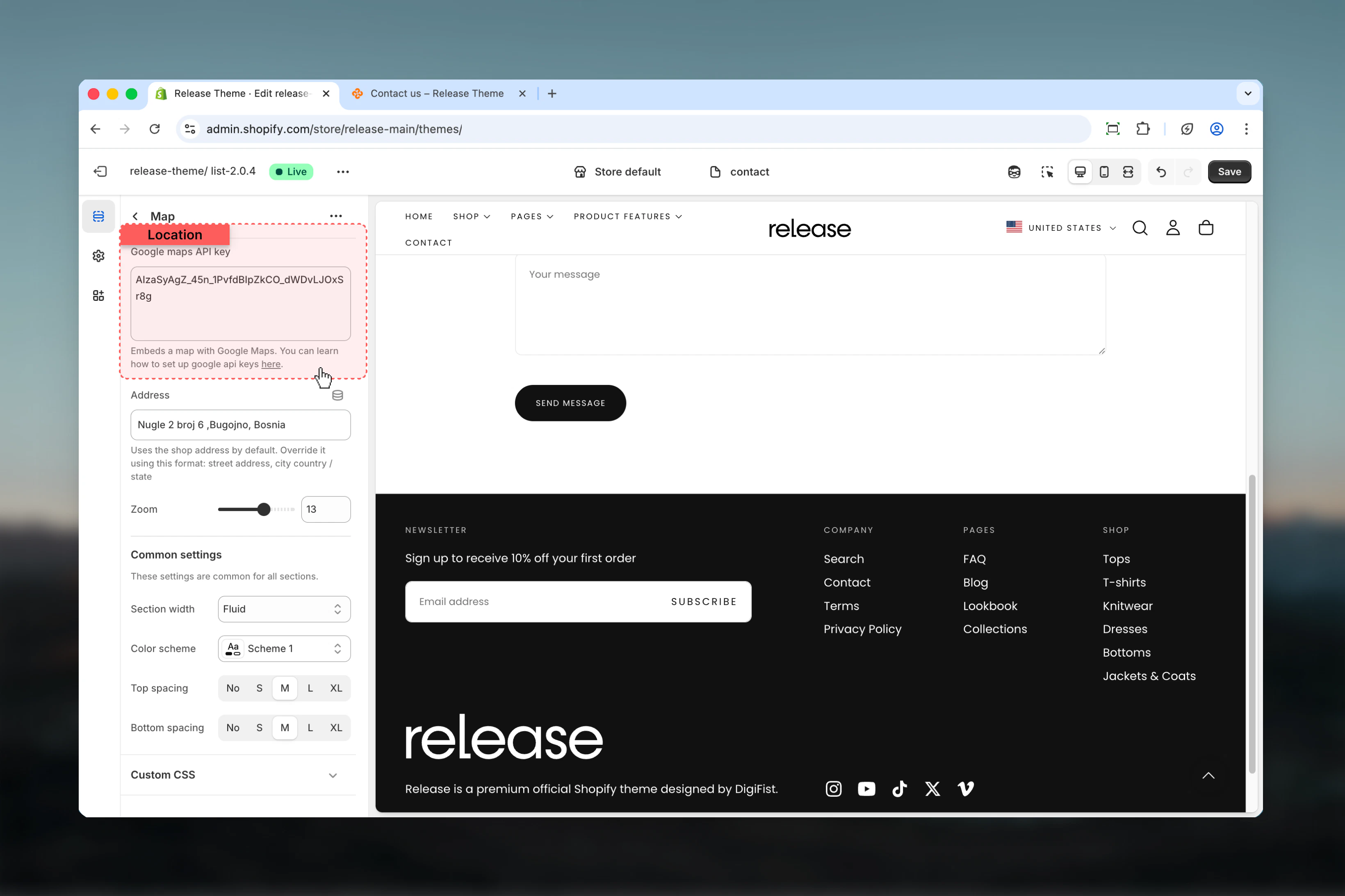
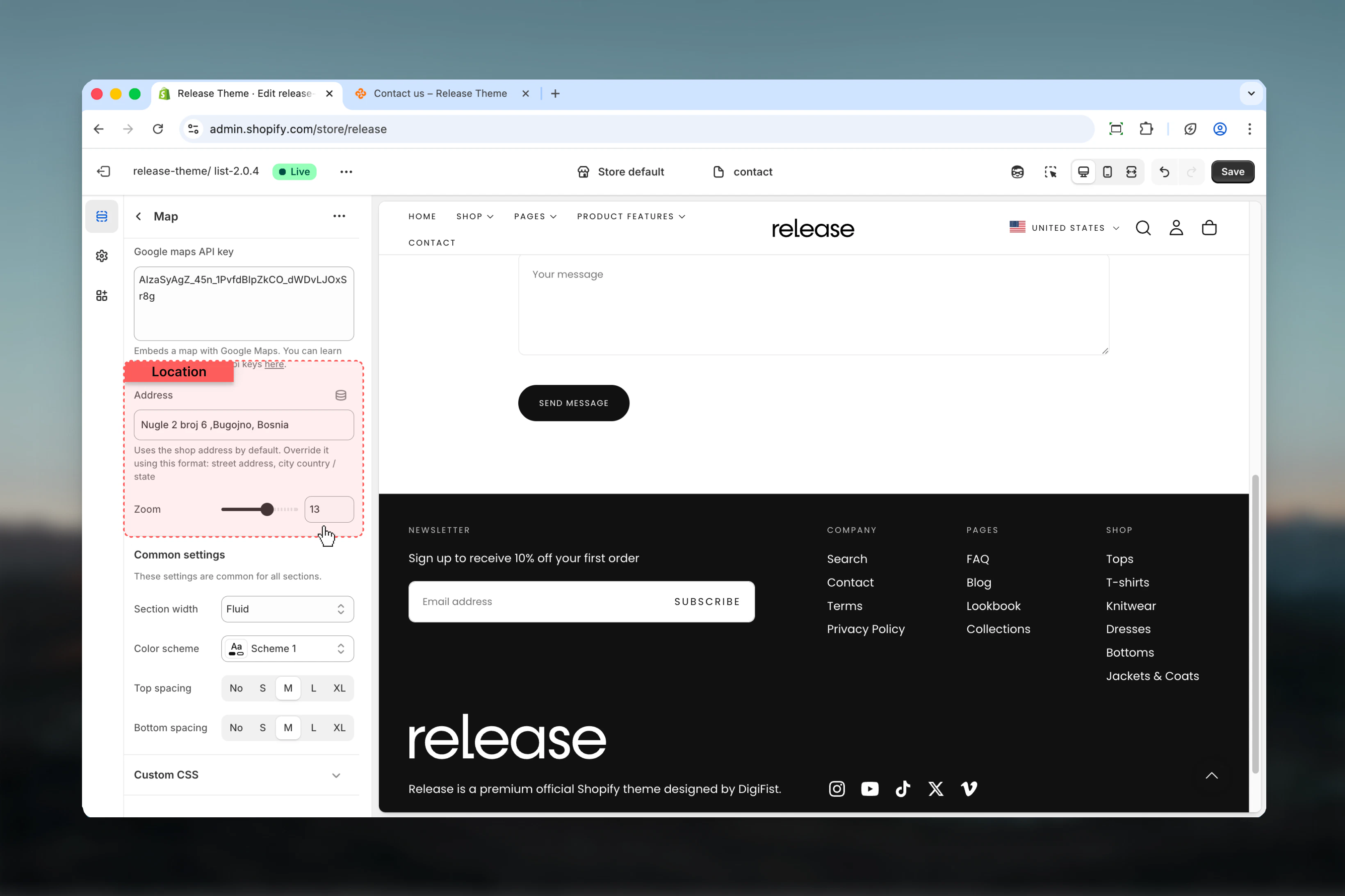
Address
Custom address to display on the map.Type: Text inputUses the shop address by default. Override it using this format: street address, city country / state
Zoom level
Controls the zoom level of the map.Range: 0 – 21Default: 16- Lower values show larger area
- Higher values show more detail
Best practices
- Set up Google Maps API key with proper restrictions for security
- Use full address format for accurate location display (street address, city, country/state)
- Test zoom level to ensure relevant landmarks are visible
- Consider using full width for prominent store location displays
- Use narrower or page width for inline contact page maps
- Add address information in surrounding content for accessibility
- Test map loading on different connection speeds
- Consider adding a fallback address link for users with JavaScript disabled
- Keep API key secure and monitor usage in Google Cloud Console
- Restrict API key to your domain to prevent unauthorized usage
Common use cases
- Store locator page - Display primary store location on a dedicated page
- Contact page - Show office or retail location alongside contact information
- About page - Highlight headquarters or flagship store location
- Event page - Display event venue location for in-person gatherings
- Multiple locations - Use multiple map sections for businesses with several physical locations
Related guides
Common Settings
Learn about common settings shared across sections