

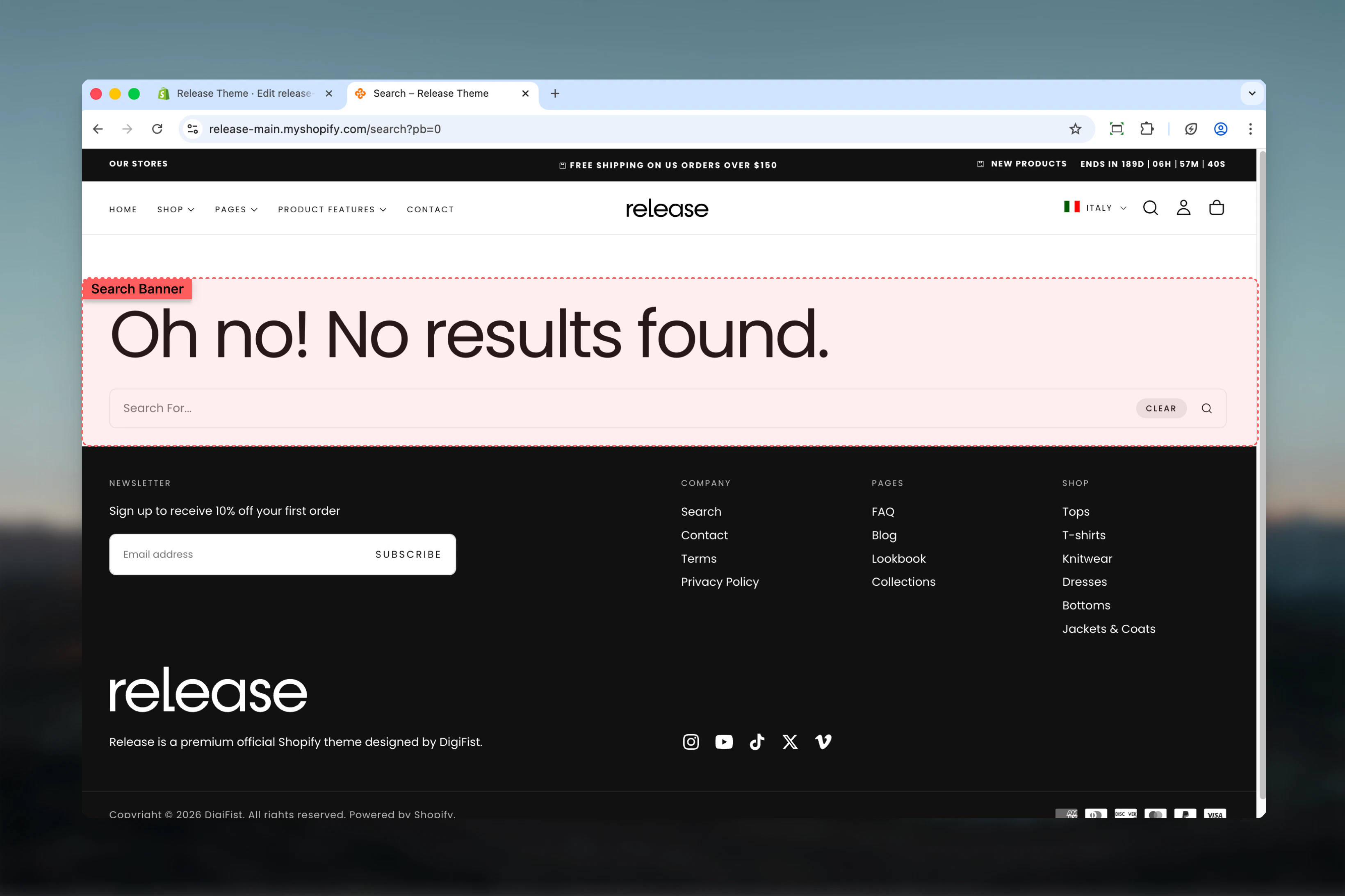
What this section controls
- Search page header area
- Search query display
- Banner layout and spacing
- Visual separation from results
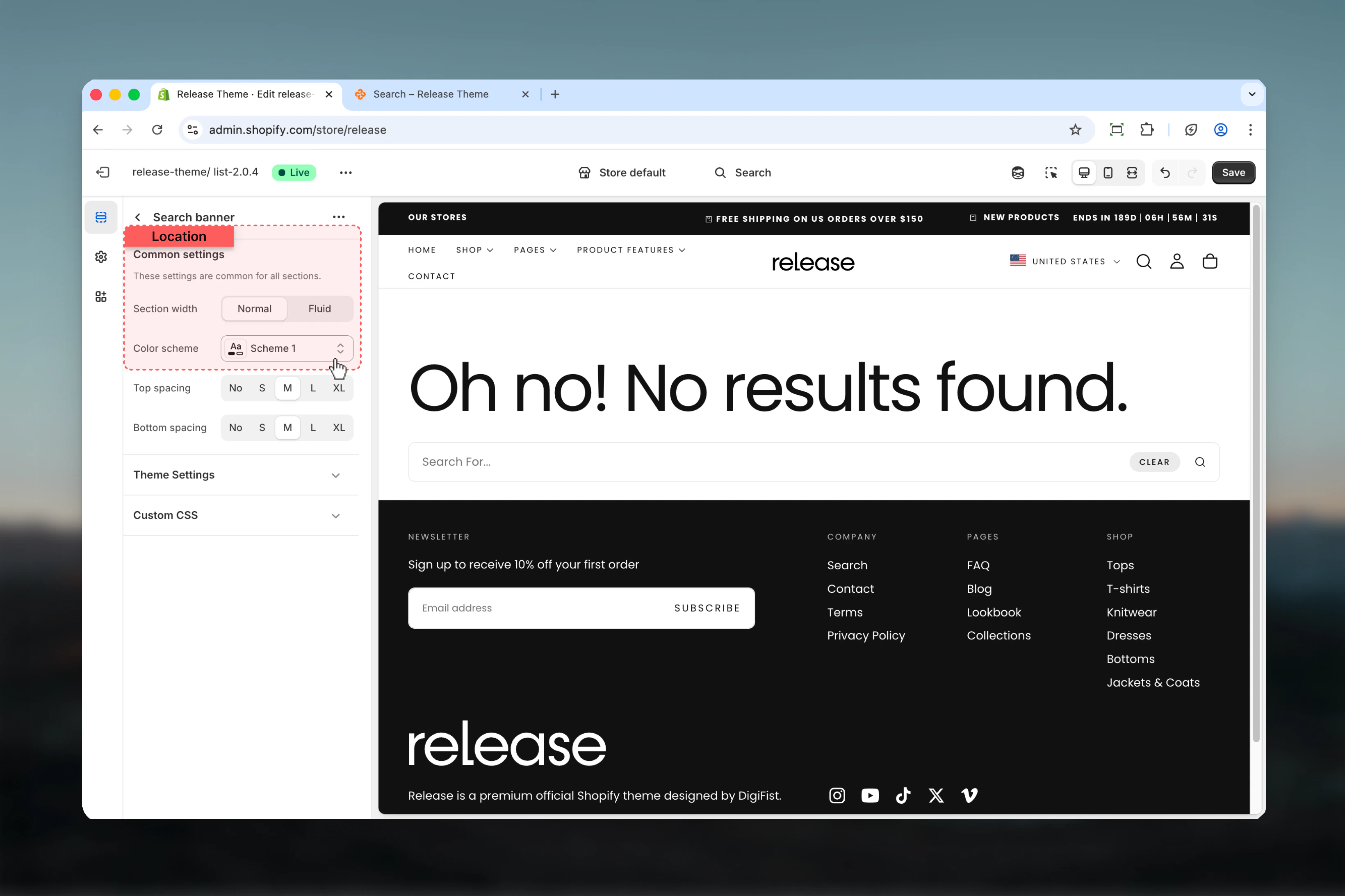
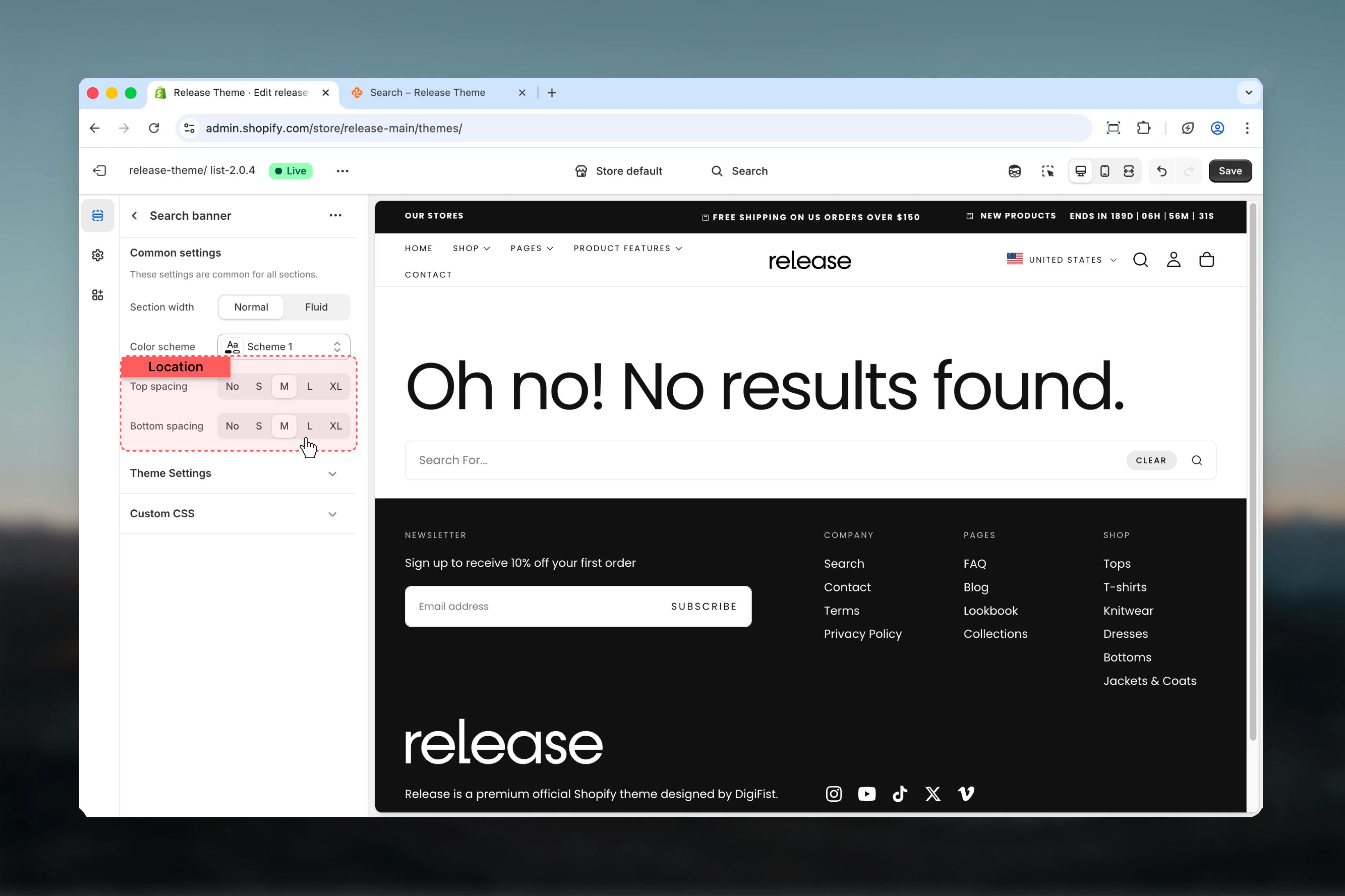
Section settings
- Layout
- Spacing
Best practices
- Width: Use max-w-page to match search results section
- Spacing: Keep minimal (S or M) to not push results down the page
- Color scheme: Match with main search section for cohesive design
- Mobile: Banner automatically optimizes for mobile screens
- Content: Banner typically shows “Search results for: [query]”
- Visibility: Consider reducing spacing for results-focused experience
Common use cases
- Standard search header - Display search query with M spacing
- Minimal approach - Reduce spacing to S or 0 for results-first layout
- Promotional banner - Use to feature sales or new arrivals above results
- Help text - Show search tips or popular search suggestions
- Results context - Display number of results and filter count
- Compact mobile - Reduce bottom spacing on mobile for more visible results
Related guides
Search Results
Configure the main search results section
Predictive Search
Set up predictive search dropdown