

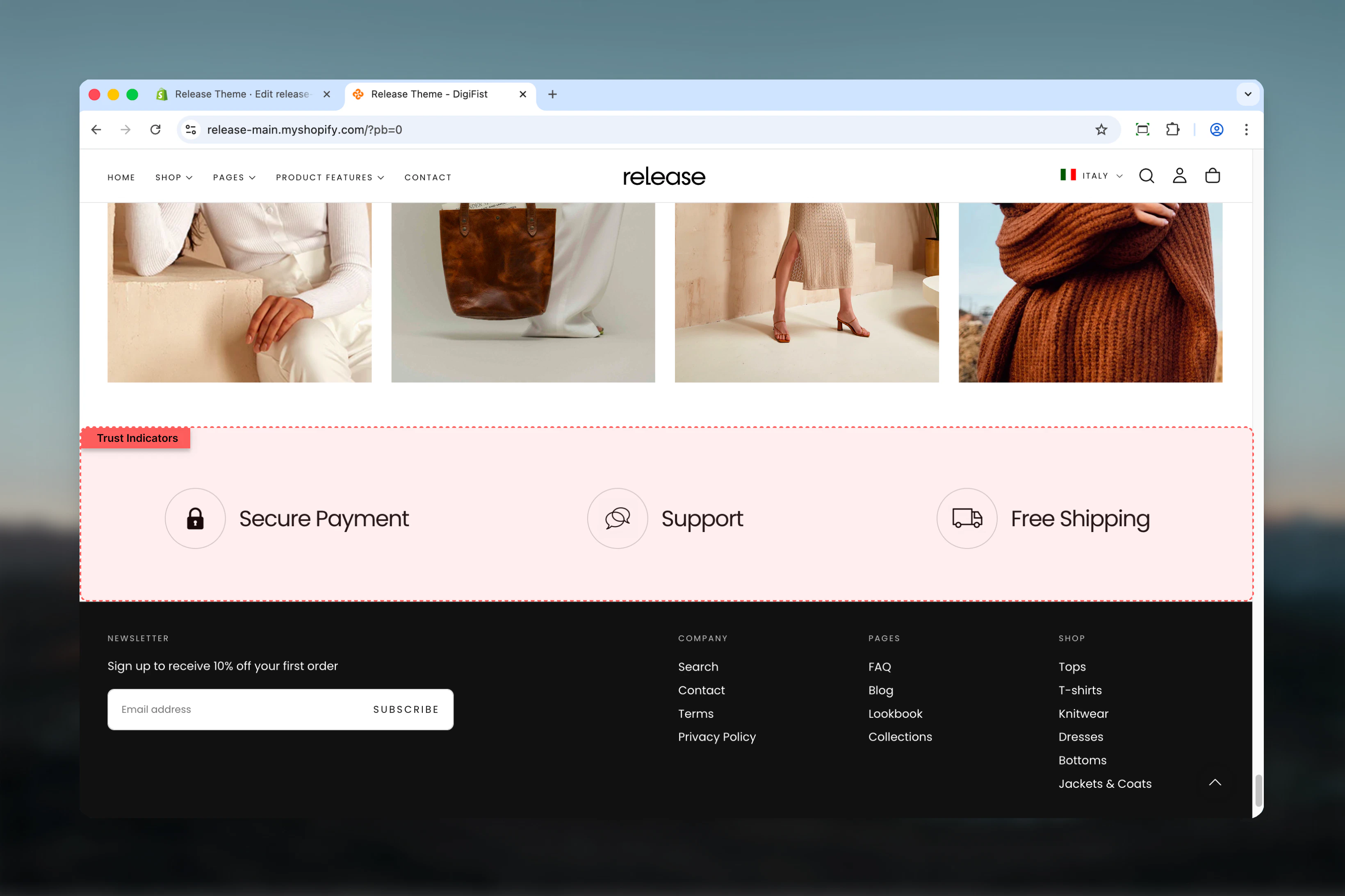
What this section controls
This section controls trust indicator displays with the following capabilities:- Up to 4 customizable indicator tiles
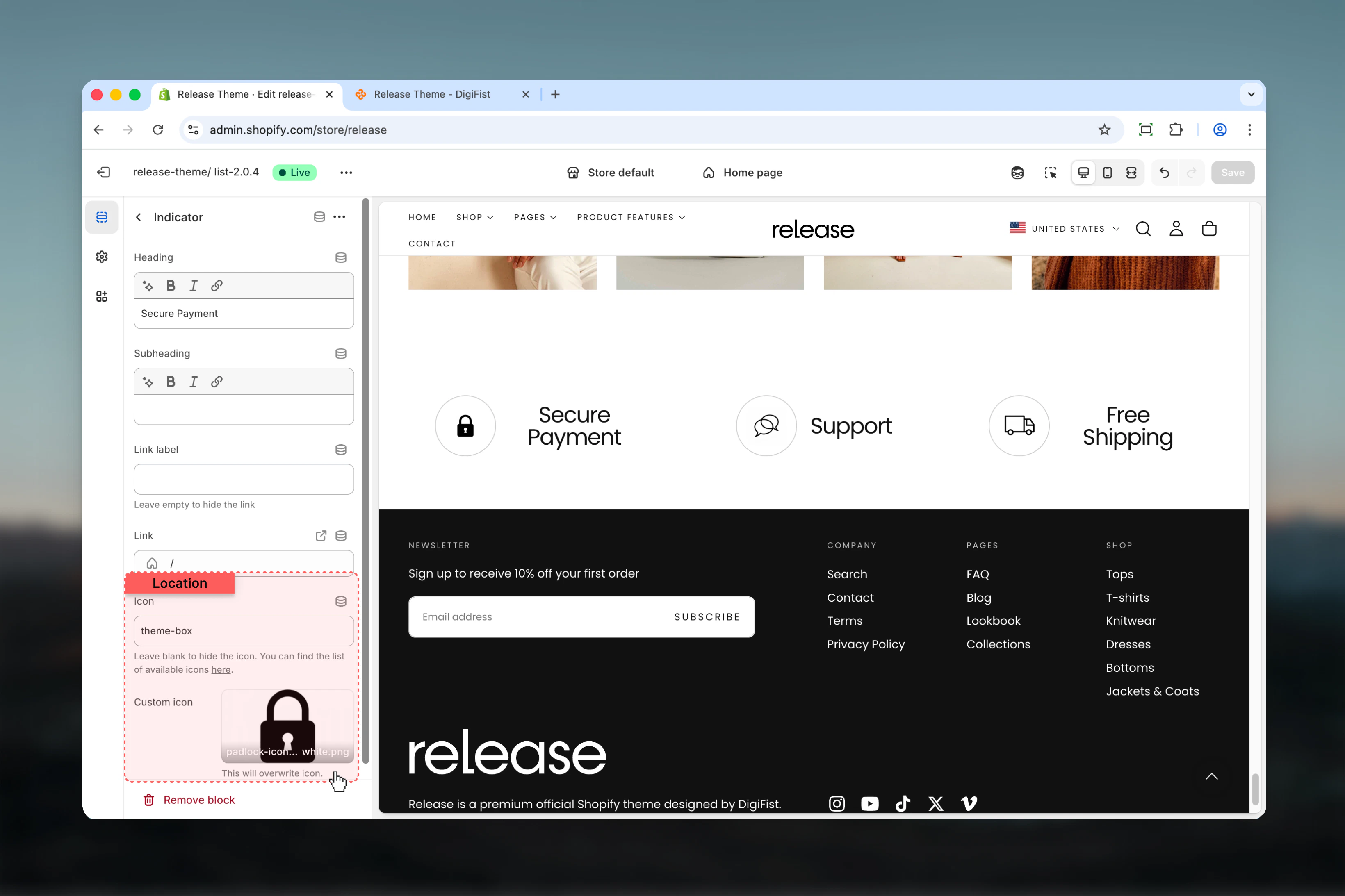
- Theme icons or custom image support
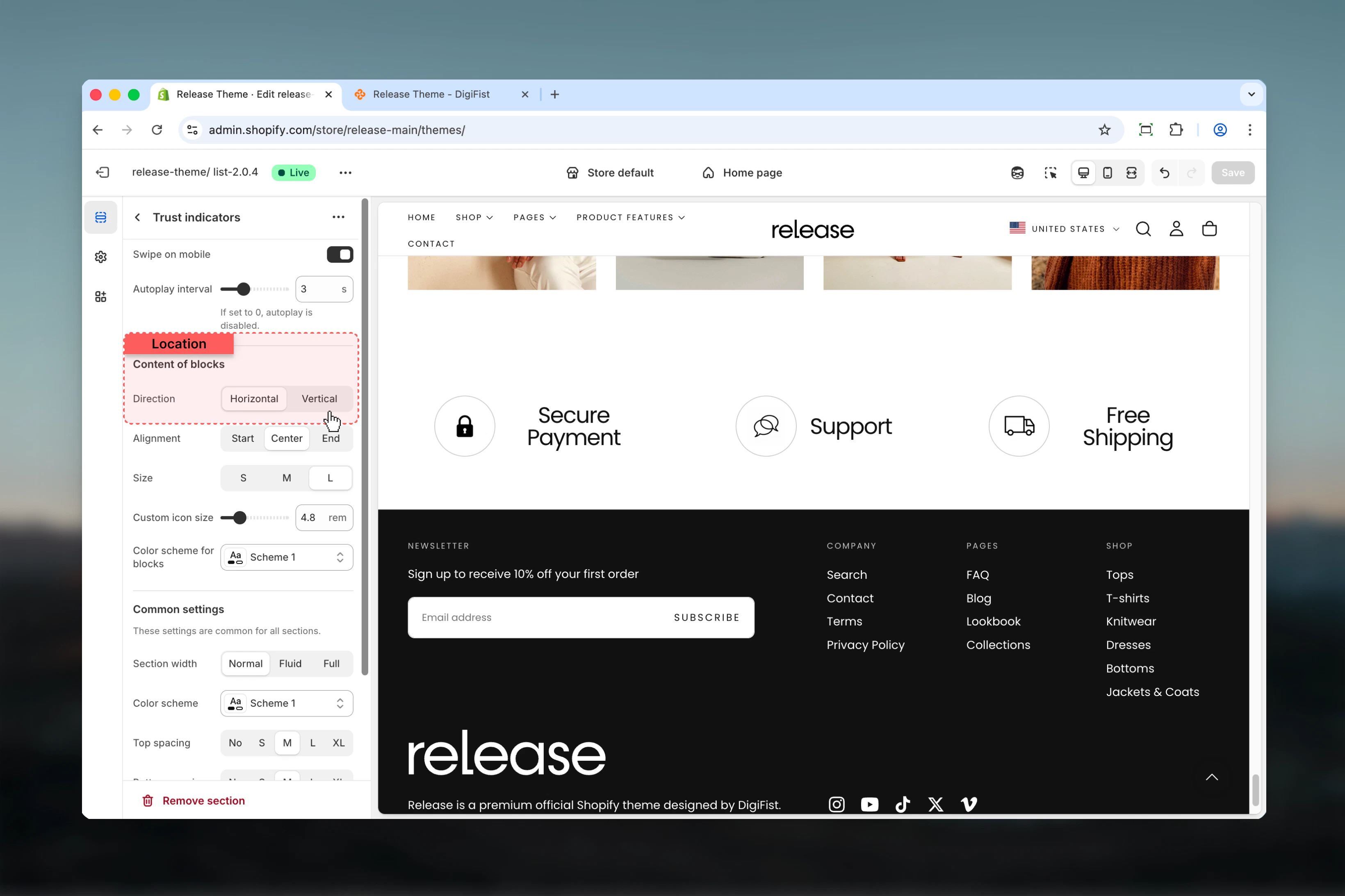
- Horizontal or vertical content layouts
- Carousel behavior on mobile and tablet
- Flexible alignment and sizing options
- Section-level and block-level color schemes
How the Trust Indicators section works
The Trust Indicators section uses a block-based system:- Displays trust indicators as individual tiles
- Supports up to 4 indicator blocks
- Icons can be theme icons or custom images
- Content direction can be horizontal or vertical
- Supports carousel behavior on mobile and tablet
- Fully customizable alignment and sizing
Getting started
1
Open Theme Customizer
From Shopify admin, access the Theme Customizer.
2
Add Trust Indicators section
Add the Trust Indicators section to your page or template.
3
Add indicator blocks
Click Add Indicator to create trust indicator tiles.
4
Configure content
Add heading, icon, and optional link for each indicator.
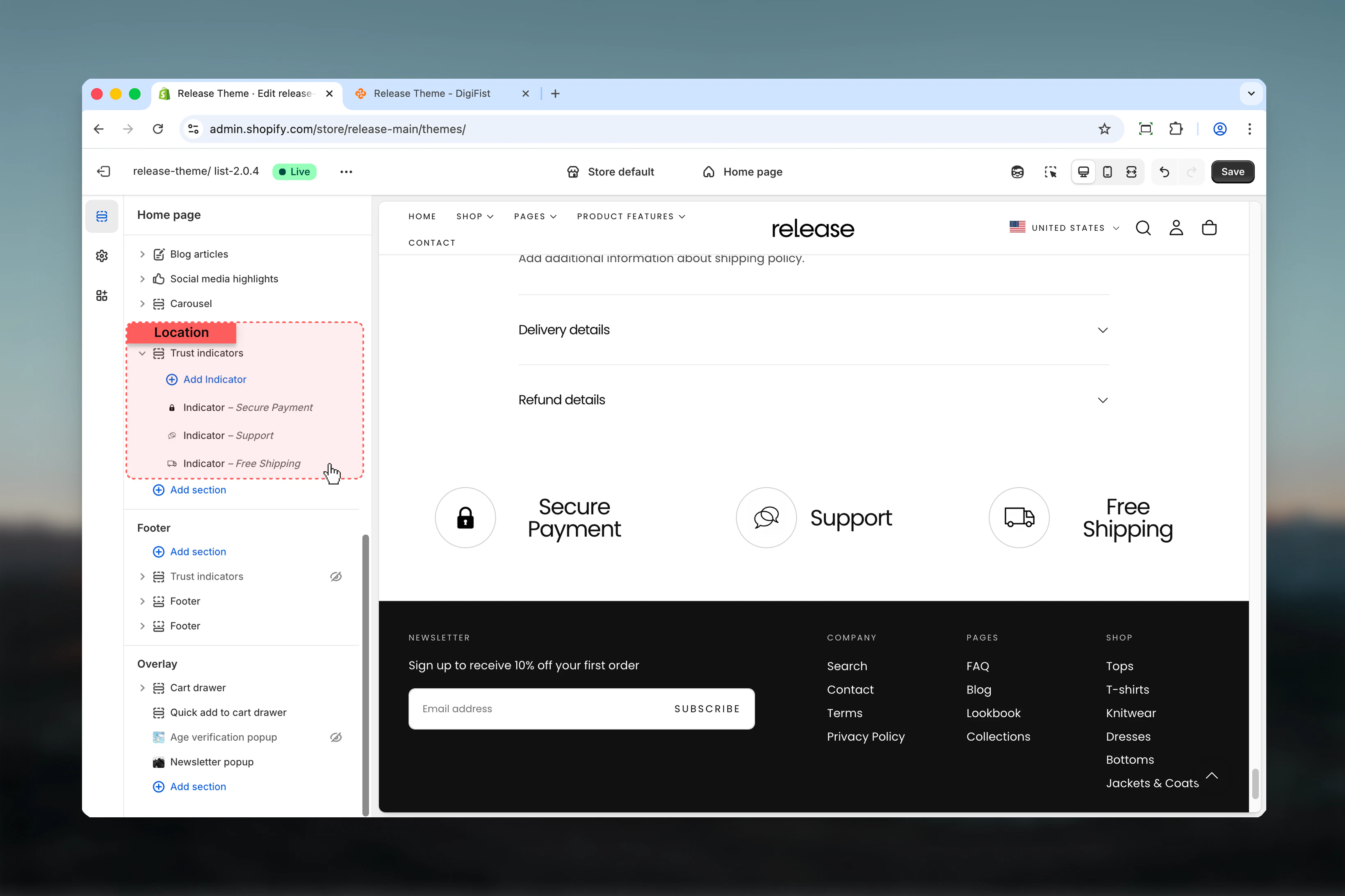
Section settings
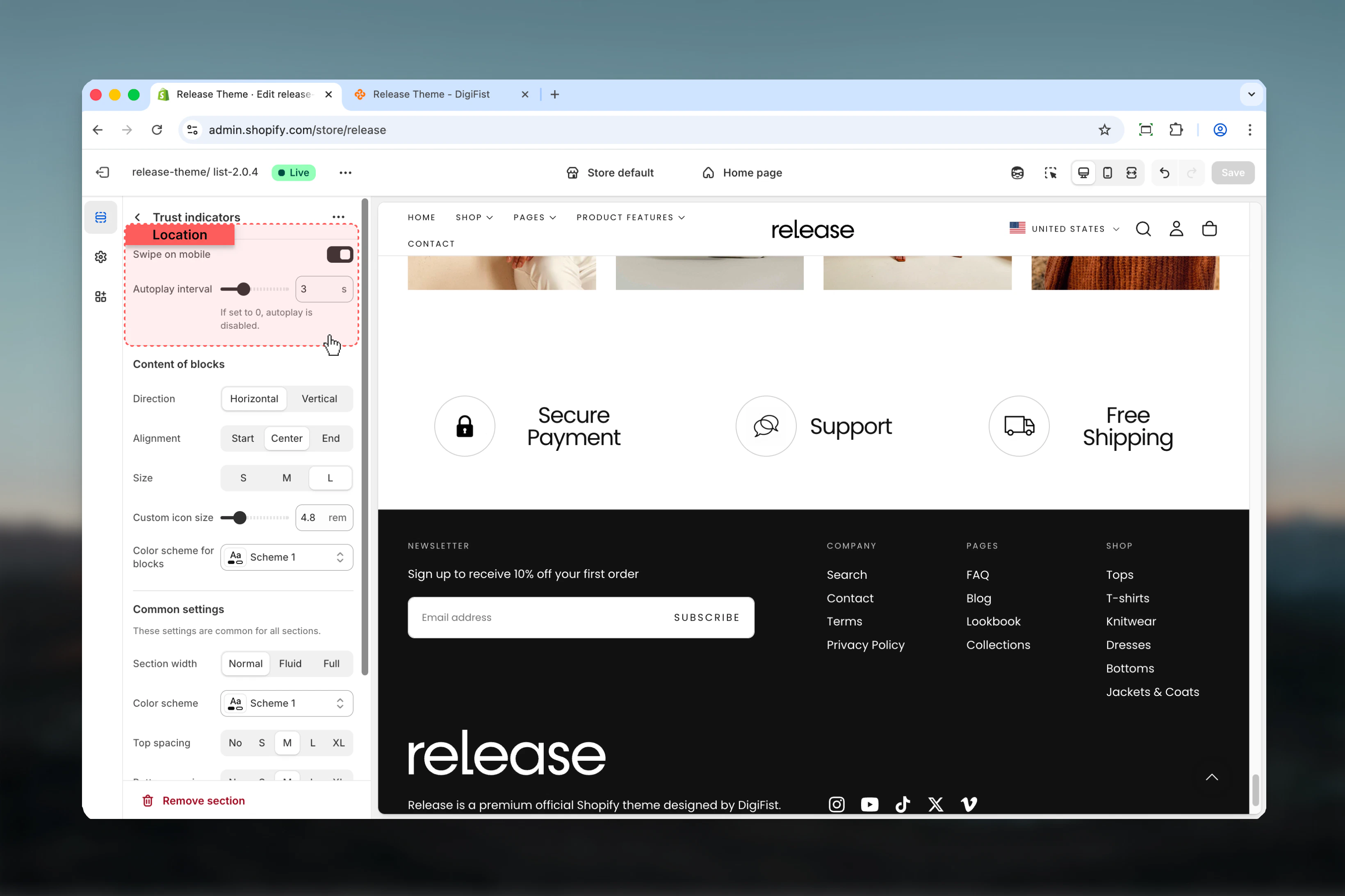
Section settings control slideshow behavior, content styling, and overall layout.- Slideshow
- Content of blocks
- Settings
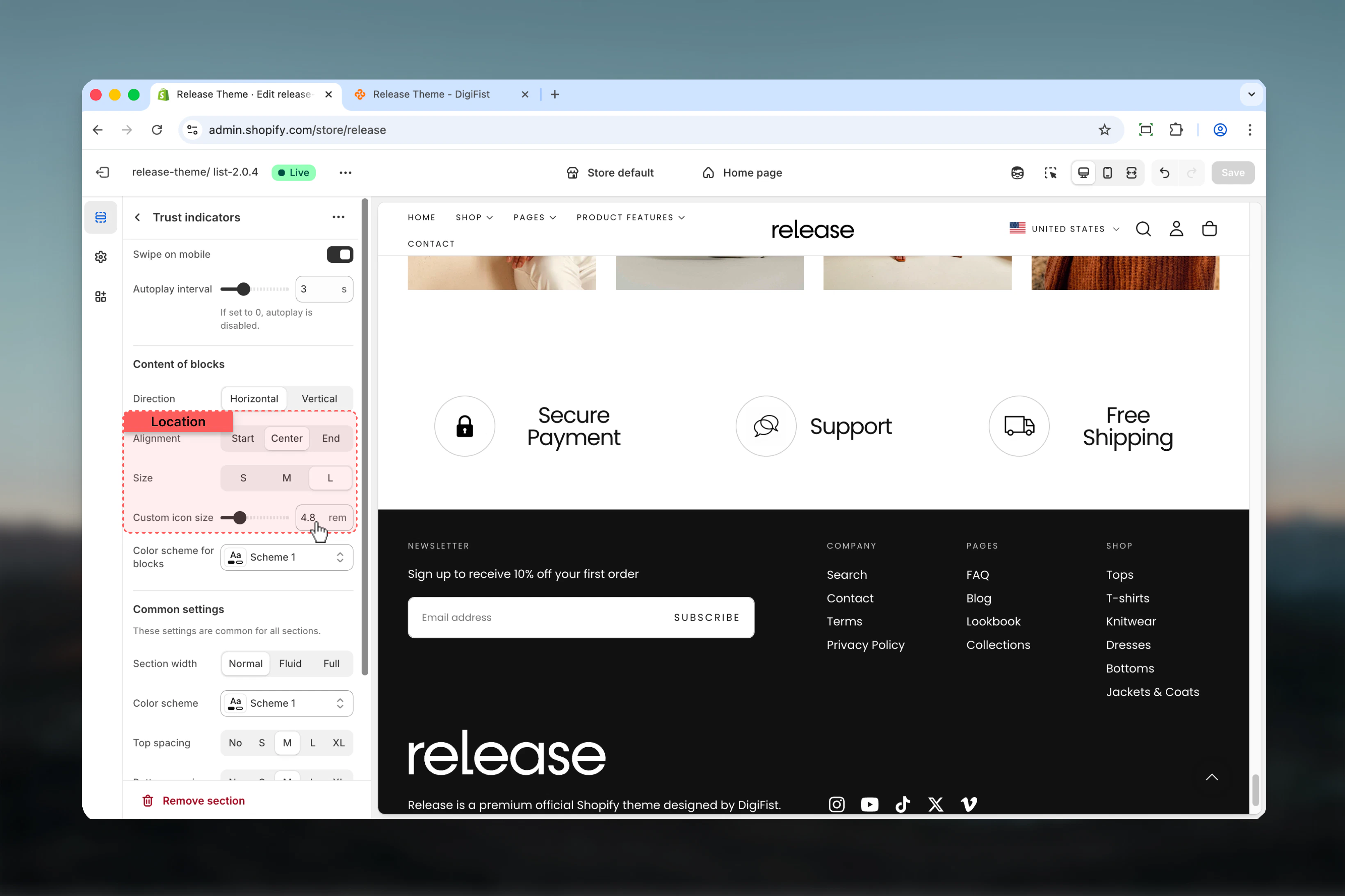
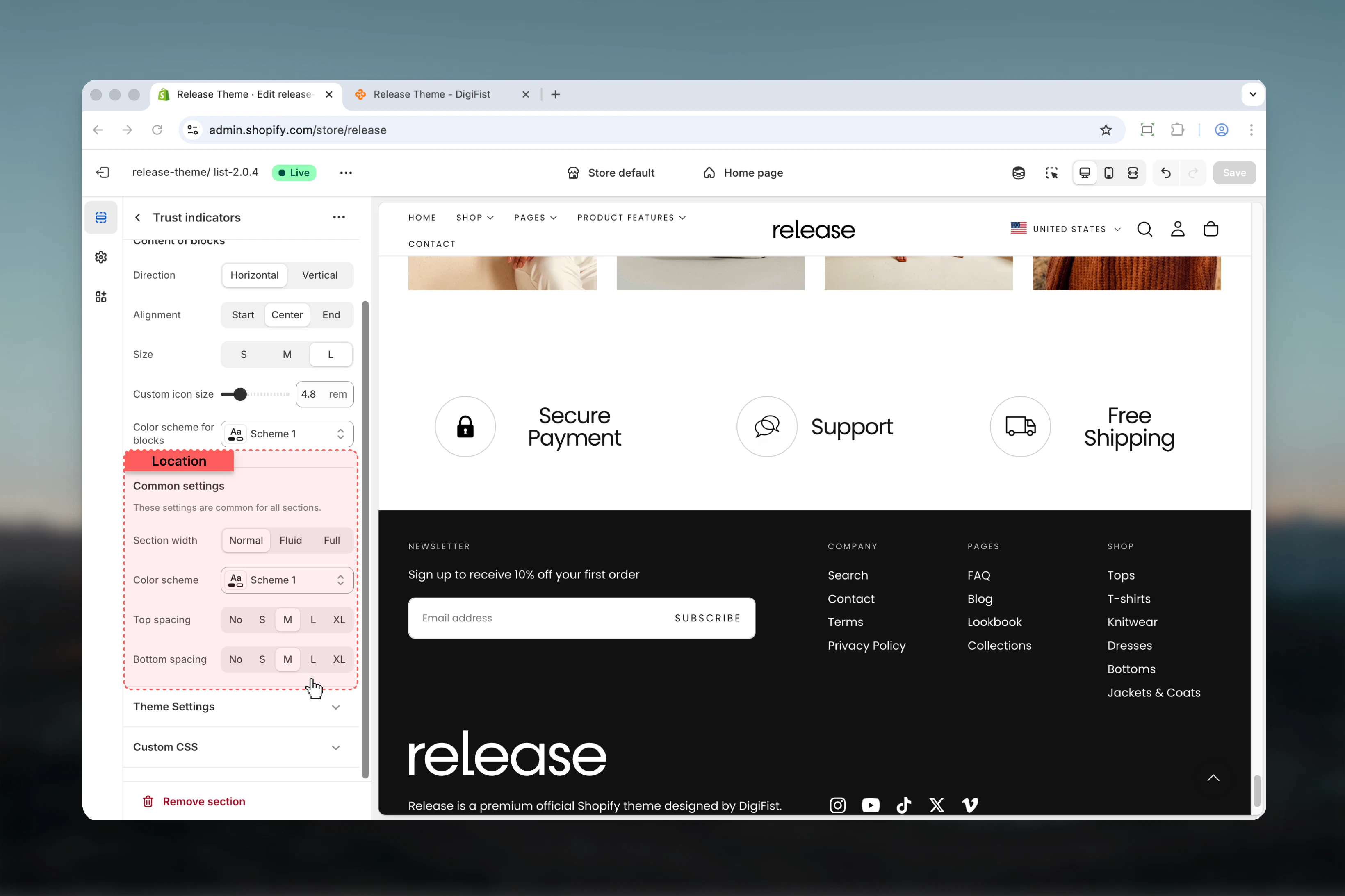
Block settings
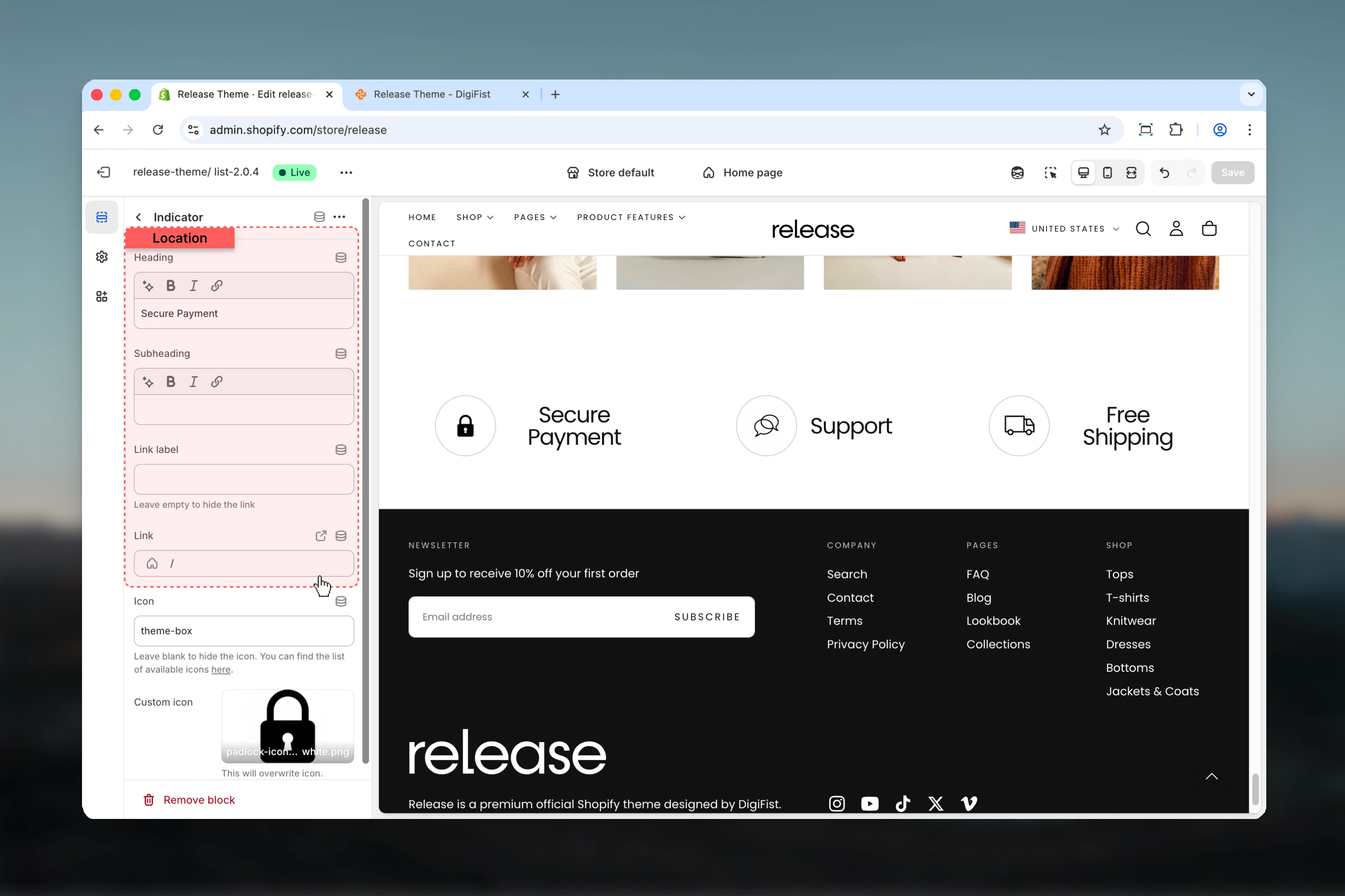
Block settings control individual indicator tiles. Each block represents a single trust indicator.- Indicator content
- Icon
Heading
Main title text for the indicator.- Inline rich text supported (bold, italic, links)
- Default: “Title of the trust indicator”
Subheading
Optional descriptive text below the heading.- Inline rich text supported
Link label
Text for the optional link.Leave empty to hide the link.
Link
Destination URL for the link.- Shopify URL selector
- Default: /
Best practices
- Keep headings concise and impactful (2-5 words) for quick comprehension
- Use consistent icon sizes across all indicators for visual harmony
- Limit to 3-4 indicators for optimal clarity and to avoid overwhelming users
- Choose icons that clearly represent the message being communicated
- Use custom icons for brand consistency and unique visual identity
- Test carousel behavior on mobile devices to ensure smooth interaction
- Ensure sufficient color contrast for readability across all color schemes
- Order indicators by importance or customer priorities
- Use actionable language that builds confidence (“Free Shipping”, “Secure Checkout”)
- Consider placement above the fold or near add-to-cart for maximum impact
Common use cases
- Free shipping and return policies - Highlight shipping benefits to reduce cart abandonment
- Secure payment guarantees - Build trust with payment security messaging
- Customer service highlights - Showcase 24/7 support or easy contact options
- Sustainability commitments - Display eco-friendly practices or certifications
- Quality assurance messages - Emphasize product quality or guarantees
- Delivery time promises - Set clear expectations for shipping timelines
Related guides
Common Settings
Learn about common settings shared across sections