

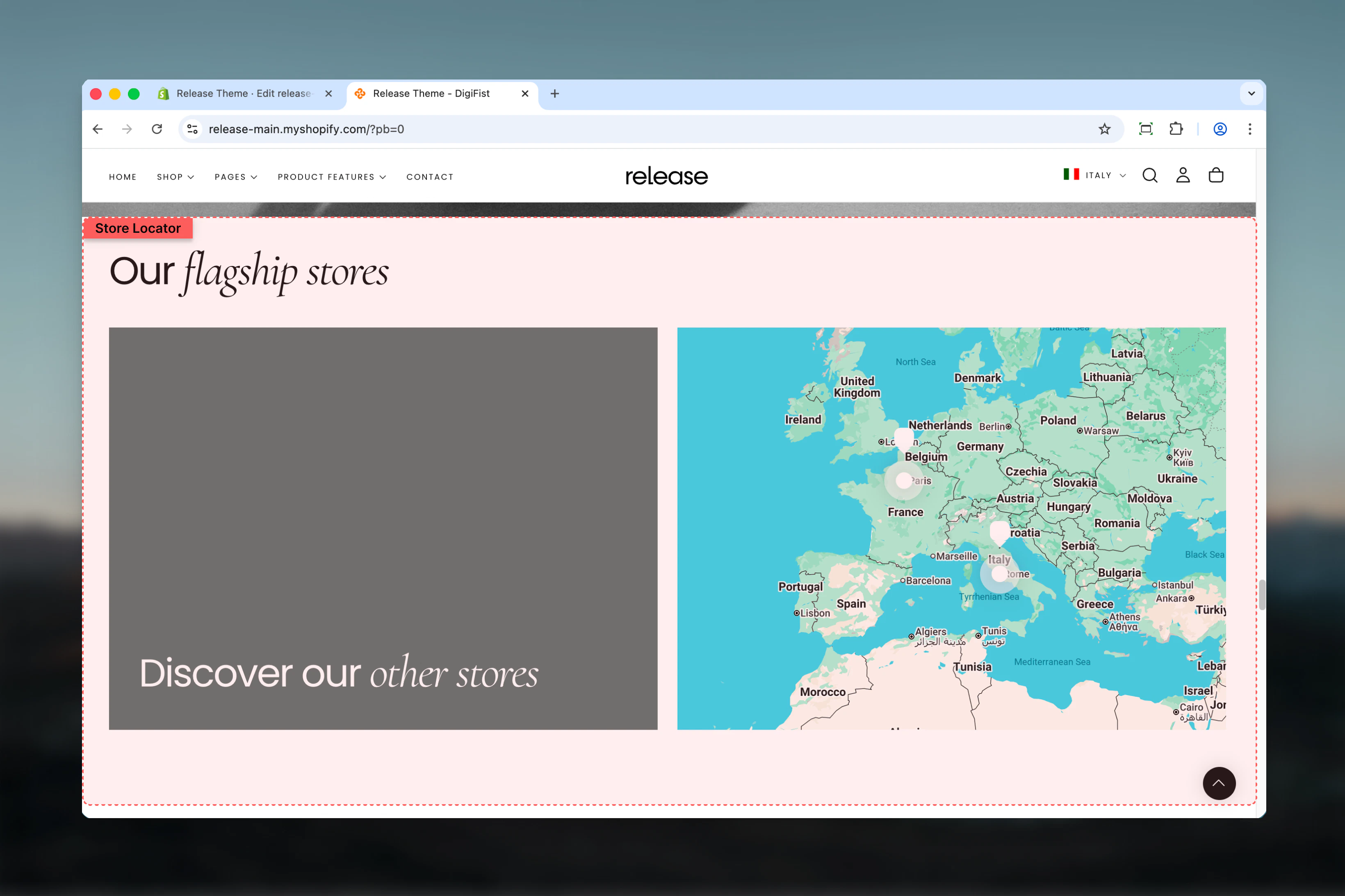
What this section controls
This section controls store location displays with the following capabilities:- Google Maps integration or image-based grid layout
- Individual store pins with detailed information
- Click-to-call and directions functionality
- Customizable card backgrounds and styles
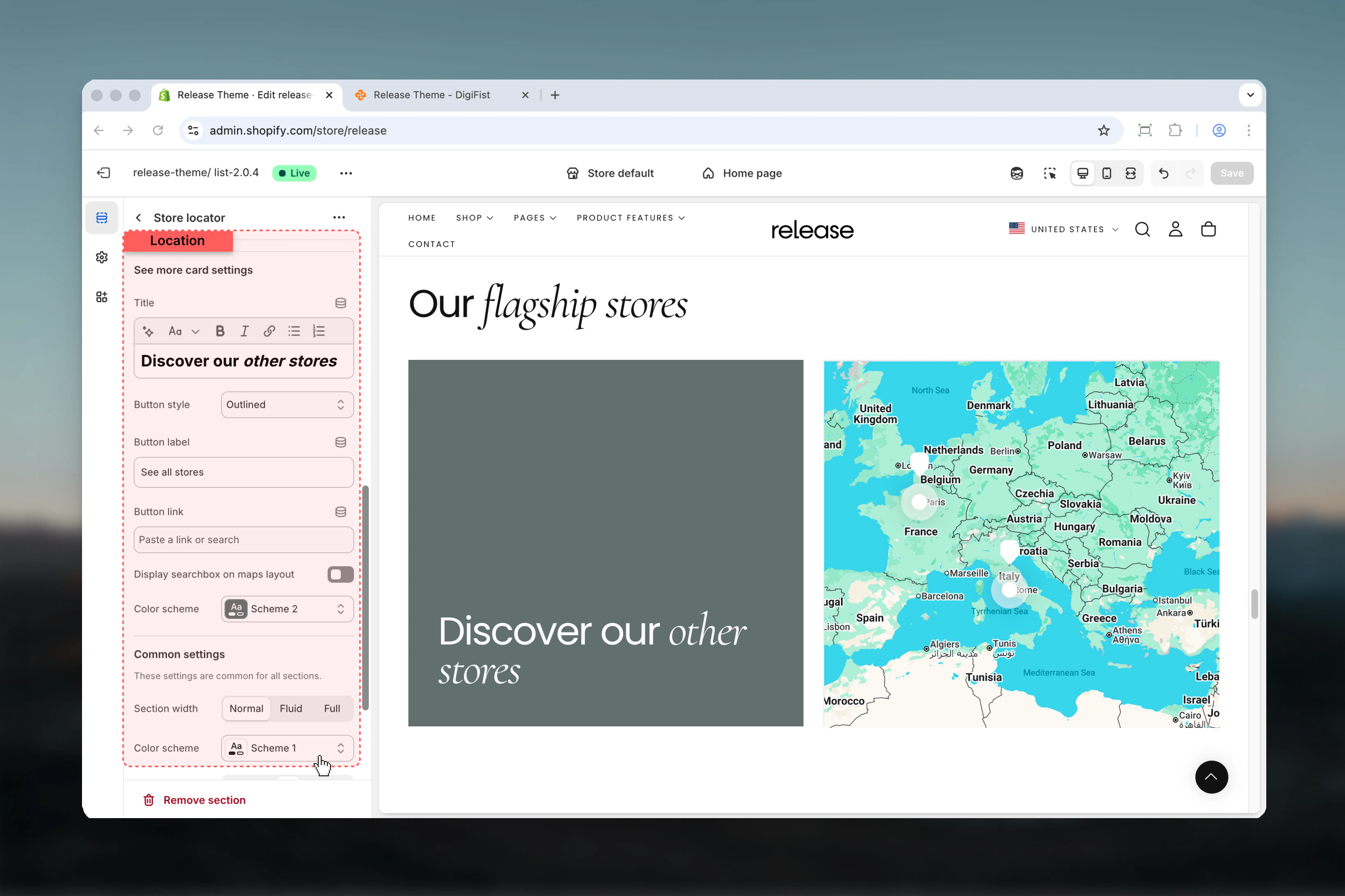
- Optional “See more” navigation card
- Desktop and mobile-specific height controls
How the Store Locator works
The Store Locator uses a block-based system:- Displays store locations using Google Maps or image layout
- Each store is represented by a Pin block
- Supports store details such as address, opening hours, contact actions
- Optionally includes a See more card for additional navigation
- Layout adapts for desktop and mobile devices
Getting started
1
Open Theme Customizer
From Shopify admin, access the Theme Customizer.
2
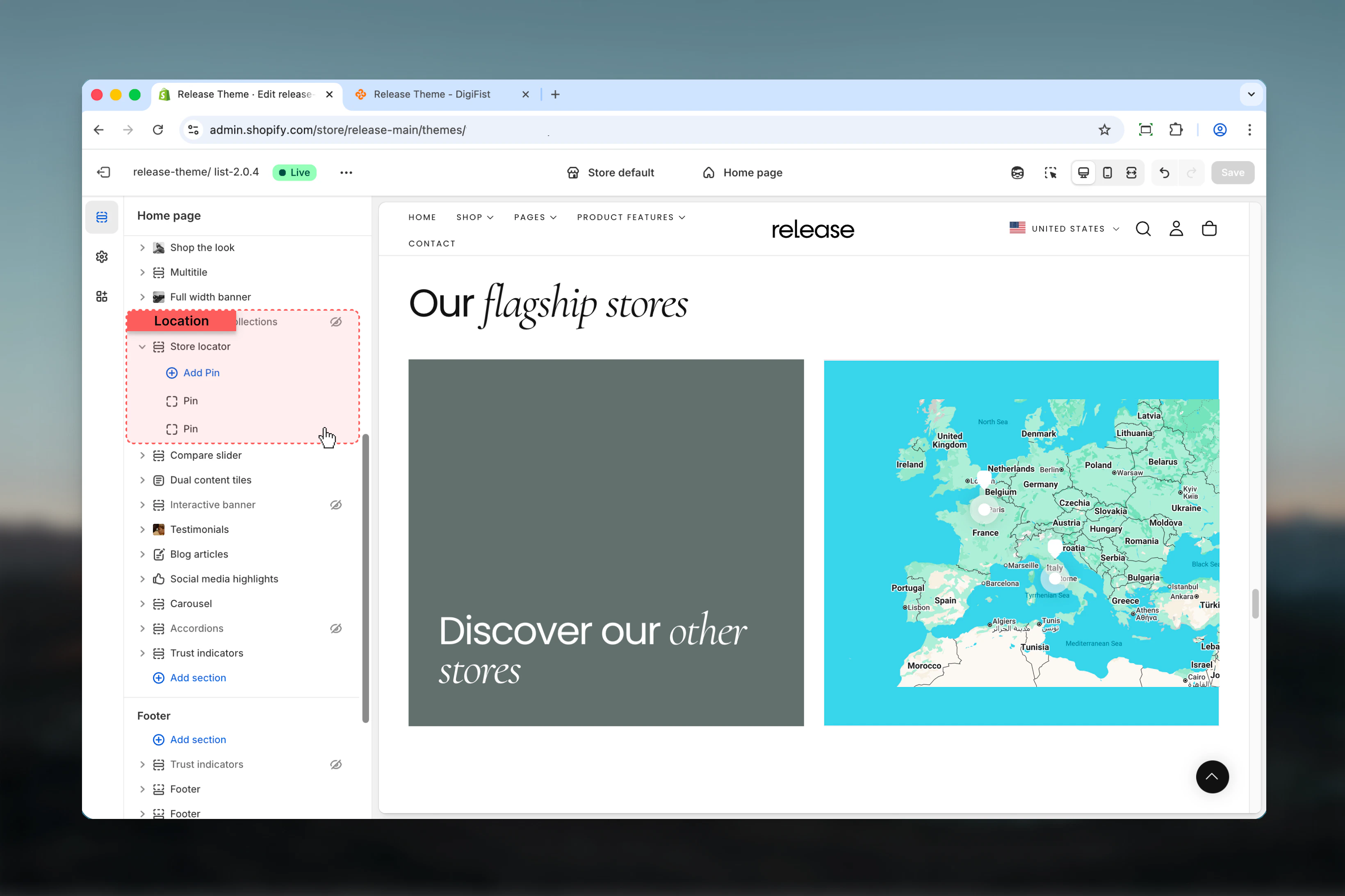
Add Store Locator section
Add the Store Locator section to your page or template.
3
Add pin blocks
Click Add block and select Pin to add store locations.
4
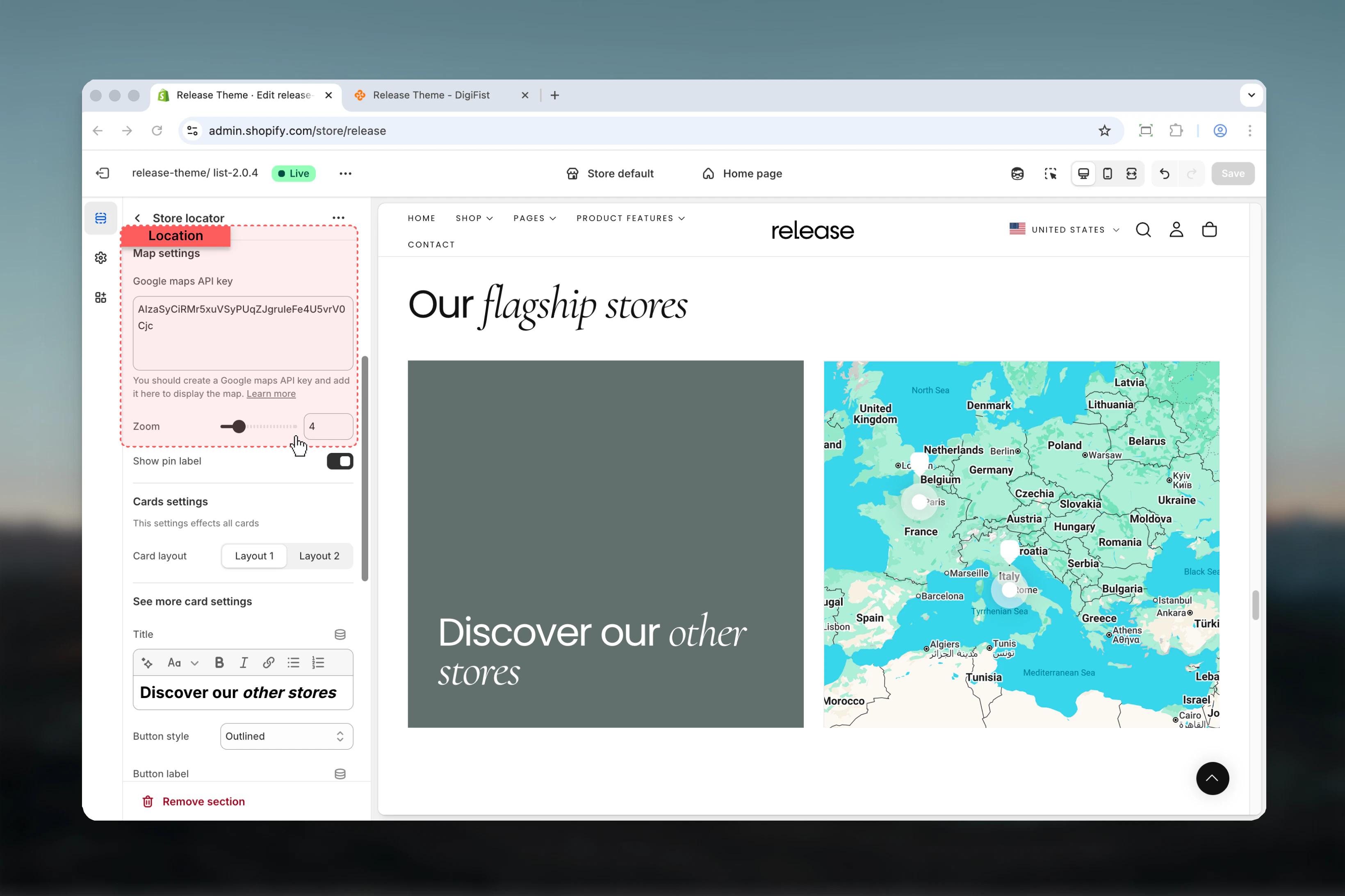
Configure map settings
If using Map layout, add your Google Maps API key and adjust zoom level.
Section settings
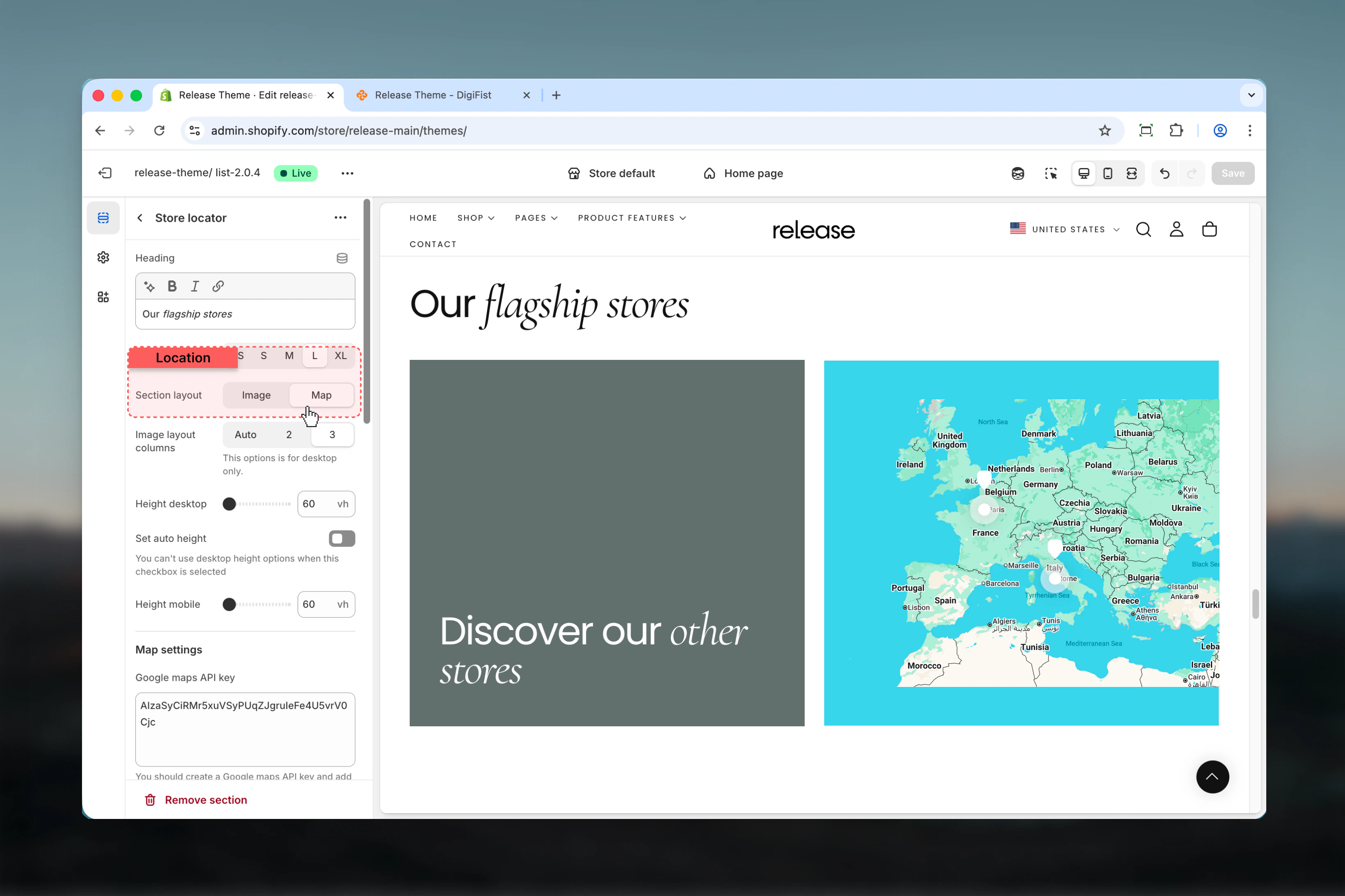
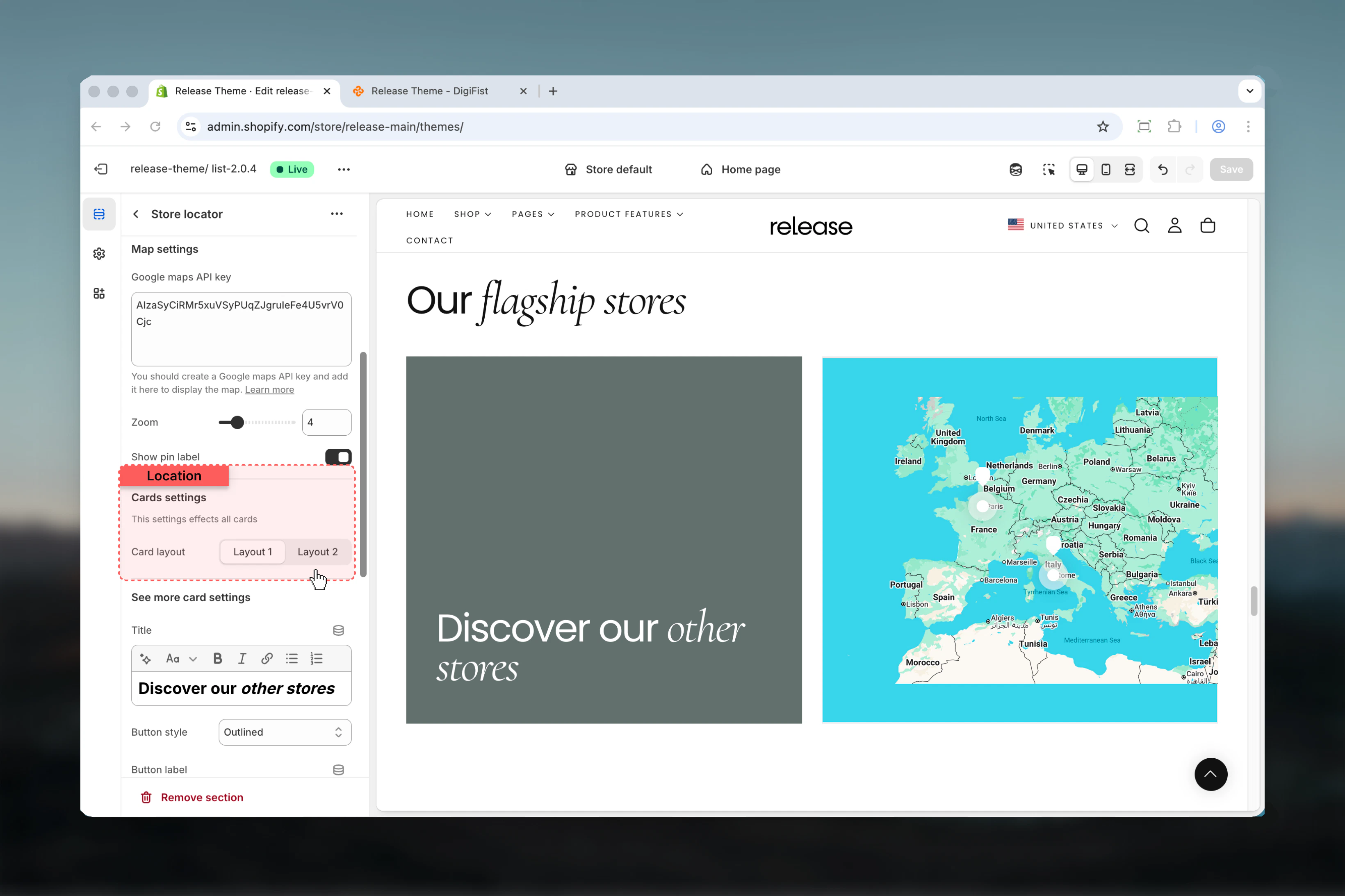
Section settings control layout type, sizing, map behavior, and global card styles.- Content
- Layout
- Map settings
- Cards settings
Block settings
Block settings control individual store locations and navigation cards. There are two block types:- Pin (multiple allowed)
- See more card (maximum 1)
- Pin block
- See more card block
Represents an individual store location.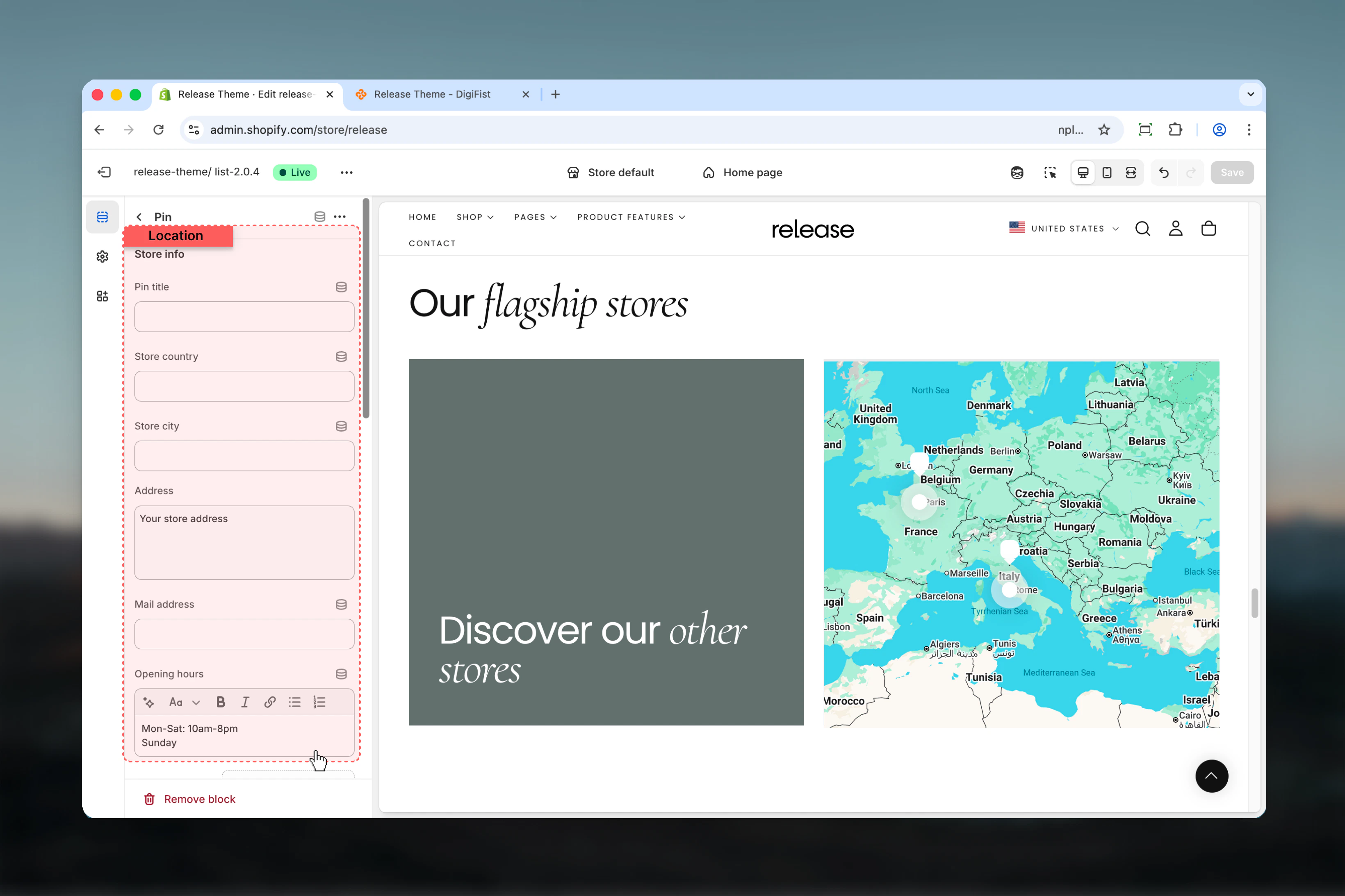
Store name
Store title displayed on the card and map.- Rich text support (bold, italic, links)
Address
Store address information.- Textarea input
Opening hours
Store working hours.- Rich text support
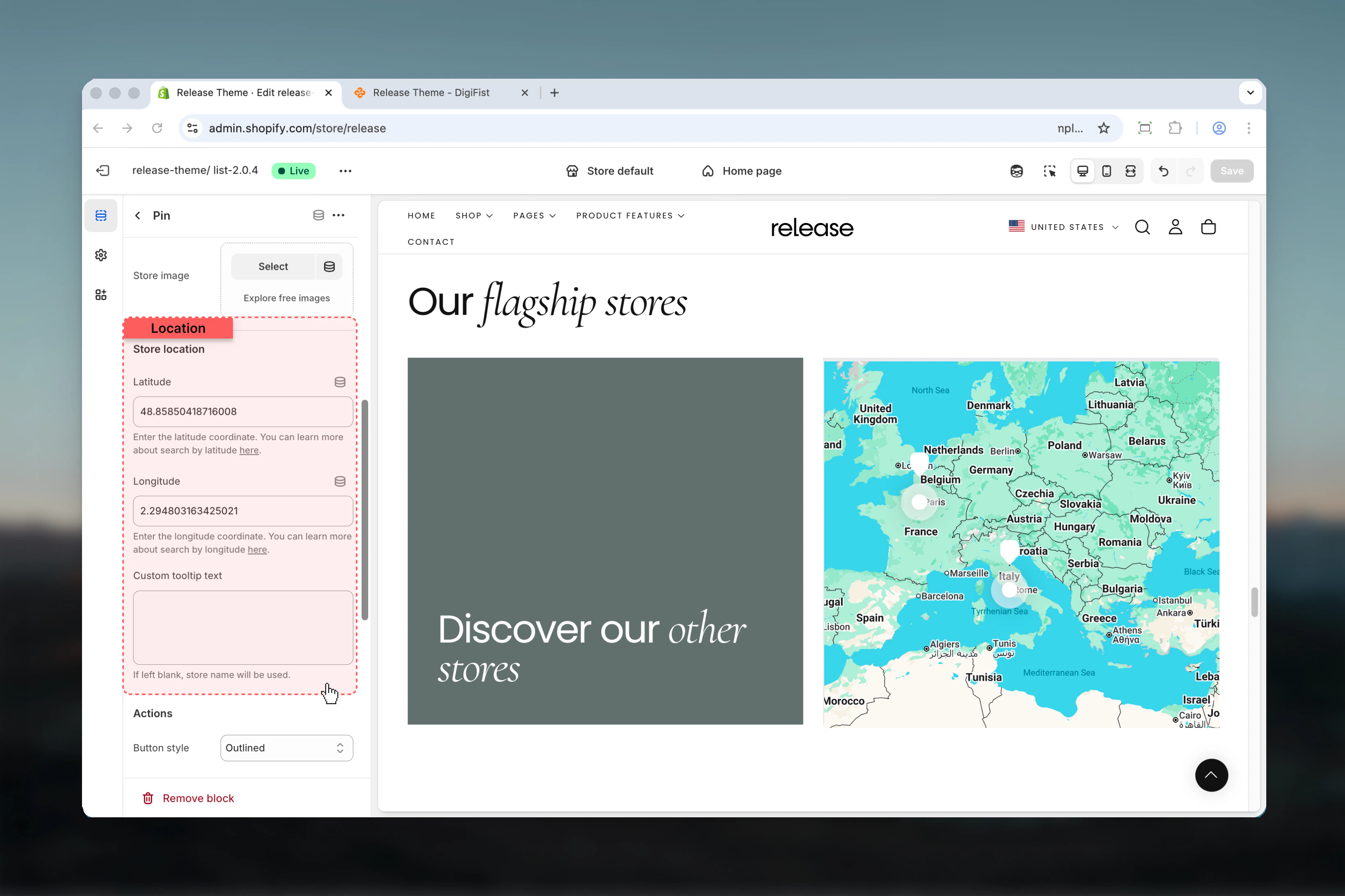
Store image
Optional image representing the store.- Shopify image selector
Store location
Used to position the pin on the map.Latitude
Latitude coordinate of the store.- Text input
Longitude
Longitude coordinate of the store.- Text input
Custom tooltip text
Text shown when hovering over the map pin.- Textarea input
If left blank, the store name will be used.
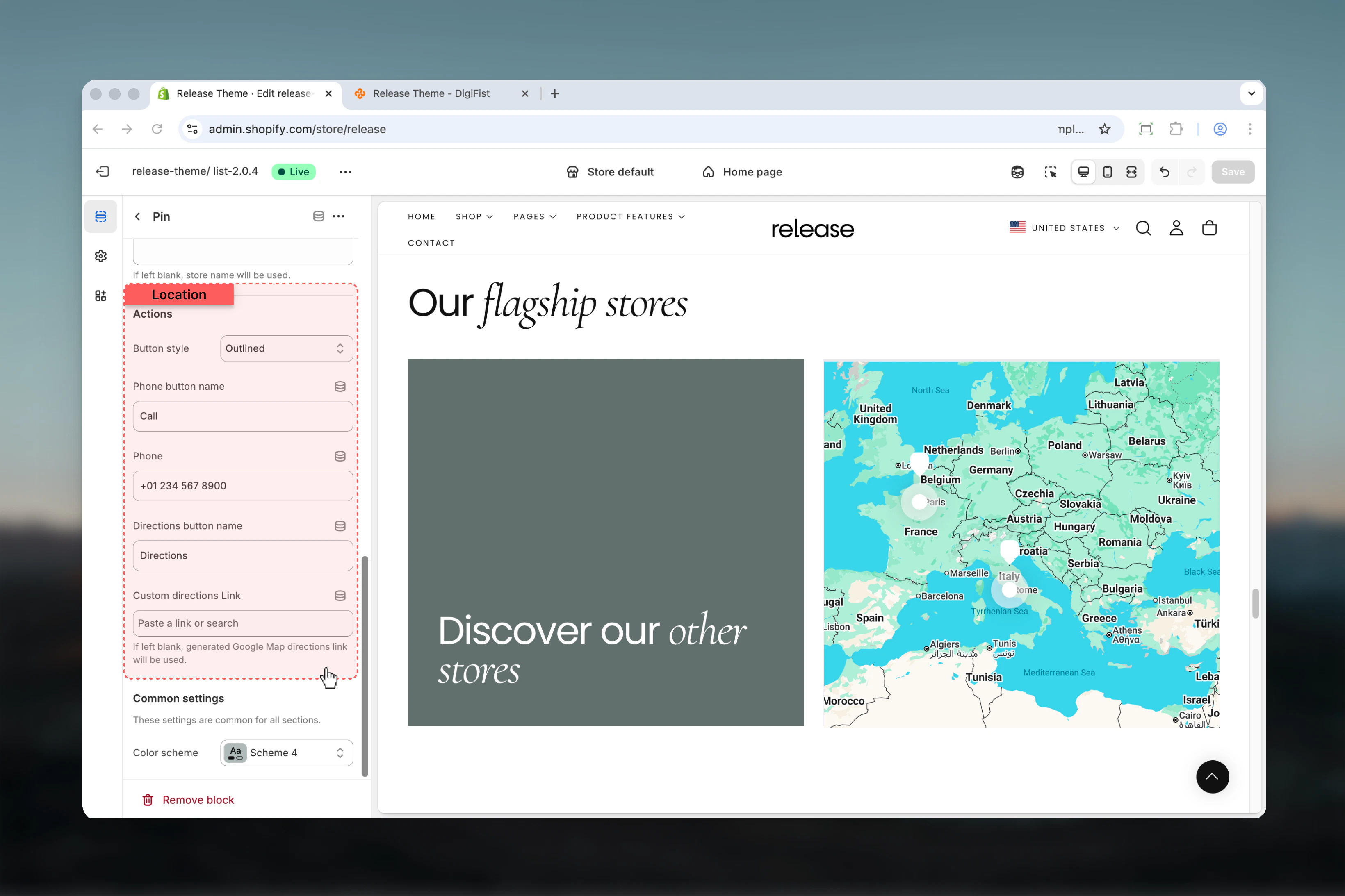
Actions
Interactive buttons displayed on the store card.Button style
Controls the style of action buttons.Available options: Filled, Outlined, DefaultPhone button name
Label for the phone call button.Phone
Phone number used for click-to-call action.Directions button name
Label for the directions button.Custom directions link
Custom URL for directions.- Shopify URL input
If left blank, a Google Maps directions link will be generated automatically.
Best practices
- Always verify latitude and longitude values using a reliable mapping service
- Use consistent card background styles across all store locations for visual harmony
- Keep store names and addresses concise and easy to scan
- Use the See more card to link to a dedicated store page with additional locations
- Ensure Google Maps API key is active and properly configured with necessary restrictions
- Include accurate opening hours and update them for holidays or special occasions
- Test map pins on mobile devices to ensure proper touch interaction
- Use high-quality store images that represent the location accurately
- Provide both phone and directions options for better user experience
Common use cases
- Physical store listings - Display retail locations for customers to visit
- Dealer or reseller maps - Show authorized dealers or distributors
- Multi-location businesses - Showcase franchise or chain locations
- Showroom finders - Help customers find product showrooms or experience centers
Related guides
Common Settings
Learn about common settings shared across sections