

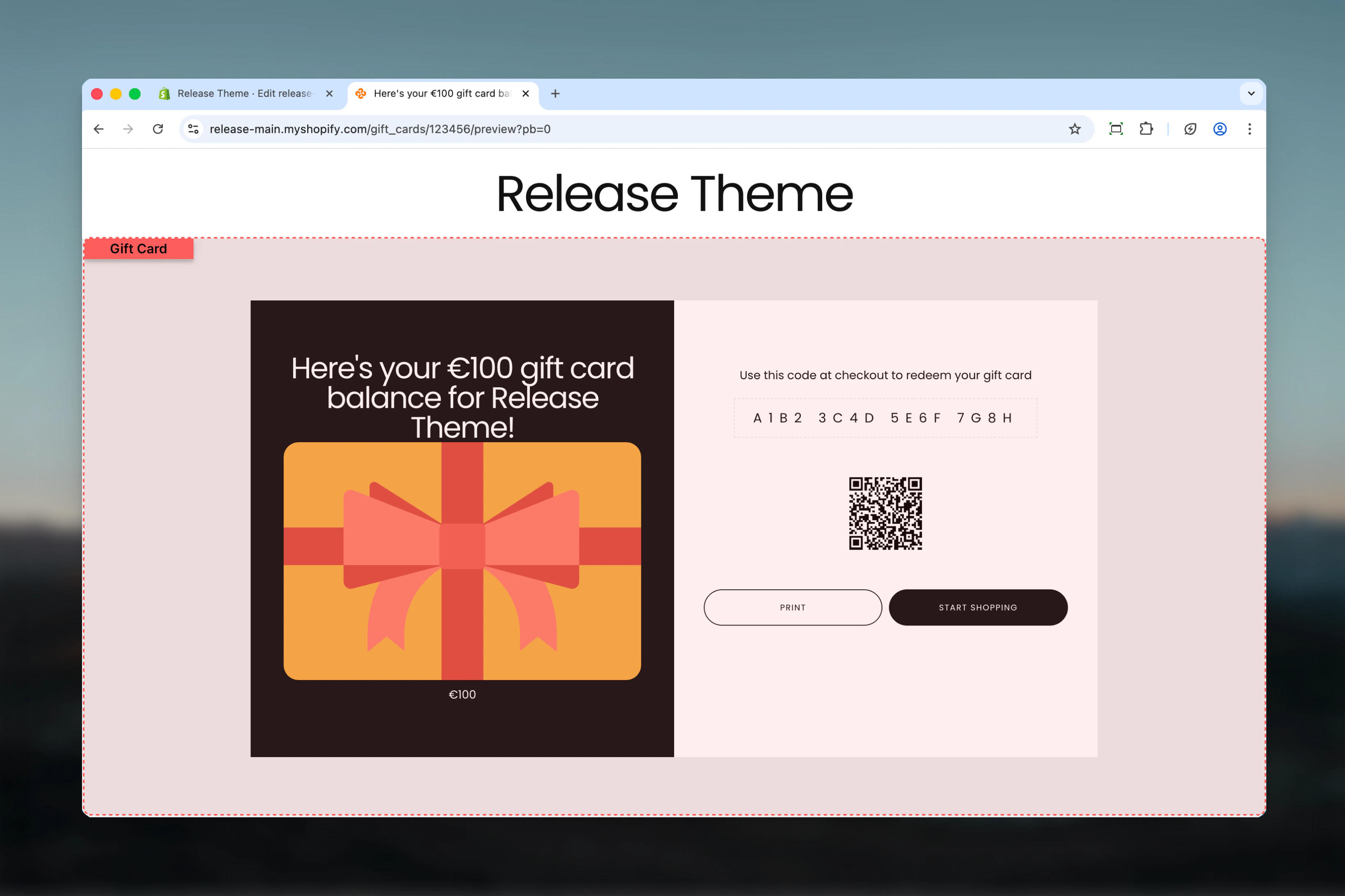
What this section controls
- Gift card page branding
- Logo images (main and card overlay)
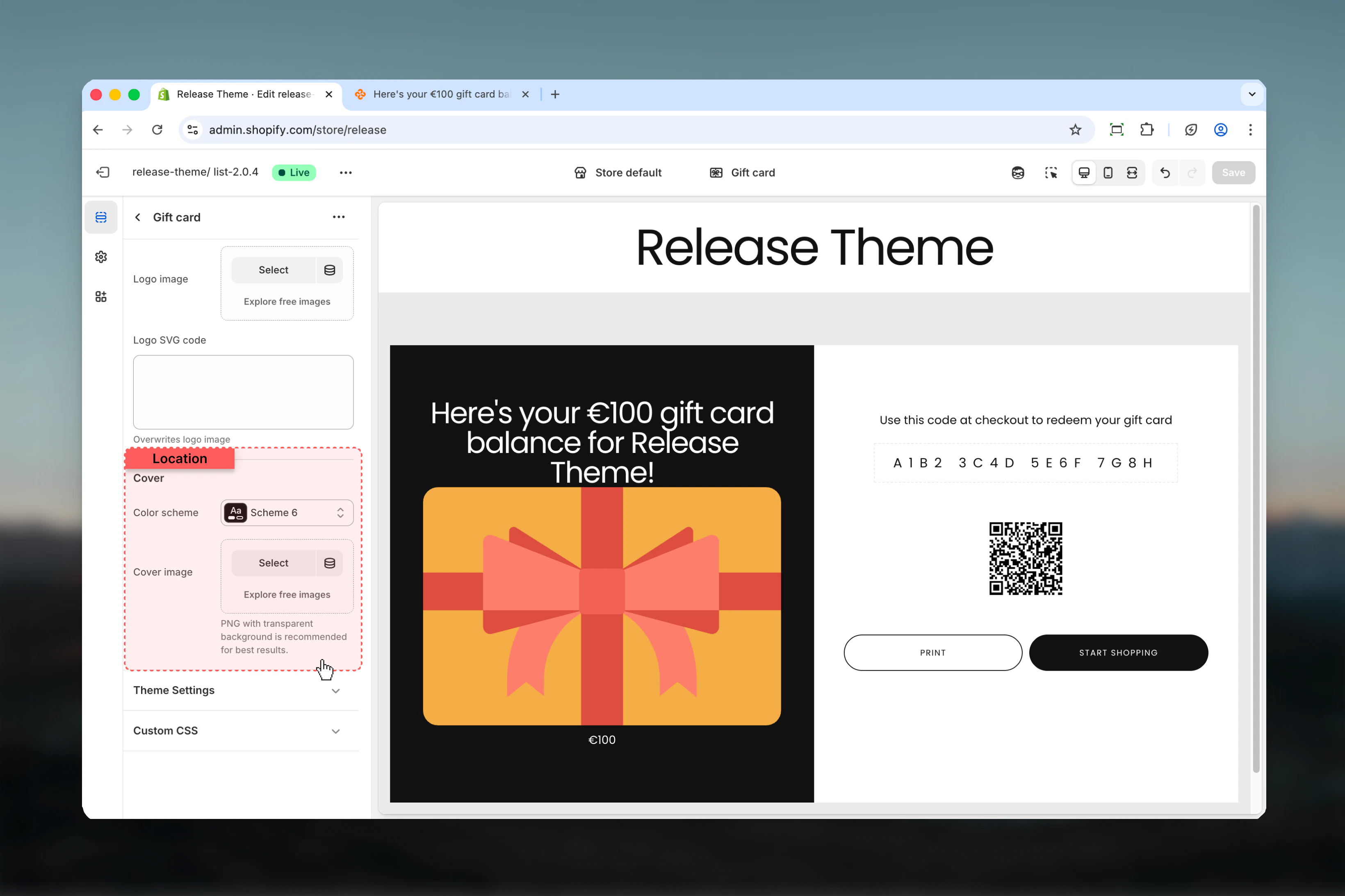
- Color scheme for gift card visual
- Gift card display styling
Section settings
- Branding
- Cover Design
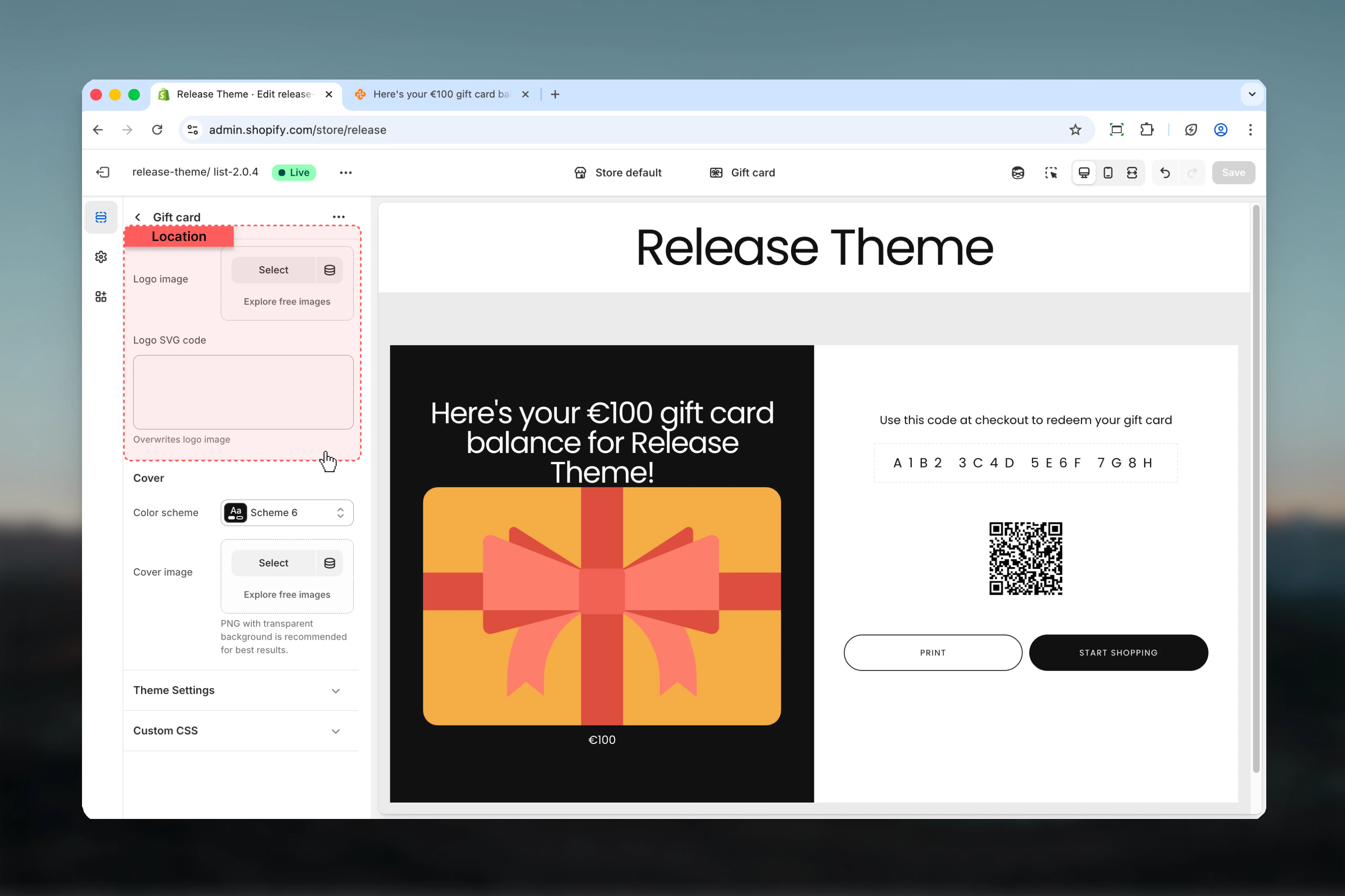
Logo image
Upload your brand logo to display on the gift card page.- Supports PNG, JPG formats
- Recommended: High resolution for retina displays
Logo SVG code
Alternative to logo image using scalable vector graphics.- Paste SVG code directly
- Benefits: Crisp at any size, smaller file size
- Use when you need perfect logo clarity
Best practices
- Logo format: Use PNG with transparency for logo_image, SVG for perfect clarity
- Logo sizing: Keep logo_image dimensions reasonable (max 400px wide)
- Card logo: logo_card_image should be square or horizontal, optimized for overlay
- Color scheme: Choose scheme that complements brand colors and stands out
- Brand consistency: Ensure gift card design matches overall brand aesthetic
- Mobile testing: Preview gift card page on mobile devices for logo sizing
- File optimization: Compress images to ensure fast page load
- Seasonal updates: Update logo_card_image for holidays or special occasions
Common use cases
- Standard branding - Upload logo_image (PNG), use brand color scheme
- Premium look - SVG logo for crisp display, dark luxury color scheme
- Seasonal cards - Change logo_card_image for Christmas, Valentine’s, etc.
- Minimal design - No logo images, focus on color scheme and typography
- Corporate gifts - Professional logo placement with neutral scheme-6 or custom
- Special editions - Custom logo_card_image for limited edition gift cards
Related guides
Product Page
Configure gift card product pages
Theme Settings
Create custom color schemes