

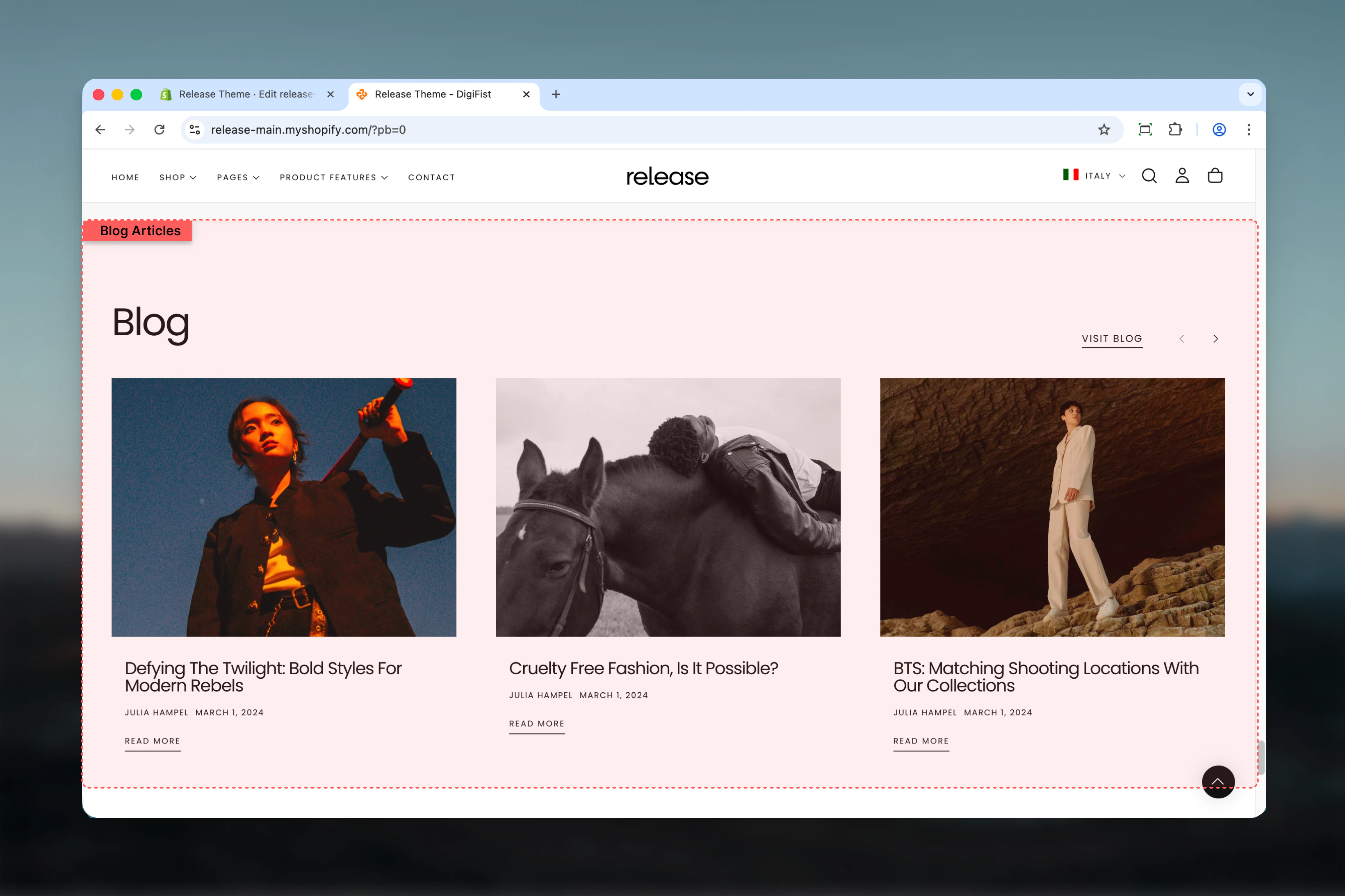
What this section controls
This section controls blog article displays with the following capabilities:- Automatic or manual article selection from Shopify blogs
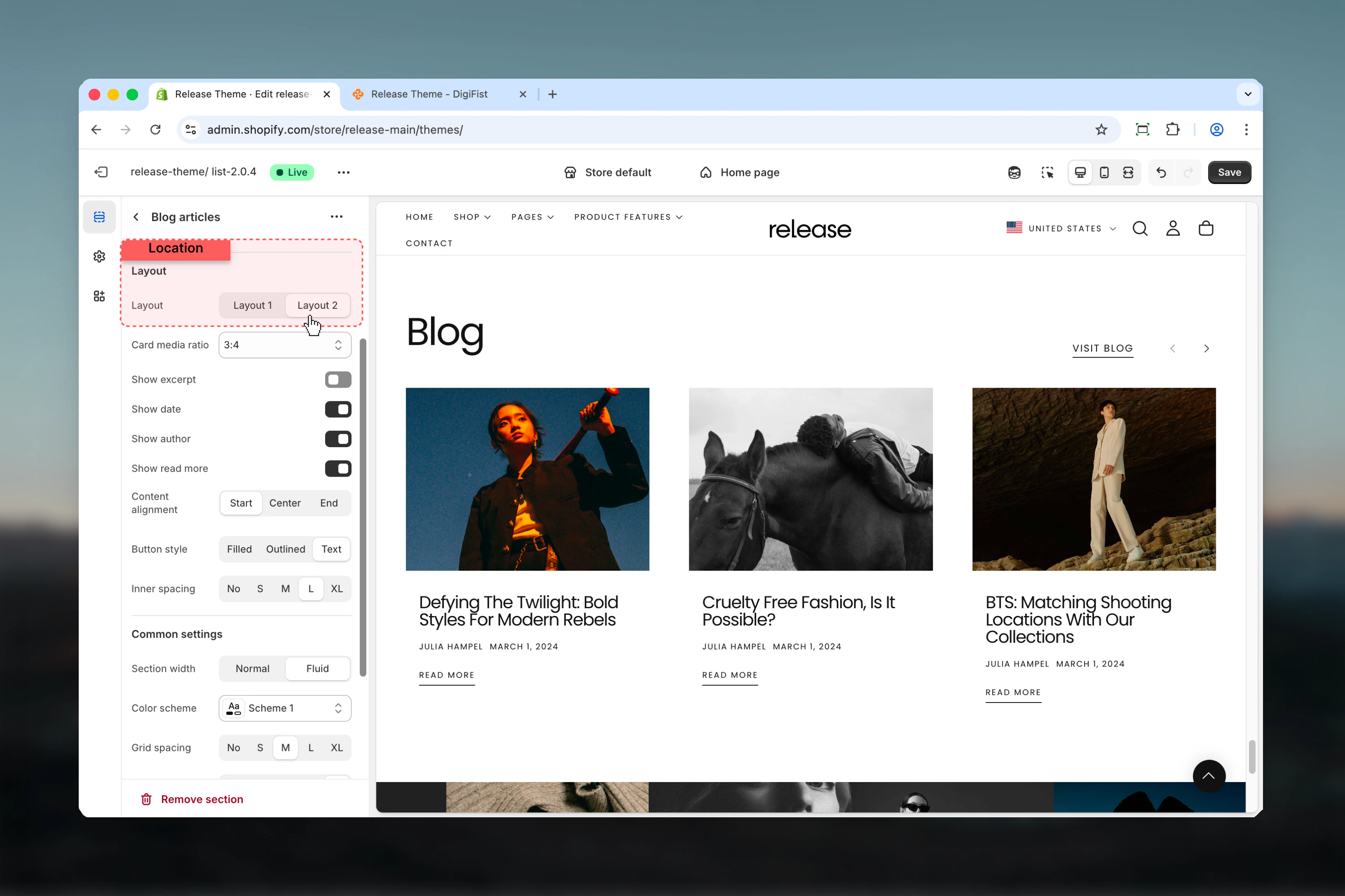
- Multiple layout options for article cards
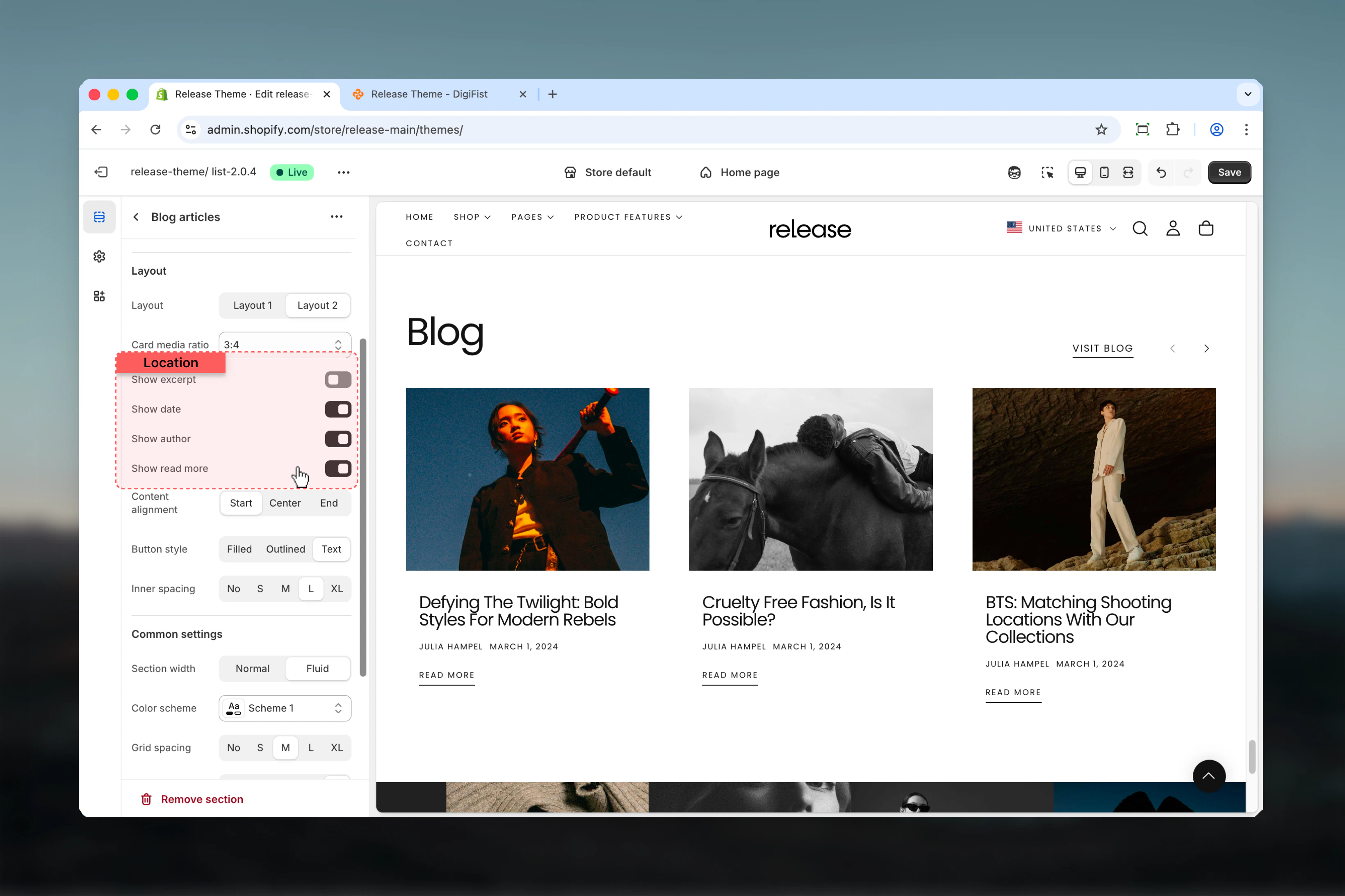
- Customizable metadata display (author, date, excerpt)
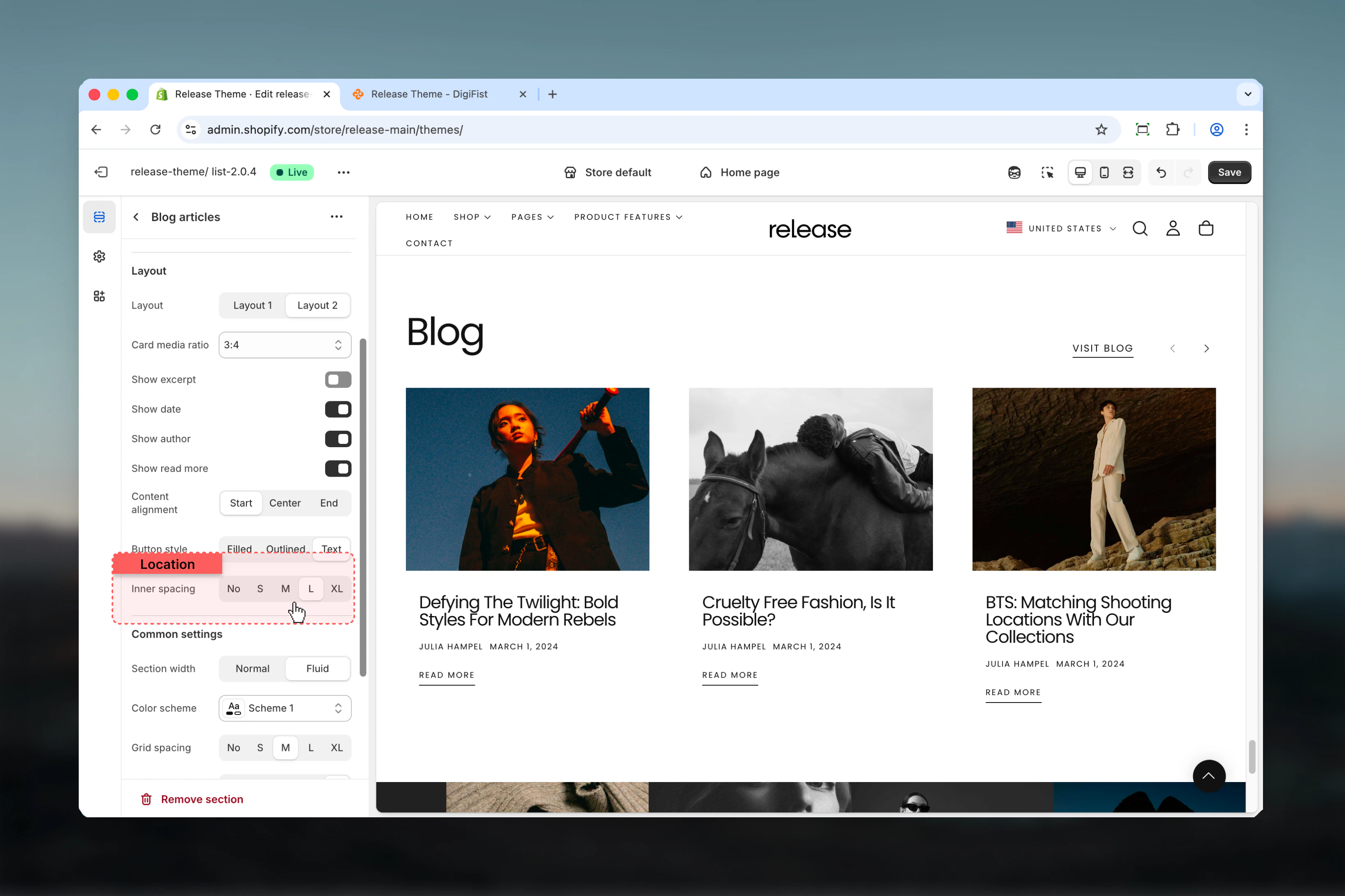
- Flexible card aspect ratios and spacing
- Section-level “View all” button
- Desktop and mobile responsive design
How the Blog Articles section works
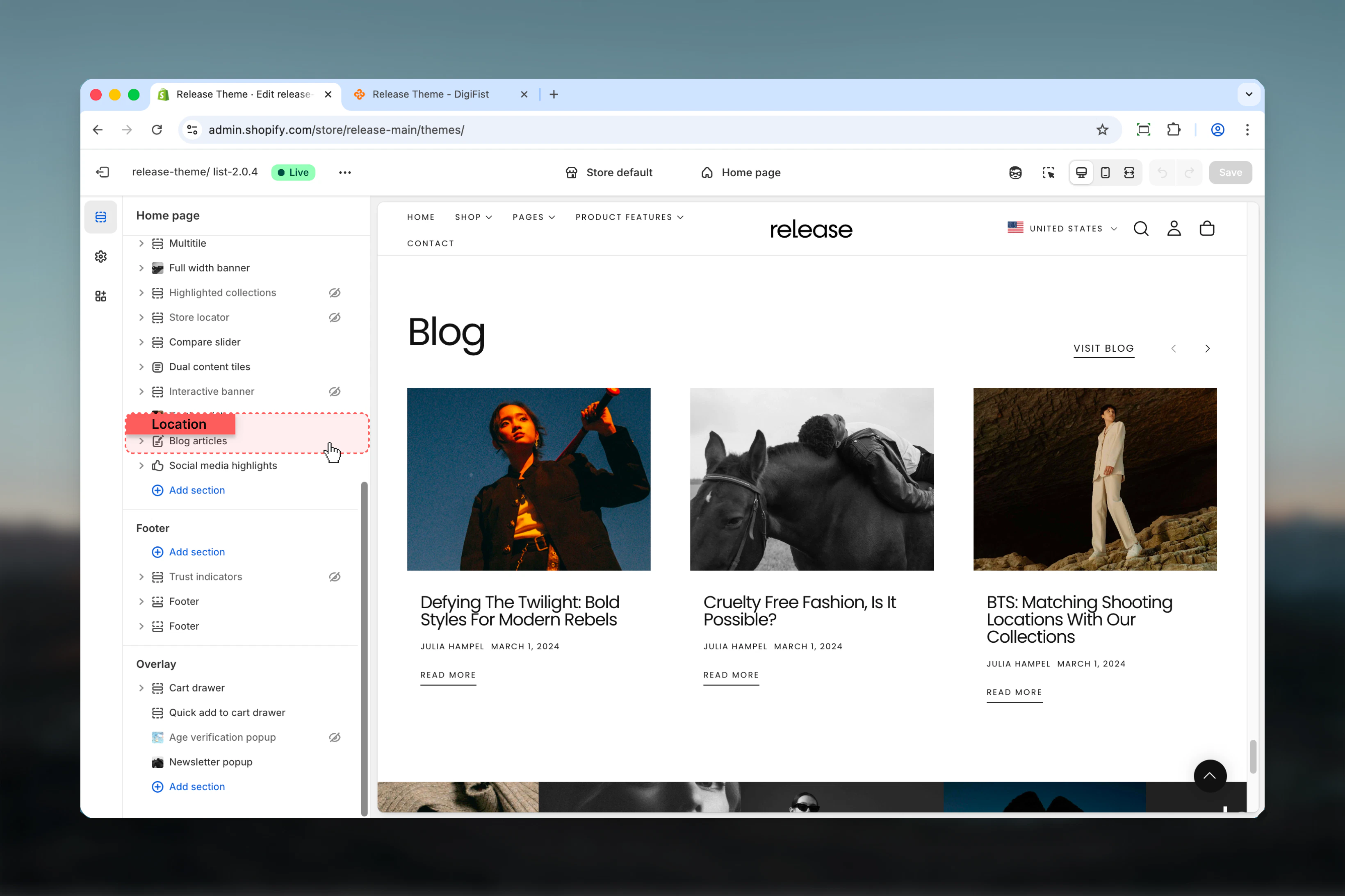
The Blog Articles section uses a blog-based content system:- Displays articles from a selected Shopify blog
- Supports automatic or manual article selection
- Articles are shown as cards with optional metadata
- Layout and spacing can be customized
- Fully responsive across desktop and mobile
Getting started
1
Open Theme Customizer
From Shopify admin, access the Theme Customizer.
2
Add Blog Articles section
Add the Blog Articles section to your page or template.
3
Select blog source
Choose which Shopify blog to pull articles from.
4
Configure layout
Adjust layout, metadata visibility, and card settings.
Section settings
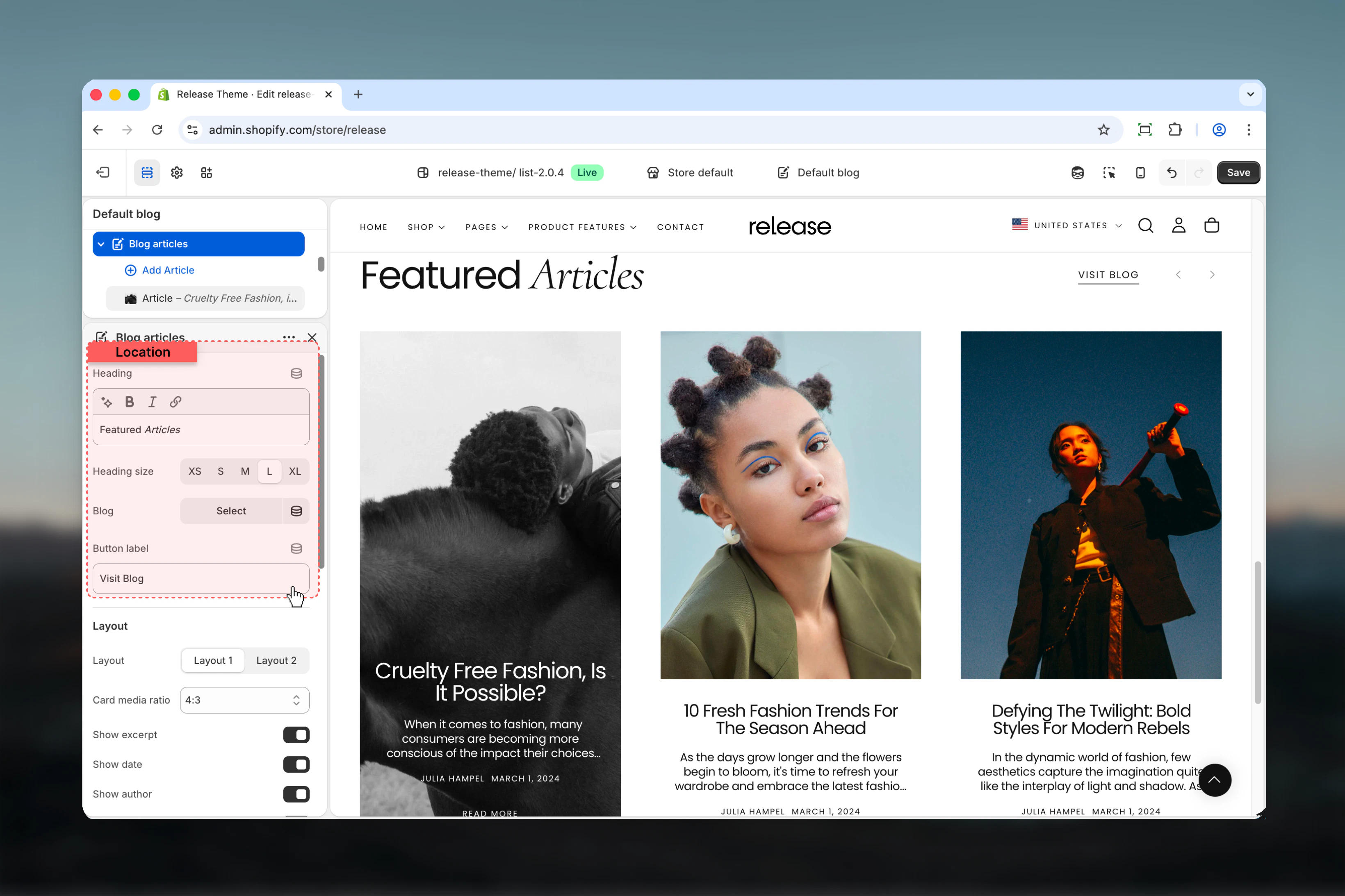
Section settings control the overall structure, content source, and visual layout.- Content
- Layout settings
Heading
Main title of the section.- Rich text supported (bold, italic, underline, links)
Heading size
Controls the size of the heading.Available options: S, M, L, XLBlog
Selects which Shopify blog the articles are pulled from.- Shopify blog selector
If manual article blocks are added, they will override the automatic blog selection order.
Button label
Text displayed for the section-level action button (for example, “View all articles”).- Text input
- Leave empty to hide the button
Block settings
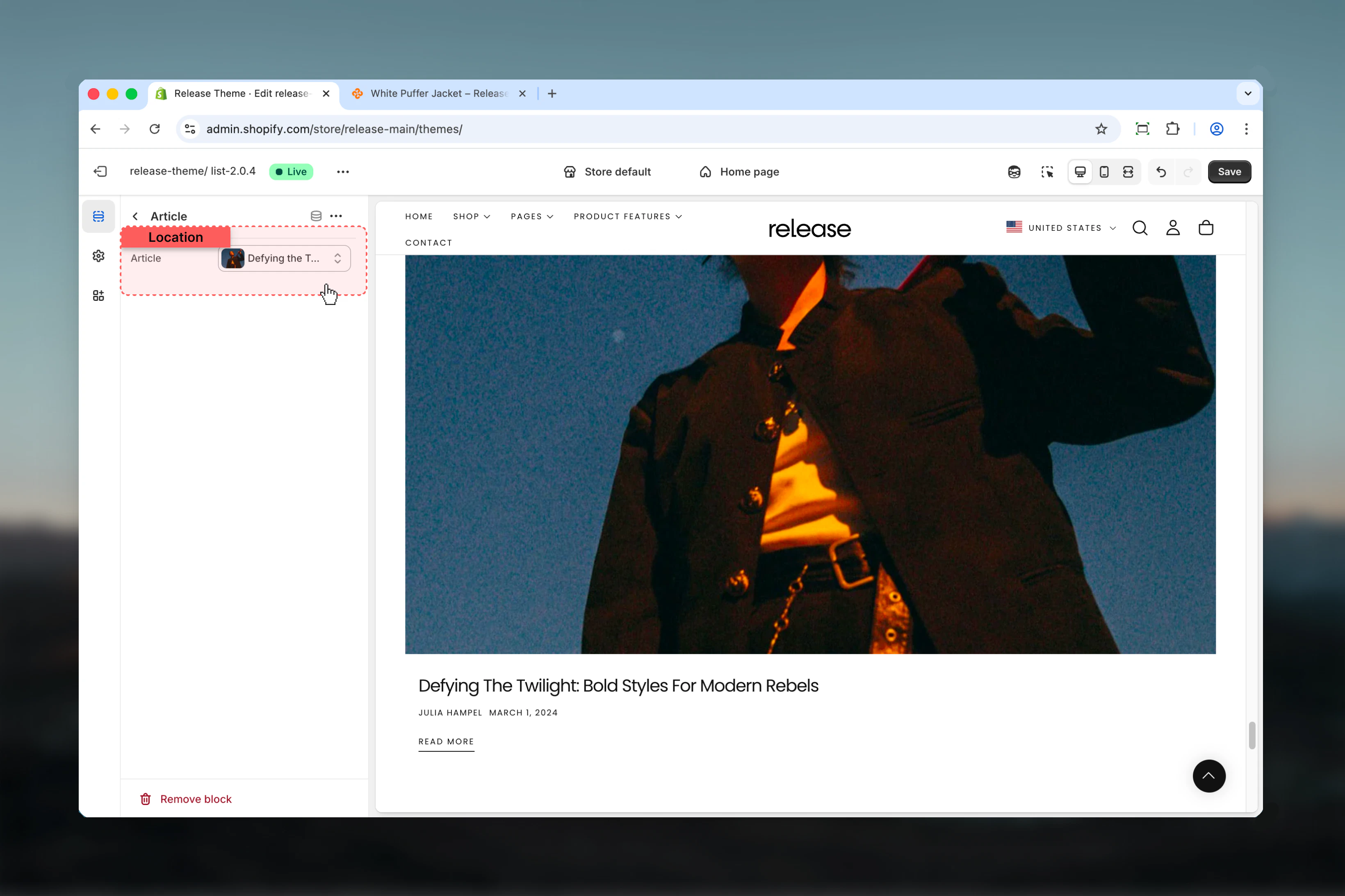
Block settings allow manual article selection. Article blocks override automatic blog ordering.- Article block
Article
Selects a specific Shopify article to display.- Shopify article selector
- Overrides automatic blog ordering
Best practices
- Use manual article blocks to highlight key content or featured posts
- Keep excerpts enabled for editorial or storytelling layouts to provide context
- Hide author or date for more minimal designs focused on visual impact
- Ensure consistent image aspect ratios across articles for visual harmony
- Limit visible metadata to improve readability and reduce visual clutter
- Use “View all” button to drive traffic to your main blog page
- Test different layouts to see which works best for your content style
- Consider card spacing based on the amount of metadata shown
- Update featured articles regularly to keep content fresh
Common use cases
- Blog previews on homepage - Showcase latest articles to drive content discovery
- Editorial storytelling sections - Highlight long-form content and brand narratives
- Content marketing highlights - Feature educational or promotional articles
- Brand updates or announcements - Share company news and product launches
- SEO-focused article promotion - Drive traffic to high-value blog content
Related guides
Common Settings
Learn about common settings shared across sections