

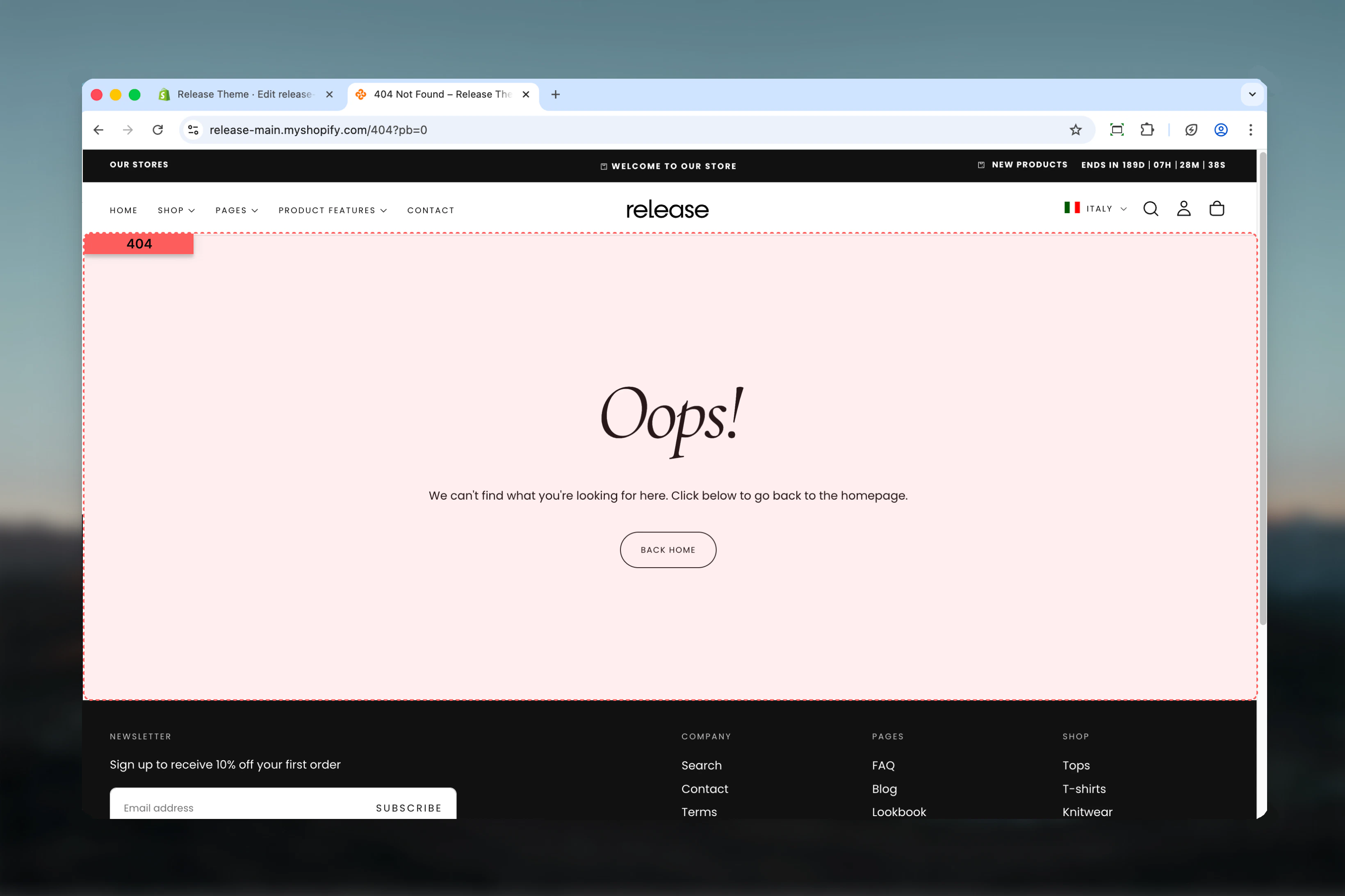
What this section controls
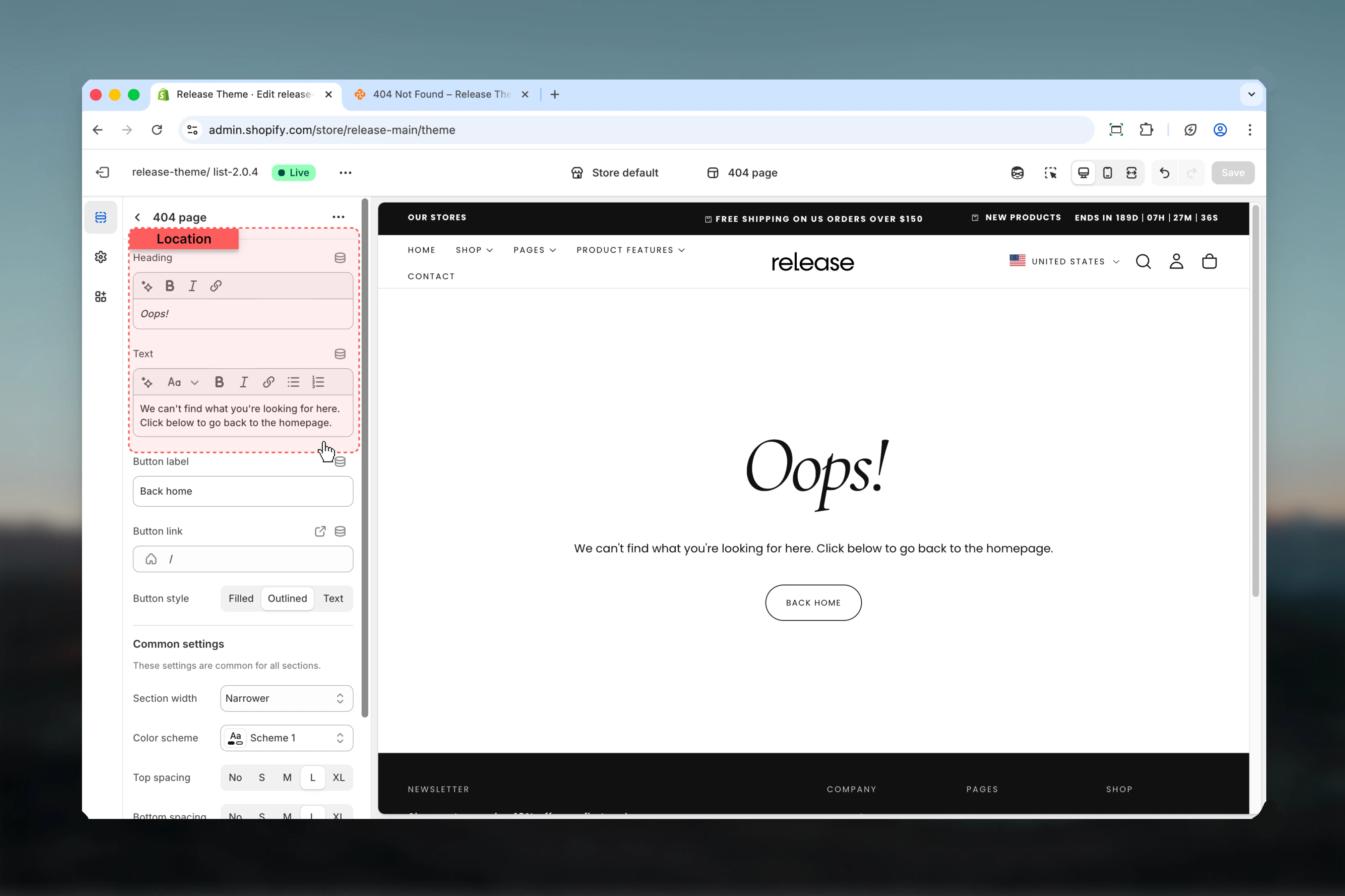
- Error page messaging
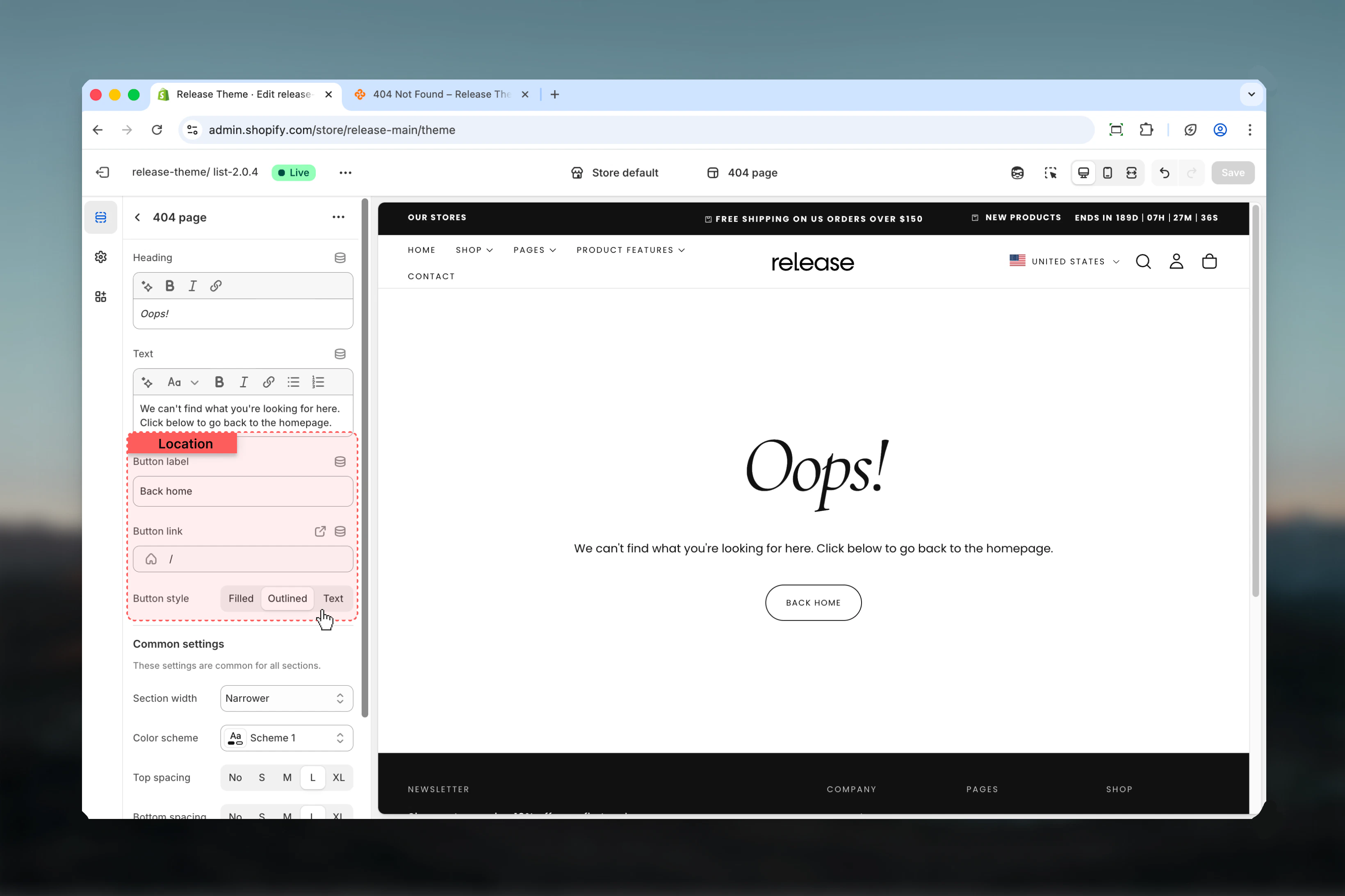
- Call-to-action button
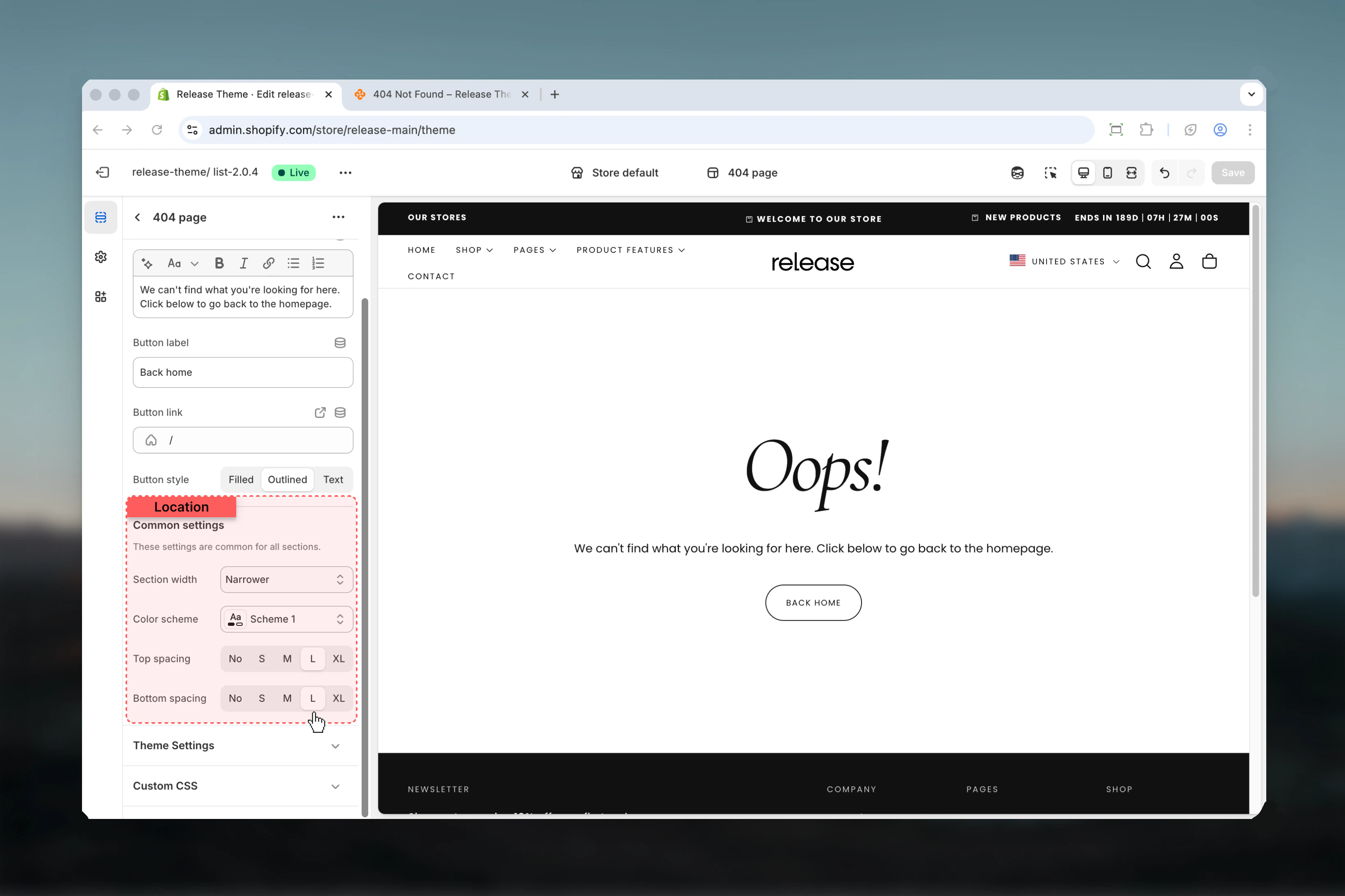
- Page layout and styling
- Navigation recovery
Section settings
- Content
- Layout
Best practices
- Friendly tone: Use approachable, helpful language
- Clear navigation: Link to homepage or popular collections
- Narrow width: Use max-w-narrower for focused reading
- Search option: Consider adding search functionality
- Popular links: Add links to key sections (shop, about, contact)
- Brand personality: Maintain brand voice even in error messages
- Mobile friendly: Test readability on mobile devices
Common use cases
- Broken links - Old URLs from marketing campaigns
- Deleted products - Product pages removed from store
- Mistyped URLs - Customer typos in address bar
- External links - Outdated links from blogs or social media
- SEO recovery - Redirect broken links found by search engines
- Migration errors - Issues after platform migration
Related guides
Password Page
Configure password-protected pages
Search Page
Help customers find products