

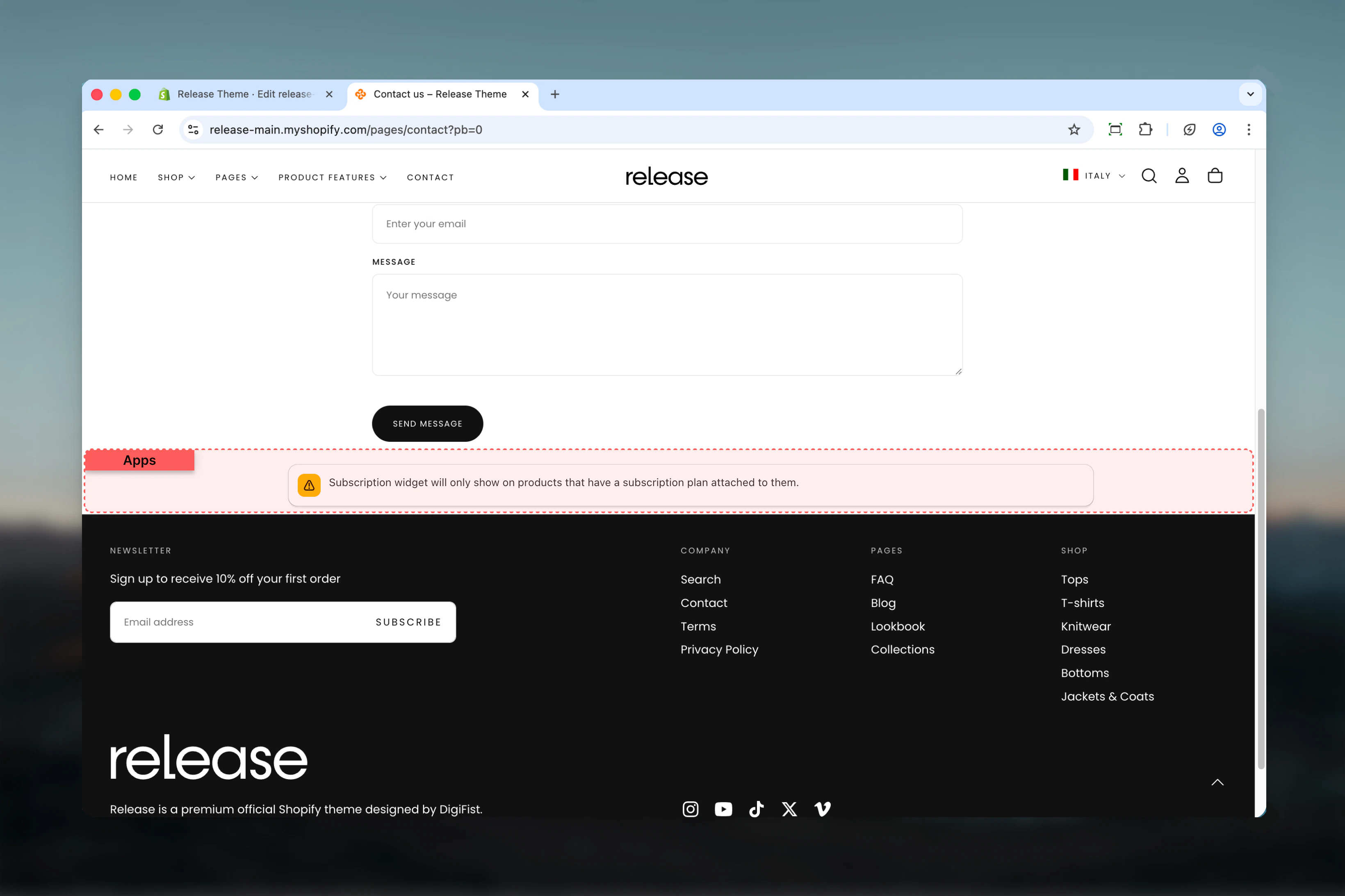
What this section controls
- Third-party app block container
- Layout style (normal or boxed)
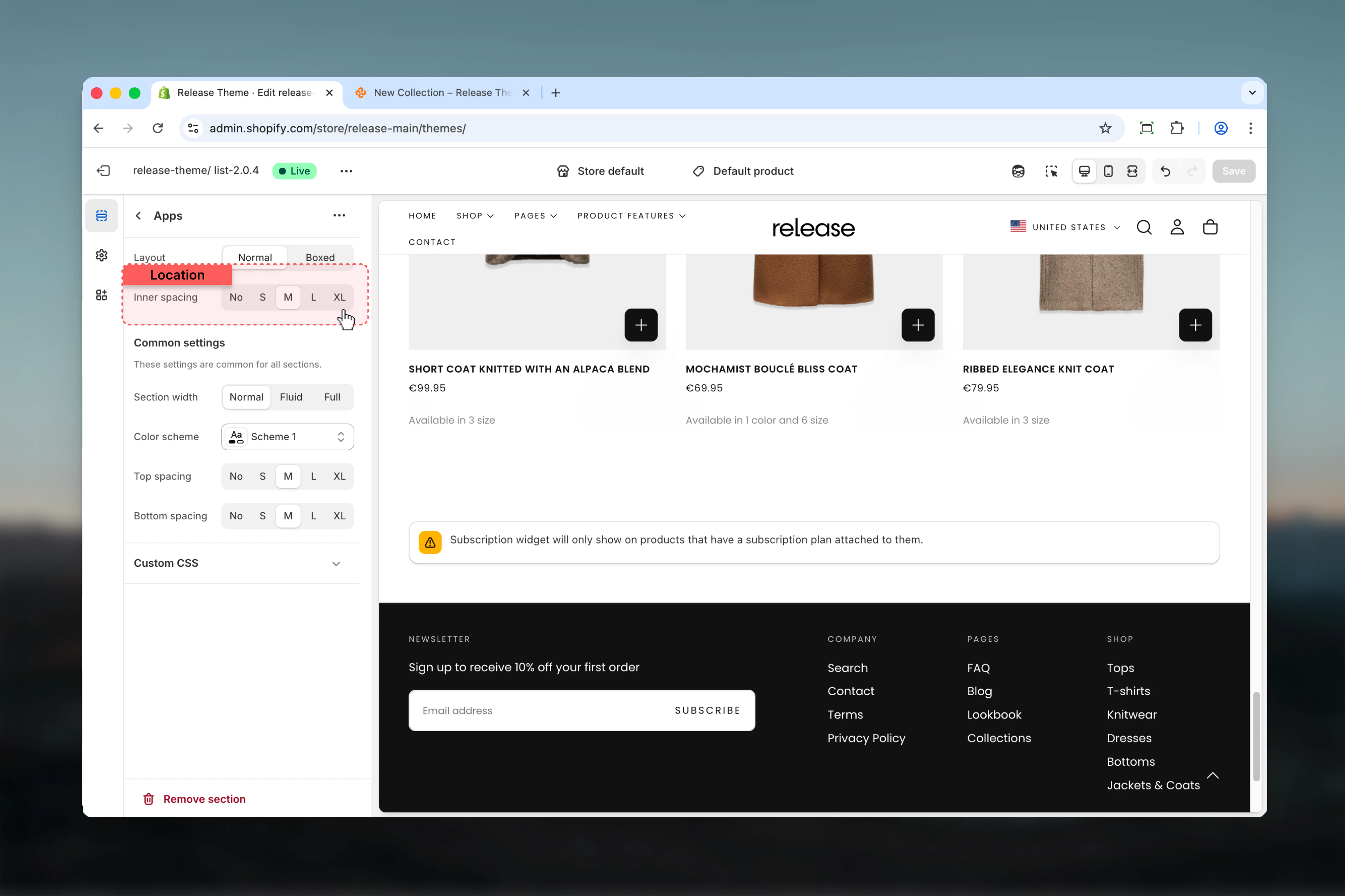
- Inner spacing and padding
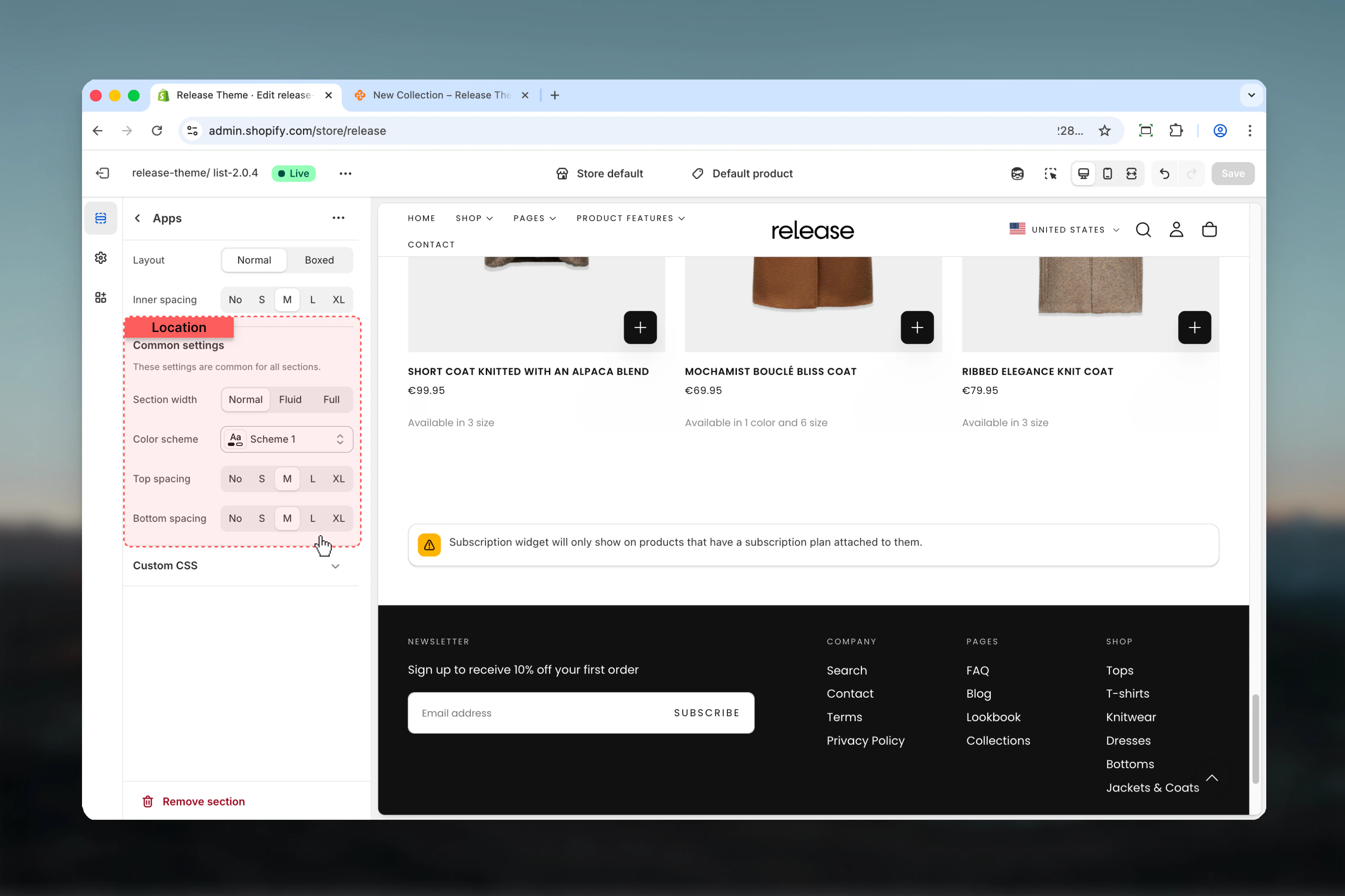
- Section width and color scheme
Section settings
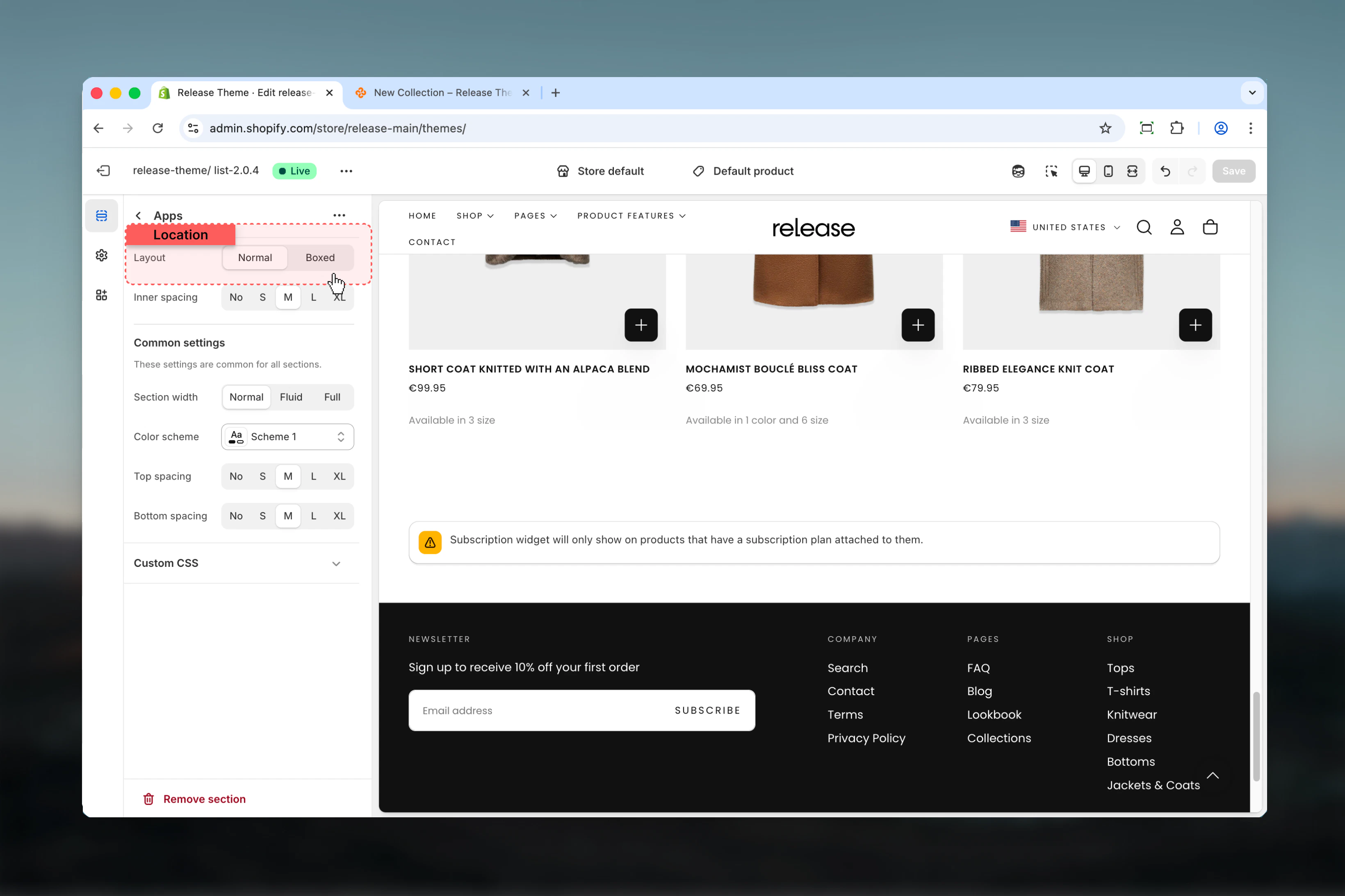
- Layout
- Spacing
- Section
Section layout
Choose how the app content is displayed.Available options:- Normal - Full-width layout without container
- Boxed - Contained layout with borders
Best practices
- Normal layout: Use for full-width app content (reviews, testimonials)
- Boxed layout: Use for compact widgets (badges, counters)
- Inner spacing: Match app’s internal spacing to avoid double padding
- Width: Consider app requirements - some apps need full width
- Testing: Preview with actual app content to ensure proper display
- Mobile: Test app responsiveness on mobile devices
Common use cases
- Product reviews - Judge.me, Yotpo, Loox (normal layout, full width)
- Trust badges - McAfee, Norton security badges (boxed, centered)
- Live chat - Tidio, Gorgias chat widgets (normal, bottom placement)
- Social proof - FOMO notifications, recent sales popups
- Email capture - Klaviyo, Mailchimp forms (boxed or normal)
- Size guides - Kiwi Sizing, fit finder apps
- Wishlists - Wishlist King, Swym (normal layout)
Related guides
Custom Liquid
Add custom code and snippets