

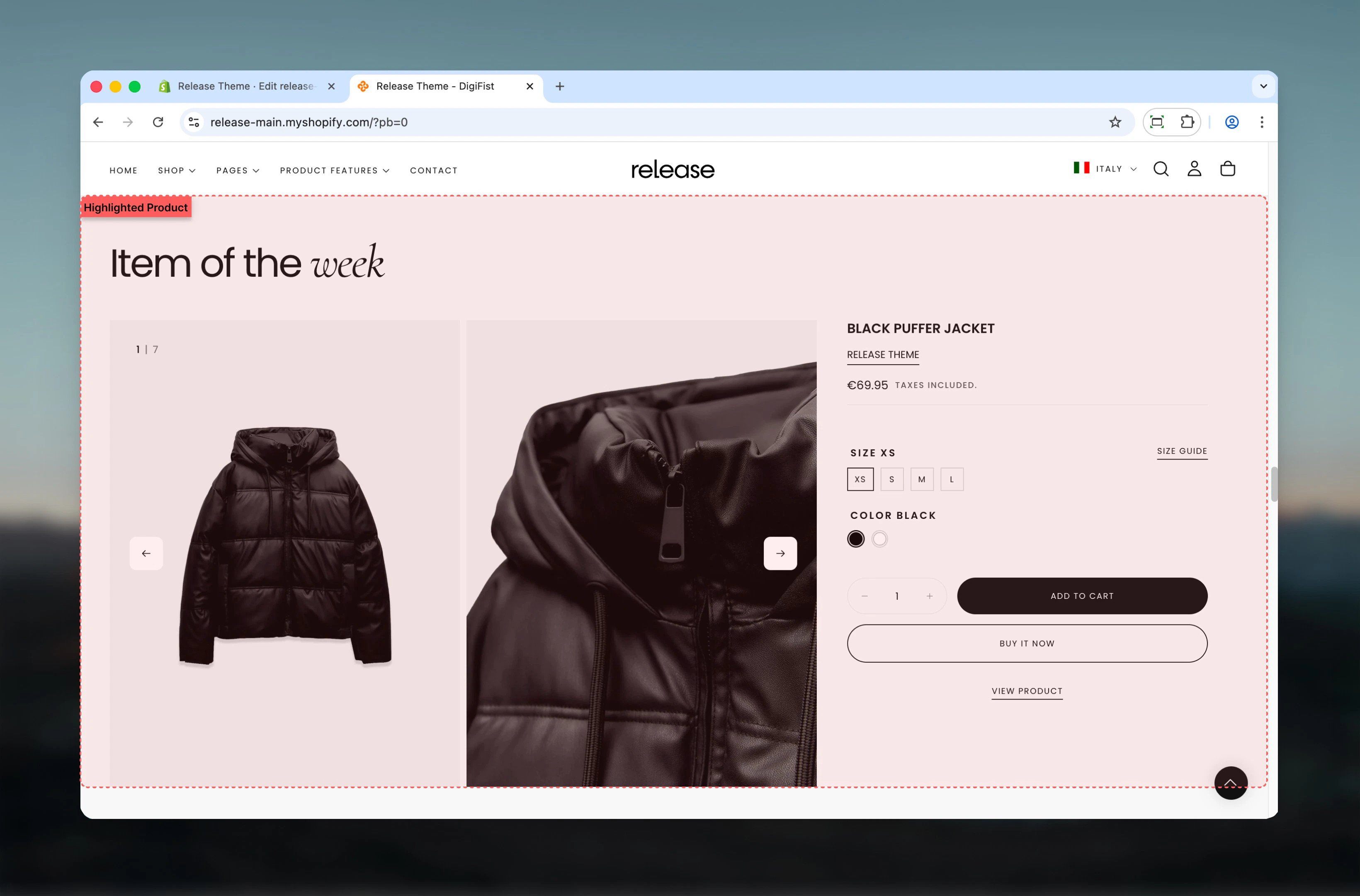
What this section controls
This section controls featured product displays with the following capabilities:- Select any product to feature
- Full media gallery with zoom and navigation
- All product page blocks available
- Customizable media display options
- Additional featured image support
- Complete purchase functionality
- Responsive mobile-optimized layout
How the Highlighted Product section works
The Highlighted Product section displays a complete product experience:- Select any product to feature
- Full media gallery with zoom and navigation
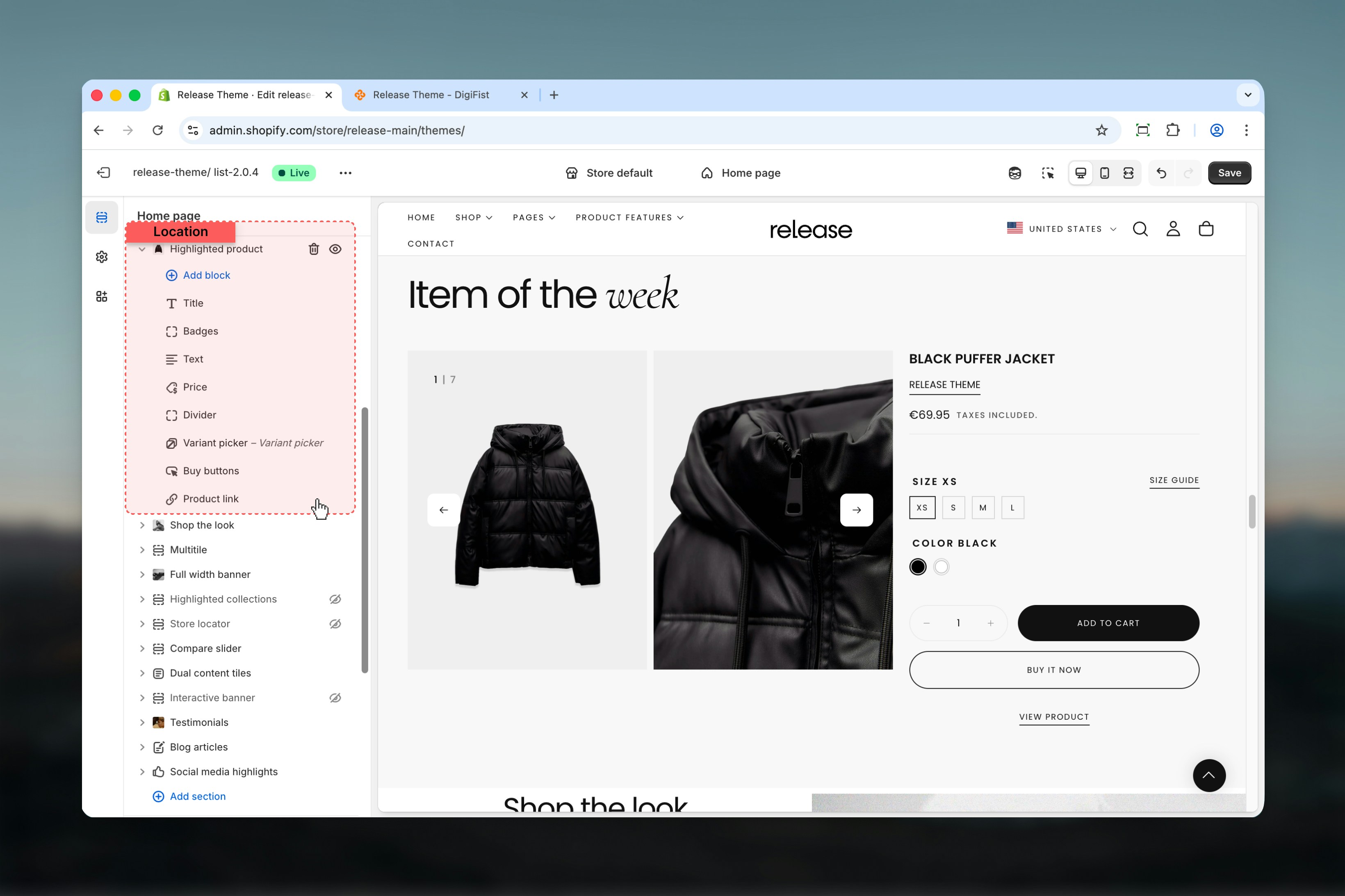
- All product blocks available (title, price, variants, buy buttons, etc.)
- Customizable media display and layout
- Additional featured image option
- Responsive design with mobile optimization
Getting started
1
Open Theme Customizer
From Shopify admin, access the Theme Customizer.
2
Add Highlighted Product section
Add the section to your desired page or template.
3
Select product
Choose the product you want to feature.
4
Configure blocks
Add and arrange blocks like title, price, variant picker, and buy buttons.
Section settings
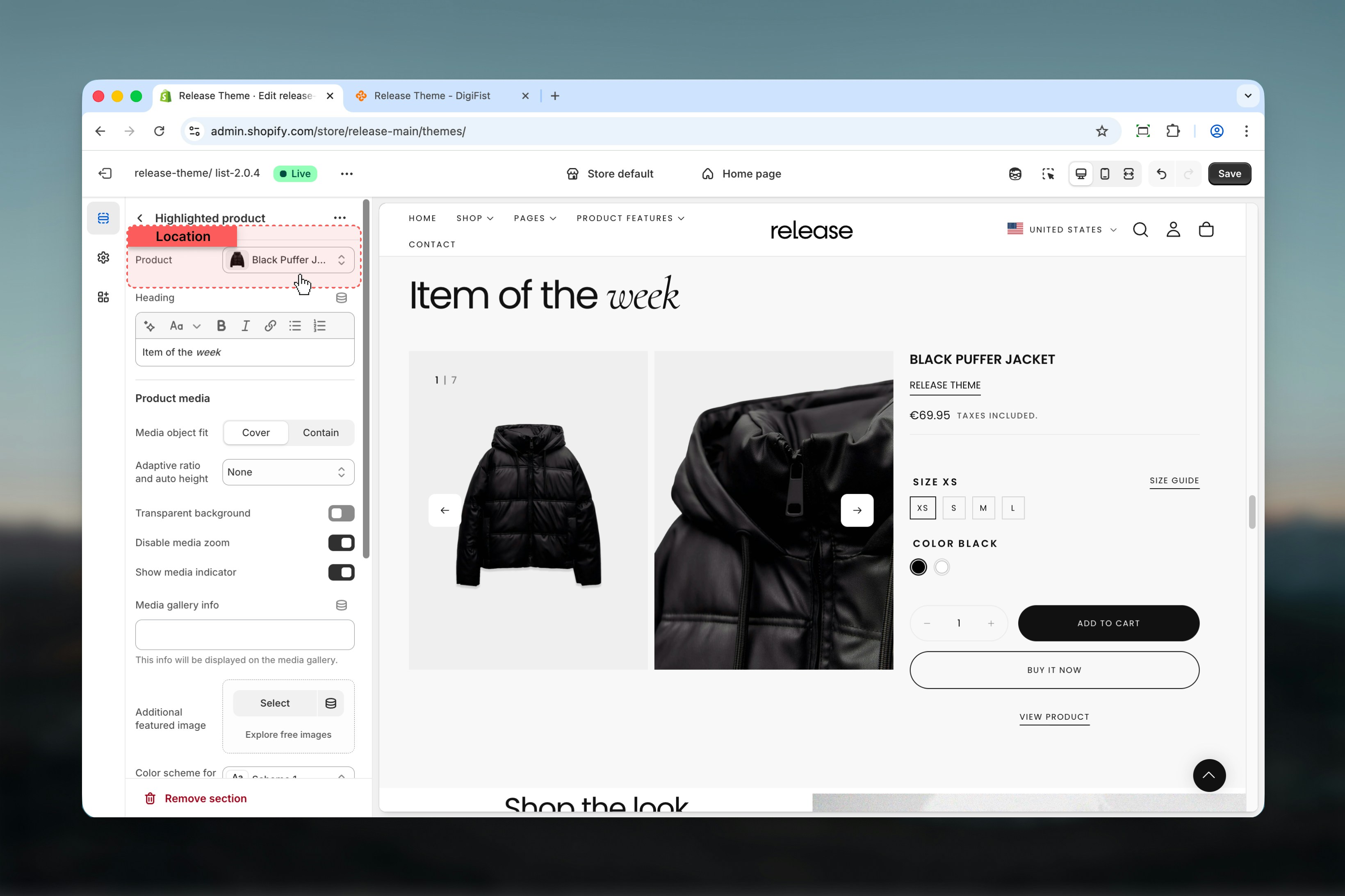
Section settings control product selection, media display, and layout options.- Product Selection
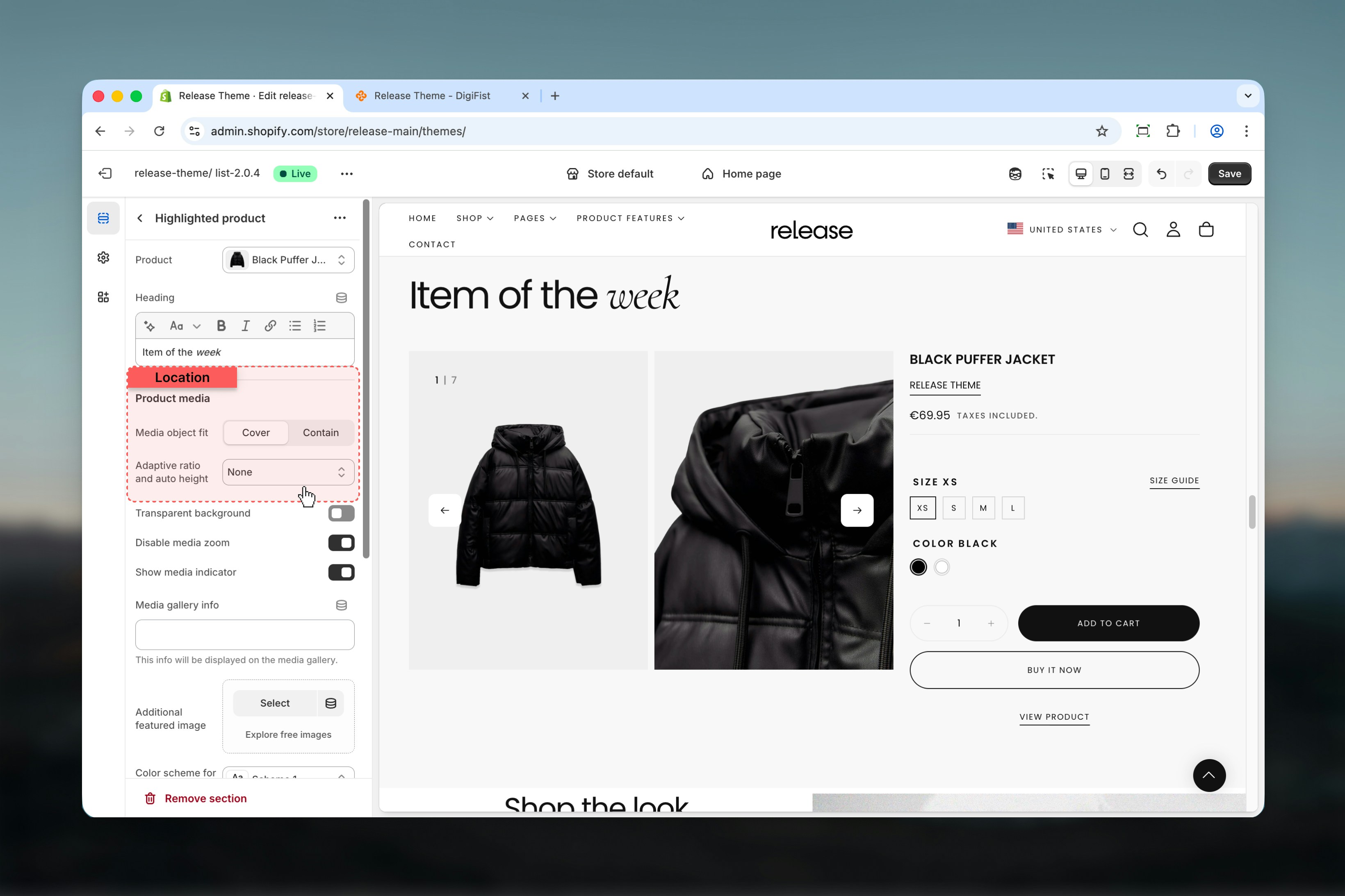
- Product Media
- Settings
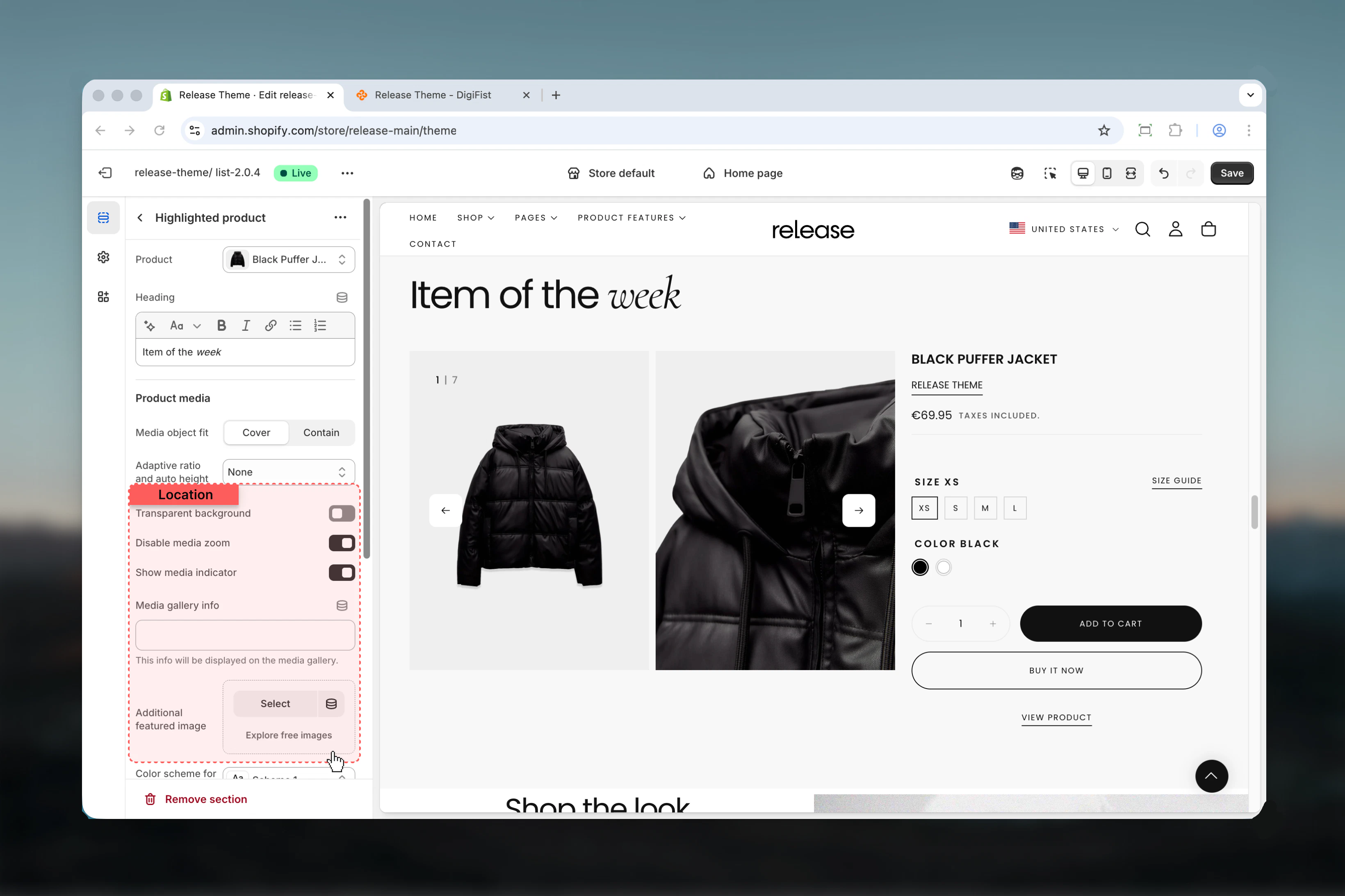
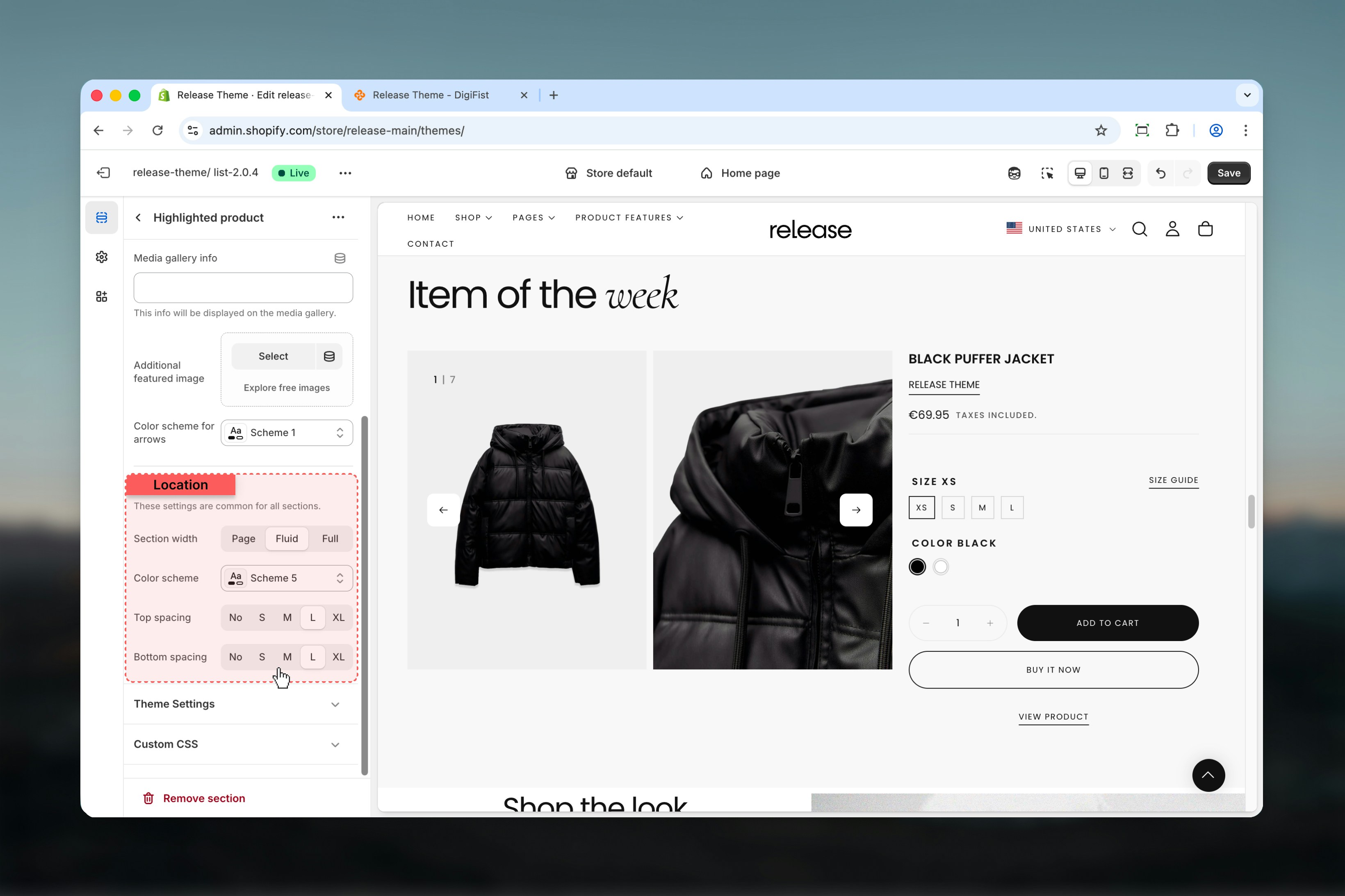
Block settings
The Highlighted Product section supports all the same blocks as the main product page for complete flexibility.Essential Blocks
Essential Blocks
- Title - Product title display
- Badge - Sale/sold out badges
- Price - Product price with compare-at price
- Variant Picker - Size/color/option selector
- Quantity Selector - Quantity input field
- Buy Buttons - Add to cart and Buy now buttons
- Product Link - Link to full product page
Content Blocks
Content Blocks
- Text - Custom text with vendor/type/collection links
- Description - Full product description
- Icon with Text - Feature highlights with icons
- Collapsible Tab - Expandable content sections
- Divider - Visual separator lines
Advanced Blocks
Advanced Blocks
- Popup - Information popups and modals
- Complementary Products - Related product suggestions
- Custom Liquid - Custom code and functionality
For detailed block settings and configurations, refer to the Product Page documentation.
Best practices
- Select high-performing or strategically important products to maximize conversion impact
- Use descriptive, compelling section headings (“Product of the Week”, “Staff Pick”, “Limited Edition”)
- Enable media zoom for products with important details or textures customers need to examine
- Add additional featured image for lifestyle shots, context, or usage demonstrations
- Include all essential blocks: title, price, variant picker, quantity selector, and buy buttons
- Test media gallery navigation on mobile devices to ensure smooth interaction
- Use collapsible tabs for lengthy product information to keep the layout clean
- Consider homepage or landing page placement for maximum visibility and engagement
- Update featured product regularly to maintain freshness and customer interest
- Use high-quality, professional product media for best presentation and credibility
Common use cases
- Homepage product feature - Showcase bestseller, new arrival, or seasonal product on homepage
- Product of the week - Highlight rotating featured products with regular updates
- Limited edition highlight - Draw attention to exclusive, limited-run, or special items
- Campaign landing pages - Feature specific products for marketing campaigns or promotions
- Editorial content - Embed shoppable products within blog posts or content pages
- Pre-launch teasing - Display upcoming products with pre-order or notify-me options
Related guides
Product Page
Learn about product page blocks and detailed settings
Common Settings
Learn about common settings shared across sections