

Plan comparison
Per-currency amounts are the only feature gated to Pro. Otherwise, Free and Pro shops use the same campaign builder, discount types, analytics, and storefront embed — Pro removes the caps. On the Free plan, the Set a different amount per currency checkbox in the Rule Builder is disabled with a Pro badge and an Upgrade button, and saving or activating a campaign with per-currency amounts is rejected: “Per-currency amounts require the Pro plan. Remove them or upgrade to Pro to save this campaign.”
Free plan limits
The Free plan has one structural limit and two monthly usage caps:- 3 active campaigns — you can create as many campaigns as you like, but at most 3 can be active at the same time. Trying to activate a fourth shows: “FREE plan allows a maximum of 3 active campaigns. Upgrade to activate more.”
- 25 discounted orders per month — orders where a Galantis Discount Flow discount was applied.
- 1,000 discount applications per month — times a discount was applied in checkout.
The monthly period
Usage caps reset on a monthly period anchored to your install date, not the calendar month. If you installed on the 14th, each usage period runs from the 14th to the 13th of the following month.What happens when you hit a cap
1
All discounts pause
When either cap is reached, all of the store’s discounts are paused — campaigns stop applying at checkout for the rest of the period.
2
A banner appears in the app
A usage-paused banner is shown on the dashboard so you know why discounts stopped.
3
Discounts reactivate automatically
At the start of the next monthly period, discounts reactivate on their own — no action needed. Upgrading to Pro lifts the pause immediately instead.
Pro plan
Pro removes all caps: unlimited active campaigns and unmetered usage. Pro is available as a monthly or an annual subscription.Changing your plan
1
Open Settings
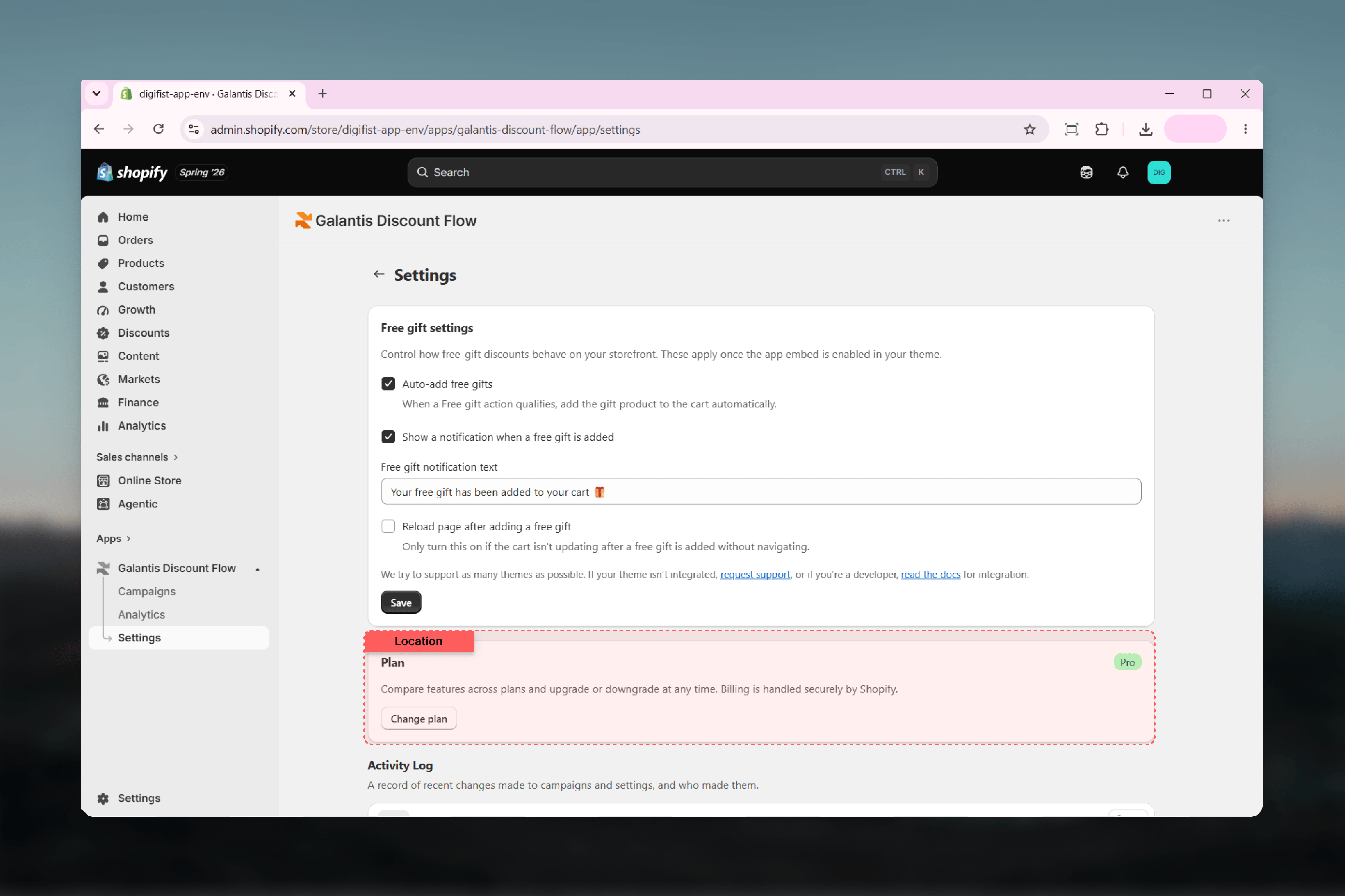
In Galantis Discount Flow, go to Settings. The Plan card shows your current plan badge and notes that billing is handled securely by Shopify.
2
Click Change plan
You’re taken to a Shopify-hosted page where the subscription is managed. Confirm the change there — no payment details are ever entered in Galantis Discount Flow.
Upgrade behavior
Upgrading to Pro takes effect right away. If your store was usage-paused on Free, the pause is lifted immediately and discounts start applying again.Downgrade behavior
Downgrading from Pro to Free re-applies the 3-active-campaign limit. If more than 3 campaigns are active at the time, campaigns beyond the limit are auto-paused — the oldest 3 are kept active. You can choose which 3 stay active by pausing and activating campaigns yourself afterwards. Downgrading also automatically pauses any active campaigns that use per-currency amounts, since those require Pro. Each pause is recorded in the Activity Log. To reactivate such a campaign on Free, open it in the Rule Builder, untick Set a different amount per currency (this clears the per-currency rows), set a single amount, and activate it again. See Multi-currency & Markets.Related guides
- Settings — the Plan card and the Activity Log, where plan changes and usage events are recorded
- Multi-currency & Markets — the one Pro-gated feature, in full
- Troubleshooting — the usage-paused banner and activation limit errors explained