

The three gates
AND
All connected conditions must be true for the flow to continue.
OR
Any one of the connected conditions being true is enough.
NOT
Inverts the connected condition — true becomes false, false becomes true.
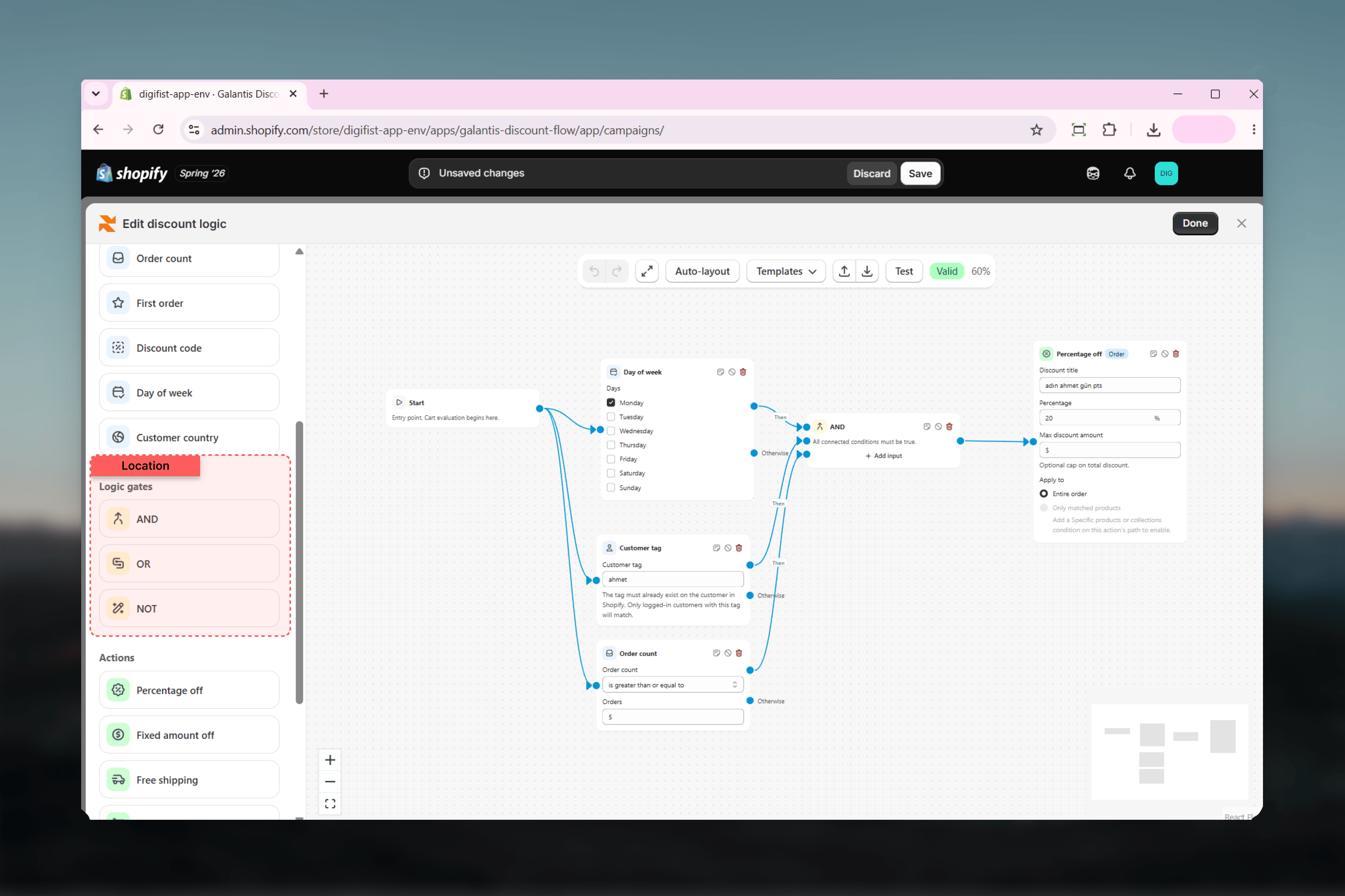
Then / Otherwise branching
Every condition has two outputs:- Then — followed when the condition passes
- Otherwise — followed when it fails
Worked examples
VIP customers with a cart over 100
VIP customers with a cart over 100
Two equivalent builds:
- Chained: Start → Customer segment (VIP) → Then → Cart total (is greater than 100) → Then → Percentage off. The discount only fires when both checks pass.
- With an AND gate: connect the Then outputs of both conditions into an AND block, and connect the gate’s output to the action.
Everyone except first-time buyers
Everyone except first-time buyers
To exclude first orders, use the First order condition’s Otherwise output: Start → First order → Otherwise → your action. Customers on their first order follow Then (which you leave unconnected or route elsewhere), and everyone else gets the discount.
Weekend shoppers or VIPs
Weekend shoppers or VIPs
Connect the Then outputs of Day of week (Saturday and Sunday selected) and Customer segment (VIP) into an OR block, then connect the gate to a Free shipping action. Either being true — it is the weekend, or the customer is a VIP — unlocks the offer. This is the pattern chaining cannot express, since a Then chain always means “all of these”.
Chaining vs gates
Related guides
- Conditions — The eleven checks that feed your gates
- Actions & discount types — Where the combined logic ultimately leads
- Testing flows — Watching the active path light up through your gates