

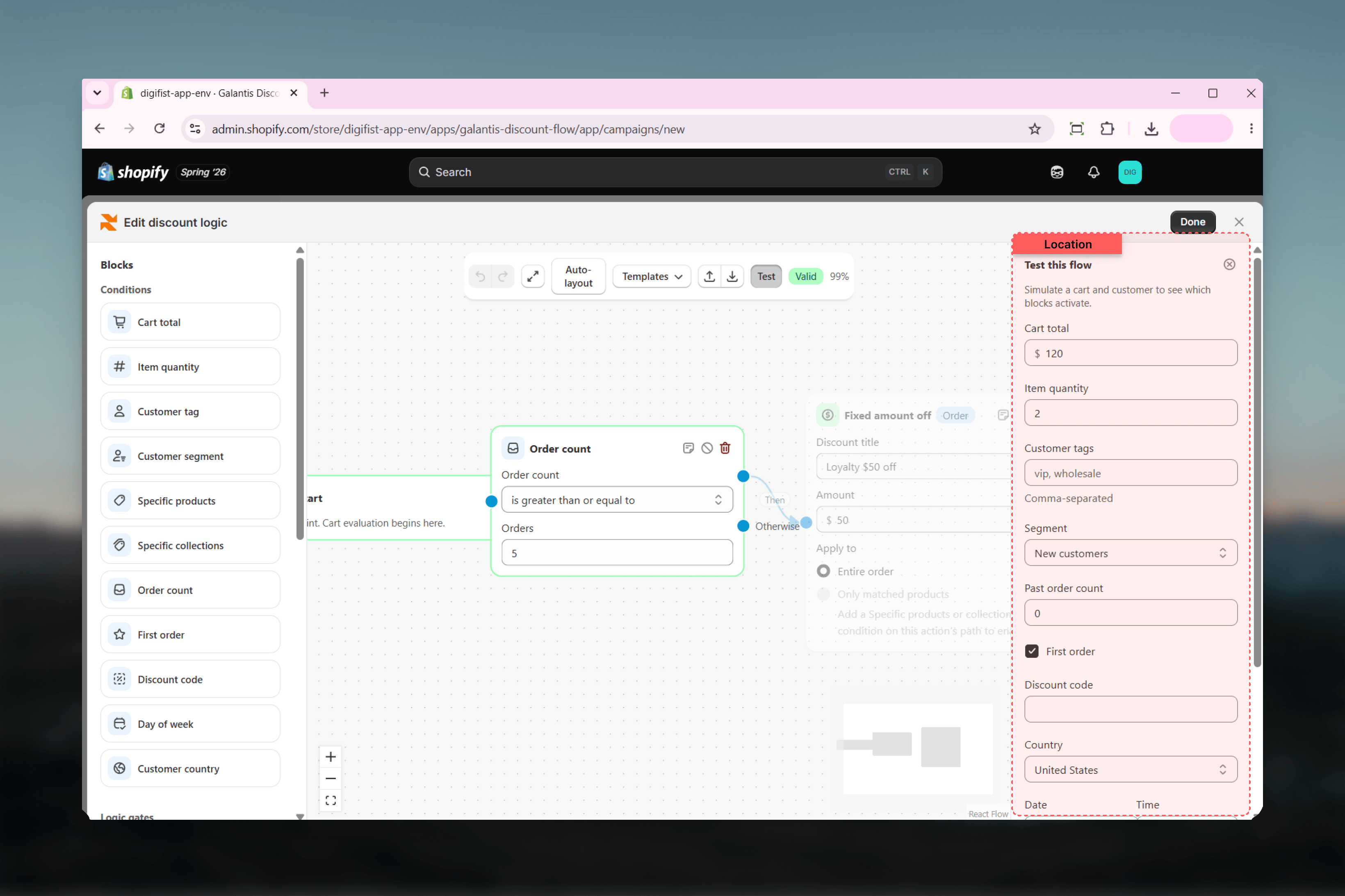
What you can simulate
The panel covers every input a condition can check:Reading the results
As you adjust inputs, two things update at once:- On the canvas — the active path through the graph lights up, so you can see which conditions passed, which Then or Otherwise branches were taken, and which blocks the simulated cart never reached.
- In the Result section — every action that fires is listed with an Applies badge and a description of the discount. If nothing fires, the panel says so: “No discount applies for this cart and customer.”
Testing is completely safe. The Test panel evaluates the flow in the builder only — it never publishes anything, never creates a discount, and never affects your live store or real customers.
Pre-publish test checklist
Run through these simulations before publishing any campaign:1
Test the happy path
Set the inputs to a cart and customer that should clearly qualify. Confirm the intended action fires with an Applies badge and that the description matches the discount you meant to build.
2
Test a cart that should not qualify
Flip one input below the threshold — drop the Cart total, clear the Customer tags, or untick Cart contains selected products. Confirm the panel reports that no discount applies.
3
Probe the exact boundaries
Test values right at your thresholds — a cart total exactly equal to the amount, the precise quantity of a volume tier. This catches “is greater than” where you meant “is greater than or equal to”.
4
Walk every Otherwise branch
If your flow branches, simulate inputs that send the cart down each Otherwise path and confirm each branch does what you expect — including doing nothing where nothing is intended.
5
Test customer-dependent conditions both ways
Conditions like Customer tag, Customer segment, Order count, and First order require a logged-in customer. Simulate both a qualifying customer and an empty guest-like profile so you know what anonymous shoppers get.
6
Confirm the flow is valid
Check the toolbar shows the Valid badge rather than an issue count. A flow with errors cannot be saved or published until every issue is resolved.
Related guides
- Rule Builder overview — The canvas, toolbar, and validation
- Conditions — What each simulated input is checked against
- Actions & discount types — The discounts that appear in the Result section
- Multi-currency & Markets — Why per-currency flows can look inactive in the Test panel