

The wizard, step by step
1
Choose Template
The first step shows the template gallery — six ready-made campaign types covering the most common discount patterns. Selecting one prefills the campaign name and the entire discount flow, and everything stays editable in the next step.Prefer a blank canvas? Click Start from scratch below the gallery to begin with an empty flow.See Templates for what each template contains.
2
Details
This step combines the campaign’s identity with its logic:
- Campaign Name — required. The field shows the placeholder “e.g. Summer Sale 20%”. Names must be unique across your campaigns.
- Rule Builder — the visual canvas where you build the discount flow: the conditions a cart must meet and the discount action that applies when it does.
3
Publish
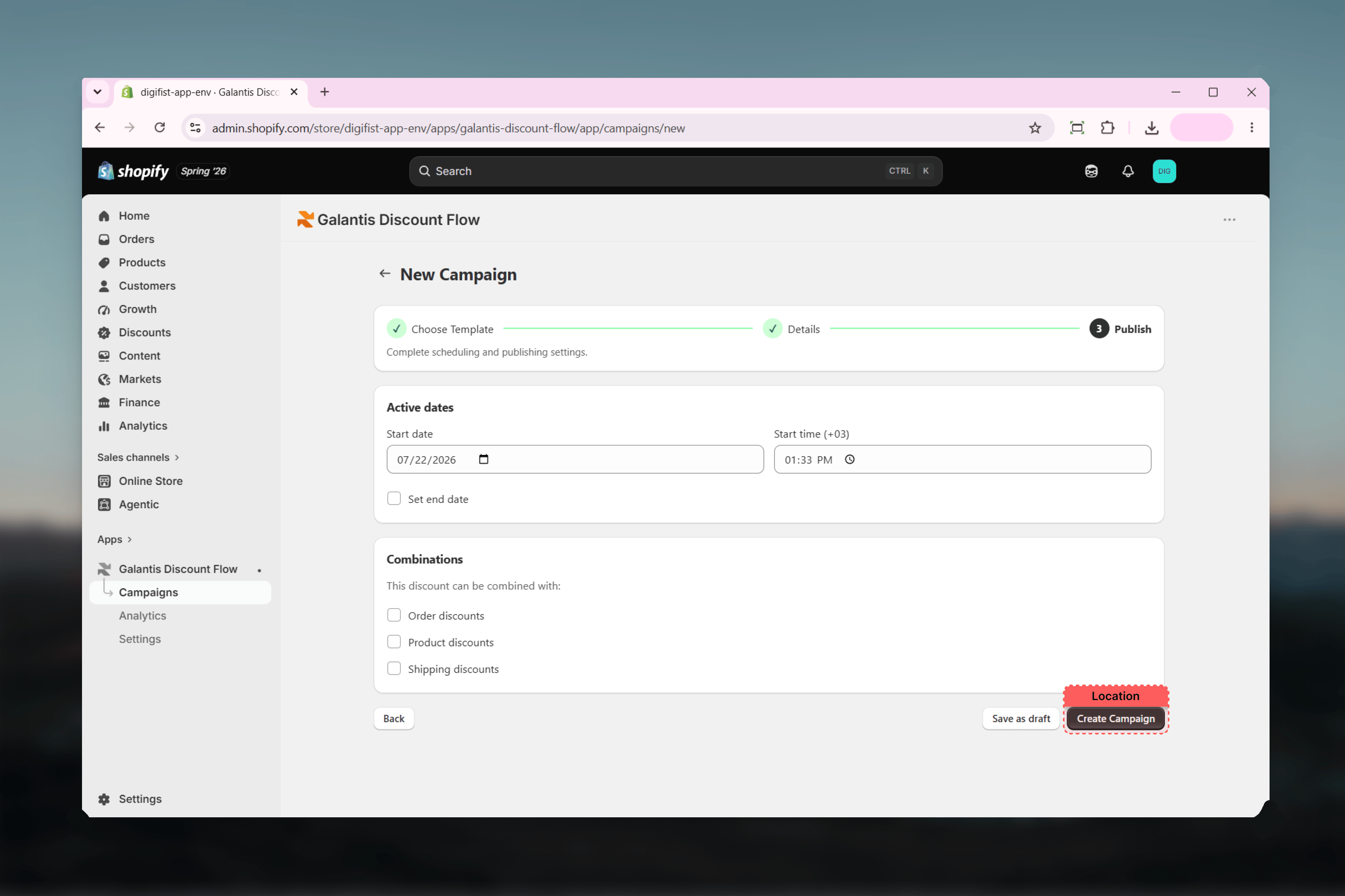
The final step holds two cards:
- Active dates — the start date and time (defaults to now, in your store’s timezone) and an optional Set end date checkbox. See Scheduling.
- Combinations — checkboxes controlling which other discount classes this campaign can stack with. See Combinations.
- Save as draft — stores the campaign without publishing. No discount is created in Shopify.
- Create Campaign — publishes the campaign to Shopify as a live (or scheduled) discount.
Draft or publish?
Publish-time limit checks
Publishing runs two checks that drafting does not:Free plan limit — on the Free plan, at most 3 campaigns can be active at once. Publishing a fourth is blocked until you pause or archive another campaign, or upgrade your plan.
Automatic or code-based?
The wizard decides this from your flow, not from a separate setting. A flow with a Discount code condition publishes as a code-based discount that customers redeem at checkout; any other flow publishes as an automatic discount that applies on its own.Related guides
- Templates — what each of the six templates prefills
- Scheduling — start dates, end dates, and timezone behavior
- Combinations — stacking rules to set before you publish
- Managing campaigns — editing and controlling campaigns after creation