

Automatic vs code-based campaigns
A campaign becomes one of two kinds of Shopify discount, depending on how the flow is built:Automatic
The default. The discount applies at checkout on its own whenever the cart meets the campaign’s conditions — the customer doesn’t enter anything.
Code-based
Created when the flow contains a Discount code condition. The customer enters the code at checkout, and the campaign’s remaining conditions are then evaluated as usual.
Automatic discounts are applied by Shopify at checkout, so it’s expected that a customer doesn’t see the discount in the cart drawer or cart page. It appears once they reach checkout.
Condition evaluation at checkout
When a customer reaches checkout, the discount Function checks the campaign’s conditions against the live cart — items, quantities, totals, and (where used) customer attributes. Conditions are re-evaluated as the cart changes, so a discount that applied a moment ago disappears if the cart stops qualifying.The checkout currency
Money amounts are evaluated in the cart’s presentment currency — the currency the customer sees and pays in. If a field uses per-currency amounts, the app applies the exact amount you entered for that checkout currency; a single amount is applied literally in whatever currency the customer checks out in. No currency conversion ever happens. The theme embed uses the same logic on the storefront for free-gift and cart-total evaluation.What each discount type does at checkout
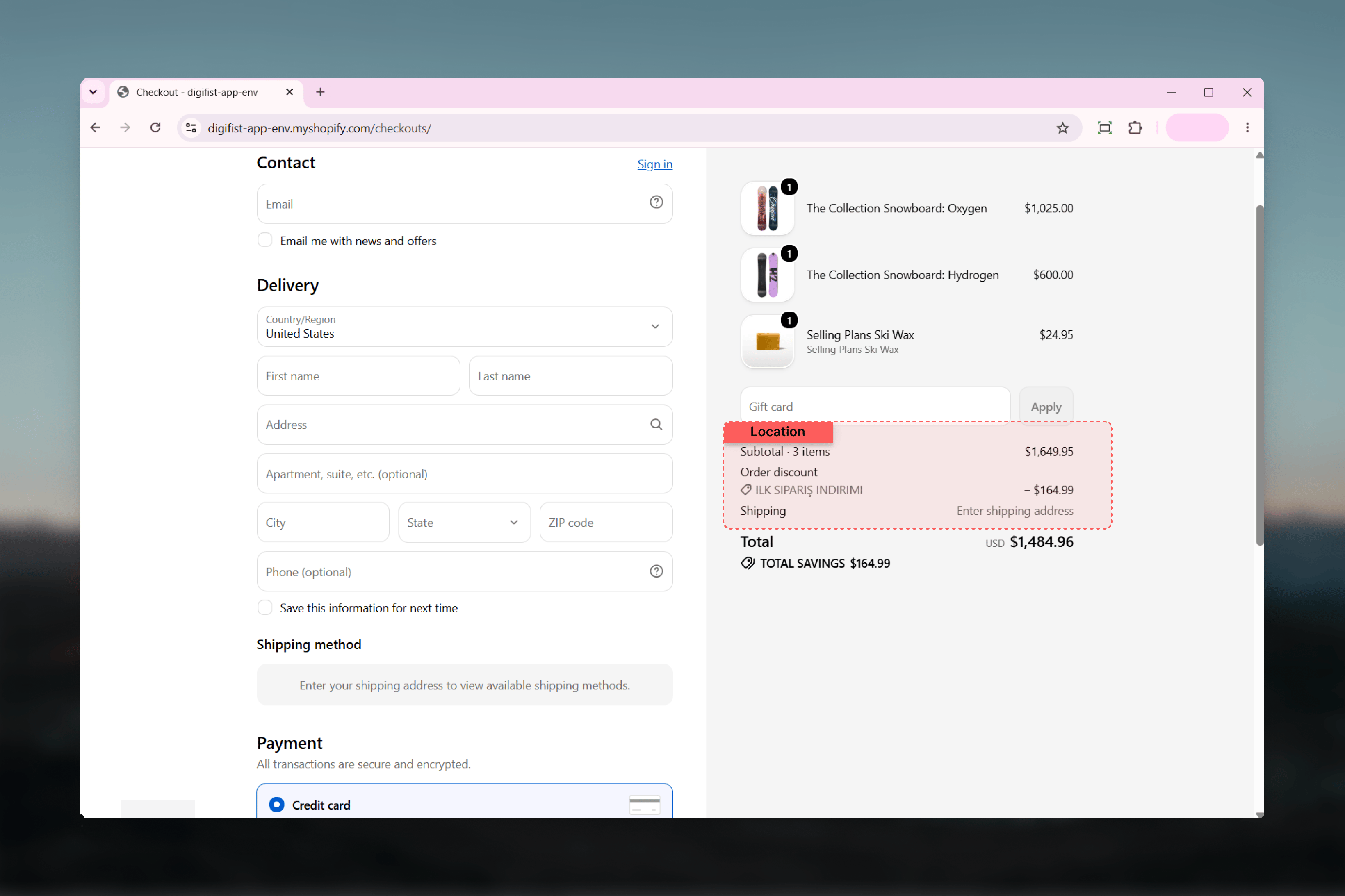
Combination and stacking rules
Whether campaigns stack with each other and with other Shopify discounts follows each campaign’s Combinations settings, using Shopify’s standard discount classes — order, product, and shipping. A campaign only combines with discounts in the classes you’ve allowed. When multiple product discounts compete on the same cart line, the best one for the customer wins — they don’t stack on a single line.Integration with Shopify’s Discounts page
Published campaigns appear on Shopify’s native Discounts page in your admin, alongside any discounts you’ve created directly in Shopify. Clicking a Galantis campaign there opens it in Galantis Discount Flow for editing — so your team can start from either place.Shopify enforces a platform limit: a store can have at most 25 active automatic discounts, across all apps and native discounts combined. Code-based campaigns don’t count toward this limit. See Troubleshooting if you hit it.
Related guides
- Theme app embed — the storefront half: free gifts and notifications
- Multi-currency & Markets — per-currency amounts and missing-currency behavior
- Analytics — how applications and conversions at checkout become your metrics