

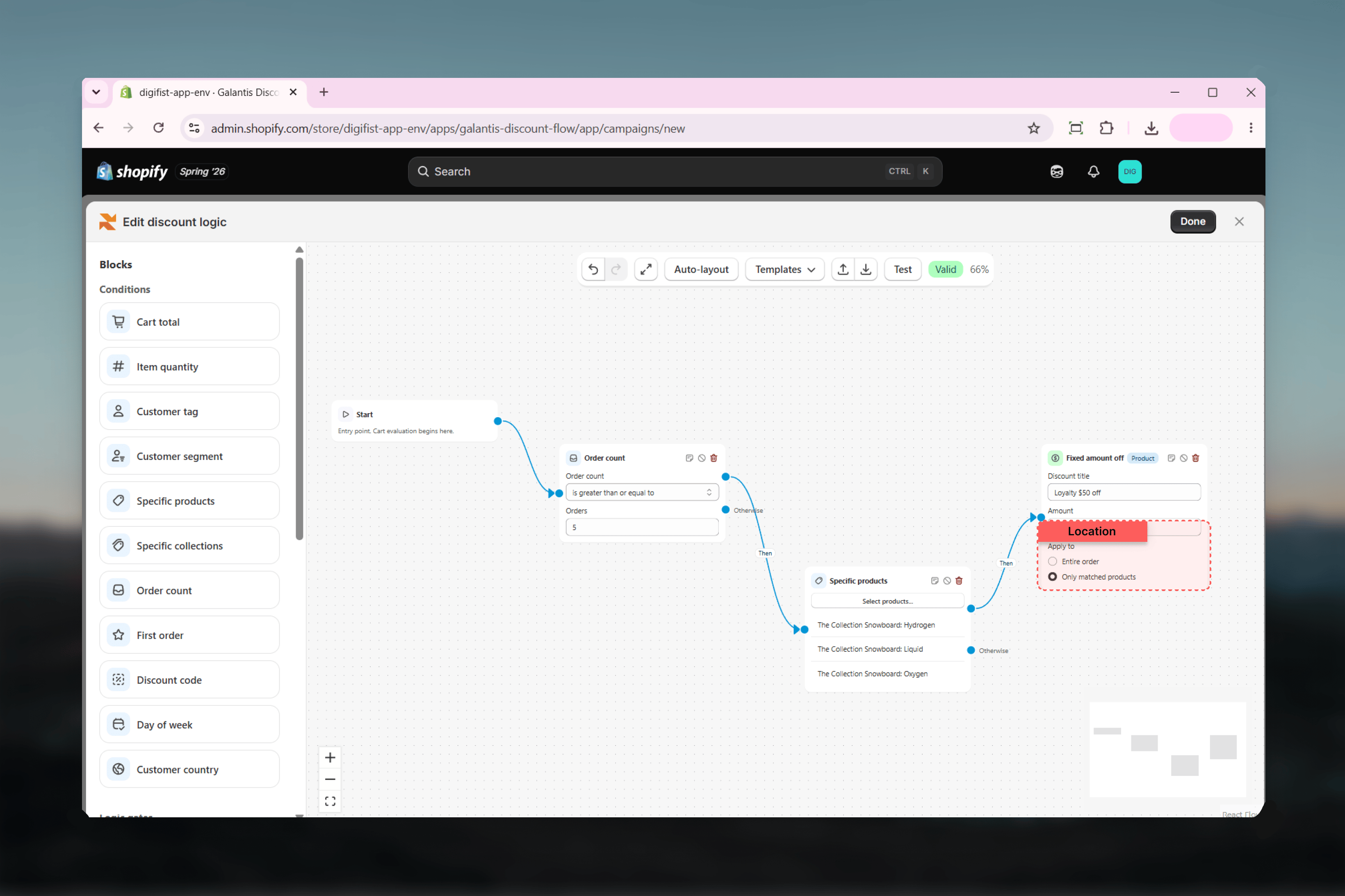
The Apply to setting
Four actions — Percentage off, Fixed amount off, Tiered discount, and Volume pricing — include an Apply to choice that controls what the discount targets:- Entire order — the discount reduces the order subtotal.
- Only matched products — the discount only reduces the cart lines matched by the flow’s conditions, such as the items picked in a Specific products or Specific collections condition.
Available actions
- Order discounts
- Product offers
- Shipping
Percentage off
Applies a percentage discount.When the percentage would exceed the Max discount amount, the discount converts to that fixed cap — “10% off, up to 50” never takes more than 50 off, no matter how large the cart.
Fixed amount off
Applies a fixed amount discount.The Amount supports per-currency values via Set a different amount per currency (Pro) — checkout currencies without an amount get no discount from this action. See Multi-currency & Markets.
Tiered discount
Unlocks a percentage discount once the cart reaches a spend threshold.The Spend threshold supports per-currency values via Set a different amount per currency (Pro) — checkout currencies without an amount never unlock the discount. See Multi-currency & Markets.
Volume pricing
Grants bigger discounts at higher quantities.Each tier applies from its minimum quantity upward, so the highest tier the cart qualifies for wins.
Action reference
Related guides
- Conditions — Deciding which carts reach an action
- Logic gates — Combining conditions before the action fires
- Multi-currency & Markets — Setting a different amount per currency on money fields
- Testing flows — Verifying which actions fire before you publish