

The install flow
1
Install from the Shopify App Store
Find Galantis Discount Flow in the Shopify App Store and click install. Sign in to the Shopify account that owns the store you want to install on.
2
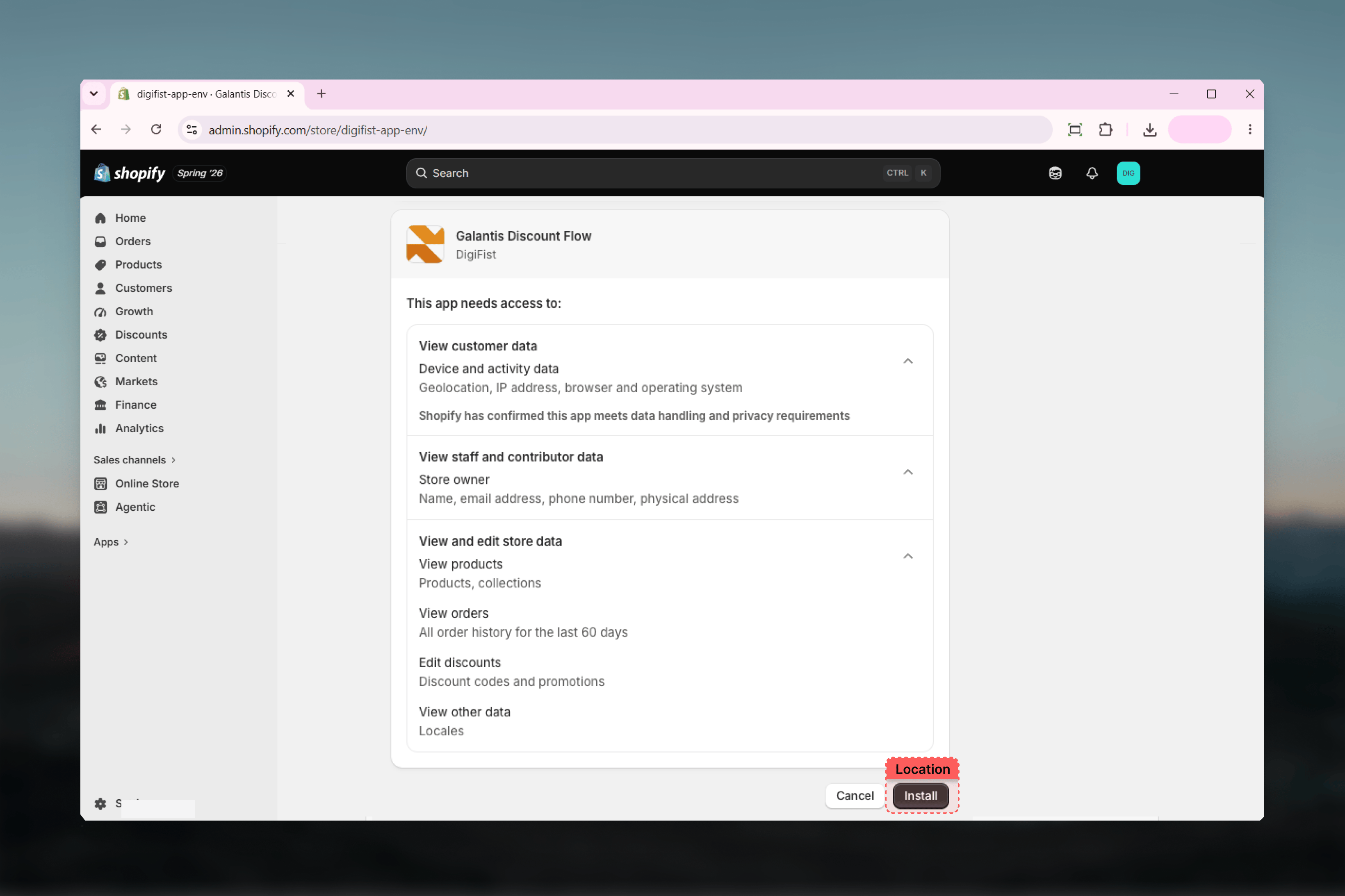
Review and approve permissions
Shopify shows the access the app requests: read discounts, read locales, read orders, read products, and write discounts. Each scope powers a specific part of the app — see What each permission is for below.
3
Select a plan
If you’ve never selected a plan for this store, Shopify redirects you to its hosted plan-selection page. You must pick a plan to continue — even the $0 Free plan must be actively selected. Free gives you up to 3 active campaigns with monthly usage caps; Pro is unlimited. You can switch later under Settings → Change plan.
4
Land on the Dashboard
Once a plan is selected, you land on the Galantis Discount Flow Dashboard inside your Shopify admin, ready to create your first campaign.
What each permission is for
- Discounts
- Orders
- Products
- Locales
Read and write discounts — The core of the app. When you publish a campaign, Galantis Discount Flow creates a real automatic or code-based discount in Shopify; reading discounts keeps the app in sync with what’s live on Shopify’s native Discounts page.
All five scopes are required for the app to work end to end. Shopify presents them together during install; there is no partial-install path.
What happens right after install
As soon as the install completes, Galantis Discount Flow syncs your shop currency, locale, and timezone. This means:- Discount amounts in the Rule Builder are shown in your store currency.
- Campaign Active dates are scheduled in your store timezone — a campaign that starts “at midnight” starts at midnight for your store, not UTC.
- Your Free-plan usage period (if applicable) is anchored to your install date and resets monthly from that anchor.
Uninstalling and the 48-hour grace window
To uninstall, go to Settings → Apps and sales channels in your Shopify admin, find Galantis Discount Flow, and click Uninstall. Shopify revokes the granted permissions automatically.Your first campaign
Walk through the 3-step wizard with the Percentage Discount template — the natural next step after installing.
Storefront setup
Enable the theme app embed so free-gift auto-add and storefront signals work on your store.