

The Combinations card
The card appears in step 3 of the creation wizard and on the campaign detail page. Under the heading “This discount can be combined with:” are three checkboxes:- Order discounts — discounts applied to the whole order total
- Product discounts — discounts applied to specific products or cart lines
- Shipping discounts — free or reduced shipping
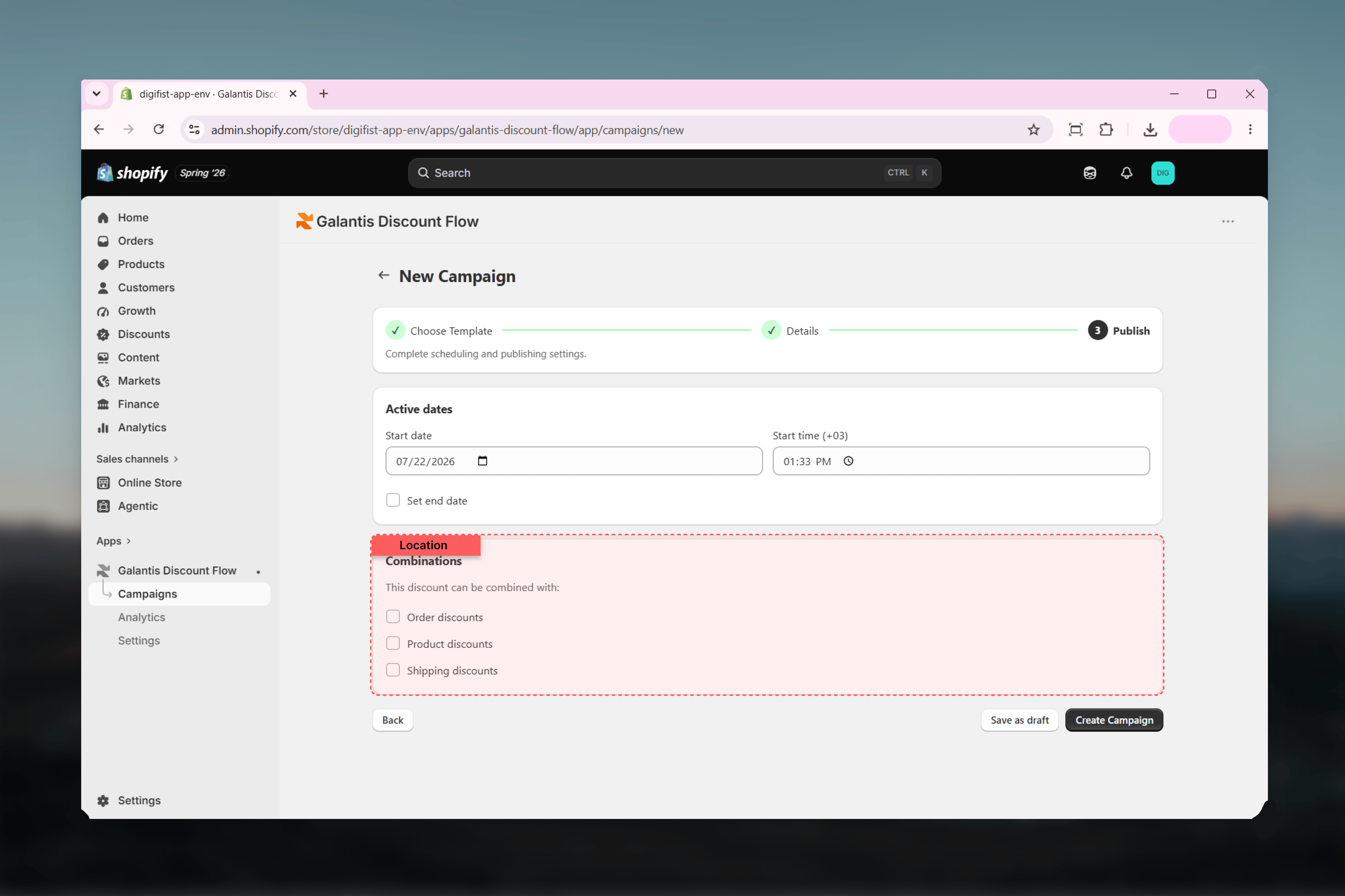
Combination is mutual. Your campaign stacks with another discount only when both sides allow the other’s class — your settings alone can’t force stacking with a discount that doesn’t permit it.
The best-discount rule on shared lines
There is one rule that combination settings cannot override: on the same cart line, only the best product discount applies among competing product discounts. Two product discounts can coexist in one cart — each applying to different lines — but where they both target the same line, the customer gets the better of the two, not both.Scenarios
- Sale + free shipping
- Two product discounts
- No stacking
- Order + product
A 20% storewide campaign runs alongside a free-shipping campaign for carts over 150.Tick Shipping discounts on the percentage campaign and Product discounts on the free-shipping campaign. A qualifying cart then gets both: 20% off the products and free delivery. If either side leaves the other’s class unticked, only one of the two applies.
Quick reference
Related guides
- Creating campaigns — where the Combinations card appears in the wizard
- Managing campaigns — changing combinations on a live campaign
- Campaigns overview — how campaigns map to Shopify discounts