

Enable the theme app embed
1
Open the theme editor
In your Shopify admin, go to Online Store → Themes and click Customize on your live theme.
2
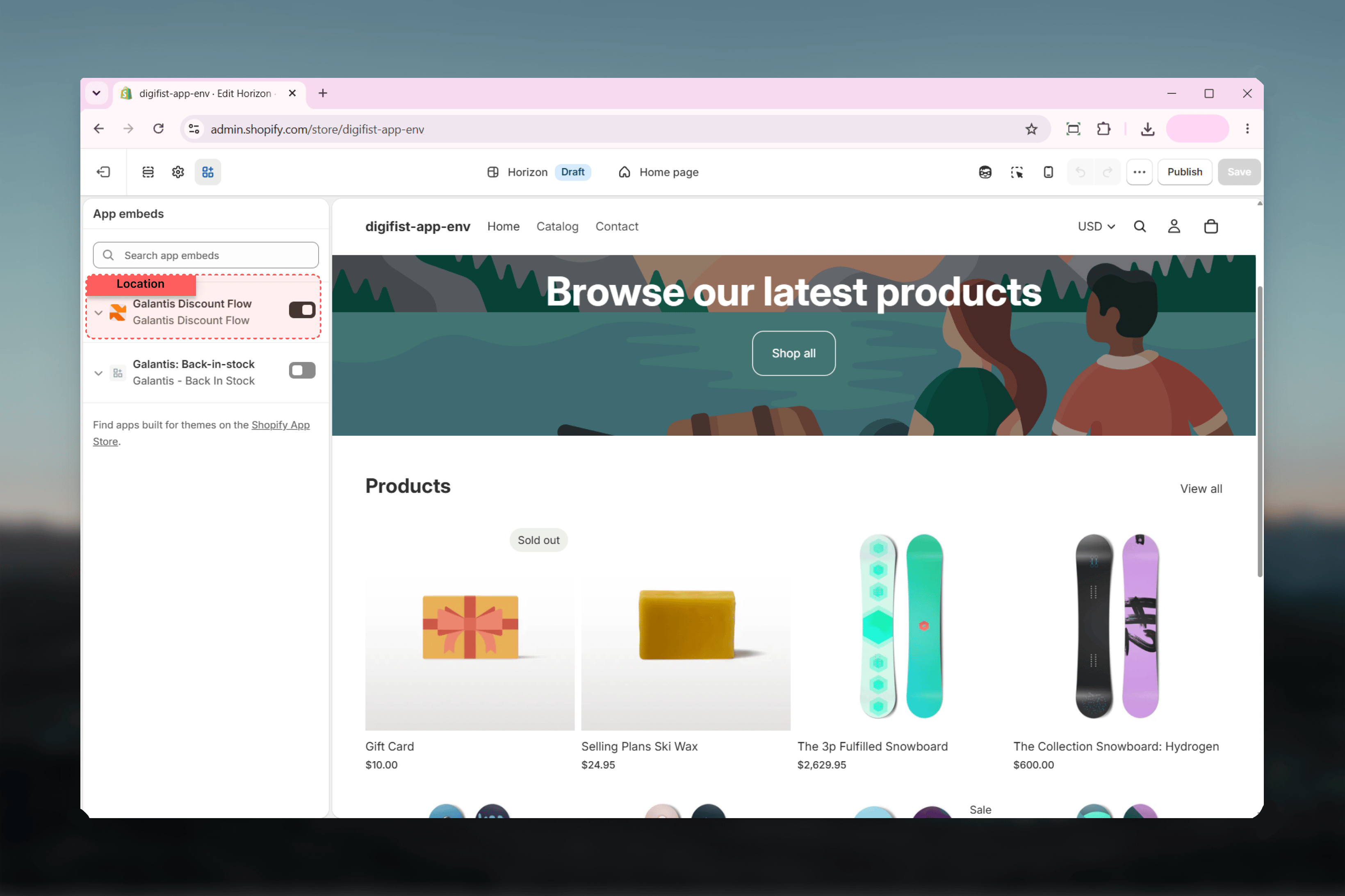
Open App embeds
In the theme editor’s left sidebar, select App embeds.
3
Turn on Galantis Discount Flow
Find the Galantis Discount Flow embed in the list and toggle it on. Adjust its settings if needed — each one is explained below.
4
Save the theme
Click Save in the theme editor. The embed is now live on your storefront.
Embed settings explained
Enable Galantis Discount Flow
Enable Galantis Discount Flow
Default: on. The master switch for all storefront behavior. Turn it off to pause everything the embed does — free-gift auto-add and storefront signals — without uninstalling the app. Checkout pricing is unaffected either way.
Debug mode
Debug mode
Default: off. Intended for troubleshooting during setup. Leave it off in normal operation; switch it on only when you’re investigating storefront behavior with support.
Auto-add free gifts
Auto-add free gifts
Default: on. When a customer’s cart qualifies for a Free gift campaign, the embed automatically adds the gift item to the cart. Turn this off if you don’t want gifts added automatically — but note that Free gift campaigns rely on this behavior to deliver the gift.
Show a notification when a free gift is added
Show a notification when a free gift is added
Default: on. Displays a storefront notification the moment a free gift lands in the cart, so customers understand why a new item appeared. Turn it off for a silent auto-add.
Free gift notification text
Free gift notification text
Default: “Your free gift has been added to your cart 🎁”. The message shown by the notification above. Edit it to match your brand voice or language.