

Block categories
Conditions
Eleven checks against the cart, customer, products, time, and place — each with Then and Otherwise output paths.
Logic gates
AND, OR, and NOT blocks for combining and inverting conditions into more precise targeting.
Actions & discount types
Eight discount actions, from Percentage off to Volume pricing — the blocks that actually reduce the price.
Testing flows
The Test panel simulates a cart and customer and highlights which path fires — without touching your live store.
The canvas and toolbar
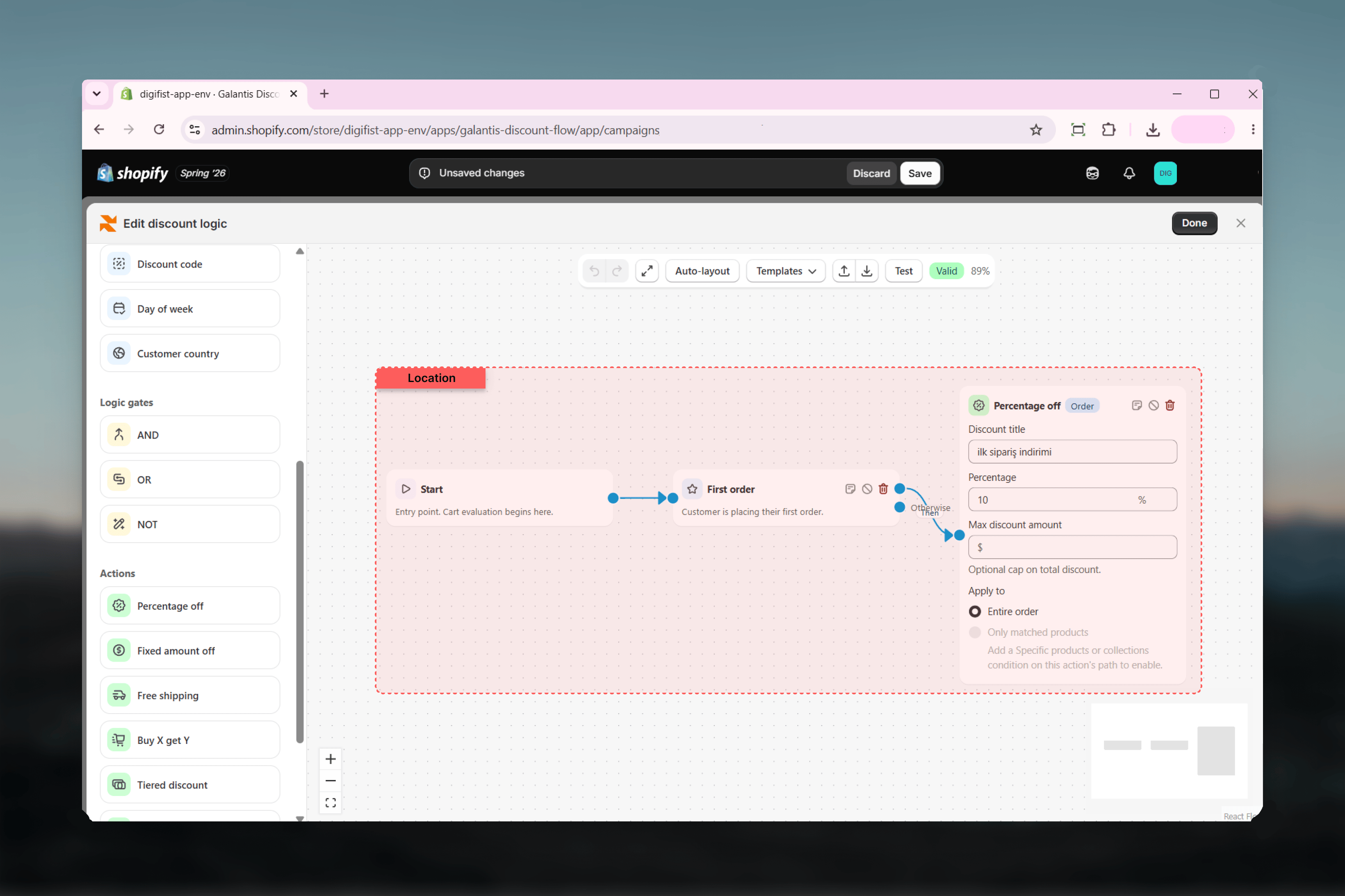
The block palette on the left lists every available block, grouped by category: Trigger, Conditions, Logic gates, and Actions. Drag a block onto the canvas, then draw connections between output and input ports to define the flow. The toolbar above the canvas gives you:- Undo / Redo — step backward and forward through canvas edits
- Fit view — zoom the canvas so the whole flow is visible
- Auto-layout — automatically arrange blocks into a tidy left-to-right layout
- Templates — start from a pre-built flow instead of an empty canvas
- Test — open the Test panel to simulate a cart and customer
- An issues indicator — a Valid badge when the flow is healthy, or an issue count you can click to see every problem
- The current zoom level
- Product, collection, and gift fields open Shopify’s resource picker, so you select real items from your catalog rather than typing names.
- Money fields show your store’s own currency symbol, so a threshold of 100 means 100 in the currency your customers actually pay in.
Validation
The Rule Builder continuously validates the flow as you build. Blocks with a problem get a red outline, and every issue appears in the toolbar’s issues list with a plain-language explanation — for example, a block that is not connected, an action that cannot be reached from Start, a condition with no Then connection, or a loop in the graph.One flow, three places
The logic you draw runs in three places, and all three produce identical results:- In the builder — the Test panel evaluates the flow live against a simulated cart and customer, so you can verify behavior before publishing.
- On the storefront — the theme embed evaluates the flow as customers shop, powering storefront behavior such as auto-adding a free gift to the cart.
- At checkout — a Shopify discount Function runs the same flow and actually applies the discount to the order.
Related guides
- Conditions — All eleven condition blocks and their fields
- Logic gates — Combining conditions with AND, OR, and NOT
- Actions & discount types — The eight discount actions and their settings
- Testing flows — Dry-running a flow before you publish