

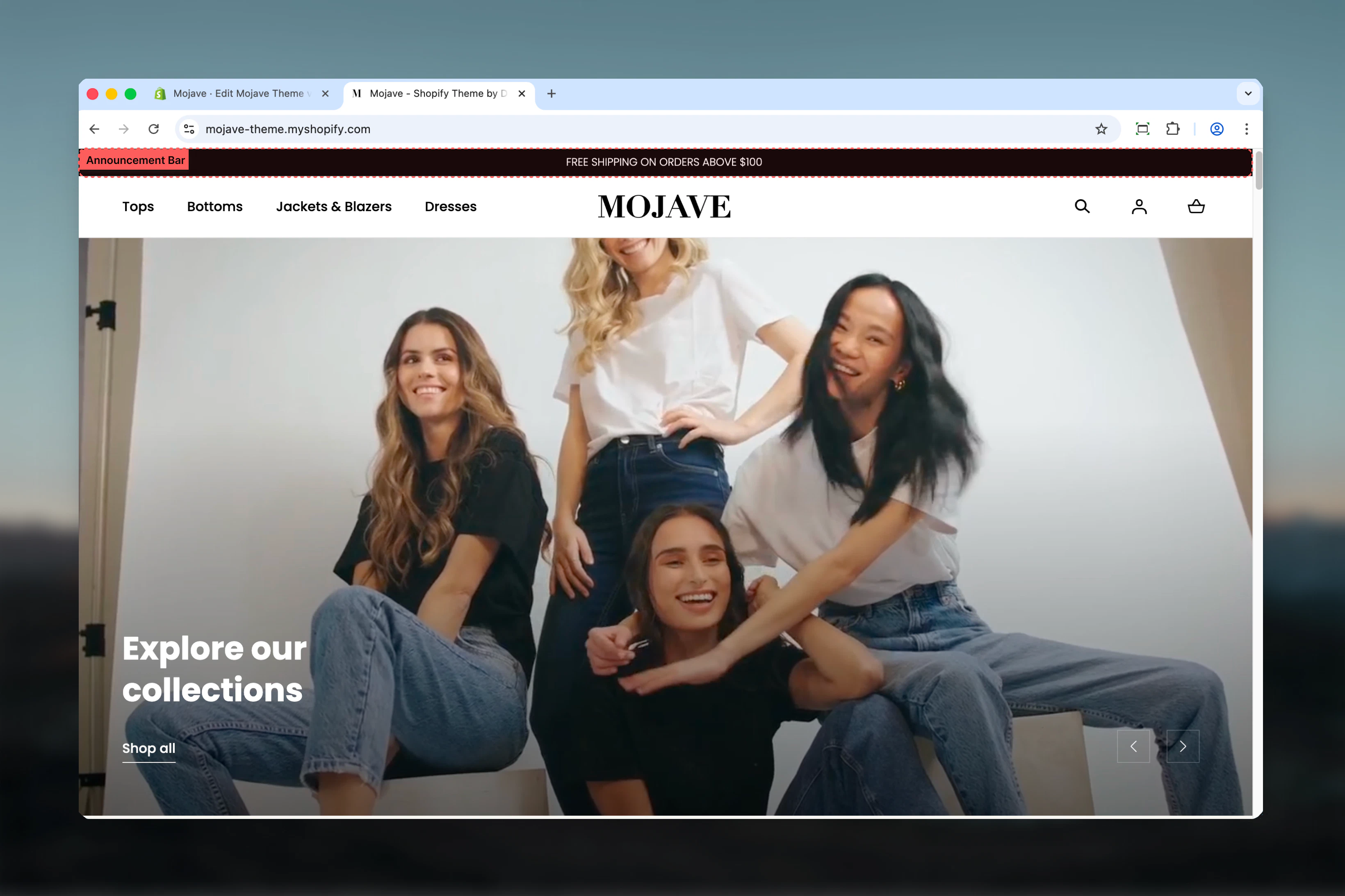
What this section controls
- Announcement message content and styling
- Carousel behavior and autoplay timing
- Device-specific typography settings
- Bar positioning relative to header
- Utility menu integration
- Homepage transparency effects
Getting started
1
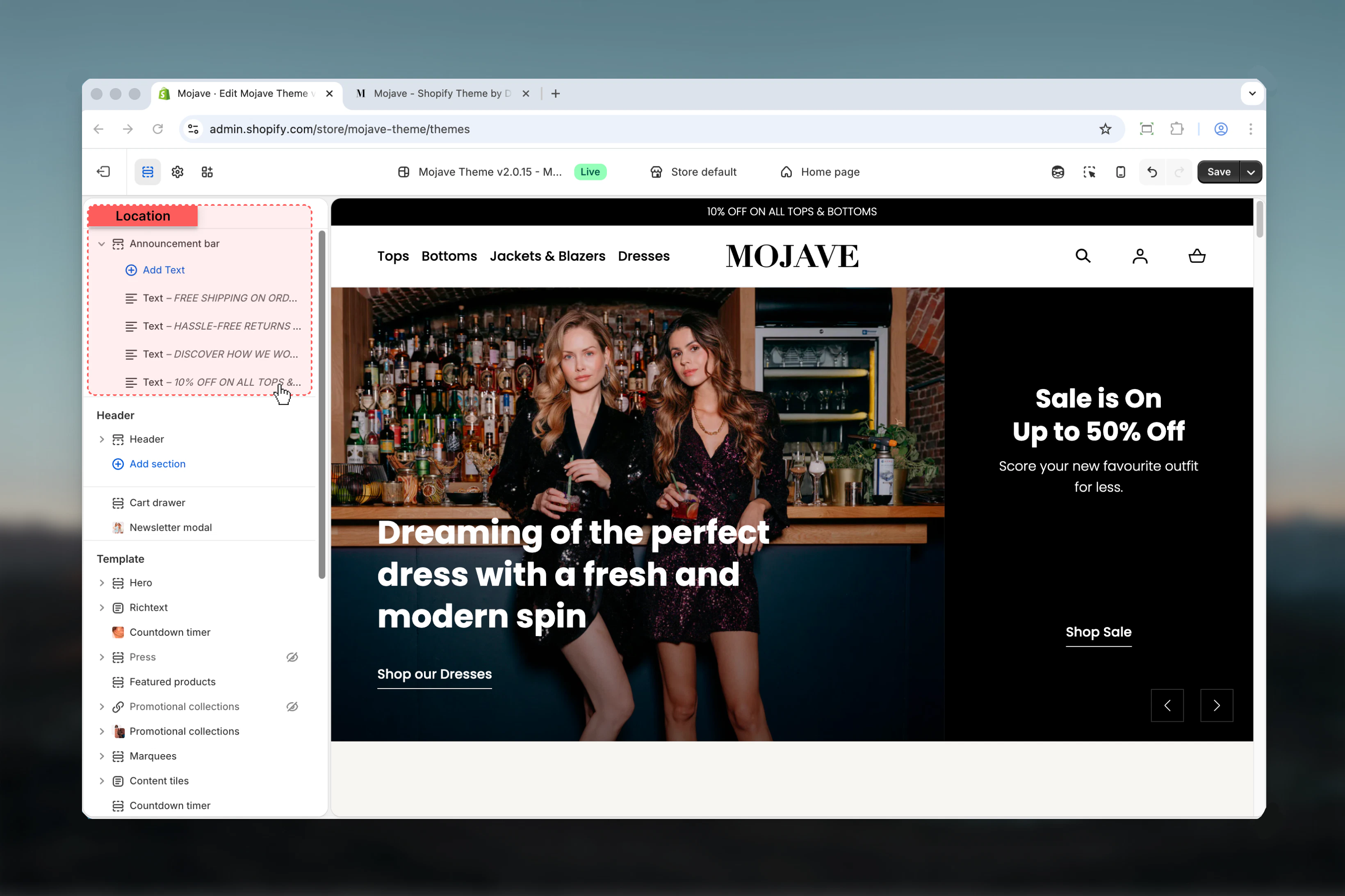
Open Theme Customizer
In your Shopify admin, go to Online Store > Themes and click Customize on your active theme.
2
Locate the section
The Announcement bar section is located at the very top of your site, above or below the header depending on your positioning settings.
Display behavior
The announcement bar automatically adapts its display mode based on the number of messages:Static display (1-3 messages)
Static display (1-3 messages)
When you have 3 or fewer announcement blocks, messages display side-by-side statically across the bar. You can disable this behavior with the “Disable blocks carousel on desktop” setting to force carousel mode even with fewer messages.
Carousel mode (4+ messages or forced)
Carousel mode (4+ messages or forced)
With 4 or more blocks, the bar automatically rotates through messages using carousel functionality. The “Carousel Interval” setting controls how long each message displays before transitioning to the next (1-10 seconds).Note: When you have more than 3 blocks, carousel mode activates automatically regardless of the “Disable blocks carousel on desktop” setting.
Key settings
- Content & Behavior
- Positioning & Layout
- Typography
Disable blocks carousel on desktop
Disable blocks carousel on desktop
Control whether messages rotate automatically on desktop devices. When enabled, all announcement messages display statically side-by-side instead of rotating.Important: This setting is automatically bypassed when you have more than 3 announcement blocks - carousel mode will activate regardless to accommodate the additional content.
Carousel Interval
Carousel Interval
Set the duration (1-10 seconds) each announcement message displays before rotating to the next. Only applies when carousel mode is active.Recommended intervals:
- Quick messages: 3-4 seconds for short promotional text
- Detailed content: 6-8 seconds for longer announcements
- Multiple offers: 5-6 seconds for balanced rotation
Block settings
Add announcement messages by adding “Text” blocks. Each block represents one announcement that will display in the bar.- Text Block
Text
Text
The announcement message content. Supports inline rich text formatting including bold, italic, and text styling.Keep messages concise - announcement bars are designed for brief, scannable content rather than detailed information.
Link URL
Link URL
Make the entire announcement message clickable by adding a URL. When visitors click the announcement, they’ll navigate to the specified link.Link best practices:
- Use descriptive announcement text that indicates where the link leads
- Link to relevant landing pages, collection pages, or promotional content
- Ensure linked pages provide the value promised in the announcement
- Test links after adding to verify correct destinations
Best practices
Keep messages concise
Announcement bars work best with brief, scannable text. Aim for 5-10 words per message to ensure readability across all devices.
Use carousel strategically
For 2-3 key messages, consider disabling carousel to show all simultaneously. Reserve automatic rotation for 4+ announcements or time-sensitive offers.
Optimize rotation timing
Balance message visibility with user experience. Very fast rotations (1-2s) can be distracting, while very slow ones (9-10s) may prevent users from seeing all messages.
Test transparency carefully
When using transparent background on homepage, test with various hero images to ensure announcement text remains readable against all backgrounds.
Leverage utility menu
Use the utility menu feature to combine promotions with functional links like language selection or customer service, maximizing the bar’s value.
Consider mobile typography
Mobile font sizes should prioritize legibility. Don’t go too small - 12px is typically the minimum for comfortable reading on mobile devices.
Strategic positioning
Below-header positioning works exceptionally well for stores using transparent headers with hero sections, creating an integrated visual experience.
Update regularly
Keep announcement content fresh and relevant. Rotate messages seasonally or with promotional campaigns to maintain customer engagement.