

main-blog section, which combines a selected blog source, optional tag filters, pagination, and reusable article card blocks into one customizable listing page.
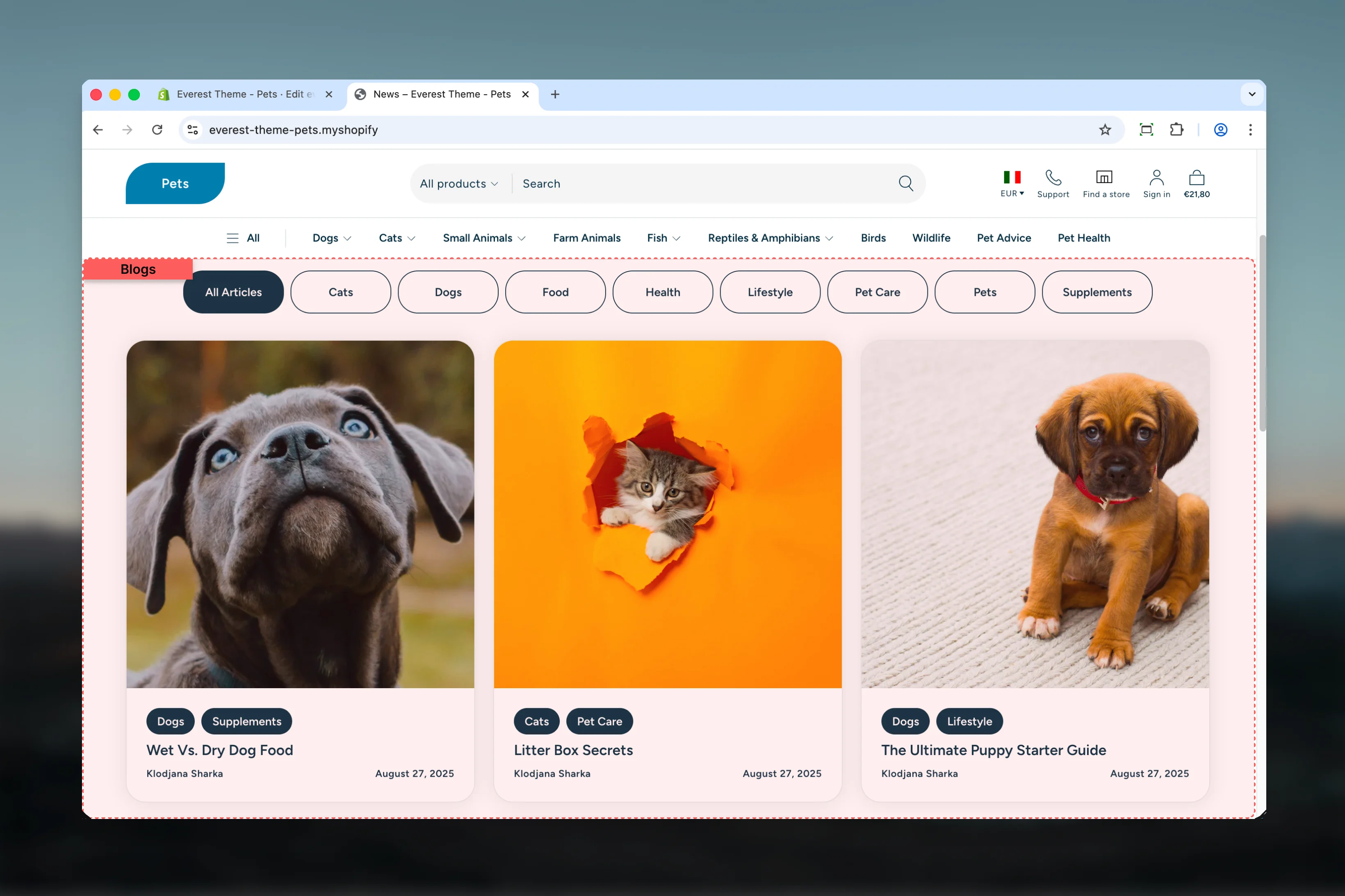
What this template controls
- Which Shopify blog the page displays
- Tag-based article filtering on desktop and mobile
- Articles per page and pagination behavior
- Article grid columns on desktop and mobile
- Shared width, color, spacing, and border settings
- The default Section Header and Article Card block structure used inside the template
Template structure
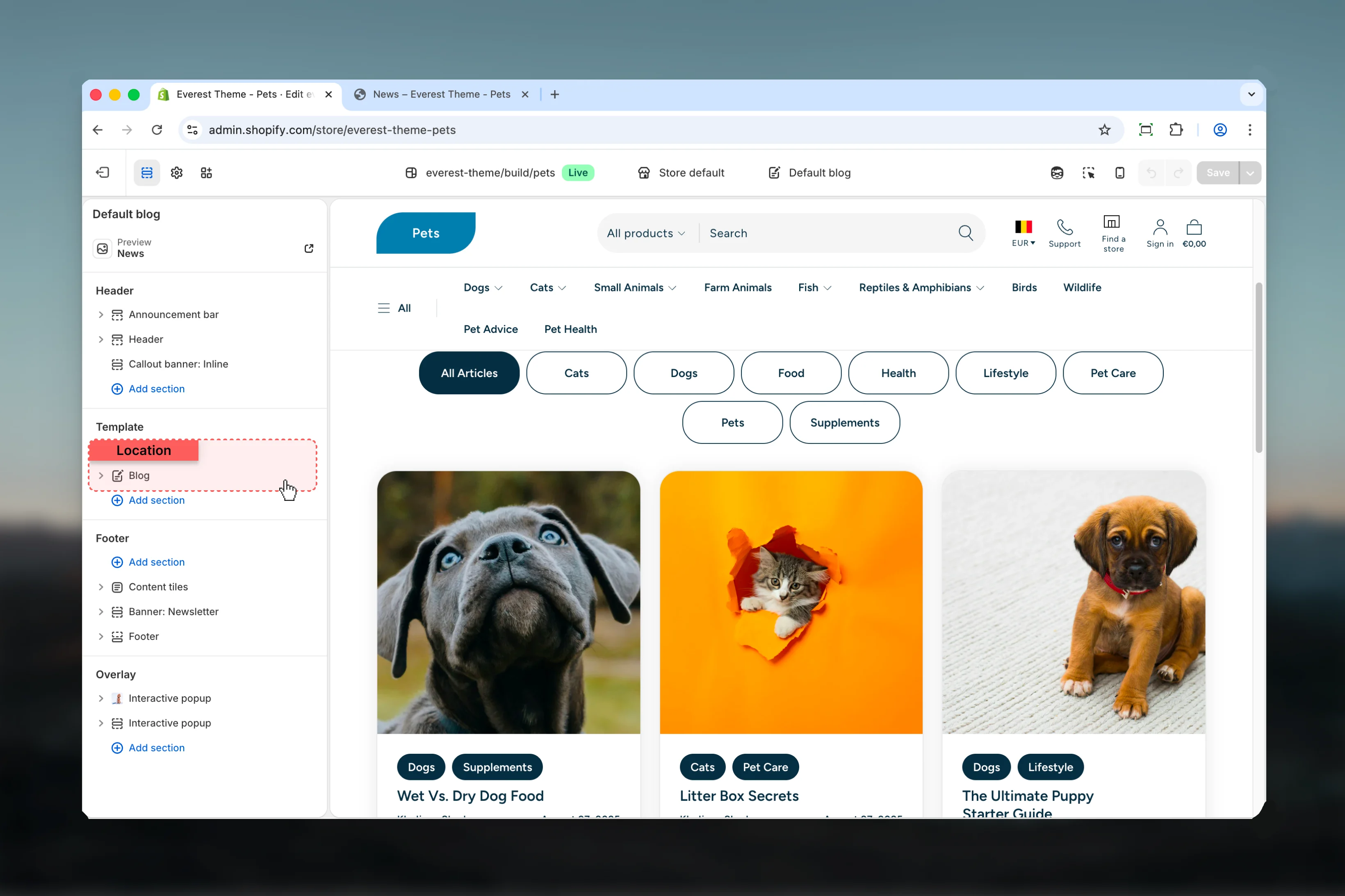
This template uses the following main section and related blocks by default:- Blog
- Section Header block
- Article Card block with tags, heading, and article details sub-blocks
Getting started
1
Open a blog template
In Theme Customizer, open a blog resource or assign the blog template before editing it.
2
Choose the blog source
Set the correct Shopify blog first so filtering, article count, and pagination reflect the right content set.
3
Review article density
Adjust articles per page and column count together so the listing stays readable across desktop and mobile.
4
Check tag filtering behavior
If tag filters are enabled, review both the desktop button list and the mobile dropdown flow.
Main settings
Content and navigation

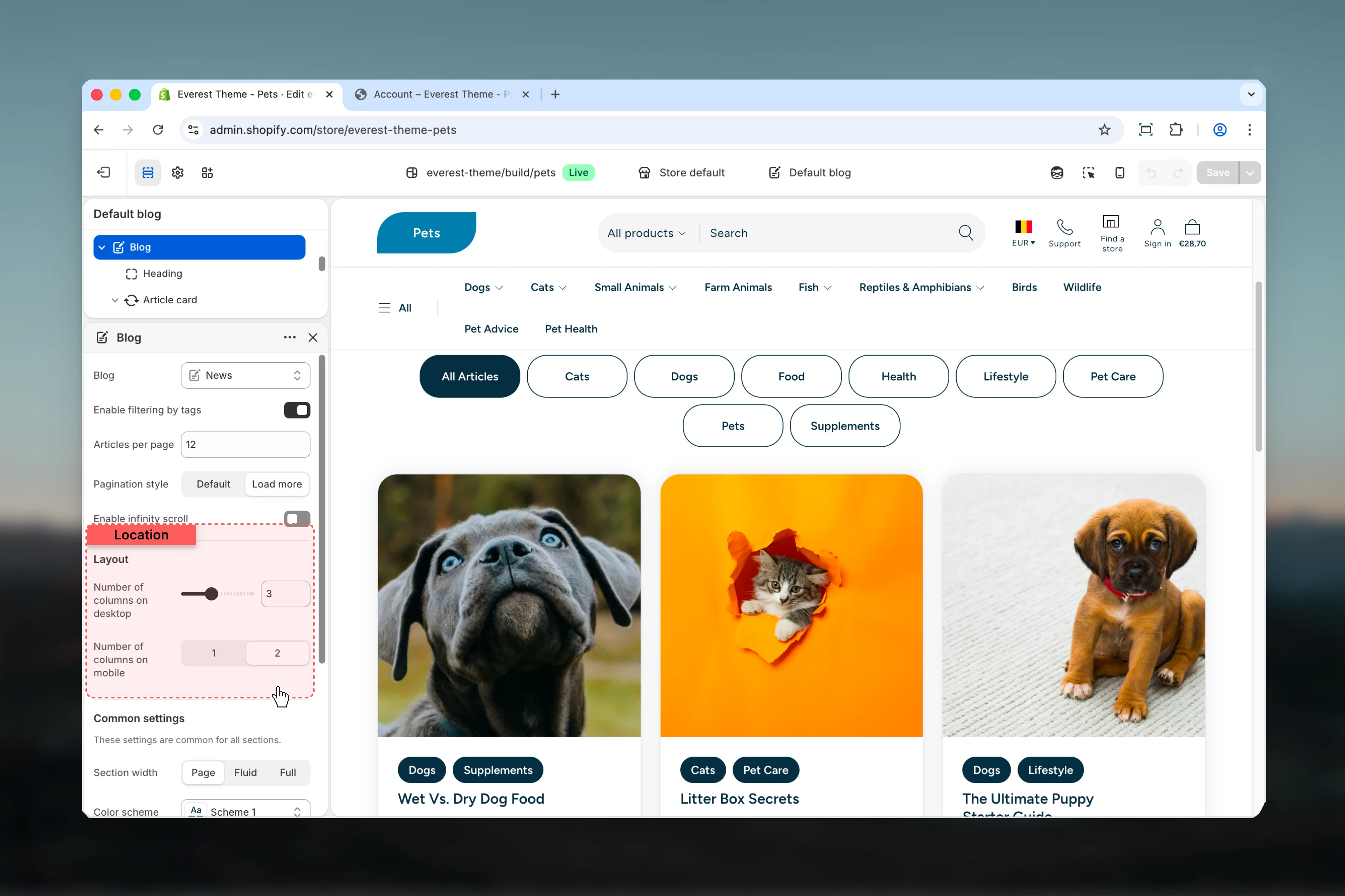
Blog
Blog
Selects which Shopify blog this template should render.If no blog is chosen in the section, Everest falls back to the current blog resource.
Articles per page
Articles per page
Controls how many articles appear before pagination.Default:
12Layout
Number of columns on desktop
Number of columns on desktop
Controls the article grid density on larger screens.Range:
Default:
1 to 6Default:
3Number of columns on mobile
Number of columns on mobile
Controls how many article cards display per row on smaller screens.Available options:
Default:
1, 2Default:
2Common settings
Section width
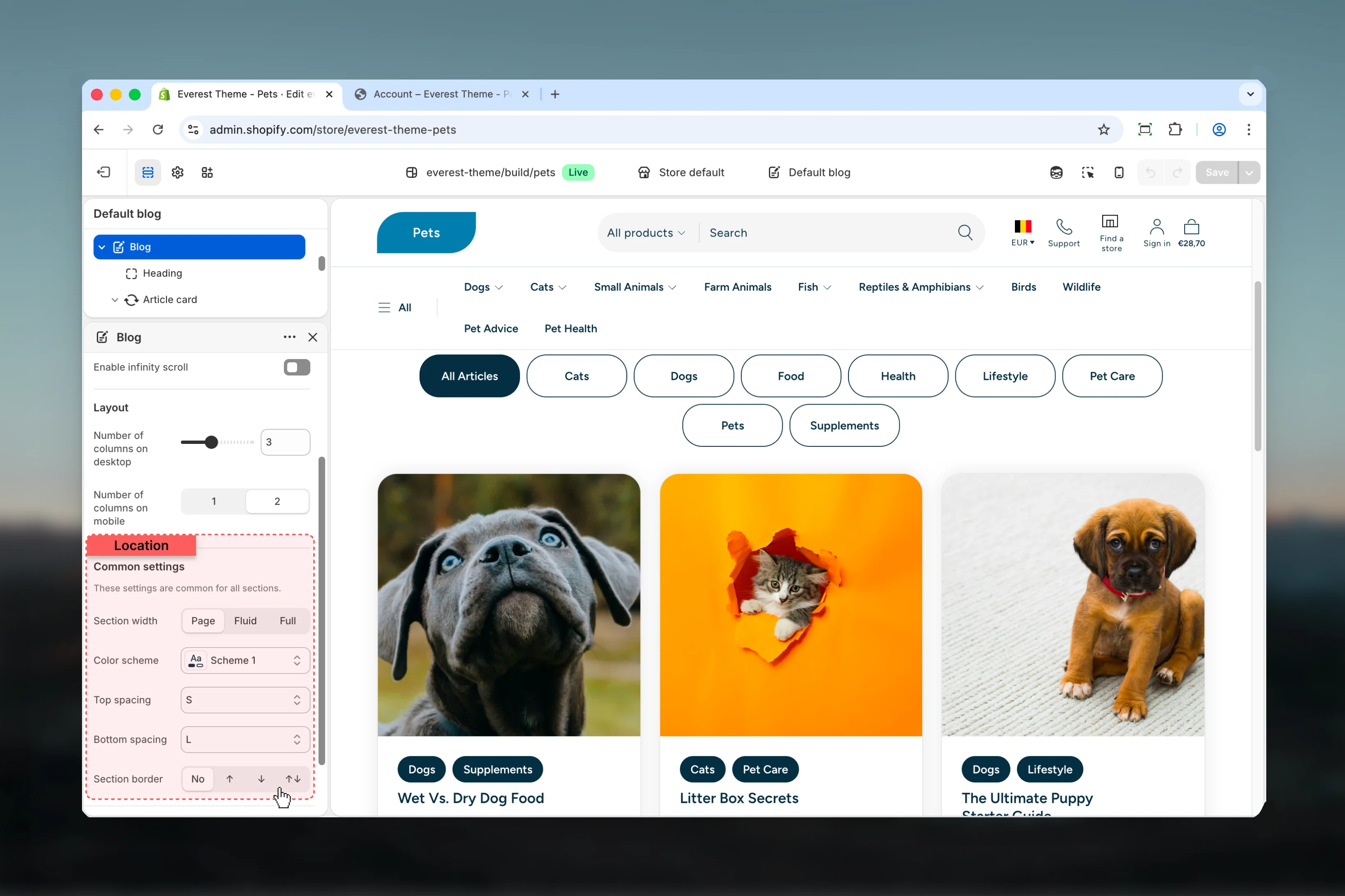
Section width
Sets the maximum layout width for the blog listing container.Available options:
Default:
Page, Fluid, FullDefault:
PageColor scheme
Color scheme
Applies the main color treatment for the template wrapper and article listing area.
Top spacing and bottom spacing
Top spacing and bottom spacing
Control the vertical spacing around the blog listing section.Available options:
No, S, M, L, XLSection border
Section border
Adds a border treatment to the blog section wrapper.Available options:
None, Top, Bottom, BothBlock behavior
The default article card structure is defined inside the template JSON. Everest uses:- Tags to show article tags when available
- Heading for the article title
- Article Details for author and publish date
Best practices
- Choose article counts and column settings together so pagination feels intentional instead of crowded.
- Keep tag filtering enabled only when the selected blog has a clear tag structure.
- Review mobile filtering carefully because Everest switches from visible buttons to a dropdown pattern.
- Use consistent featured image ratios across posts so the grid looks balanced.