

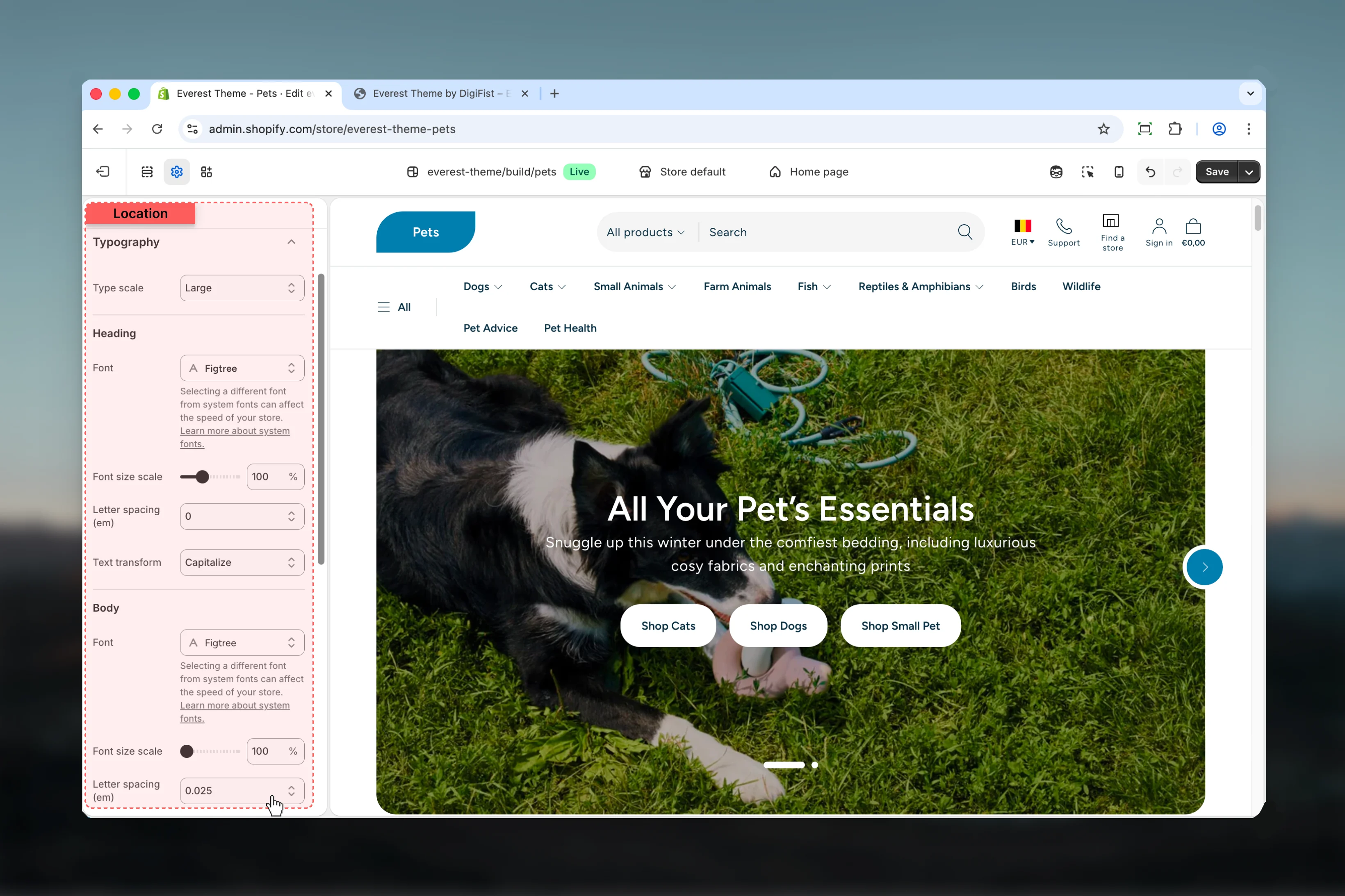
What these settings control
- Headings, text content, and on-page messaging
How to access
1
Open the Theme Customizer
In Shopify admin, go to Online Store -> Themes -> Customize.
2
Open Theme settings
Select Theme settings in the customizer sidebar.
3
Choose Typography
Open Typography to review and update the shared settings in this category.

Settings
Settings
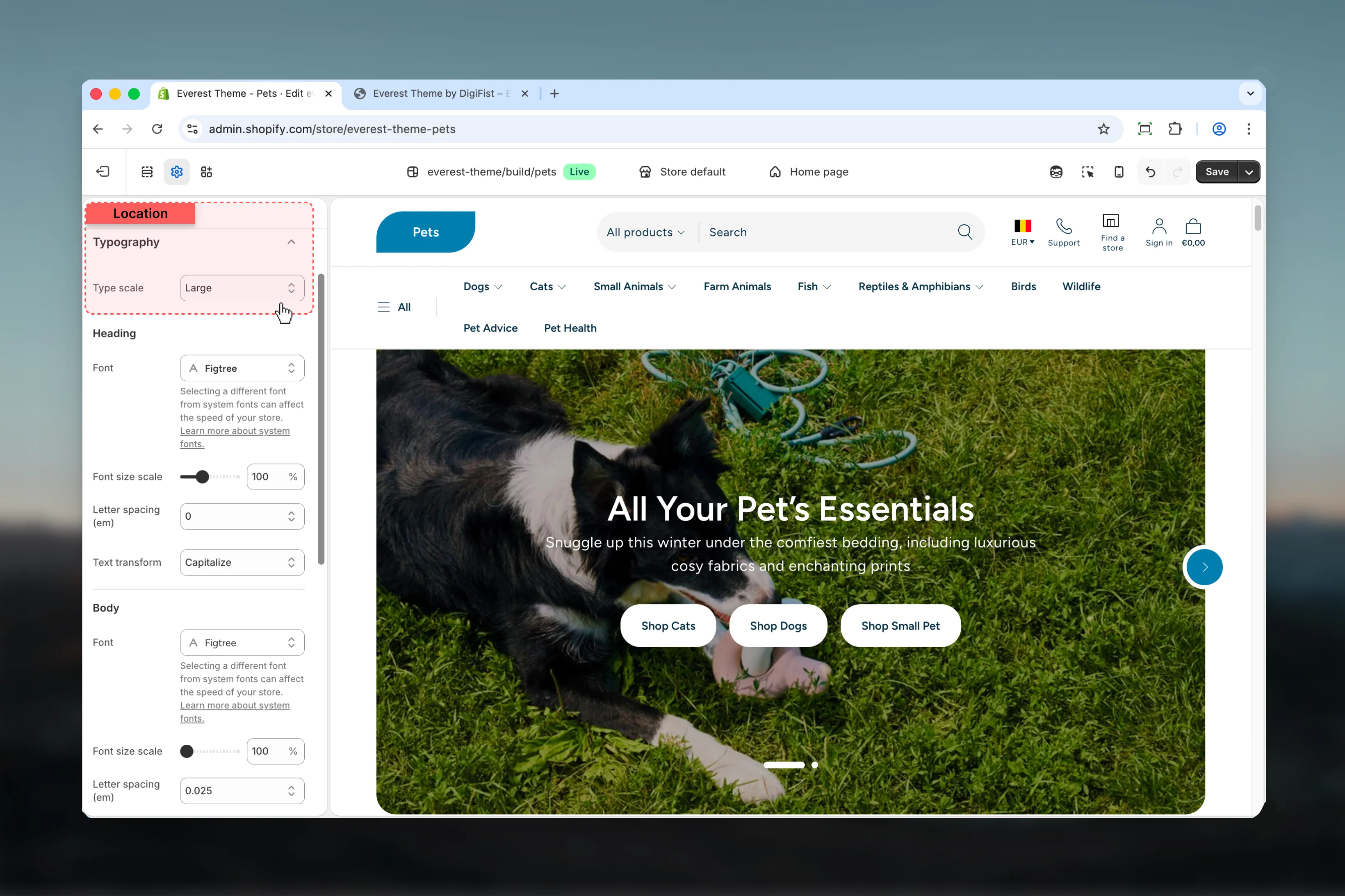
Type scale
Type scale
Choose how Type scale behaves in the section.Available options: Small, Medium, Large.Default:
1.333Heading
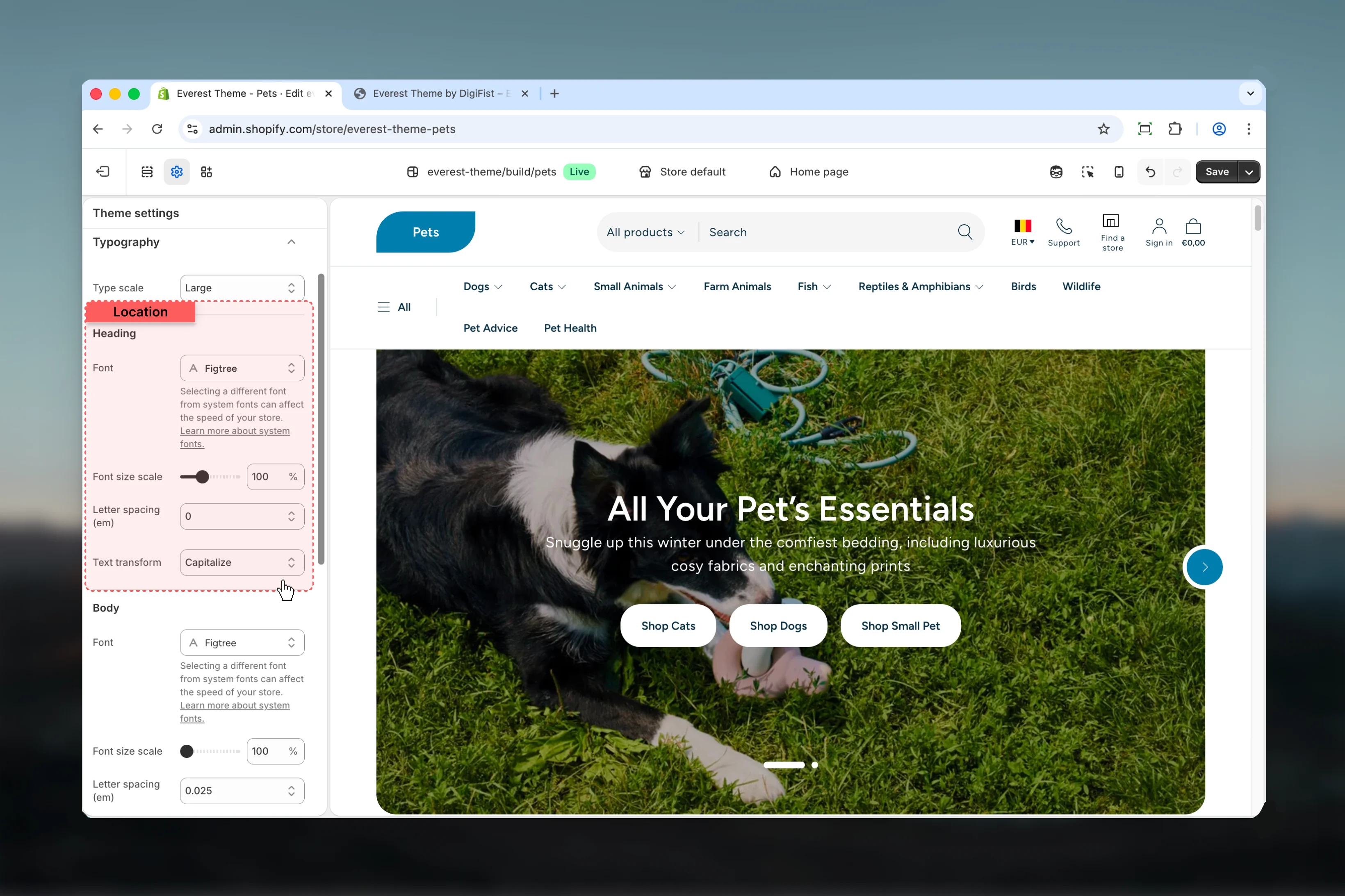
Font
Font
Controls font.Default:
figtree_n6Selecting a different font from system fonts can affect the speed of your store. Learn more about system fonts.Font size scale
Font size scale
Adjust Font size scale with a slider-based control.Range:
50 to 200 Default: 100%Letter spacing (em)
Letter spacing (em)
Choose how Letter spacing (em) behaves in the section.Available options: -0.05, -0.025, 0, 0.025, 0.05.Default:
0emText transform
Text transform
Choose how Text transform behaves in the section.Available options: None, Uppercase, Capitalize.Default:
noneBody

Font
Font
Controls font.Default:
figtree_n4Selecting a different font from system fonts can affect the speed of your store. Learn more about system fonts.Font size scale
Font size scale
Adjust Font size scale with a slider-based control.Range:
100 to 200 Default: 100%Letter spacing (em)
Letter spacing (em)
Choose how Letter spacing (em) behaves in the section.Available options: -0.05, -0.025, 0, 0.025, 0.05.Default:
0.025emBest practices
- Adjust layout changes alongside neighboring sections so page rhythm stays consistent.
- Change one global setting area at a time and preview multiple templates before publishing.
- Remember that theme settings affect many sections at once, so small adjustments can have wide impact.