

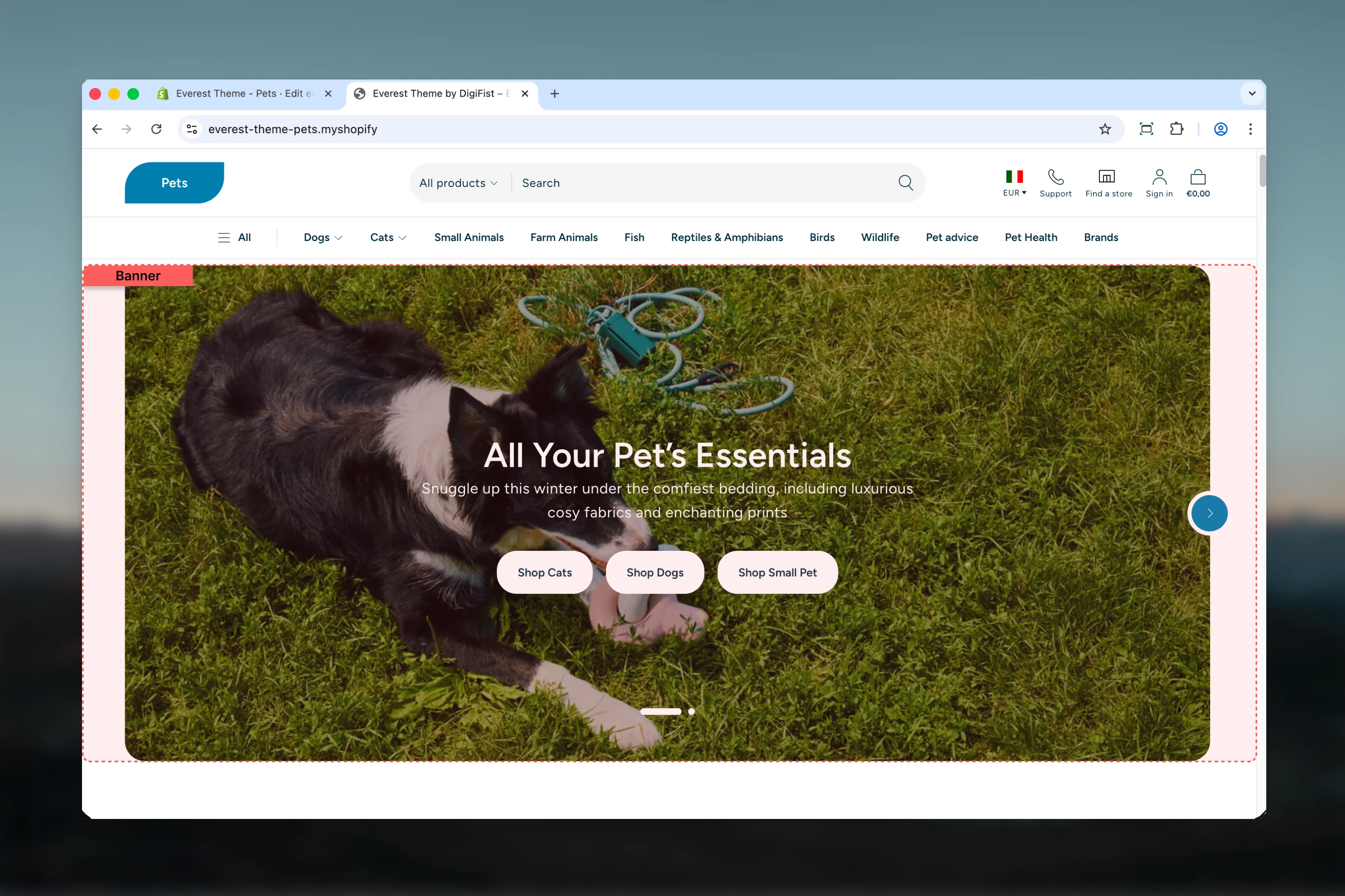
What this section controls
- Images, videos, and other media presentation options
- Layout structure, width, alignment, and spacing
- Calls to action, links, and navigation behavior
- Color schemes, contrast, and shared visual styling
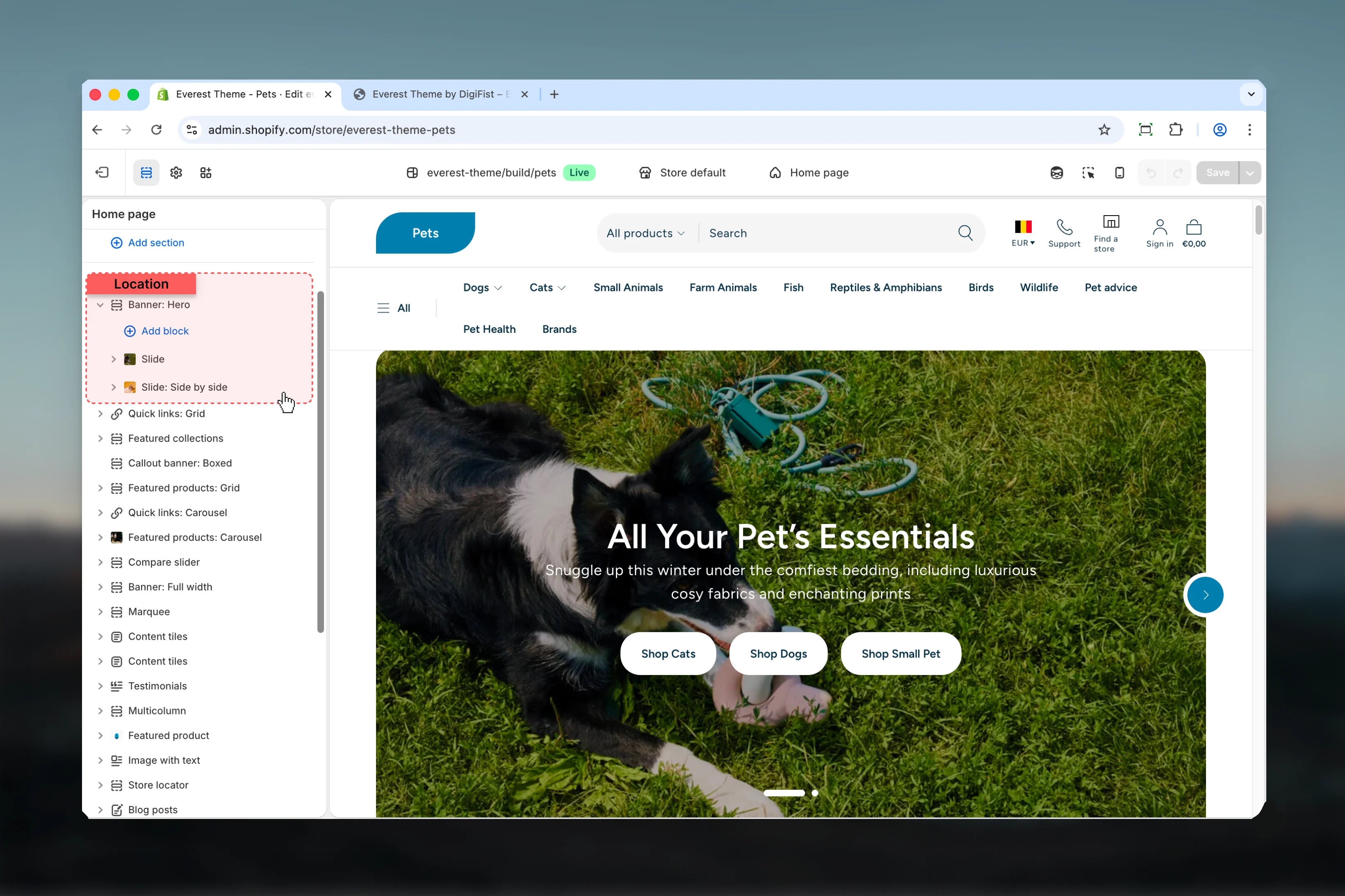
- Block types such as Slide
Getting started
1
Open the Theme Customizer
In Shopify admin, go to Online Store -> Themes -> Customize.
2
Add or open Banner
Add the Banner section to a compatible template or select the existing section from the left sidebar.
3
Adjust the main settings first
Start with the structural settings such as layout, width, color scheme, spacing, or content source before refining smaller details.
4
Review blocks and supporting content
Add, remove, or reorder blocks after the main layout feels right so content hierarchy stays easier to manage.
Section settings
Settings

Section height
Section height
Choose how Section height behaves in the section.It has the strongest effect on layout balance and visual hierarchy.Available options: Ratio, Custom.Default:
ratioCustom height
Custom height
Adjust Custom height with a slider-based control.It has the strongest effect on layout balance and visual hierarchy.Range:
0 to 100 Default: 60This setting only appears when its related parent option is enabled.Aspect ratio
Aspect ratio
Choose how Aspect ratio behaves in the section.It has the strongest effect on layout balance and visual hierarchy.Available options: Auto, 1:1, 4:3, 3:4, 3:2, 2:3, 5:4, 4:5, 16:9, 9:16, 2:1, 4:1, 1:2.Default:
autoThis setting only appears when its related parent option is enabled.Slideshow
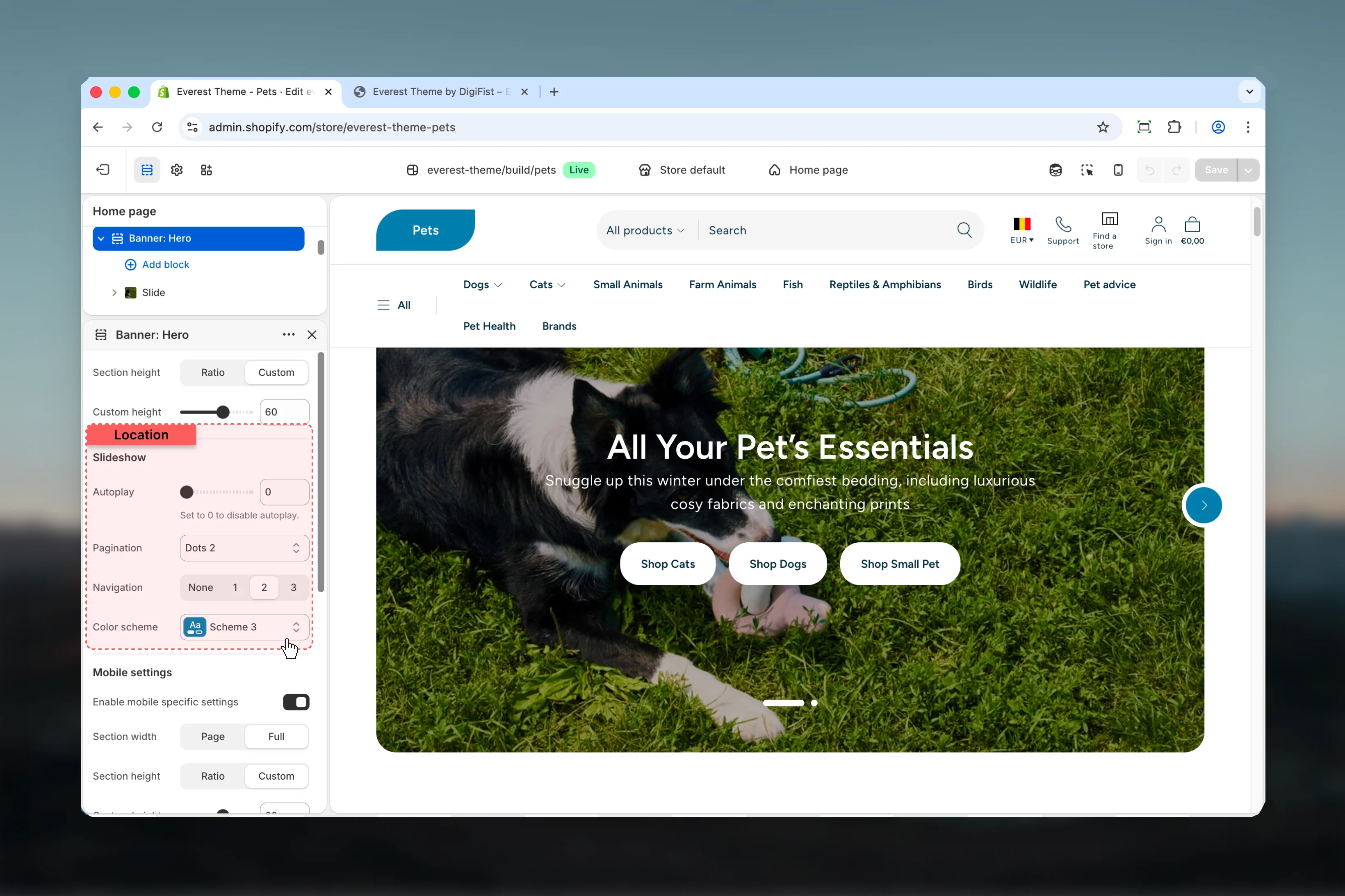
Autoplay
Autoplay
Adjust Autoplay with a slider-based control.Range:
0 to 10 Default: 5Set to 0 to disable autoplay.Pagination
Pagination
Choose how Pagination behaves in the section.Available options: None, Dots 1, Dots 2, Dynamic, Fraction.Default:
dots-2Color scheme
Color scheme
Select the color scheme used for color scheme.Use this to keep contrast and branding consistent with the rest of the store.Default:
scheme-1This setting only appears when its related parent option is enabled.Mobile settings
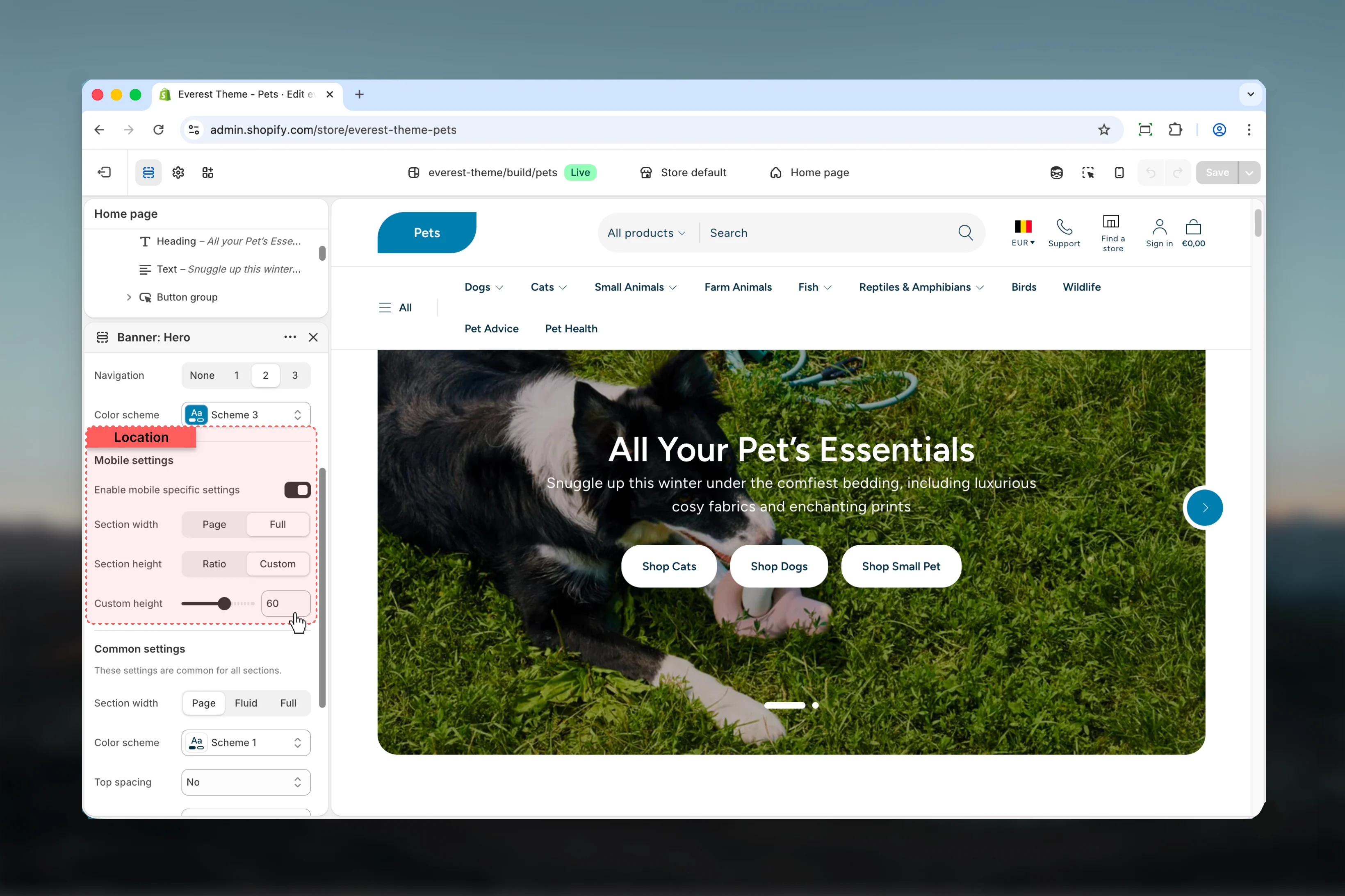
Enable mobile specific settings
Enable mobile specific settings
Enable or disable Enable mobile specific settings.Default:
disabledSection width
Section width
Choose how Section width behaves in the section.This setting shapes the section container and how it sits against surrounding content.Available options: Page, Full.Default:
fullThis setting only appears when its related parent option is enabled.Section height
Section height
Choose how Section height behaves in the section.It has the strongest effect on layout balance and visual hierarchy.Available options: Ratio, Custom.Default:
ratioThis setting only appears when its related parent option is enabled.Custom height
Custom height
Adjust Custom height with a slider-based control.It has the strongest effect on layout balance and visual hierarchy.Range:
0 to 100 Default: 60This setting only appears when its related parent option is enabled.Aspect ratio
Aspect ratio
Choose how Aspect ratio behaves in the section.It has the strongest effect on layout balance and visual hierarchy.Available options: Auto, 1:1, 4:3, 3:4, 3:2, 2:3, 5:4, 4:5, 16:9, 9:16, 2:1, 4:1, 8:1, 1:2.Default:
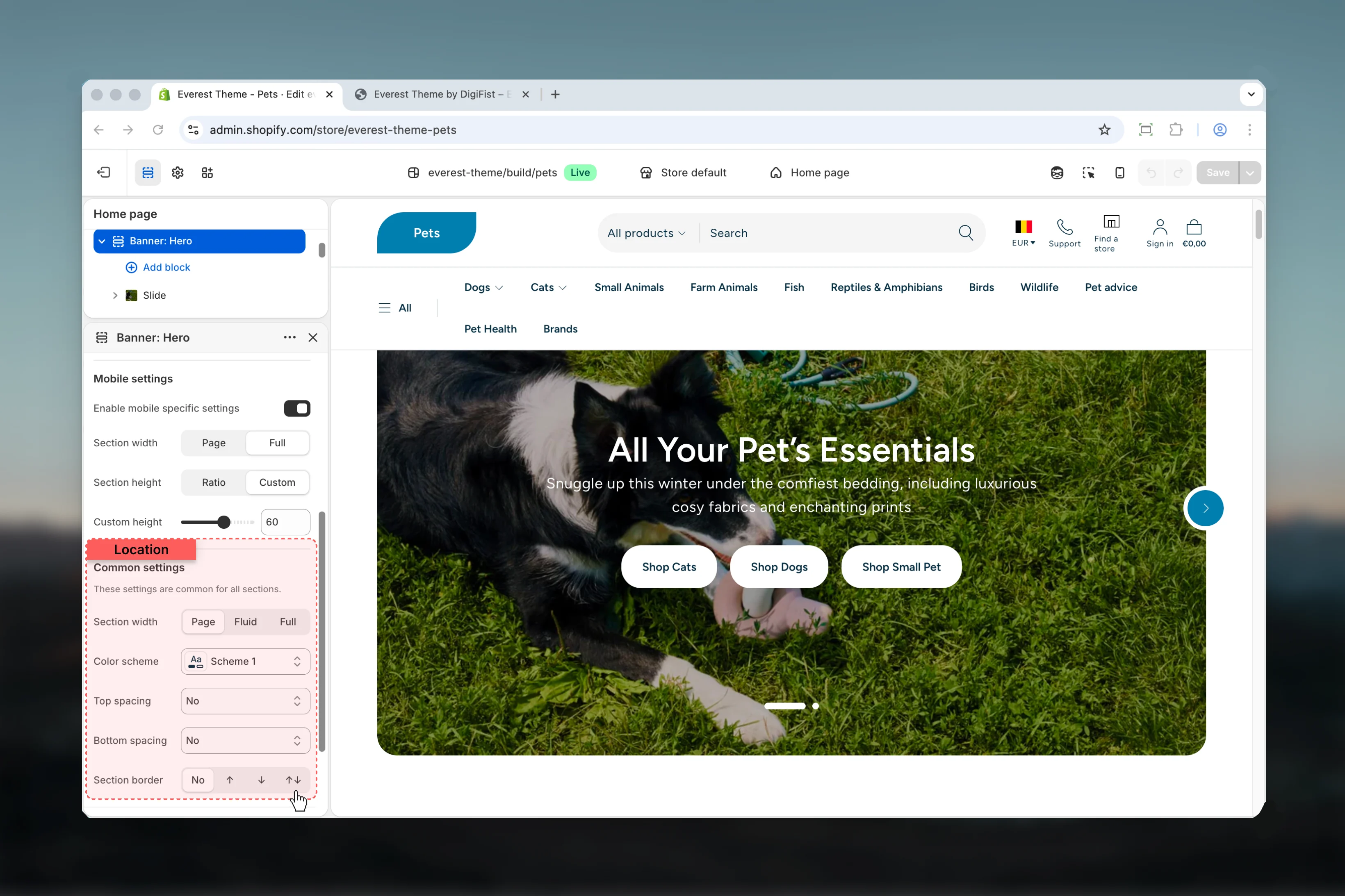
autoThis setting only appears when its related parent option is enabled.Common settings
Section width
Section width
Choose how Section width behaves in the section.This setting shapes the section container and how it sits against surrounding content.Available options: Page, Fluid, Full.Default:
fullColor scheme
Color scheme
Select the color scheme used for color scheme.Use this to keep contrast and branding consistent with the rest of the store.Default:
scheme-1Top spacing
Top spacing
Choose how Top spacing behaves in the section.This setting shapes the section container and how it sits against surrounding content.Available options: No, S, M, L, XL.Default:
2Bottom spacing
Bottom spacing
Choose how Bottom spacing behaves in the section.This setting shapes the section container and how it sits against surrounding content.Available options: No, S, M, L, XL.Default:
2Section border
Section border
Choose how Section border behaves in the section.This setting shapes the section container and how it sits against surrounding content.Available options: None, Top, Bottom, Both.Default:
noneBlock settings
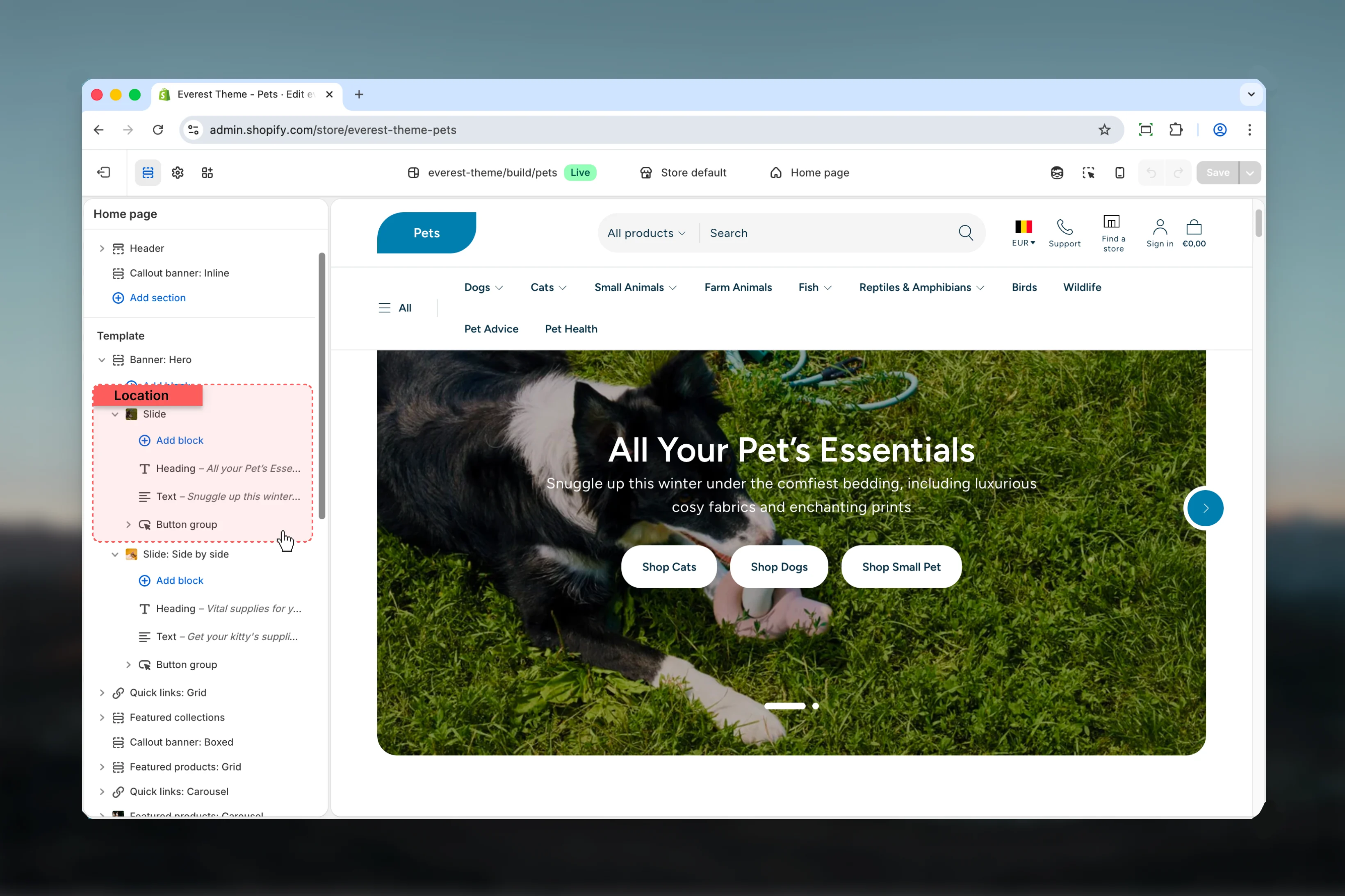
Slide
Settings
Slide layout
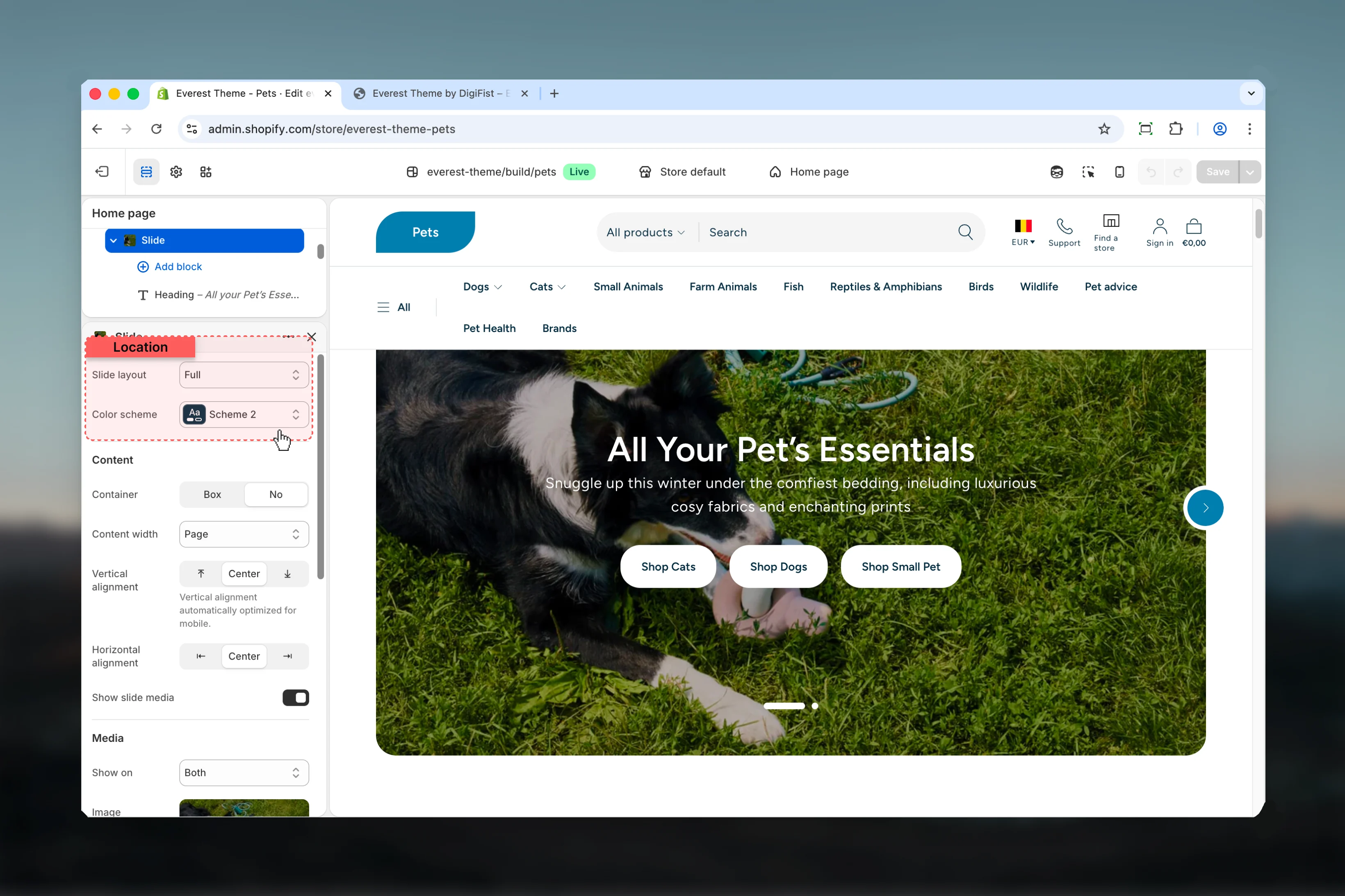
Slide layout
Choose how Slide layout behaves in the section.It has the strongest effect on layout balance and visual hierarchy.Available options: Full, Side by side, Split.Default:
1Media width
Media width
Choose how Media width behaves in the section.It has the strongest effect on layout balance and visual hierarchy.Available options: S, M, L.Default:
mdThis setting only appears when its related parent option is enabled.It will be optimized for mobile.Media order
Media order
Choose how Media order behaves in the section.Review the result on both desktop and mobile when media changes are involved.Available options: First, Last.Default:
firstThis setting only appears when its related parent option is enabled.Reverse layout on mobile
Reverse layout on mobile
Enable or disable Reverse layout on mobile.It has the strongest effect on layout balance and visual hierarchy.Default:
disabledThis setting only appears when its related parent option is enabled.Media will be displayed above content on mobile.Color scheme
Color scheme
Select the color scheme used for color scheme.Use this to keep contrast and branding consistent with the rest of the store.Default:
scheme-2Content

Container
Container
Choose how Container behaves in the section.Available options: Box, No.Default:
noneColor for box
Color for box
Select the color scheme used for color for box.Use this to keep contrast and branding consistent with the rest of the store.Default:
scheme-1This setting only appears when its related parent option is enabled.Content width
Content width
Choose how Content width behaves in the section.It has the strongest effect on layout balance and visual hierarchy.Available options: Small, Medium, Large, Page.Default:
pageThis setting only appears when its related parent option is enabled.Vertical alignment
Vertical alignment
Choose how Vertical alignment behaves in the section.It has the strongest effect on layout balance and visual hierarchy.Available options: ⤒, Center, ⤓.Default:
centerVertical alignment automatically optimized for mobile.Horizontal alignment
Horizontal alignment
Choose how Horizontal alignment behaves in the section.It has the strongest effect on layout balance and visual hierarchy.Available options: ⇤, Center, ⇥.Default:
centerContent alignment
Content alignment
Choose how Content alignment behaves in the section.It has the strongest effect on layout balance and visual hierarchy.Available options: ⇤, Center, ⇥.Default:
centerThis setting only appears when its related parent option is enabled.Show slide media
Show slide media
Enable or disable Show slide media.Review the result on both desktop and mobile when media changes are involved.Default:
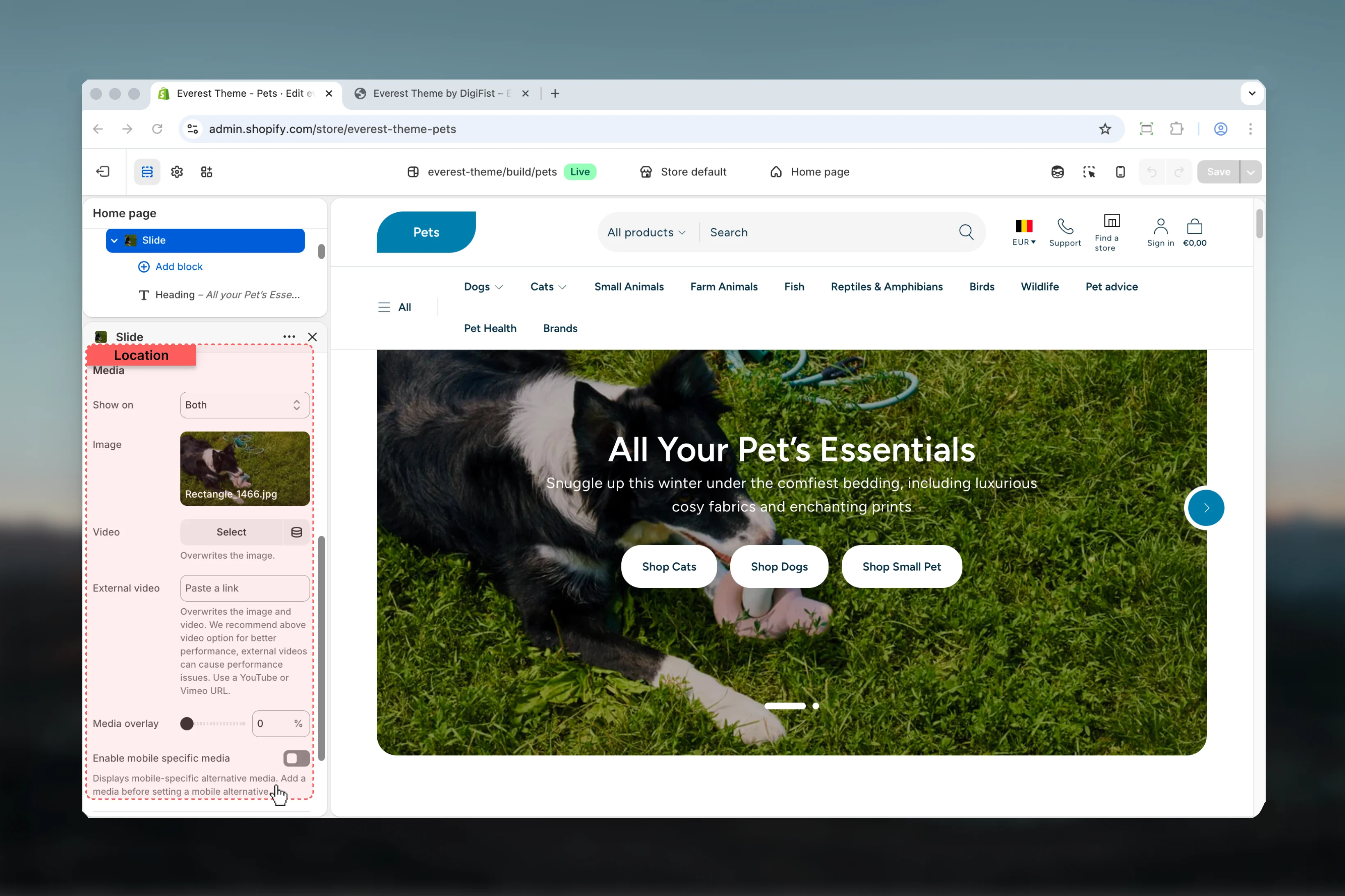
enabledMedia
Show on
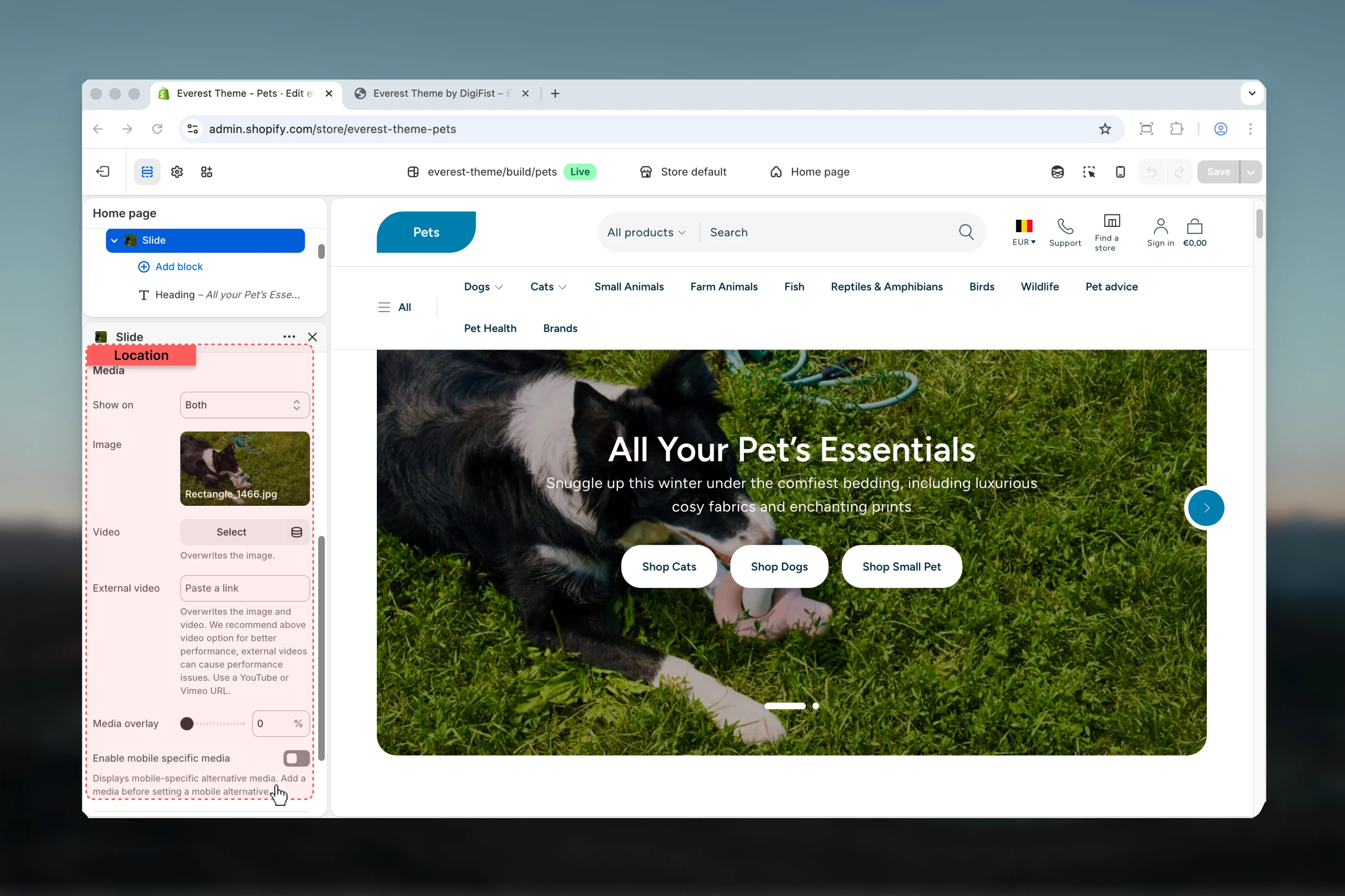
Show on
Choose how Show on behaves in the section.Review the result on both desktop and mobile when media changes are involved.Available options: Desktop, Mobile, Both.Default:
bothThis setting only appears when its related parent option is enabled.Image
Image
Upload or choose an image for image.Review the result on both desktop and mobile when media changes are involved.This setting only appears when its related parent option is enabled.
Video
Video
Choose a hosted video for video.Review the result on both desktop and mobile when media changes are involved.This setting only appears when its related parent option is enabled.Overwrites the image.
External video
External video
Paste an external video URL for external video.Review the result on both desktop and mobile when media changes are involved.This setting only appears when its related parent option is enabled.Overwrites the image and video. We recommend above video option for better performance, external videos can cause performance issues. Use a YouTube or Vimeo URL.
Media overlay
Media overlay
Adjust Media overlay with a slider-based control.Review the result on both desktop and mobile when media changes are involved.Range:
0 to 100 Default: 30%This setting only appears when its related parent option is enabled.Enable mobile specific media
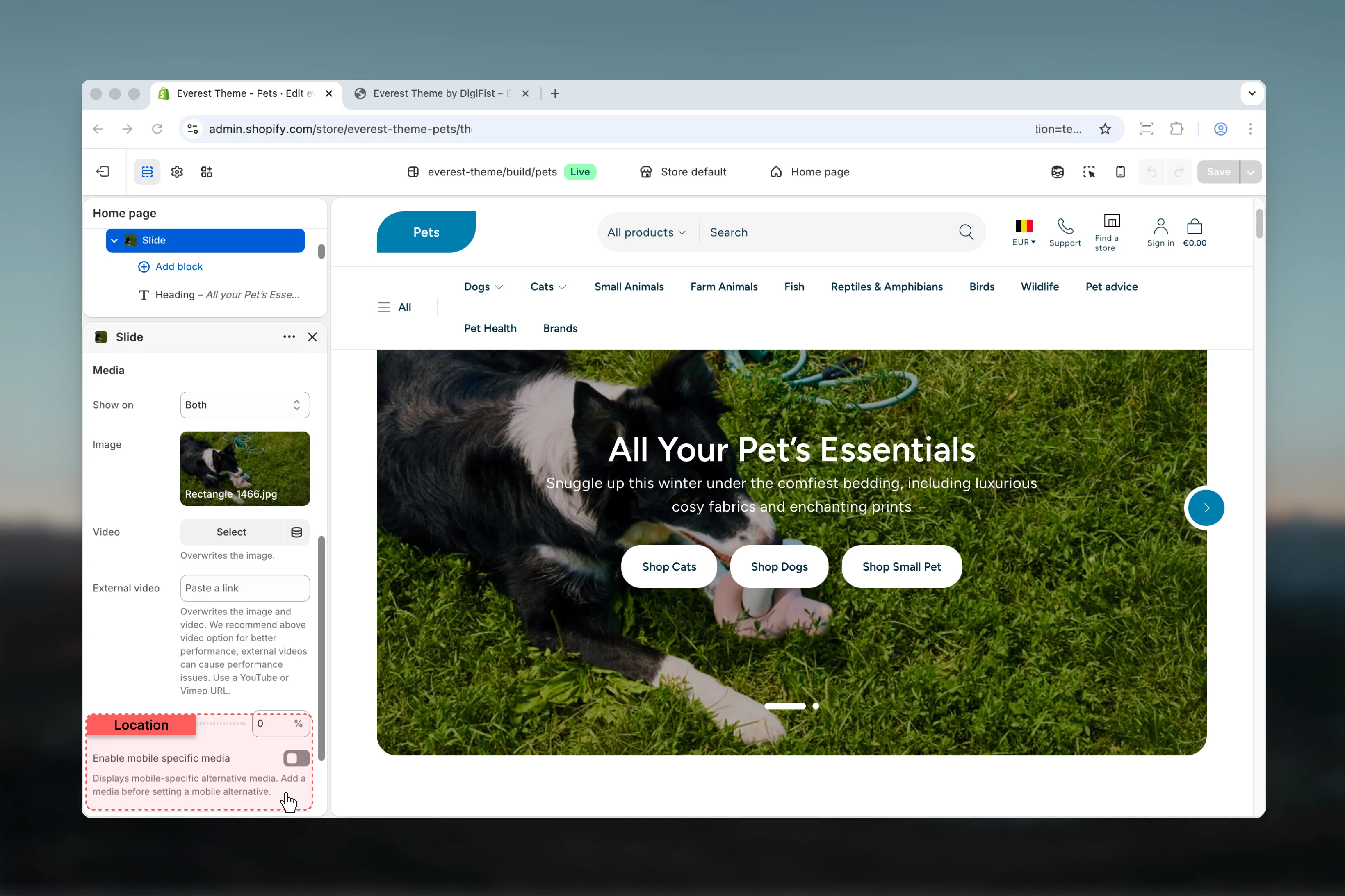
Enable mobile specific media
Enable or disable Enable mobile specific media.Review the result on both desktop and mobile when media changes are involved.Default:
disabledThis setting only appears when its related parent option is enabled.Displays mobile-specific alternative media. Add a media before setting a mobile alternative.Media for mobile

Image
Image
Upload or choose an image for image.Review the result on both desktop and mobile when media changes are involved.This setting only appears when its related parent option is enabled.
Video
Video
Choose a hosted video for video.Review the result on both desktop and mobile when media changes are involved.This setting only appears when its related parent option is enabled.Overwrites the image.
External video
External video
Paste an external video URL for external video.Review the result on both desktop and mobile when media changes are involved.This setting only appears when its related parent option is enabled.Overwrites the image and video. We recommend above video option for better performance, external videos can cause performance issues. Use a YouTube or Vimeo URL.
Secondary media
Show on
Show on
Choose how Show on behaves in the section.Available options: Desktop, Mobile, Both.Default:
bothThis setting only appears when its related parent option is enabled.Image
Image
Upload or choose an image for image.Review the result on both desktop and mobile when media changes are involved.This setting only appears when its related parent option is enabled.
Video
Video
Choose a hosted video for video.Review the result on both desktop and mobile when media changes are involved.This setting only appears when its related parent option is enabled.Overwrites the image.
External video
External video
Paste an external video URL for external video.Review the result on both desktop and mobile when media changes are involved.This setting only appears when its related parent option is enabled.Overwrites the image and video. We recommend above video option for better performance, external videos can cause performance issues. Use a YouTube or Vimeo URL.
Enable mobile specific media
Enable mobile specific media
Enable or disable Enable mobile specific media.Review the result on both desktop and mobile when media changes are involved.Default:
disabledThis setting only appears when its related parent option is enabled.Displays mobile-specific alternative media. Add a media before setting a mobile alternative.Media for mobile
Image
Image
Upload or choose an image for image.Review the result on both desktop and mobile when media changes are involved.This setting only appears when its related parent option is enabled.
Video
Video
Choose a hosted video for video.Review the result on both desktop and mobile when media changes are involved.This setting only appears when its related parent option is enabled.Overwrites the image.
External video
External video
Paste an external video URL for external video.Review the result on both desktop and mobile when media changes are involved.This setting only appears when its related parent option is enabled.Overwrites the image and video. We recommend above video option for better performance, external videos can cause performance issues. Use a YouTube or Vimeo URL.
Product
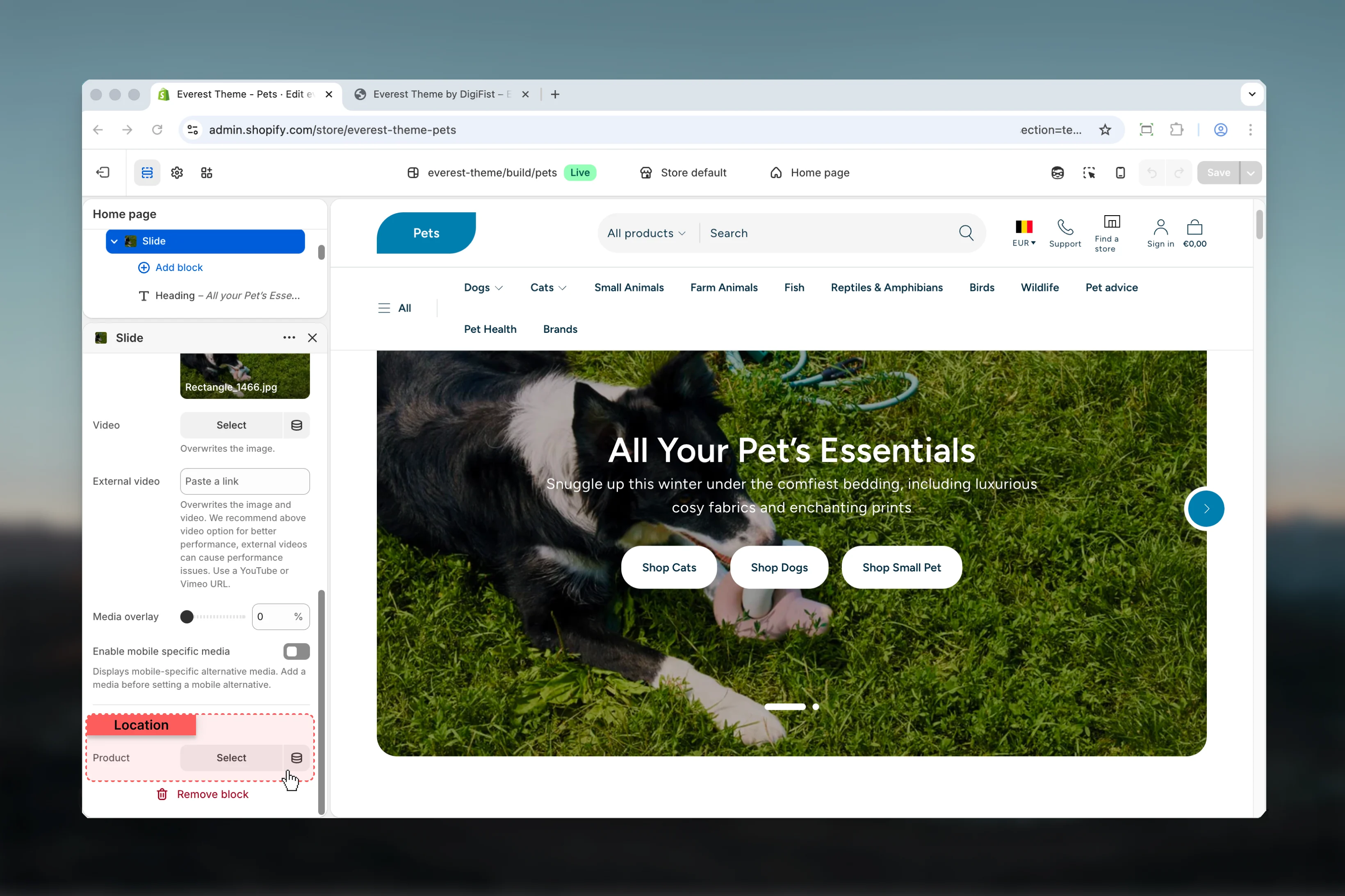
Product
Product
Choose the product source used by product.
- Heading for more granular content inside this block.
- Text for more granular content inside this block.
- Description for more granular content inside this block.
- Button Group for more granular content inside this block.
- Newsletter for more granular content inside this block.
Best practices
- Check contrast after changing color schemes so text and controls remain easy to read.
- Keep labels short and scannable, especially in tighter layouts or utility areas.
- Adjust layout changes alongside neighboring sections so page rhythm stays consistent.
- Start with the structural settings first, then refine decorative styling after the layout feels settled.
- Preview the section with realistic content length to catch spacing and wrapping issues early.