

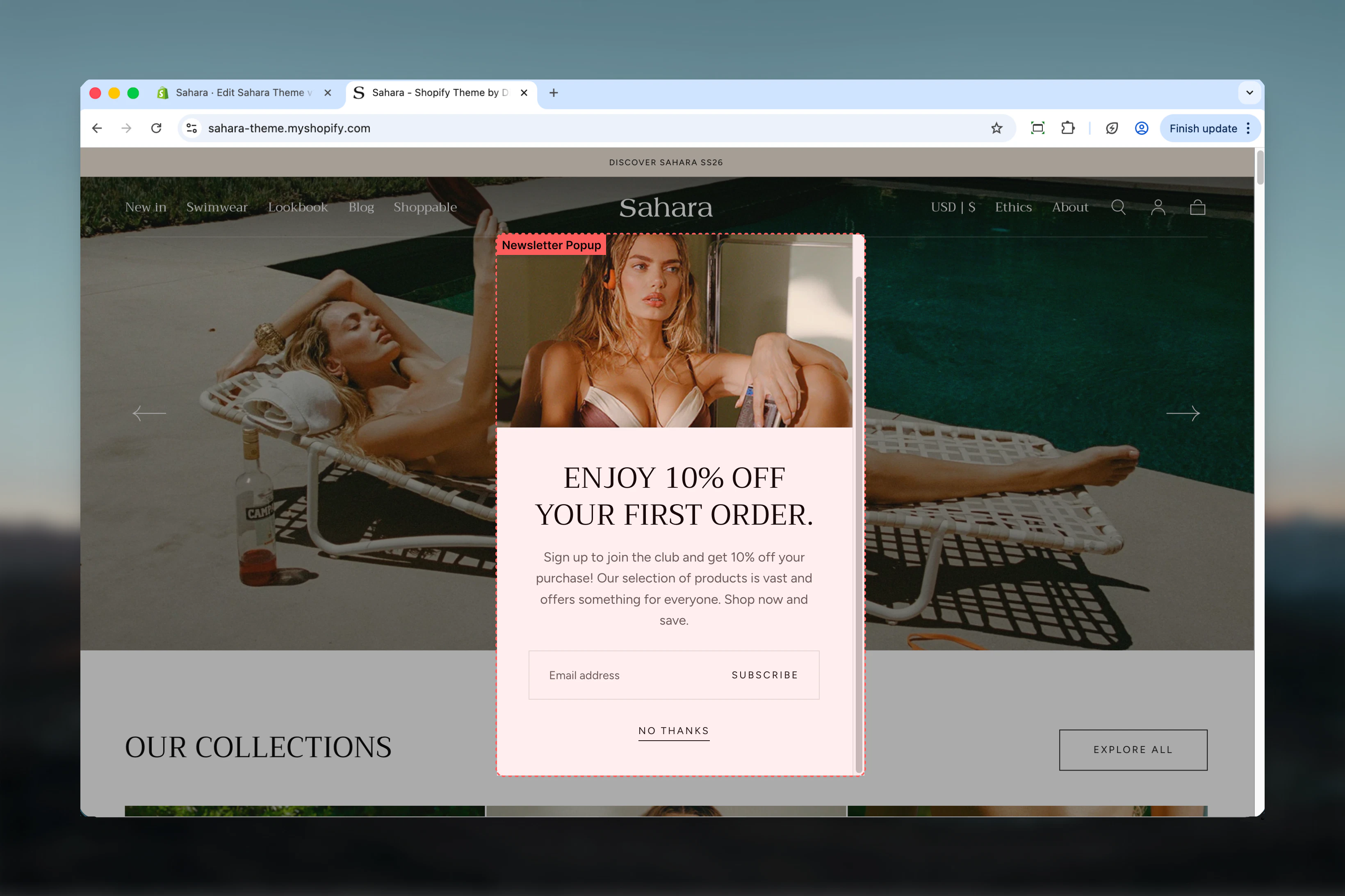
What this section controls
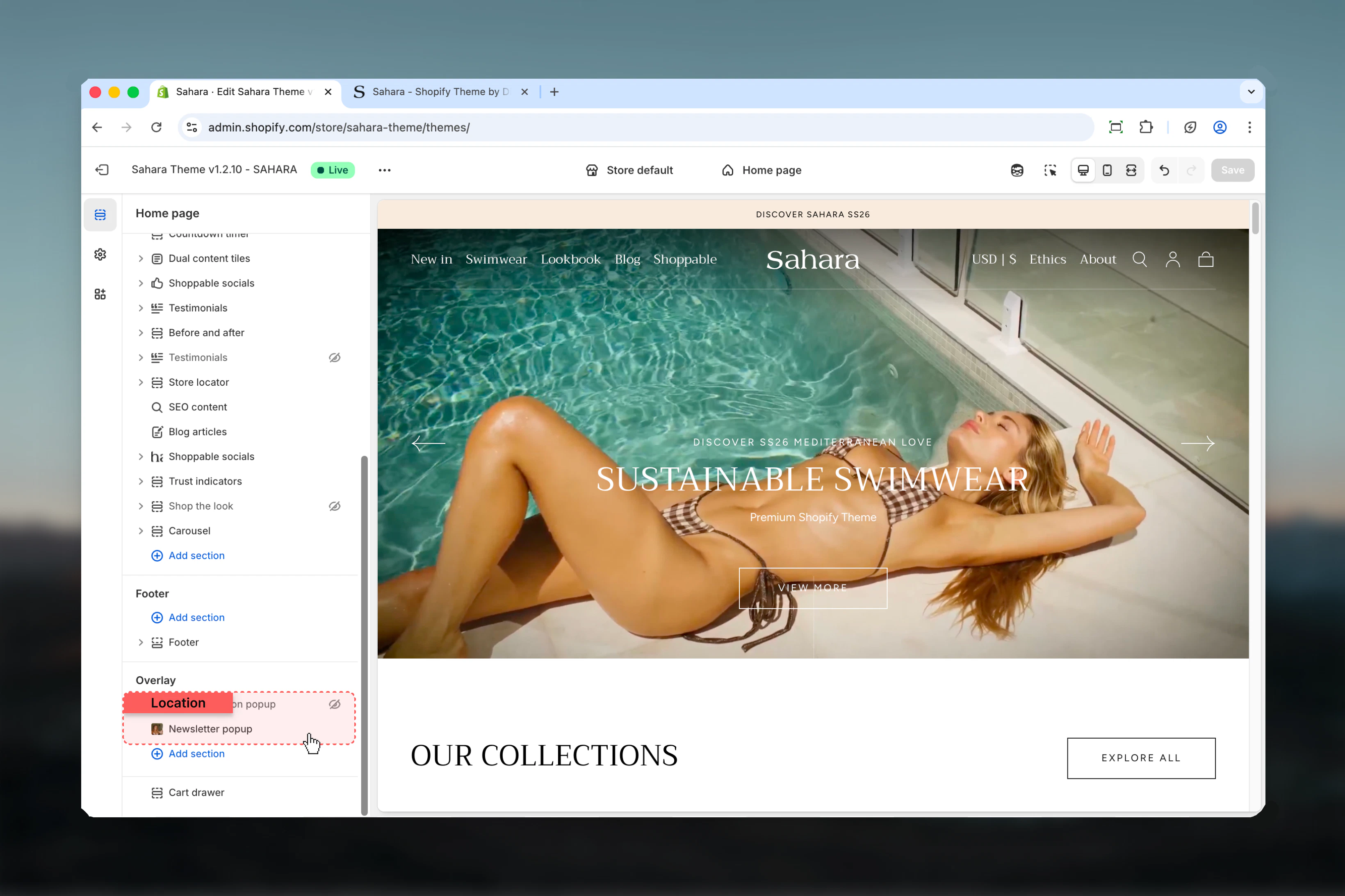
This section controls newsletter popup displays with the following capabilities:- Timed appearance after page load (4-30 seconds)
- Optional image for visual appeal and branding
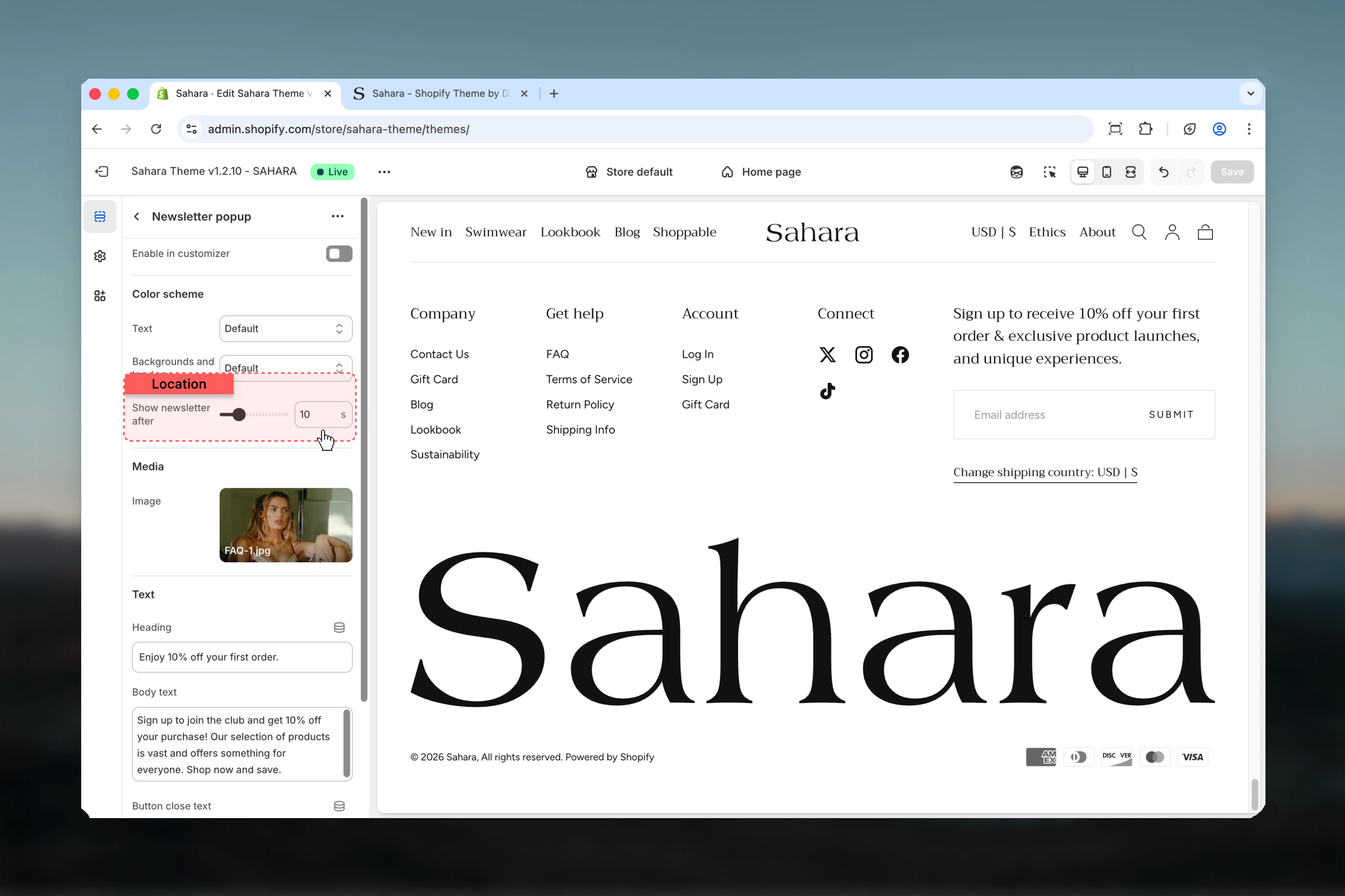
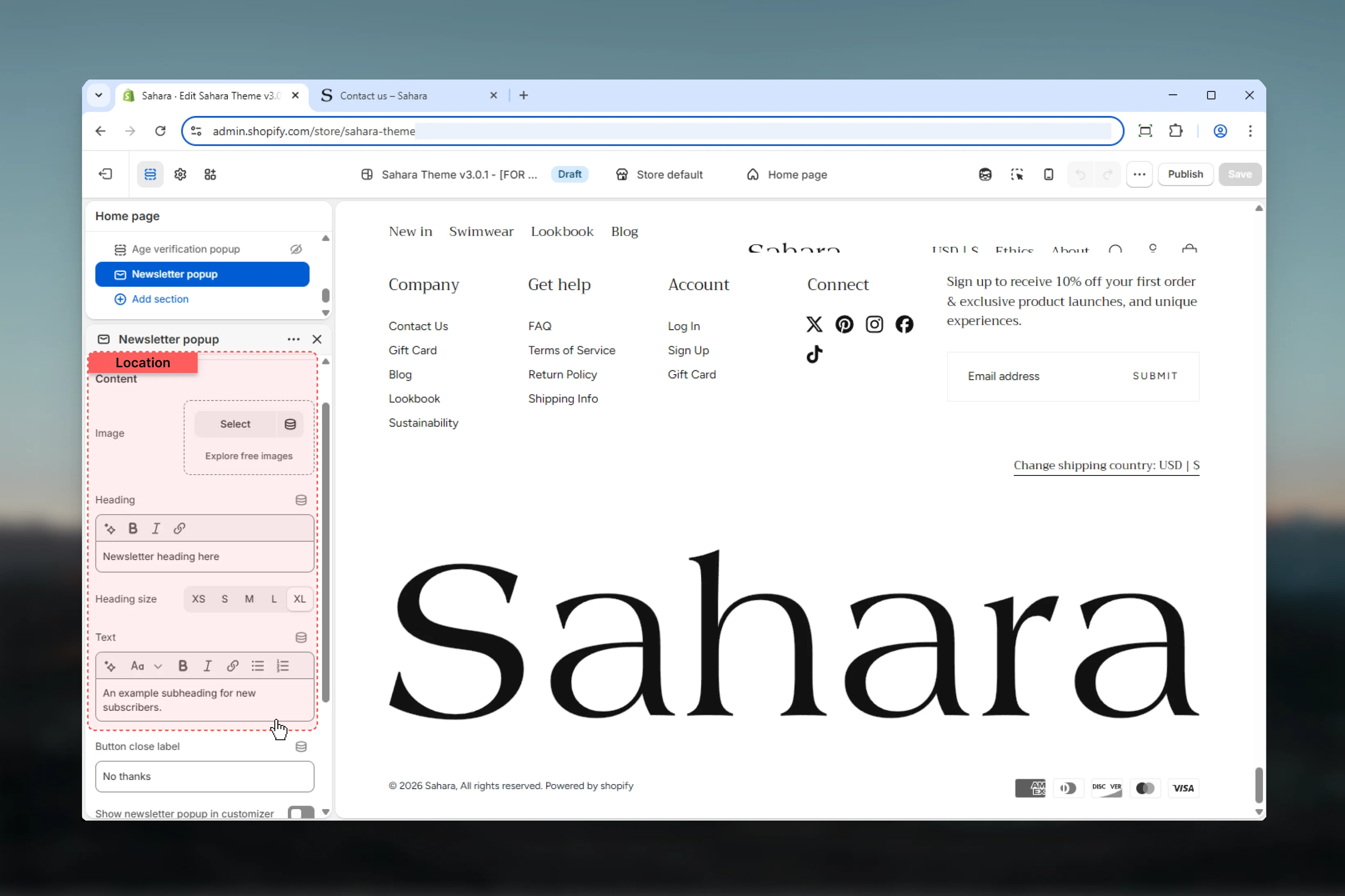
- Customizable heading and descriptive text
- Integrated email signup form with validation
- Friendly close/dismiss button
- Theme Customizer preview mode
- Session-based dismissal tracking
How the Newsletter popup works
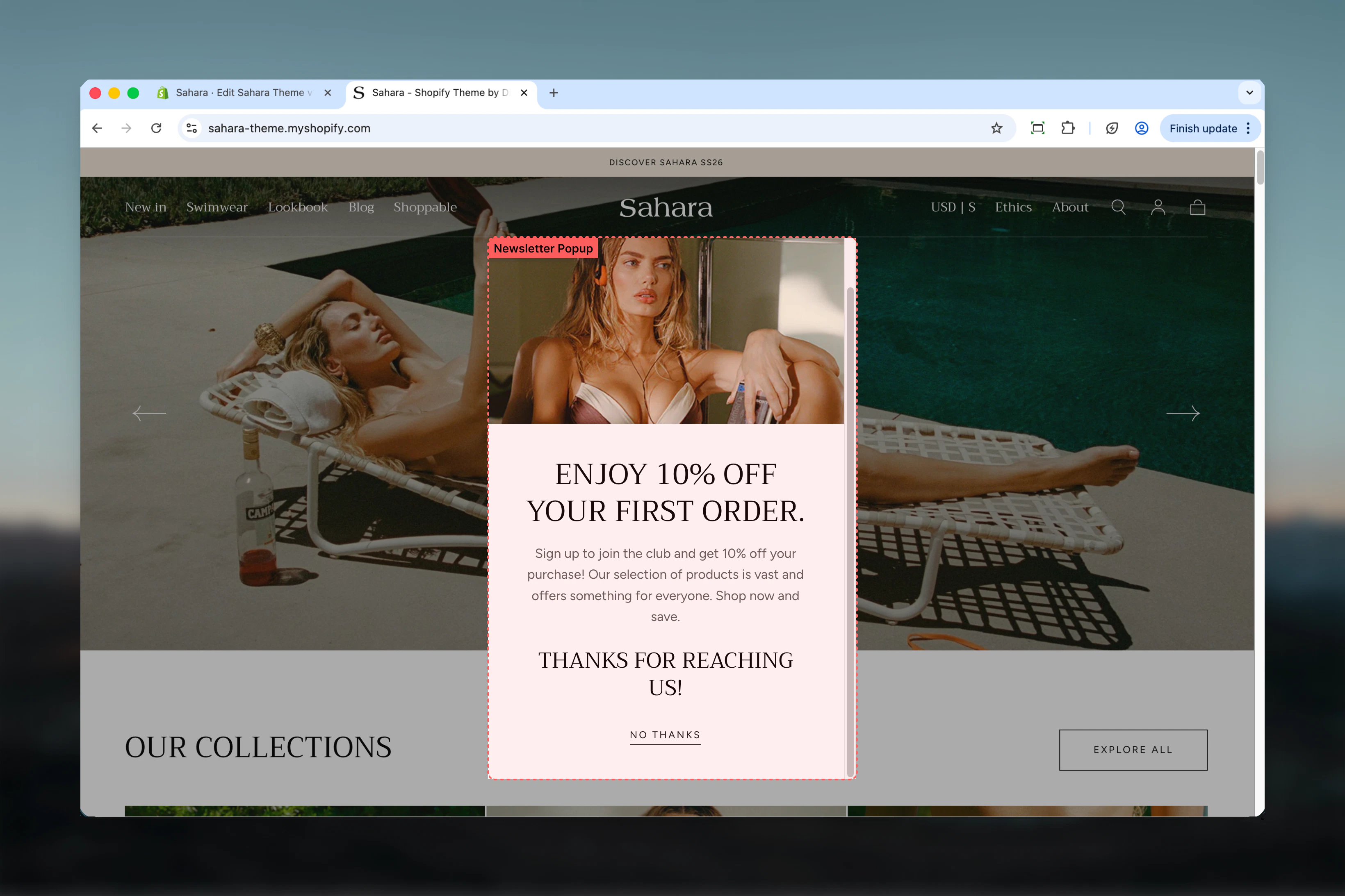
The Newsletter popup displays as a centered modal overlay:- Appears automatically after the configured delay
- Shows optional image alongside form content
- Displays heading, supporting text, and email input field
- Users can submit their email or dismiss the popup
- Remembers dismissal for the browsing session (appears once per session)
- Mobile-responsive design adapts layout for small screens
Getting started
1
Open Theme Customizer
From Shopify admin, access the Theme Customizer.
2
Add Newsletter popup section
Add this section to your global theme sections (not page-specific).
3
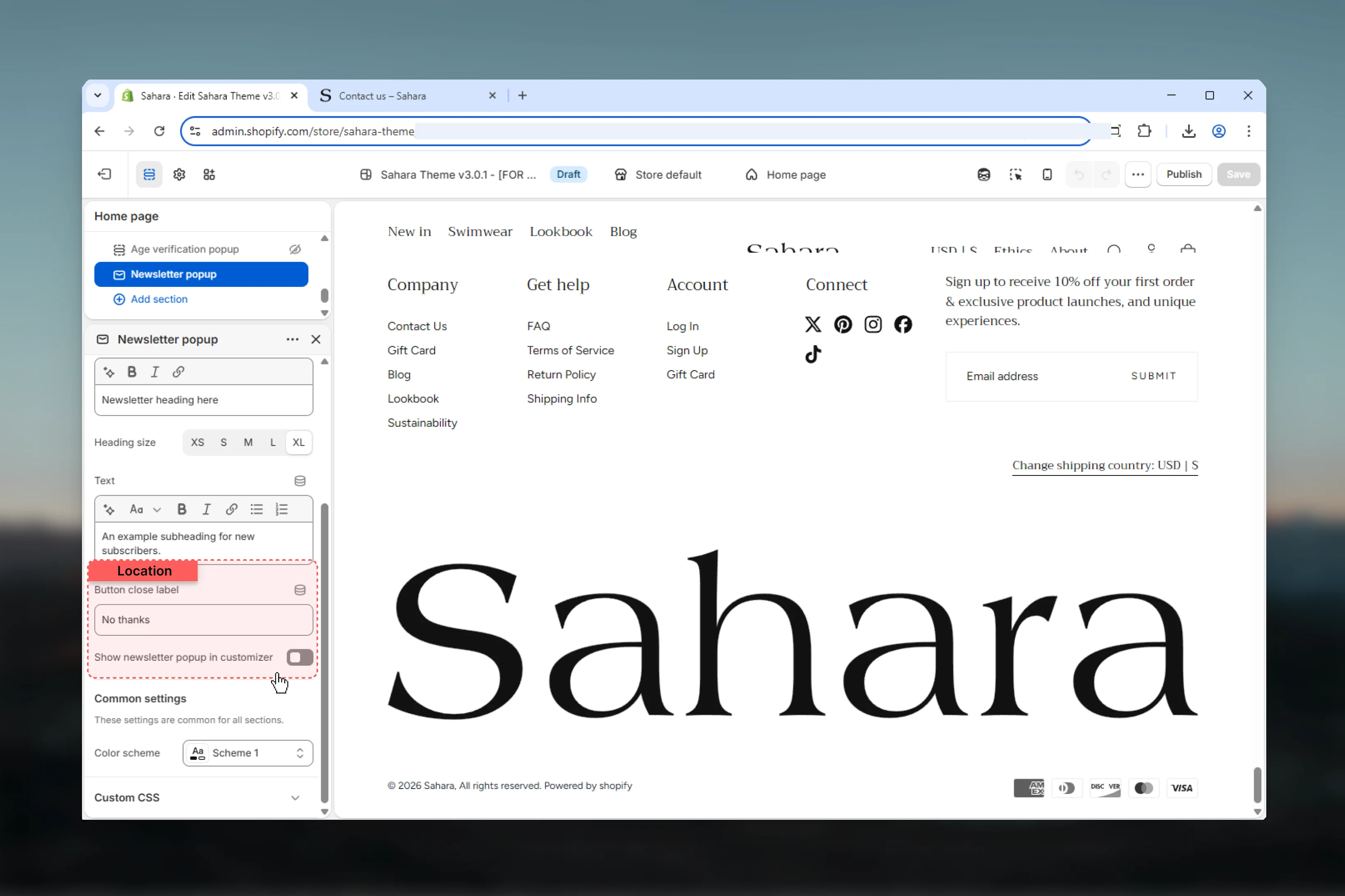
Configure content
Set heading, descriptive text, and optional image.
4
Adjust timing
Set the delay to control when the popup appears (10-15 seconds recommended).
5
Customize close button
Update the close button text to match your brand voice.
Section settings
- Timing
- Content
- Settings
- Styling
Delay
Controls when the popup appears after page load.Range: 4 – 30 seconds (in 1-second increments)Default: 10 seconds
Delay recommendations
Delay recommendations
4-7 seconds:
- Very early appearance
- High urgency promotions
- Risk of interrupting users
- Balanced timing (recommended)
- Allows initial page engagement
- Standard for most stores
- Patient approach
- For engaged visitors
- Lower conversion but better UX
- Minimal interruption
- Exit-intent alternative
- Blog or content-heavy sites
Newsletter form
The popup includes an integrated email signup form with the following features:Email input field
Email input field
Standard email input with built-in validation.
- Placeholder text from theme translations
- Browser-level email format validation
- Required field
Form handling
Form handling
Backend integration with Shopify:
- Adds email to customer mailing list
- Sends double opt-in email if enabled
- Tracks newsletter consent
- GDPR compliant
Error messaging
Error messaging
Displays validation and server errors:
- Invalid email format
- Already subscribed
- Server connection issues
- User-friendly error messages
Success state
Success state
Confirmation after successful submission:
- Thank you message
- Auto-dismiss or manual close
- Session tracking prevents re-display
Best practices
Optimal timing
Set delay to 10-15 seconds to allow users to engage with page content first before interruption.
Value-focused heading
Use clear, benefit-driven headings: “Get 10% Off”, “Join Our VIP List”, “Exclusive Early Access”.
Supporting imagery
Choose high-quality brand imagery that reinforces your value proposition without overwhelming the form.
Friendly dismissal
Use non-pushy close button text like “No thanks” or “Maybe later” to respect user choice.
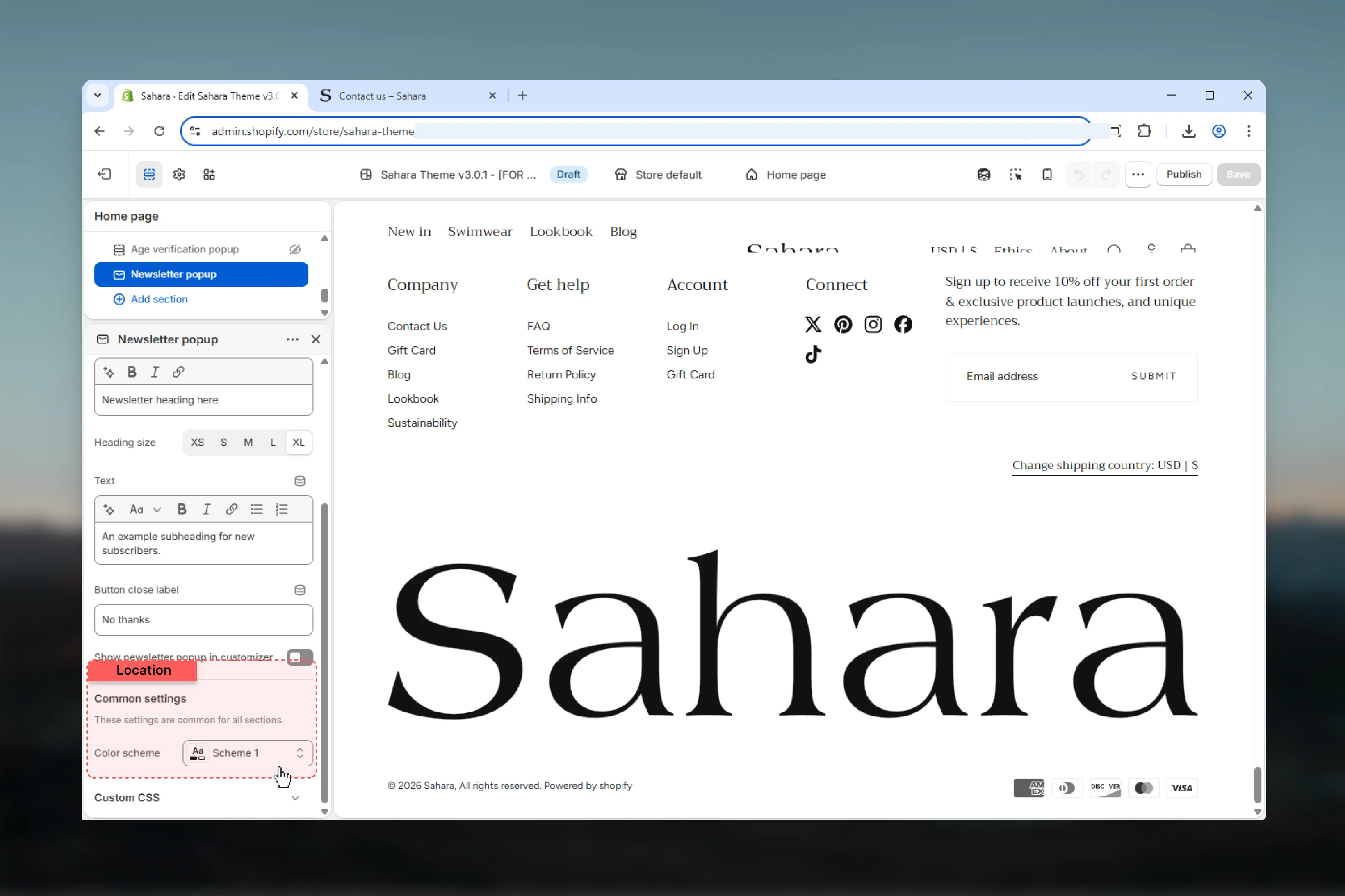
Preview mode
Enable “Customizer visible” temporarily for testing appearance, then disable before publishing.
Avoid short delays
Don’t set delay below 8 seconds—this interrupts users immediately and creates negative impressions.
Color contrast
Ensure color scheme provides strong contrast for text readability and meets accessibility standards.
Concise text
Limit descriptive text to 1-2 sentences (15-25 words) for quick scanning and focus on form.
A/B testing
Test different delays, headlines, and images to optimize conversion rates for your specific audience.
Mobile optimization
Preview on mobile devices to ensure image and text remain readable on small screens.
Common use cases
Welcome discount offer
Welcome discount offer
Set 10-12 second delay. Heading: “Welcome! Get 10% Off Your First Order”. Text: “Join our newsletter for exclusive deals and early access.” Image: Product highlight or brand logo. Close text: “No thanks”.
VIP list signup
VIP list signup
Set 15 second delay. Heading: “Join Our VIP List”. Text: “Be the first to know about new launches and member-only sales.” Image: Lifestyle brand imagery. Close text: “Maybe later”.
Content updates
Content updates
Set 20 second delay. Heading: “Stay Inspired”. Text: “Get weekly tips, recipes, and exclusive content delivered to your inbox.” No image. Close text: “Not now”.
Product launch alert
Product launch alert
Set 8 second delay (urgent). Heading: “New Collection Drops Friday”. Text: “Sign up now for exclusive early access 24 hours before public launch.” Image: New product teaser. Close text: “Skip for now”.
Seasonal campaign
Seasonal campaign
Set 12 second delay. Heading: “Holiday Gift Guide Inside”. Text: “Subscribe to receive our curated gift guide and holiday shopping tips.” Image: Seasonal themed graphic. Close text: “No thanks”.
Related sections
Newsletter
Inline newsletter signup forms for pages
Announcement bar
Persistent top-of-page announcements