

What this controls
Cart settings control global cart functionality across both cart page and cart drawer, including free shipping progress notifications, terms and conditions acceptance, dynamic checkout buttons (Shop Pay, Apple Pay, Google Pay), AI-powered product upsells, and customer order notes.How it works
Cart settings are organized into four functional areas:- Shipping Progress: Motivate customers toward free shipping threshold
- Checkout Options: Dynamic payment buttons and terms acceptance
- Product Upsells: AI-powered recommendations to increase order value
- Customer Notes: Special instructions and gift messages
Getting started
1
Open Theme Customizer
From Shopify admin → Online Store → Themes → Customize
2
Access cart settings
Click Theme settings → Select Cart
3
Configure shipping notification
Enable free shipping progress bar and set threshold amount
4
Enable checkout features
Keep dynamic checkout enabled, configure terms if required
5
Customize upsells
Edit upsell heading to match your brand voice
Location
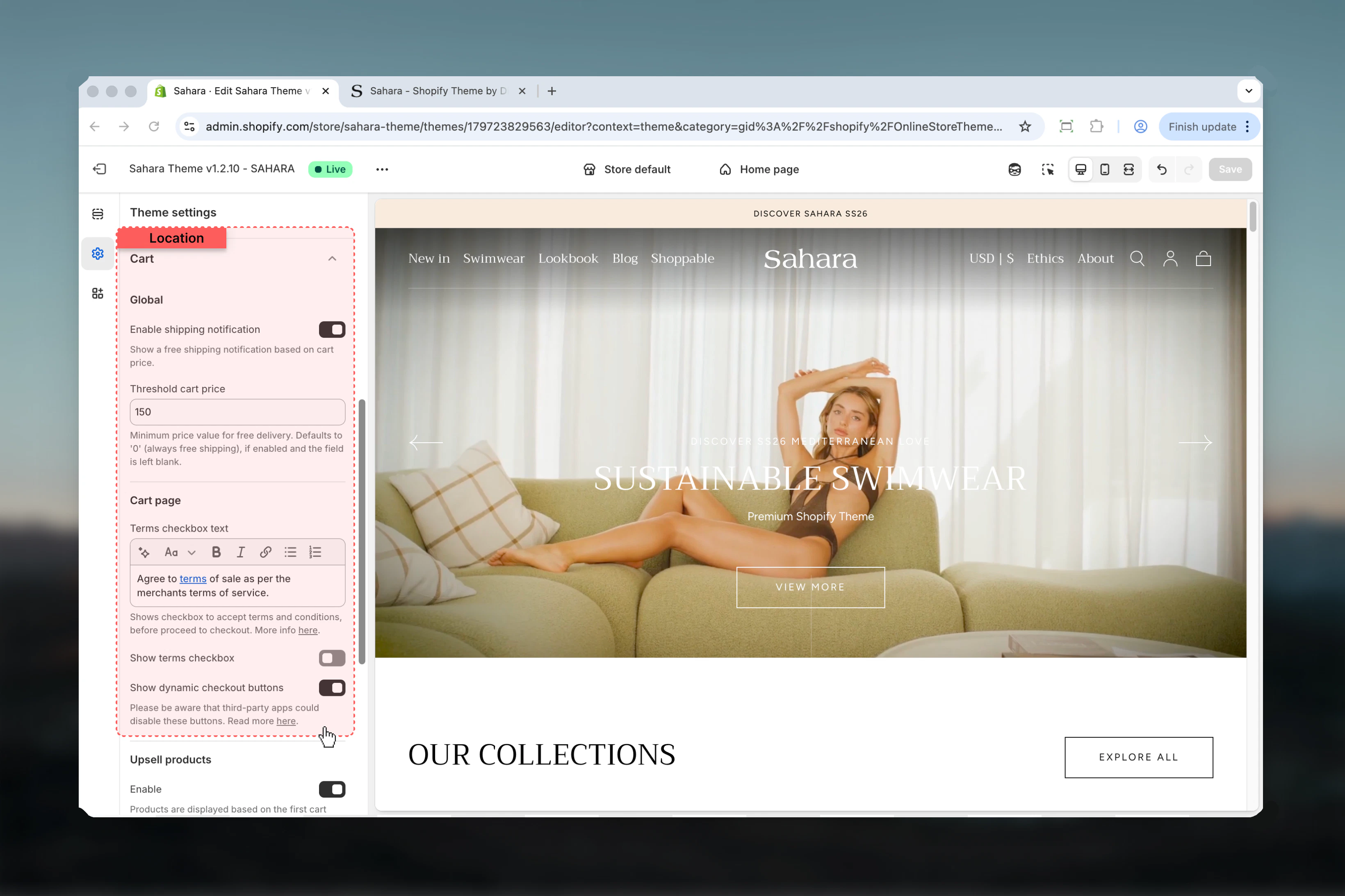
Path: Theme settings → Cart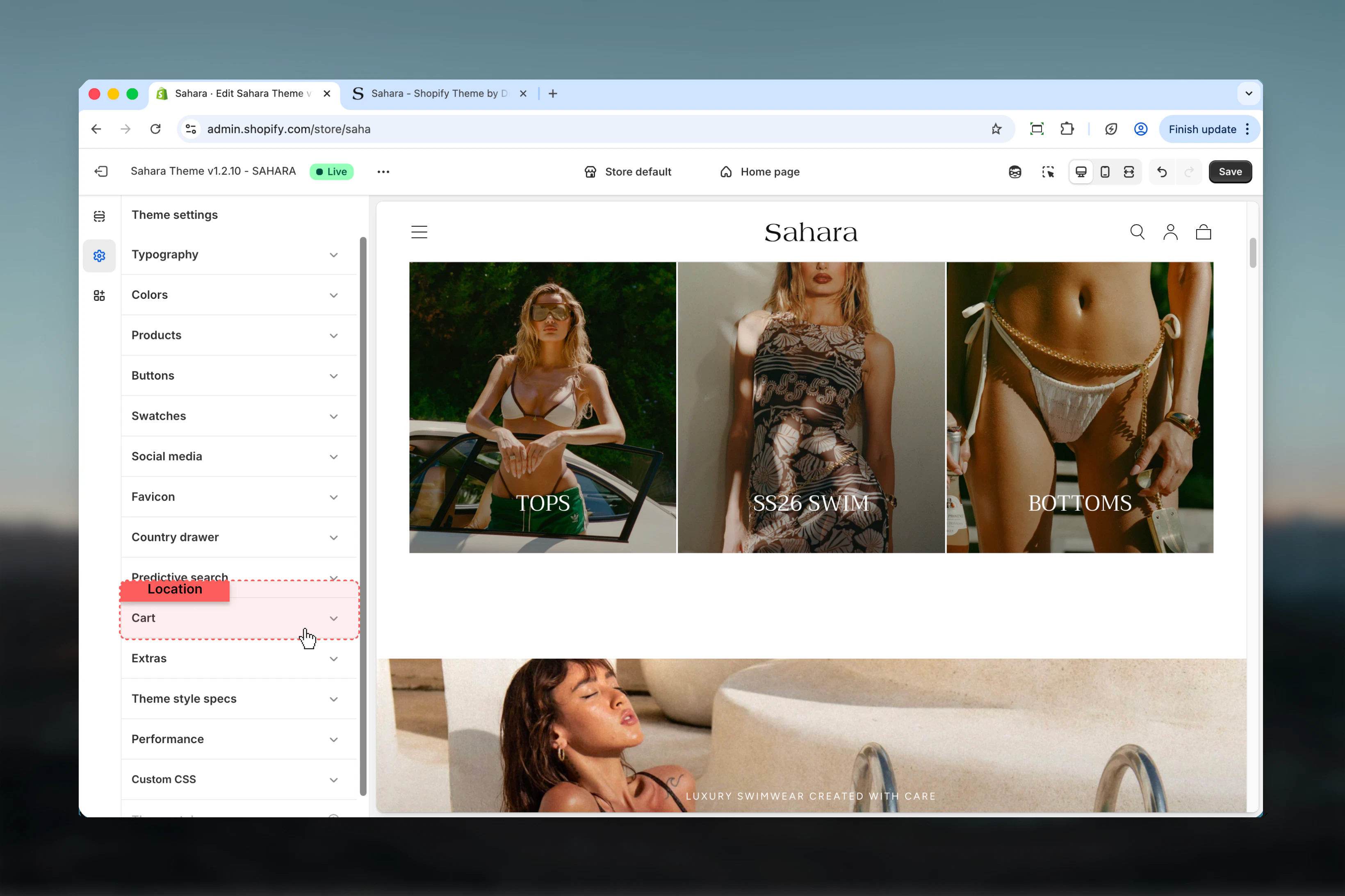
Settings
- Shipping Progress
- Checkout Options
- Product Upsells
- Customer Notes
Enable Shipping Notification
Display progress bar showing how much more to spend for free shipping.Default: DisabledEffect:- Shows: “Spend $12 more for free shipping!” with progress bar
- When threshold reached: “You’ve unlocked free shipping!”
- Updates dynamically as cart value changes
Threshold Cart Price
Minimum cart value required for free shipping.Format: Numeric value without currency symbol (e.g., “50” not “$50”)Behavior:- Enter amount like “50” for $50 threshold
- Leave empty or “0” for always free shipping
- Works with your store’s currency
- Calculates: threshold - cart_subtotal = amount remaining
Setting the right threshold
Setting the right threshold
Strategic Threshold Calculation:Formula: Free Shipping Threshold = Average Order Value × 1.5Example Calculations:
- AOV 50-60
- AOV 75-80
- AOV 100-110
- Achievable goal (customers believe they can reach it)
- Significant increase (20-50% AOV boost)
- Covers shipping cost (typically 10-15% of order)
- Psychological motivation (visible progress)
- Shopify Admin → Analytics → Reports
- View “Average Order Value” report
- Use last 30 days average
- Multiply by 1.5 for threshold
- Fashion/Apparel: $75-100 (medium items, multiple pieces)
- Beauty/Cosmetics: $50-75 (smaller items, bundle easily)
- Home Goods: $100-150 (larger items, higher value)
- Jewelry: $150-200 (high value, premium positioning)
- Books/Media: $35-50 (lower value, volume sales)
Shipping notification messaging
Shipping notification messaging
Progress Messages (Automatic):Below Threshold:Threshold Reached:Always Free (Threshold = 0):Customization:
- Theme automatically generates messages
- Progress bar fills based on cart/threshold ratio
- Celebration message when goal achieved
- Updates in real-time as items added/removed
- Keep threshold visible and achievable
- Ensure free shipping actually offered at threshold
- Configure in Shopify: Settings → Shipping → Add free shipping rate
- Test cart at various amounts
Shipping notification performance impact
Shipping notification performance impact
Revenue Impact:
- 10-15% AOV increase: Typical for well-set thresholds
- 20-30% add-to-cart rate increase: Customers add more items
- 5-8% conversion rate increase: Clear shipping expectation
- Goal-gradient effect: Closer to goal = more motivated
- Loss aversion: Don’t want to “lose” free shipping
- Progress visualization: Bar makes goal tangible
- Immediate feedback: Sees progress with each addition
- Stores with multiple low-price items
- Fashion/beauty (customers buy multiple pieces)
- Gift stores (add wrapping, cards to reach threshold)
- Impulse-purchase categories
- Single high-value products (jewelry over $500)
- Custom/made-to-order (shipping complexity)
- Local pickup only
- International only (shipping varies widely)
Best practices
-
Set strategic shipping threshold
Calculate 1.5x your average order value for optimal results. Too high = unreachable, too low = no motivation. -
Always enable dynamic checkout
Increases mobile conversion by 30-40%. Disable only if you have specific requirements. -
Use terms checkbox for legal compliance
Required in EU/GDPR regions. Link to actual terms pages, don’t embed long text. -
Keep upsells enabled
AI-powered recommendations increase AOV by 20-30% with zero manual work. Customize heading to match brand voice. -
Customize upsell heading
”Complete with…” is generic. Use brand-specific language: “Perfect pairs”, “Don’t forget”, etc. -
Enable order notes for gift stores
50%+ of notes are gift messages. Critical for gift-oriented businesses. -
Test shipping notification at various cart values
Ensure messages display correctly and free shipping actually applies at threshold. -
Monitor upsell performance
Track which products are recommended and convert. AI improves over time with more data. -
Keep order notes enabled unless automated
Disable only if fulfillment is fully automated. Human-reviewed orders benefit from notes. -
Link to real terms pages
Don’t fake compliance. Create actual terms/privacy pages in Shopify Legal settings.
Common use cases
Revenue optimization store
Revenue optimization store
Settings:
- Shipping notification: Enabled
- Threshold: 1.5x AOV (e.g., 50 AOV)
- Dynamic checkout: Enabled
- Terms checkbox: Disabled (unless legally required)
- Cart upsells: Enabled
- Upsell heading: “Complete with…” or “Frequently bought together”
- Order notes: Enabled
- Shipping threshold drives additional purchases (+10-15% AOV)
- Dynamic checkout maximizes mobile conversion (+30% mobile)
- Upsells add complementary items (+20-30% AOV)
- Order notes allow gift messages (increases gift purchases)
- No terms checkbox friction unless legally required
Legal compliance (EU/GDPR) store
Legal compliance (EU/GDPR) store
Settings:
- Shipping notification: Enabled
- Threshold: Set based on AOV
- Dynamic checkout: Enabled
- Terms checkbox: Enabled
- Terms text: “I agree to the Terms and Privacy Policy”
- Cart upsells: Enabled
- Upsell heading: Customized
- Order notes: Enabled
- GDPR requires explicit consent for data processing
- Terms checkbox provides documented consent
- Links to actual terms/privacy pages (transparency)
- Dynamic checkout and upsells still optimize revenue
- Order notes support customer service
Gift-focused store
Gift-focused store
Settings:
- Shipping notification: Enabled or Disabled (depends on strategy)
- Threshold: Lower than usual (gifts are impulse, easier threshold)
- Dynamic checkout: Enabled
- Terms checkbox: Disabled (unless required)
- Cart upsells: Enabled
- Upsell heading: “Complete the gift” or “Perfect additions”
- Order notes: ENABLED (critical!)
- Order notes essential for gift messages
- Lower shipping threshold (gift buyers less price-sensitive)
- Upsell heading references gifting
- Dynamic checkout for busy gift shoppers
- Cart note for “Is this a gift?” confirmation
High-volume automated fulfillment
High-volume automated fulfillment
Settings:
- Shipping notification: Enabled
- Threshold: Moderate (balance volume and value)
- Dynamic checkout: Enabled
- Terms checkbox: Enabled if required
- Cart upsells: Enabled
- Upsell heading: Social proof (“Customers also purchased”)
- Order notes: Disabled
- Fully automated fulfillment can’t process notes
- Social proof heading validates purchase decisions
- Dynamic checkout speeds high-volume processing
- Shipping threshold optimizes per-order revenue
- Upsells automated through AI
Related settings
- Products - Product card appearance affects upsells
- Buttons - Checkout button styling
- Colors - Cart UI color schemes
- Features - Currency codes shown in cart
Need help? Test cart features with real products at various price points. Add items, watch shipping notification update, try dynamic checkout buttons, review upsell recommendations.