

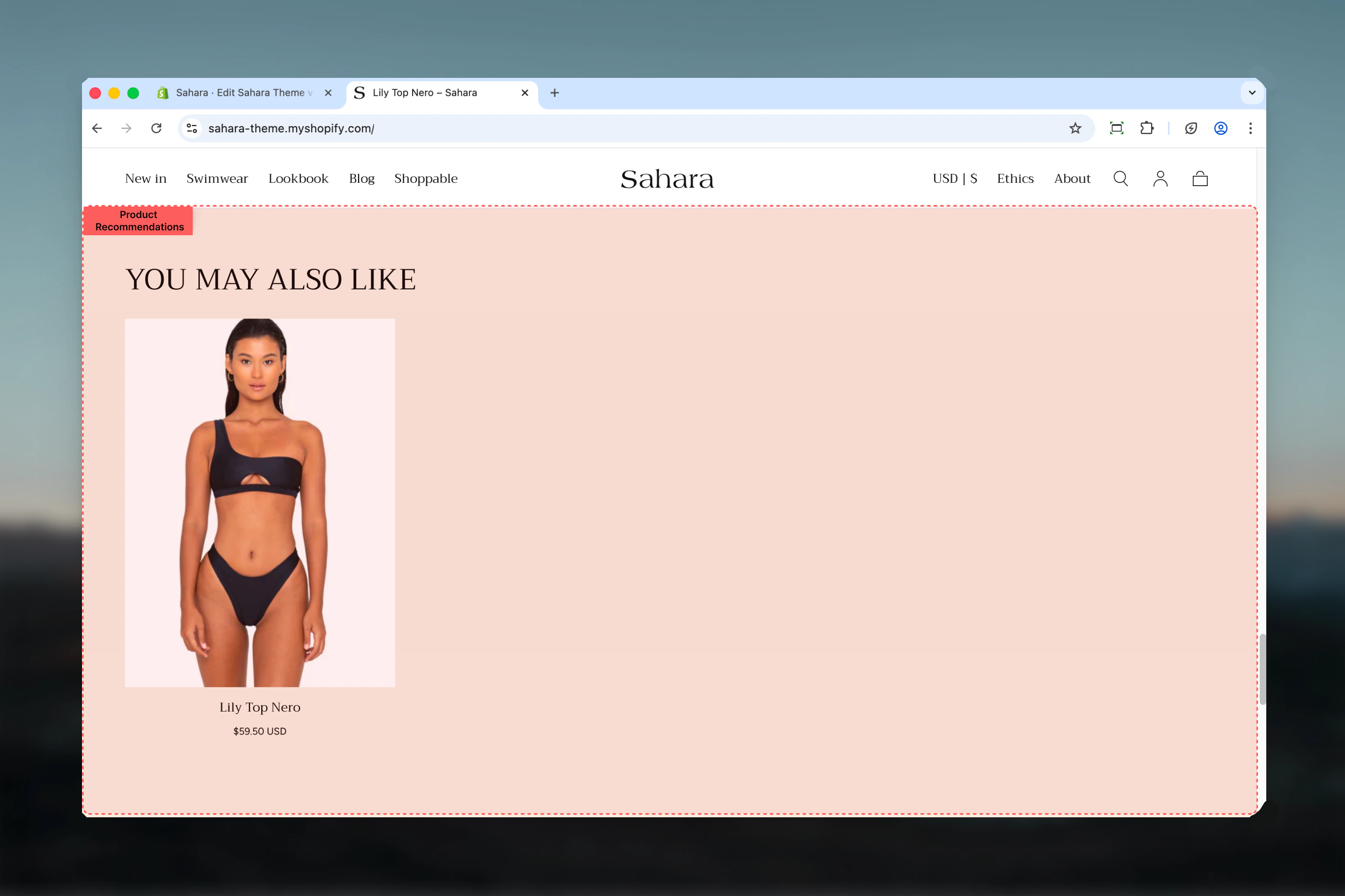
What this section controls
This section controls AI-powered product recommendation displays with the following capabilities:- Shopify AI-powered recommendations (automatic)
- Manual product fallback when recommendations unavailable
- Configurable product limit (4-12 products)
- Two layout options for visual variety
- Optional section-level button
- Stock status visibility control
- Responsive grid display
How Product recommendations works
The Product recommendations section leverages two data sources: Primary (Automatic):- Shopify’s AI recommendation engine suggests products based on:
- Current product relationships
- Cart contents
- Purchase patterns across your store
- Customer behavior and browsing history
- If AI recommendations are unavailable, displays manually selected products
- Useful for new stores or products with limited data
- Provides consistent display until recommendations improve
Getting started
1
Open Theme Customizer
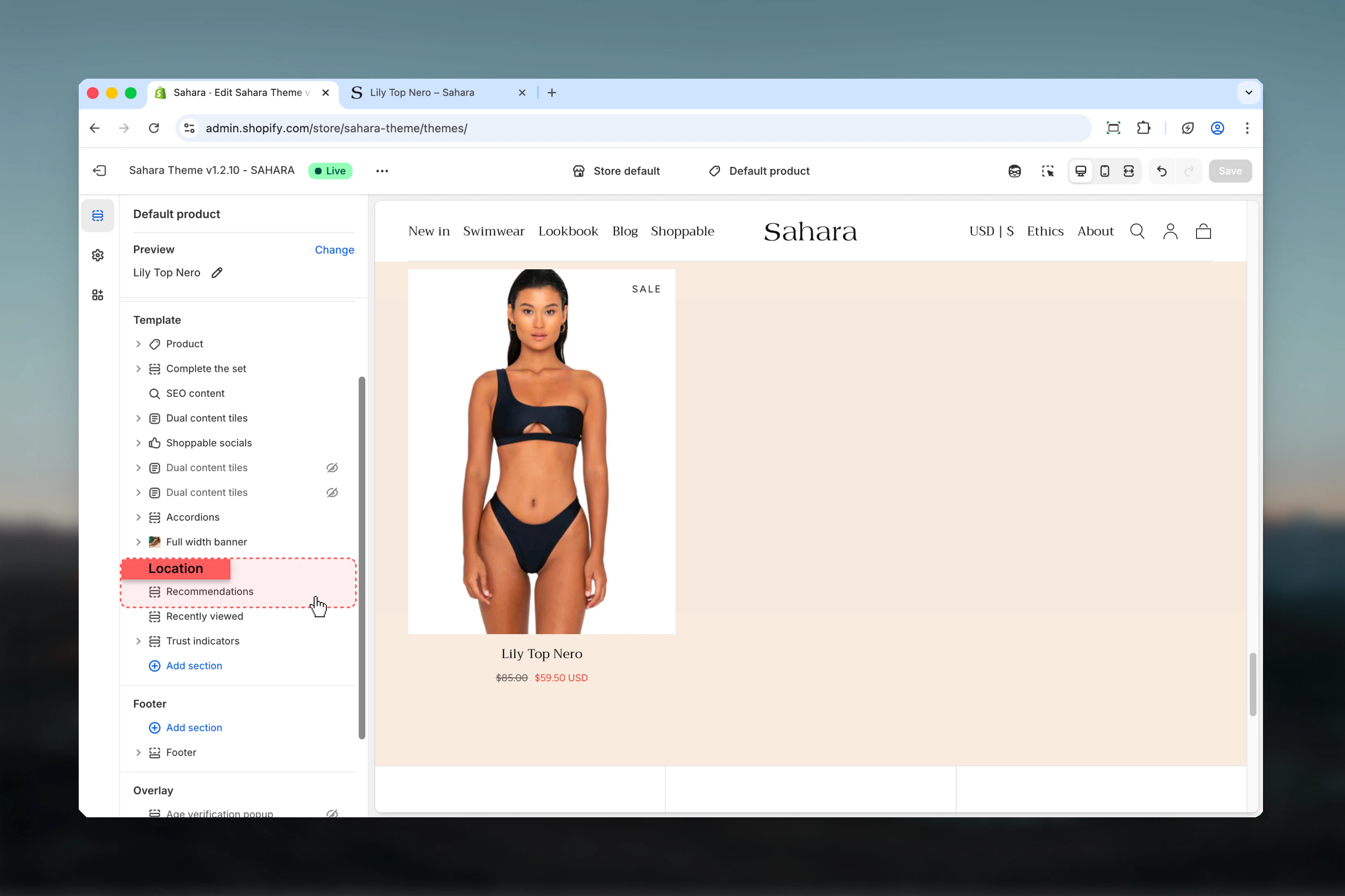
From Shopify admin, access the Theme Customizer.
2
Add Product recommendations section
Add the section to a product page template or cart page.
3
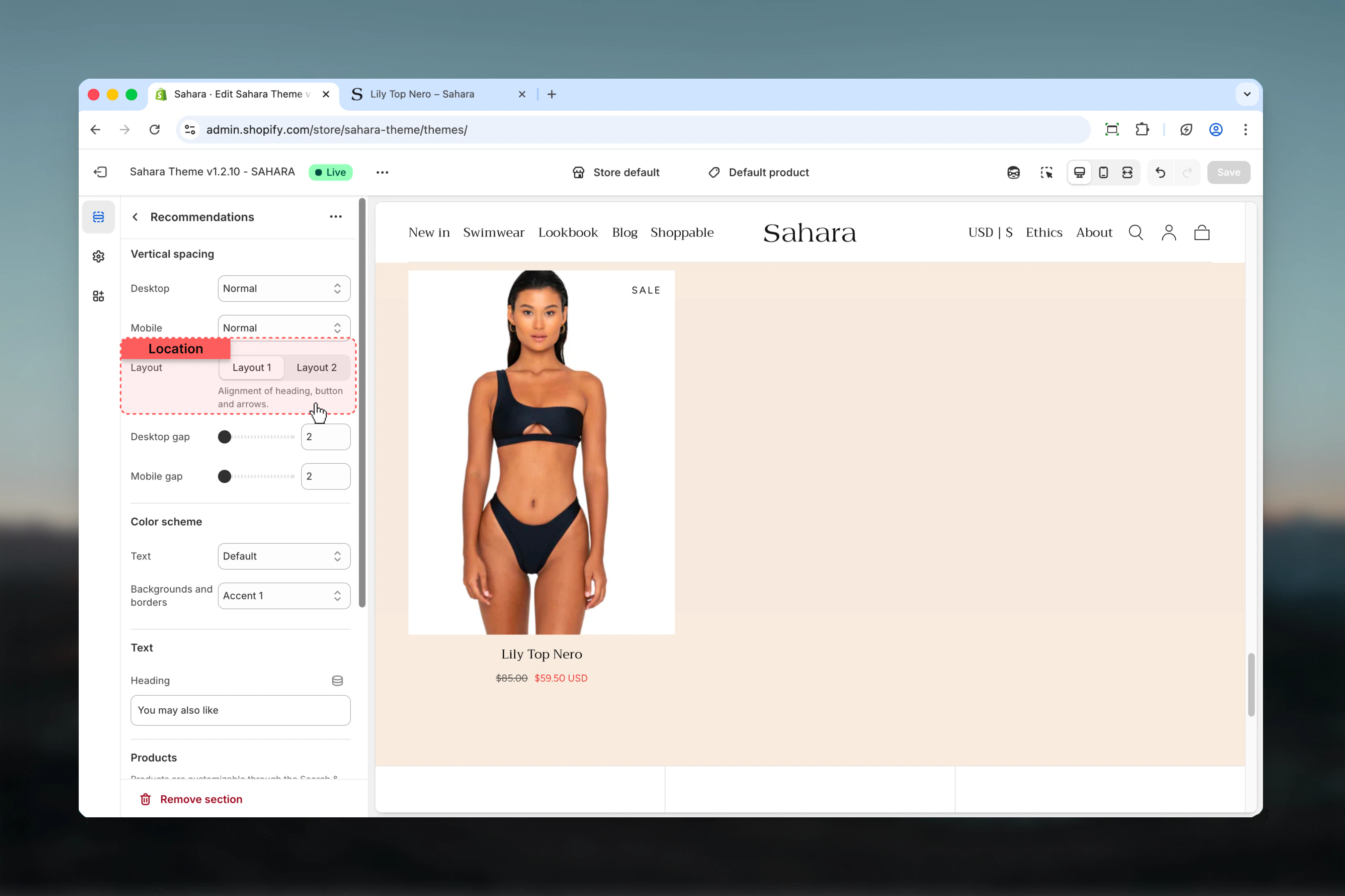
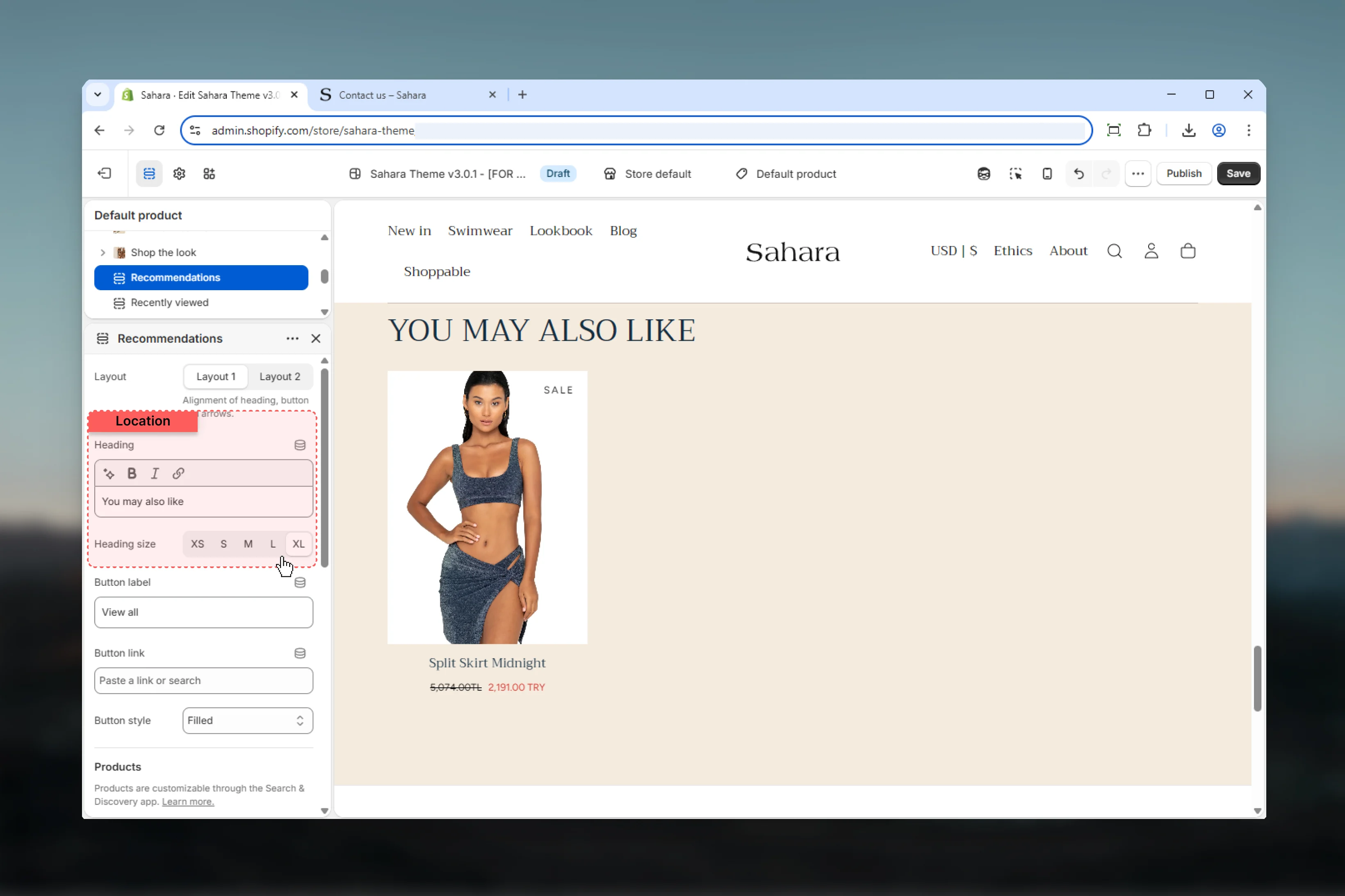
Configure heading
Set descriptive heading like “You may also like” or “Complete the look”.
4
Add fallback products
Select manual products to display when AI recommendations are unavailable.
5
Set display options
Configure maximum products, layout, and stock visibility.
Section settings
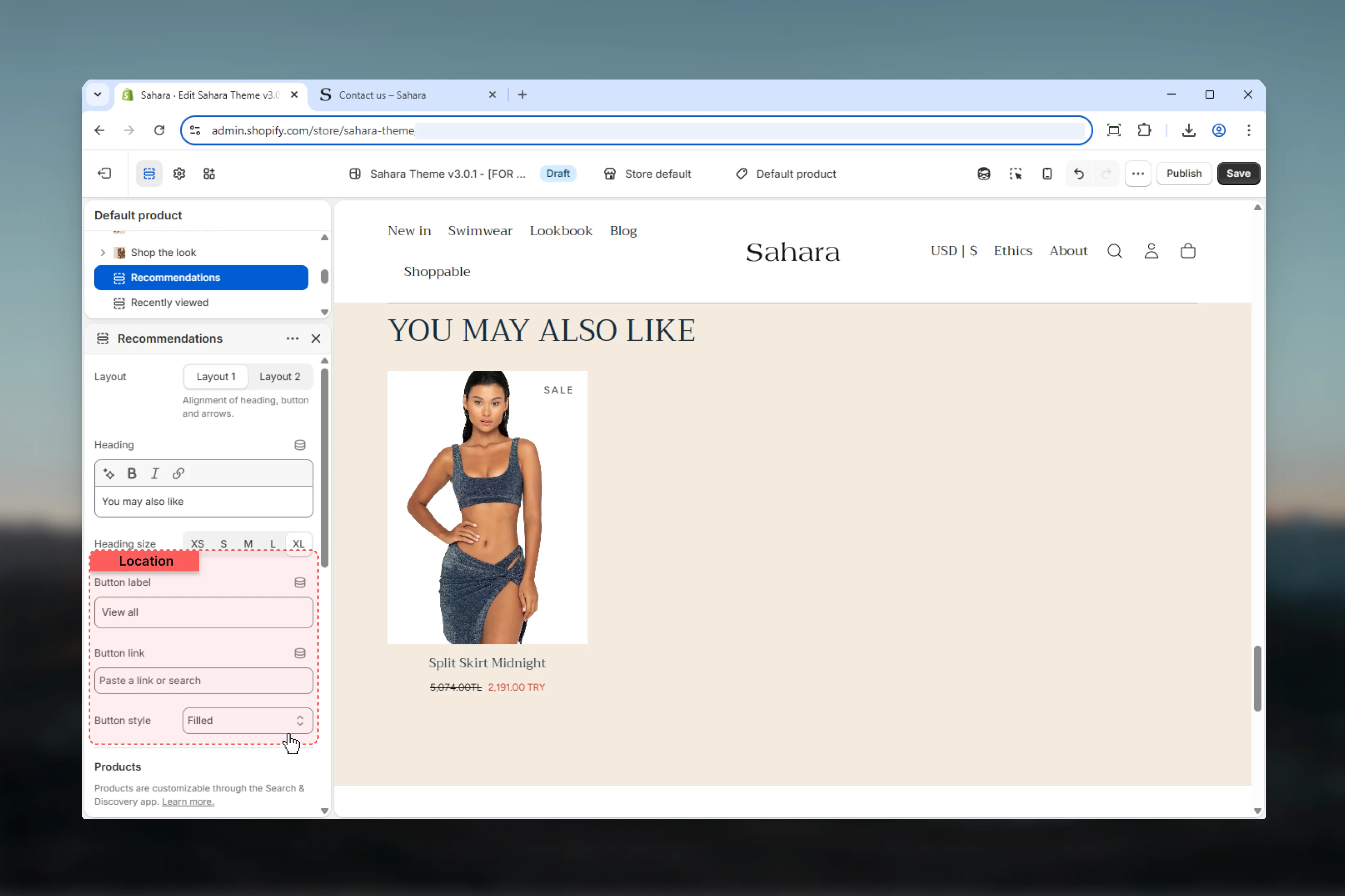
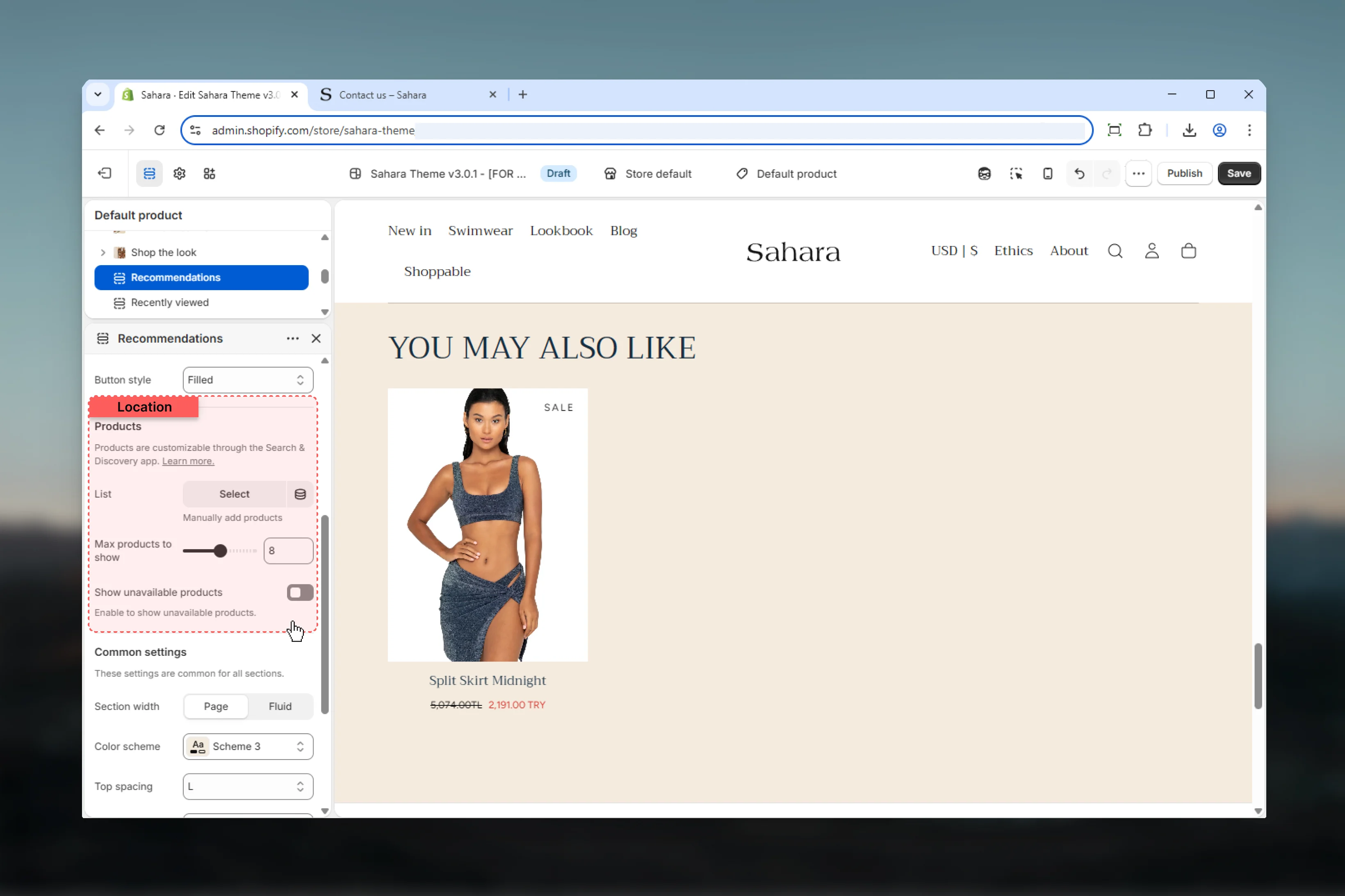
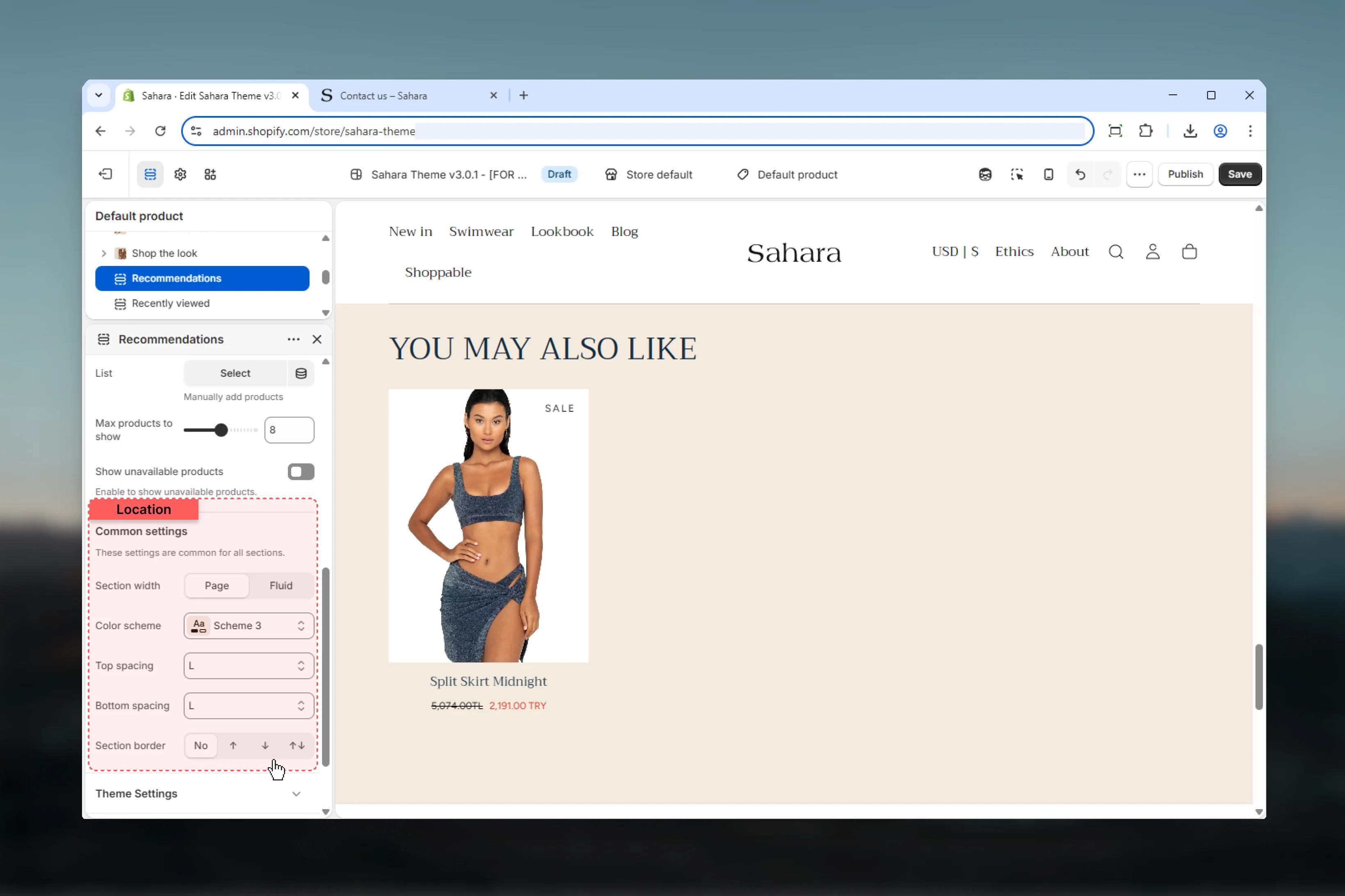
- Layout
- Content
- Products
- Styling
Layout
Controls the visual style and arrangement of the product grid.Layout 1
Layout 1
Standard grid layout with consistent product card styling.Best for:
- Clean, minimal designs
- Focus on product imagery
- Standard product pages
Layout 2
Layout 2
Alternative layout with different spacing and card treatment (default).Best for:
- Visual variety
- Differentiation from other product sections
- Enhanced visual hierarchy
Layout choice should match your overall theme aesthetic and other product section layouts.
Best practices
Strategic placement
Add to product pages (below description) and cart page for maximum cross-sell opportunity.
Contextual headings
Use descriptive, action-oriented headings: “Complete the look”, “You may also like”, “Customers also bought”.
Optimal product count
Set max products to 6-8 for balanced variety without overwhelming customers.
Quality fallbacks
Select best-selling or complementary products as manual fallbacks for new stores or products.
Hide out-of-stock
Keep “Show unavailable products” disabled to avoid customer frustration with unavailable items.
Section button
Add section button linking to collection or shop for customers who want more options.
Fluid width
Consider fluid section width for product grids to maximize space and visual impact.
Monitor performance
Track click-through and conversion rates from recommendations to optimize placement and heading.
Common use cases
Product page cross-sell
Product page cross-sell
Place below product description. Heading: “You may also like”. Max products: 8. Hide unavailable products. Manual fallbacks: Best-sellers from same collection. Button: “Shop all products”.
Cart page upsell
Cart page upsell
Add to cart page template. Heading: “Complete your order”. Max products: 6. Show unavailable for pre-orders. Manual fallbacks: Popular accessories. Button: “Continue shopping”.
Complementary products
Complementary products
Product page for apparel. Heading: “Complete the look”. Max products: 6. Hide unavailable. Manual fallbacks: Matching accessories. Filled button style. Layout 2 for differentiation.
Category suggestions
Category suggestions
Product page in specific category. Heading: “More from this collection”. Max products: 12. Fluid width. Manual fallbacks: Same-category products. Text link button: “View full collection”.
Frequently bought together
Frequently bought together
Below add-to-cart button. Heading: “Customers also bought”. Max products: 4. Hide unavailable. Manual fallbacks: Bundle-worthy items. Layout 1. Outlined button: “Shop more”.
Related sections
Featured products
Manually curated product showcases
Carousel
Sliding card displays for varied content